
Connect nopCommerce with Microsoft Power BI for Centralized Business Reporting and Management
The nopStation Power BI Plugin brings Microsoft Power BI reporting and management into your nopCommerce administration area. It allows administrators to deploy reports, configure database connections, manage data refresh operations, and view business reports without switching between separate environments. With provider-specific starter reports for SQL Server, MySQL, and PostgreSQL, the plugin simplifies the process of connecting your nopCommerce store with Power BI.
PRE-REQUISITES
- The plugin requires you to install the Nop-Station Core plugin first.
INSTALLATION
- Download the Power BI Integration Plugin from our store
- You can learn more about the installation and licensing here
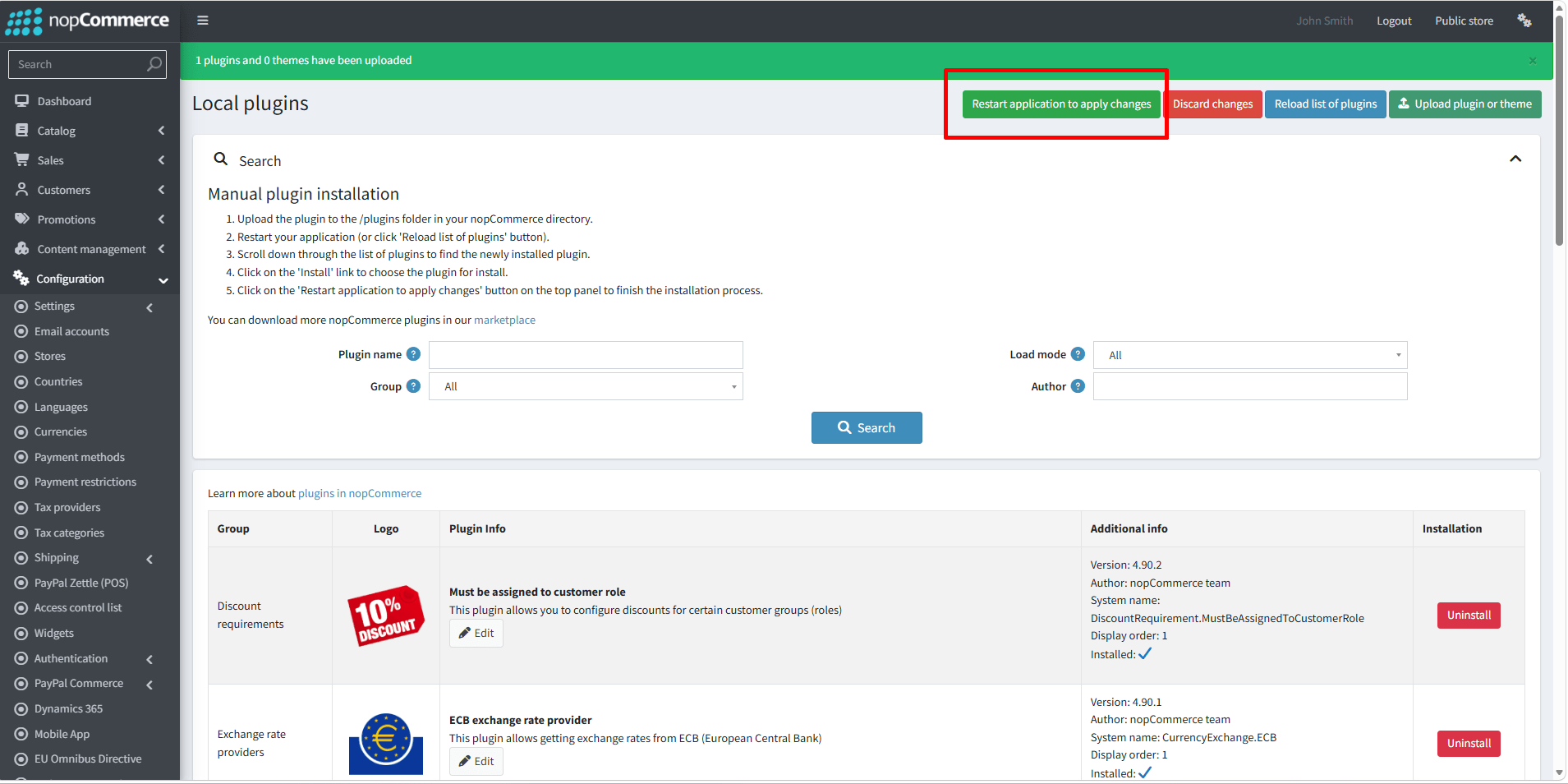
- Go to Administration → Configuration → Local plugins
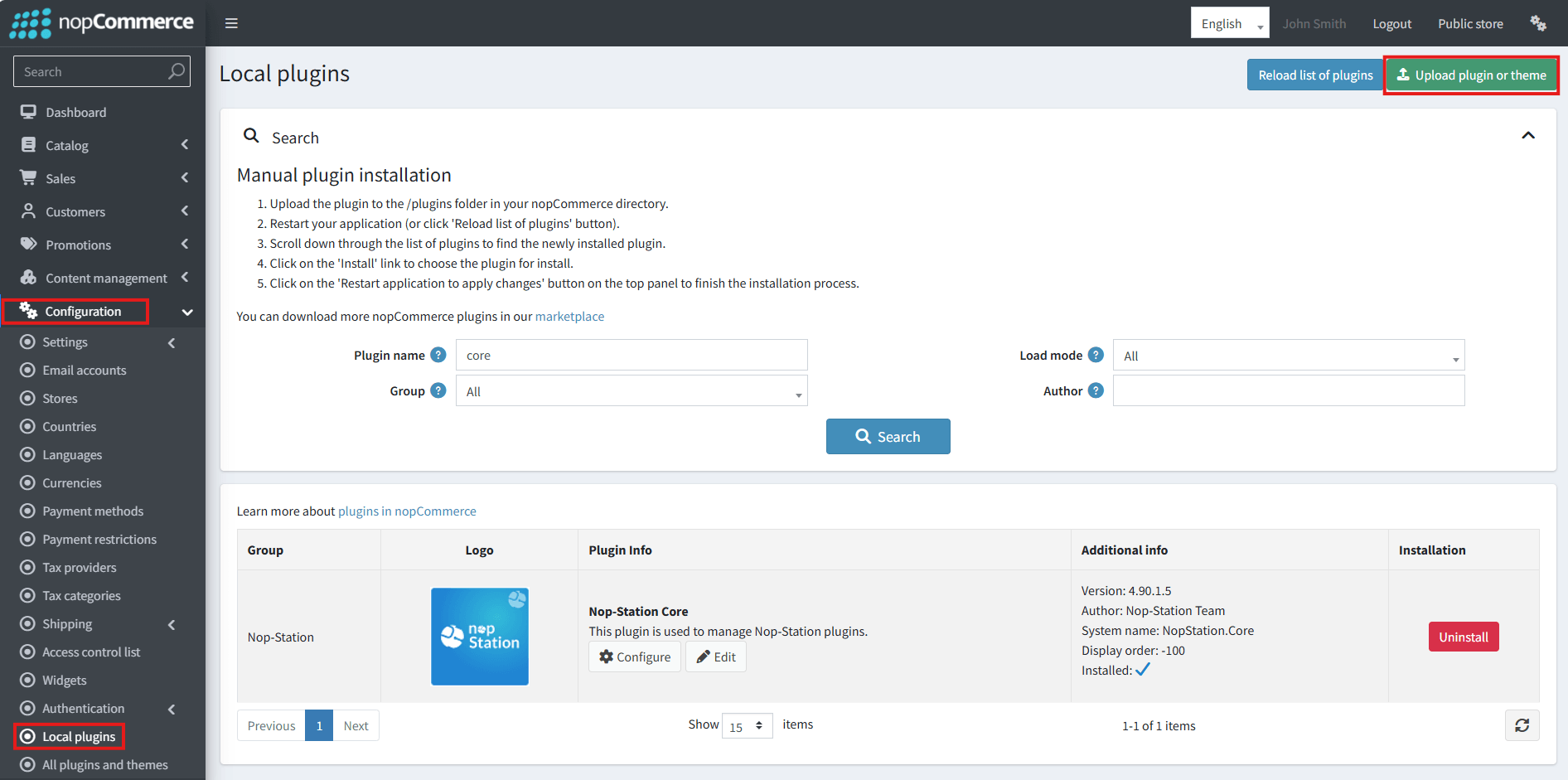
- Select the NopStation.Core file and upload it by clicking the 'Upload plugin or theme' button.
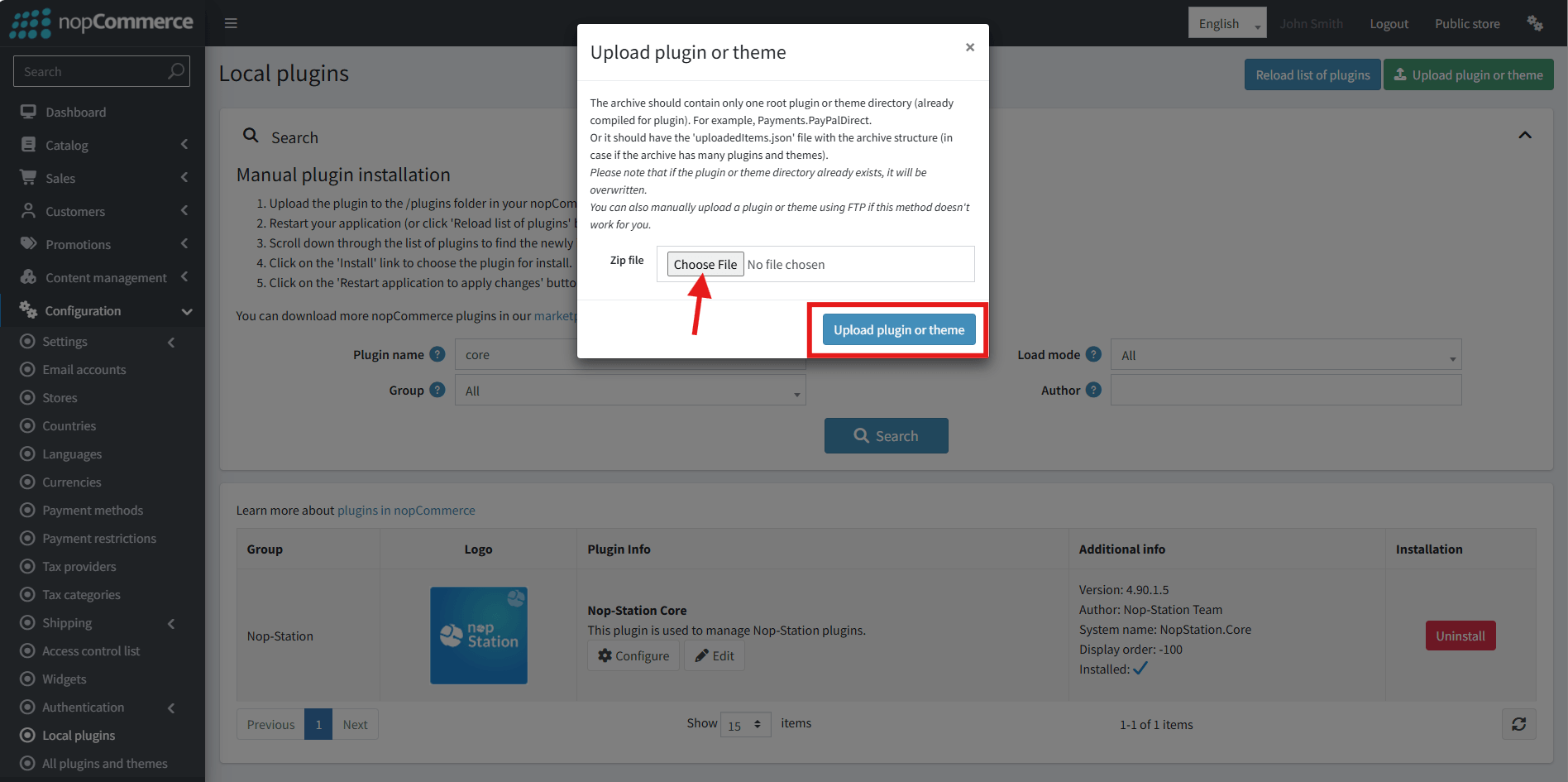
- Select the NopStation. Power BI Plugin file.
- Upload the file using the 'Upload plugin or theme' button.
- After uploading the plugin, go to the Administration. Install 'Nop-Station Core' Plugin first and then install ' NopStation. Power BI plugin.
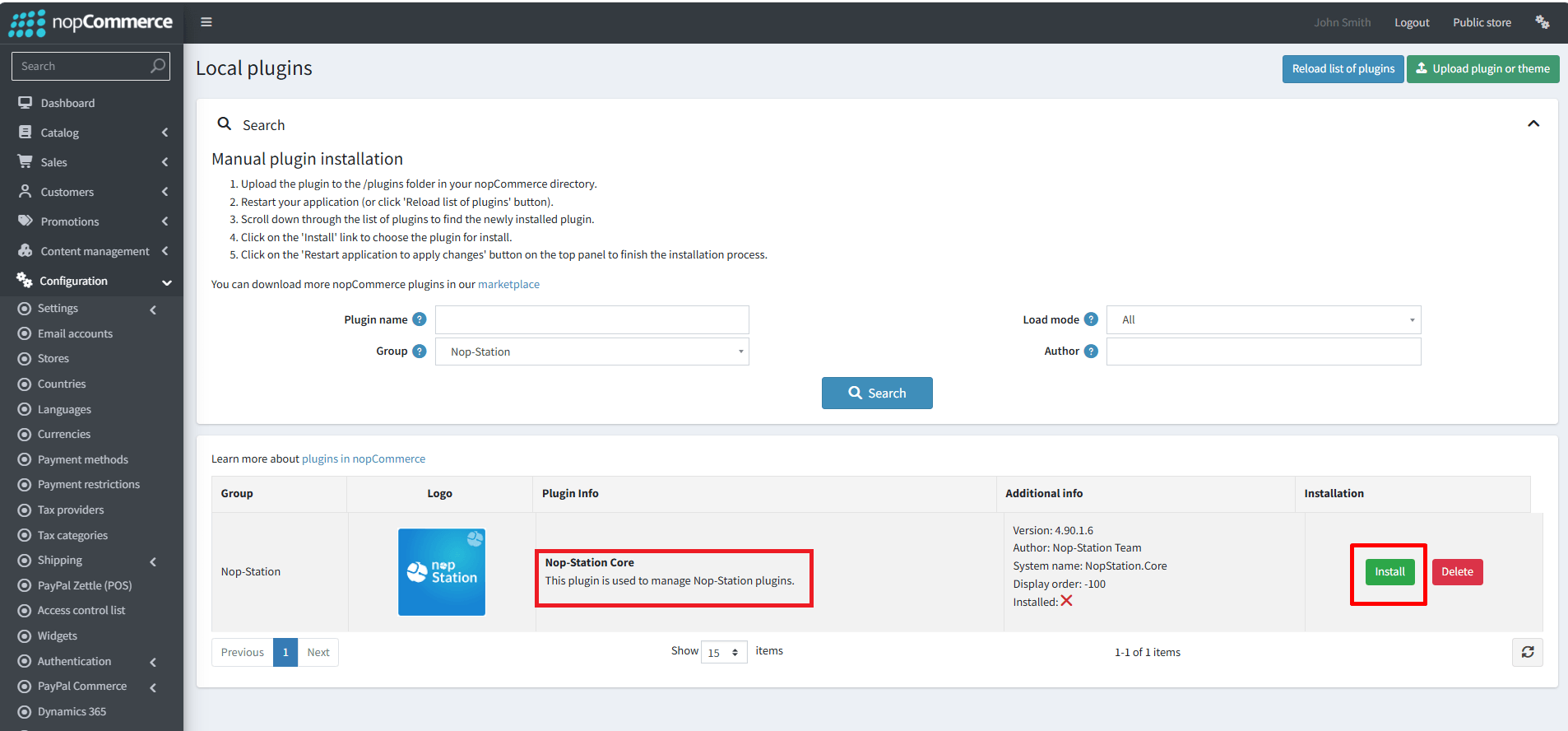
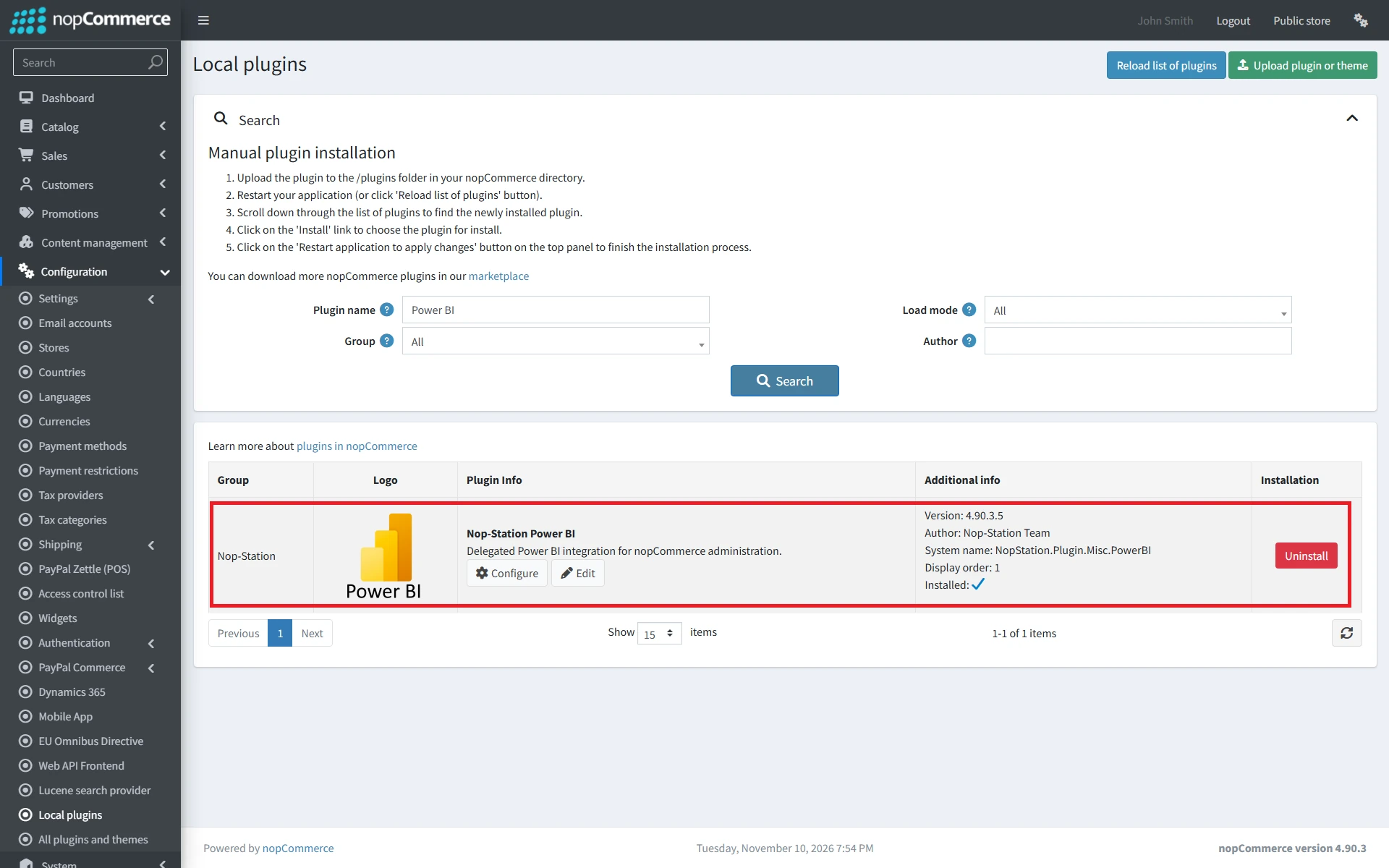
- To make the plugins functional, restart the application
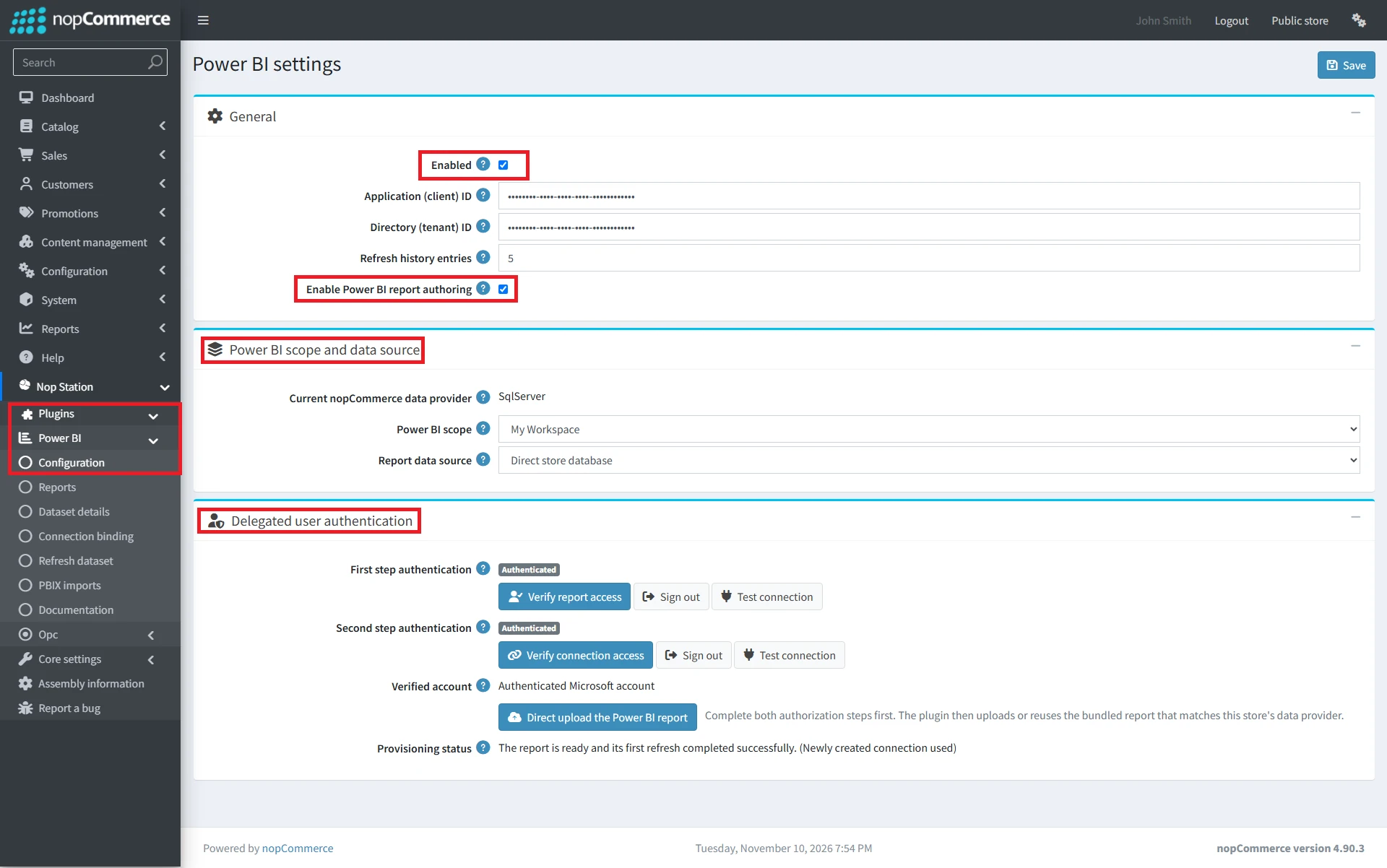
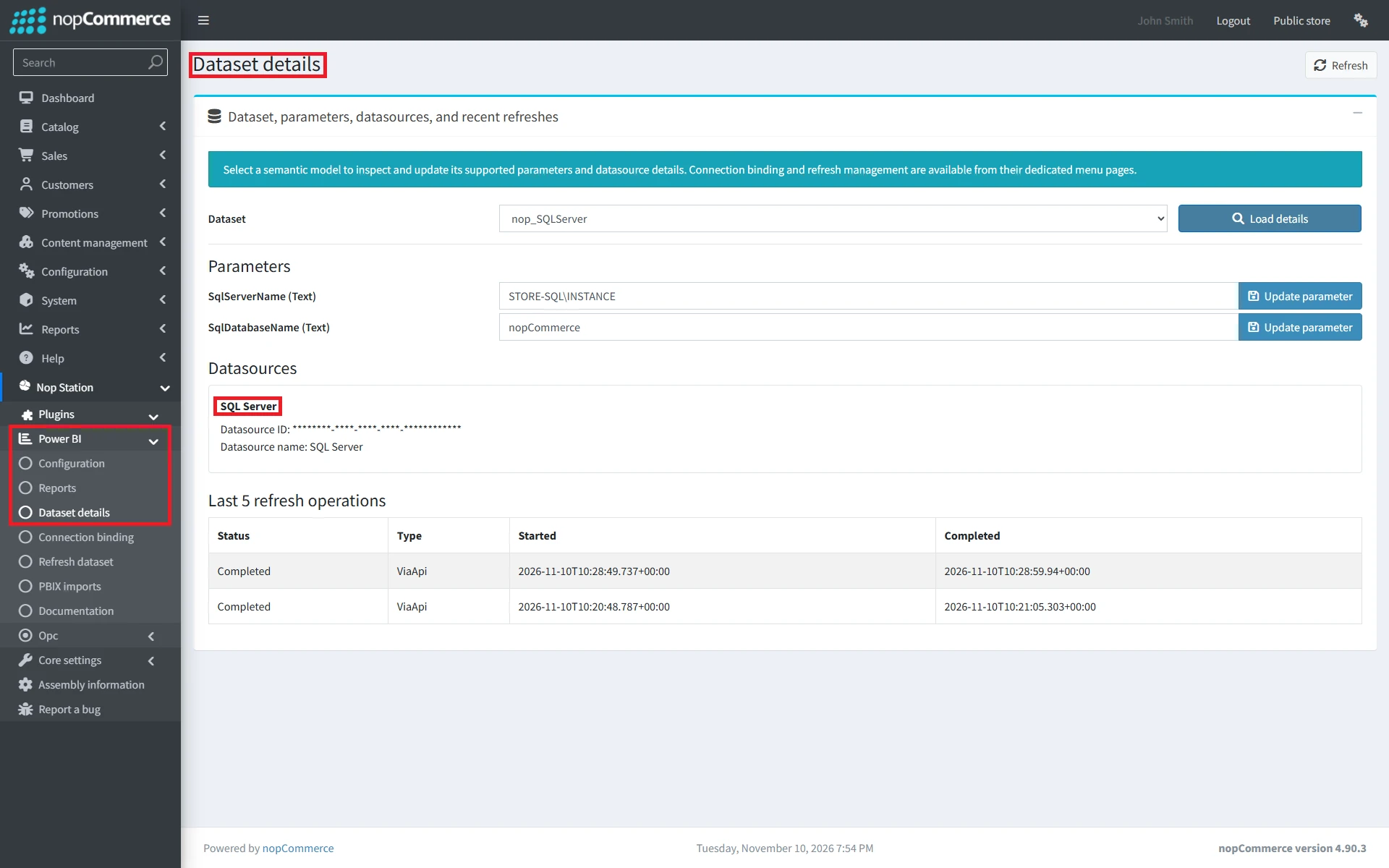
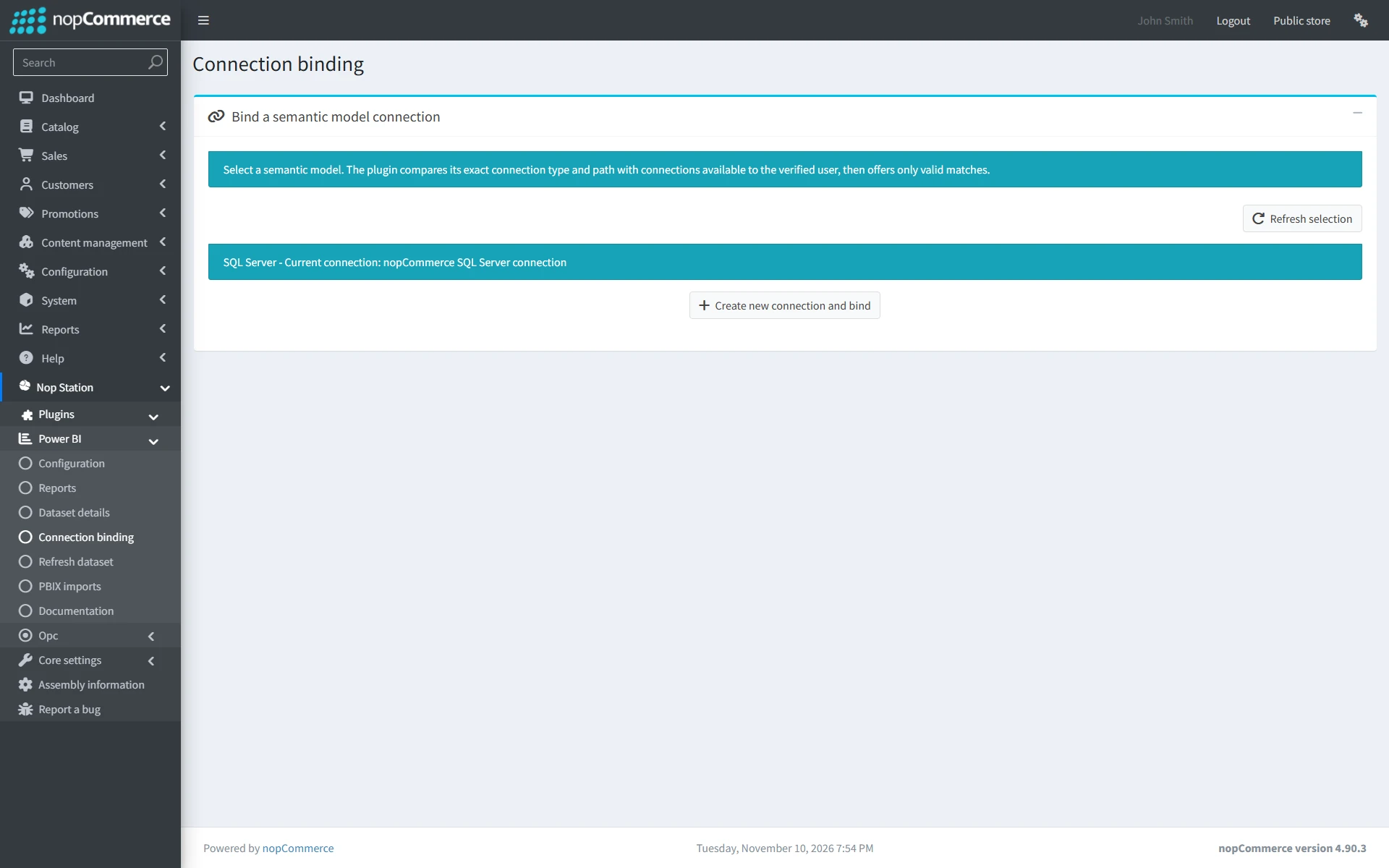
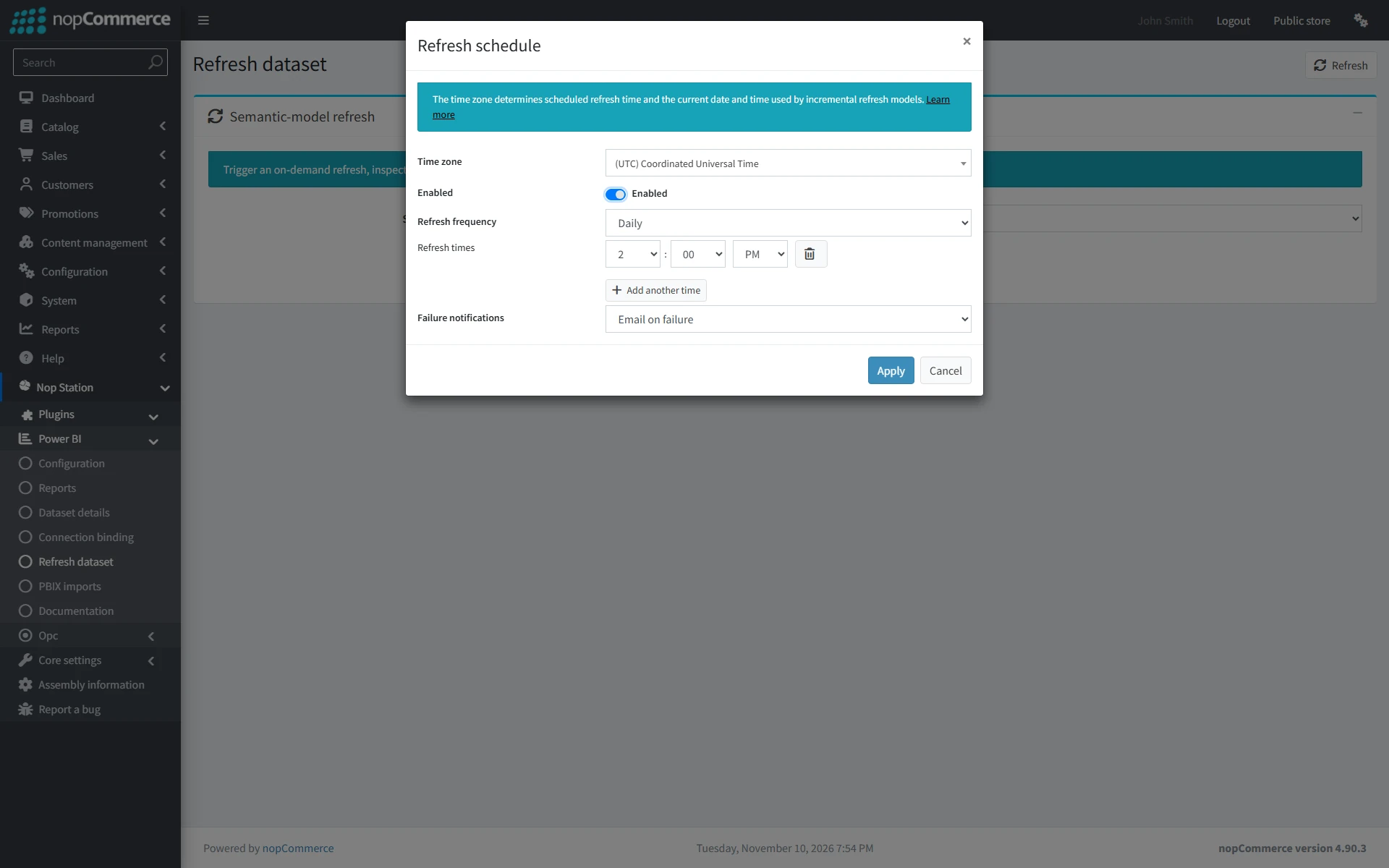
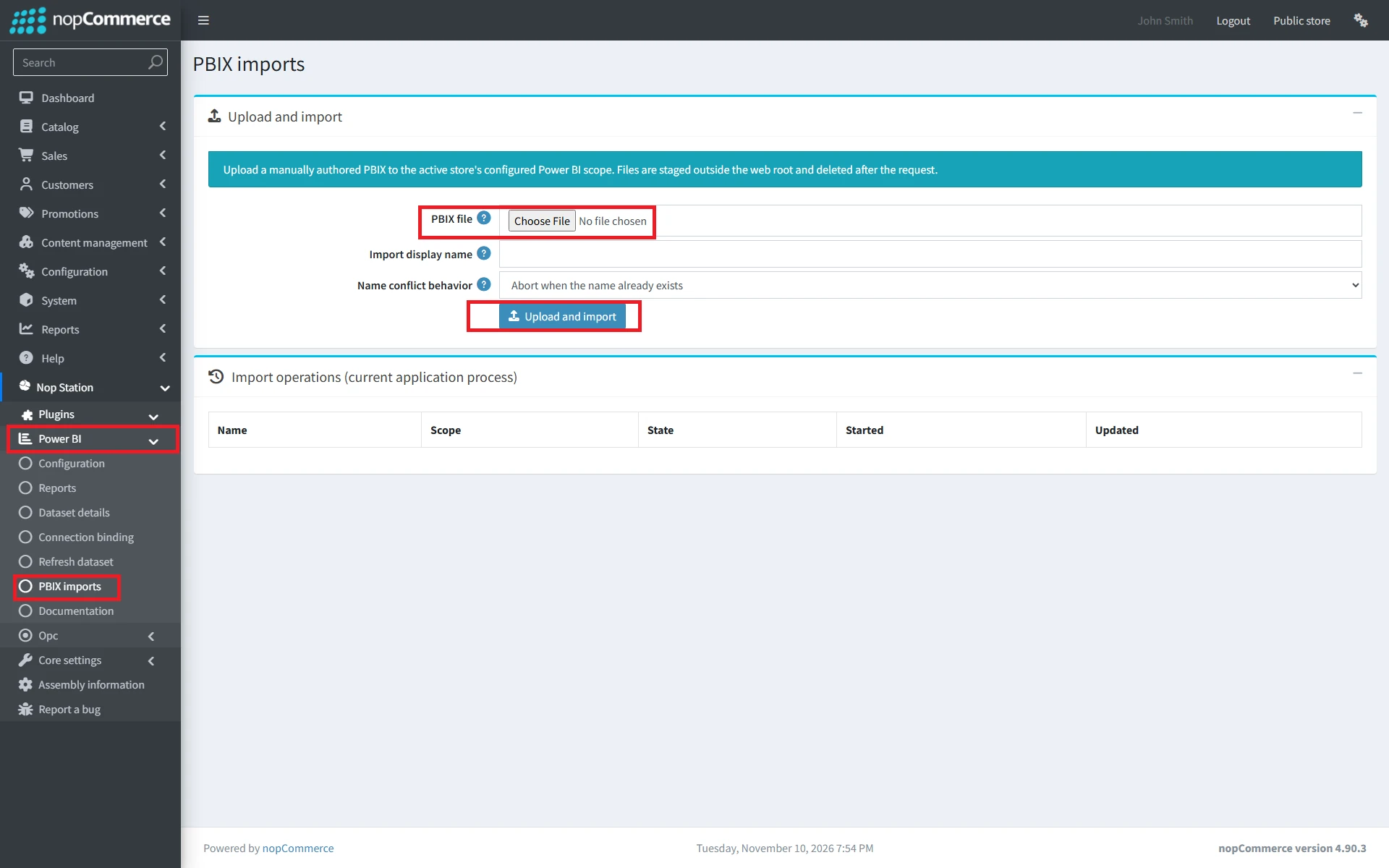
- You can configure the plugin by clicking on Configure from the Local Plugins page. Alternatively, go to nopStation → Plugins→ NopStation. Power BI → Configure NopStation. Power BI Plugin, enable the required options, and click Save.
Requirements and Licensing
- nopCommerce 4.90 and NopStation Core.
- Microsoft Entra public-client application with the required delegated permissions.
- Power BI/Fabric account with access to the target scope and content.
- Microsoft licensing suitable for the selected workspace, capacity, sharing, viewing, and authoring model.
- On-premises data gateway for private/local datasource endpoints.
- Supported database credentials and network access.
Microsoft products, licenses, tenant configuration, gateway hosting, database hosting, and report-governance services are separate from the plugin.
Operational Notes
- Microsoft token state is process-local; an application restart can require authorization again.
- The verified Microsoft identity is store-level for plugin operations, not automatically a distinct Power BI identity for every nopCommerce administrator.
- The bundled PBIX is a reporting starting point and must be reviewed against the customer's data-minimization and governance requirements.
- Separate reporting-database replication is not part of this release.
- Publish to Web, client secrets, service principals, and App-Owns-Data are not used.