
PRE-REQUISITES
- The plugin requires you to install the Nop-Station Core plugin first
- The plugin requires you to have an account on Usermaven first
INSTALLATION
- Download the Nop-Station Usermaven Plugin from our store https://nop-station.com/customer/downloadableproducts
- Go to Administration → Configuration → Local plugins
- Upload the Usermaven zip file using the "Upload plugin or theme" button
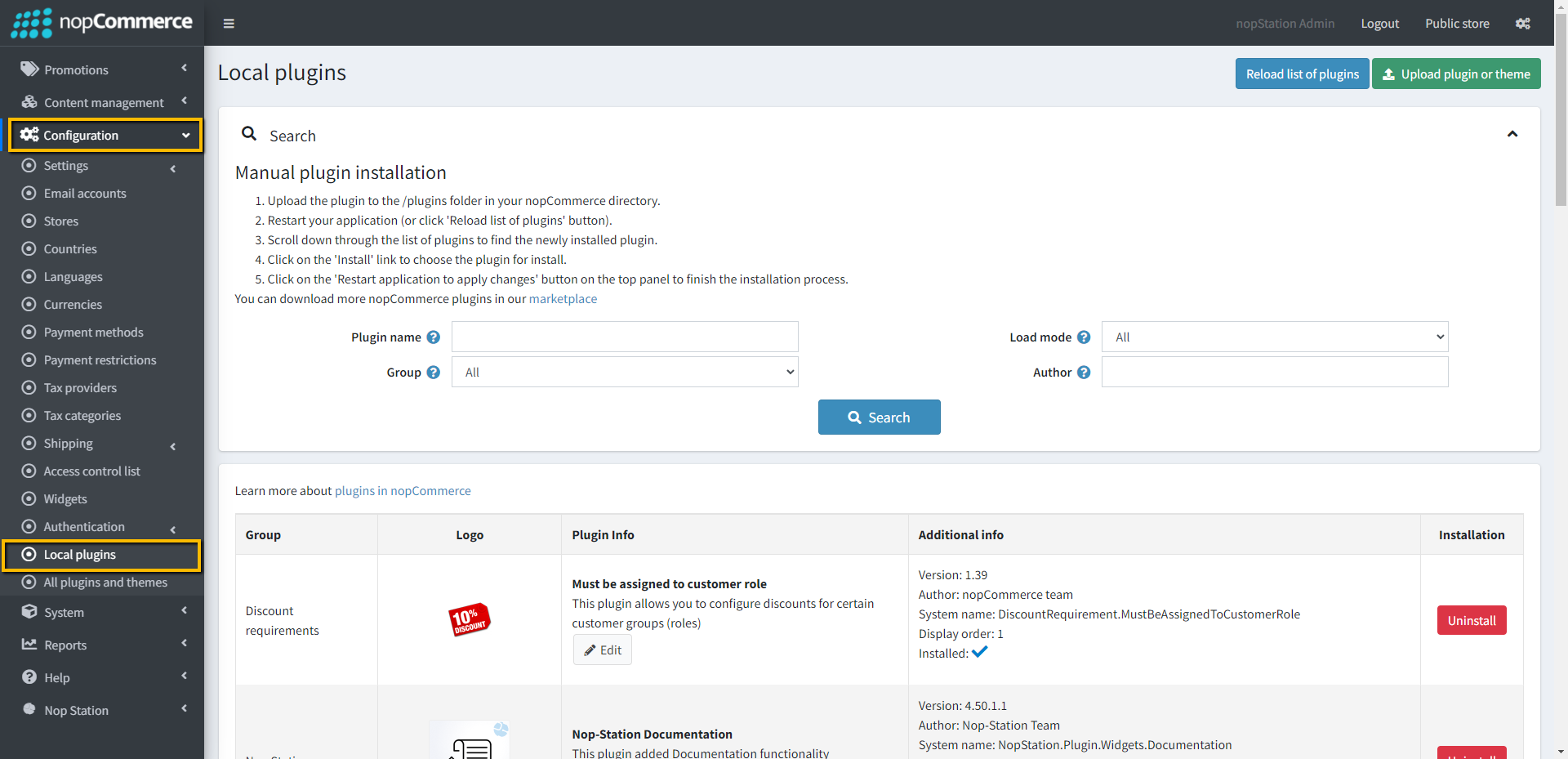
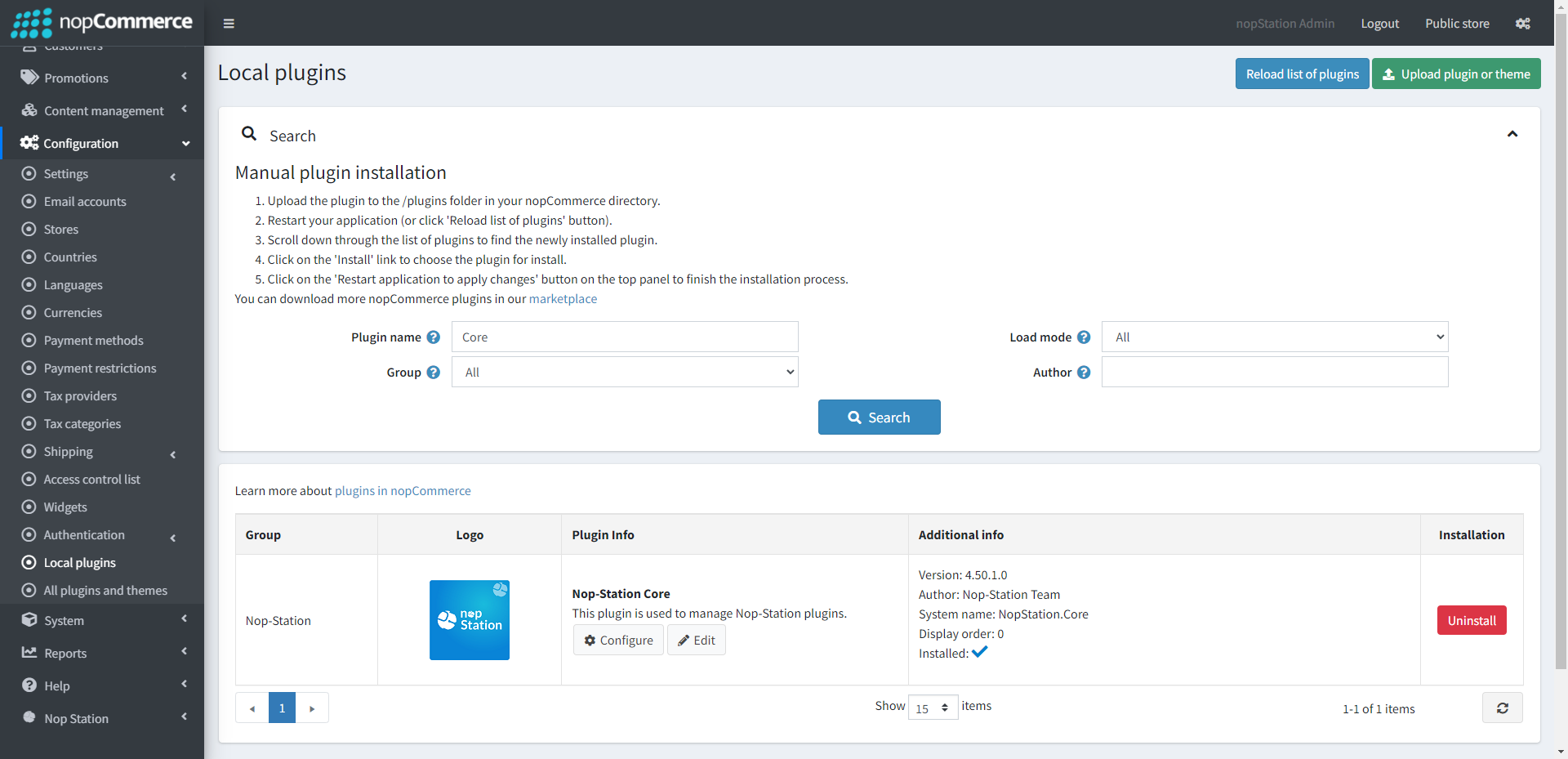
- Go to Administration, and reload the 'list of plugins'. Install the 'Nop-Station Core' Plugin first and then install the 'Nop-Station Usermaven'
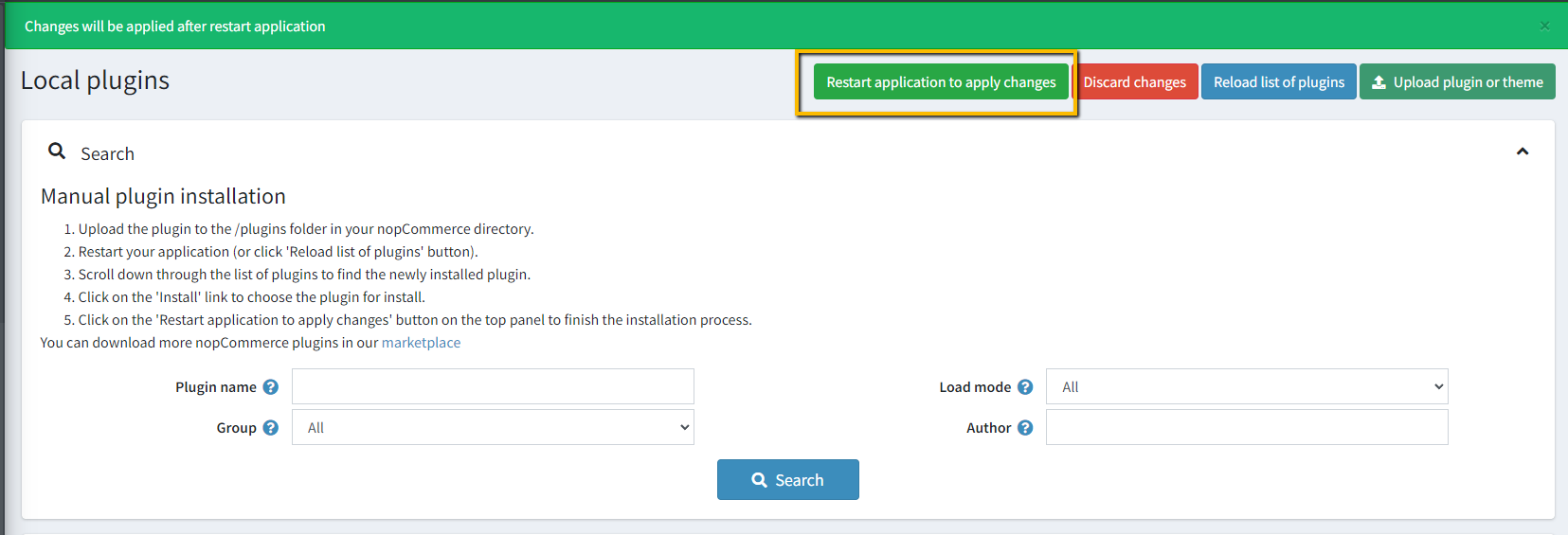
- To make the plugins functional, restart the application
ACCOUNT CONFIGURATION
- Go to to Usermaven Account
- After registering open the dashboard
- Go to Install tracking script and copy the JavaScript snippet
- Copy the Script and paste it into the plugin configuration page
CONFIGURE
- Go to Admin → NopStation → Plugins → Usermaven → Configuration
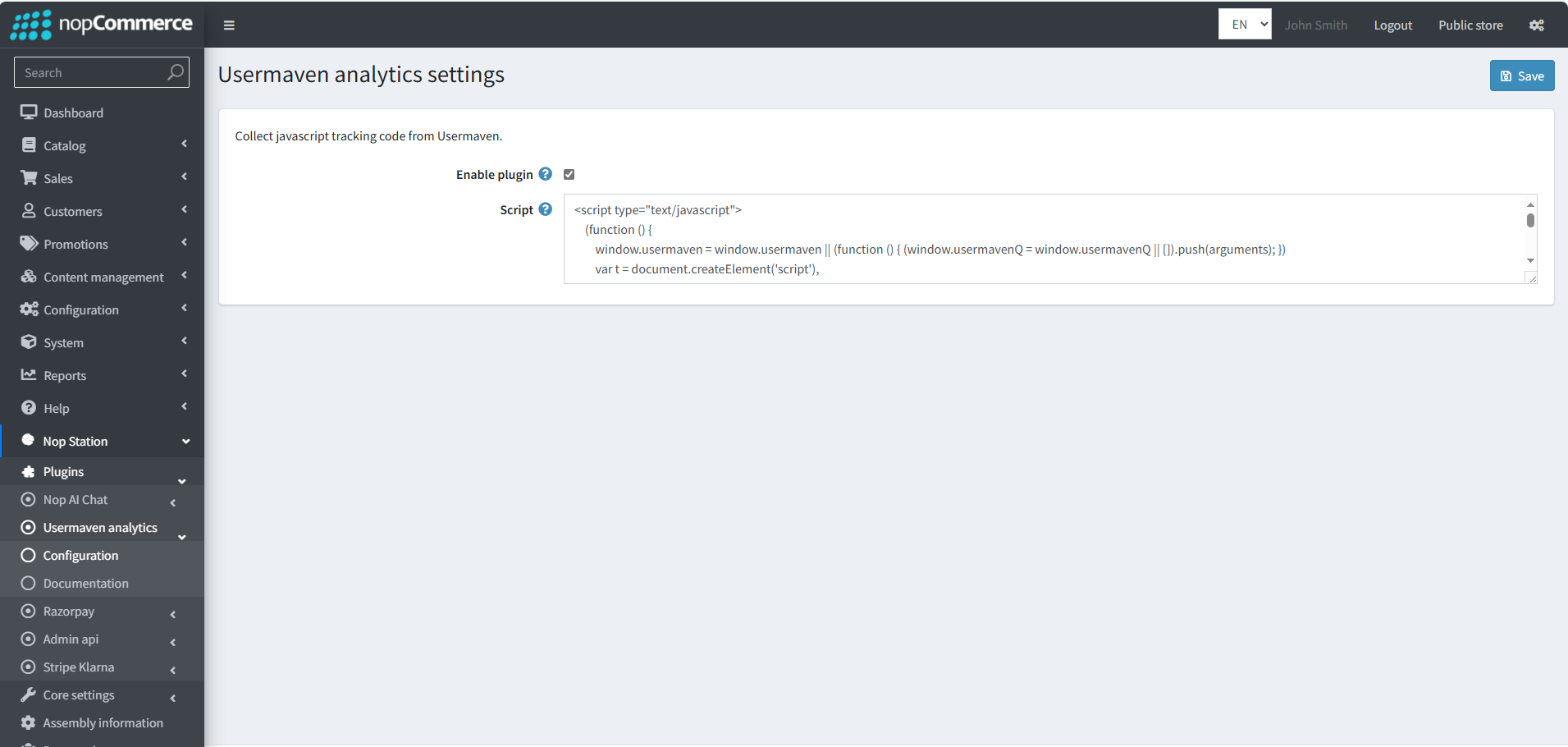
- Set script in the admin configuration page, generated from the Usermaven account
- Now you are ready to go

