
Buckaroo Payment Plugin Accept Payments Seamlessly with Buckaroo for a Secure and Flexible nopCommerce Checkout.
nopStation Buckaroo Payment Plugin connects your nopCommerce store with Buckaroo, giving merchants a secure and flexible way to accept online payments through popular payment methods. It supports both Redirect and Hosted Fields checkout, allowing you to choose the payment experience that best fits your store while keeping payment processing reliable and easy to manage.
PRE-REQUISITES
- The plugin requires you to install the Nop-Station Core plugin first.
INSTALLATION
- Download the Buckaroo Payment Plugin from our store.
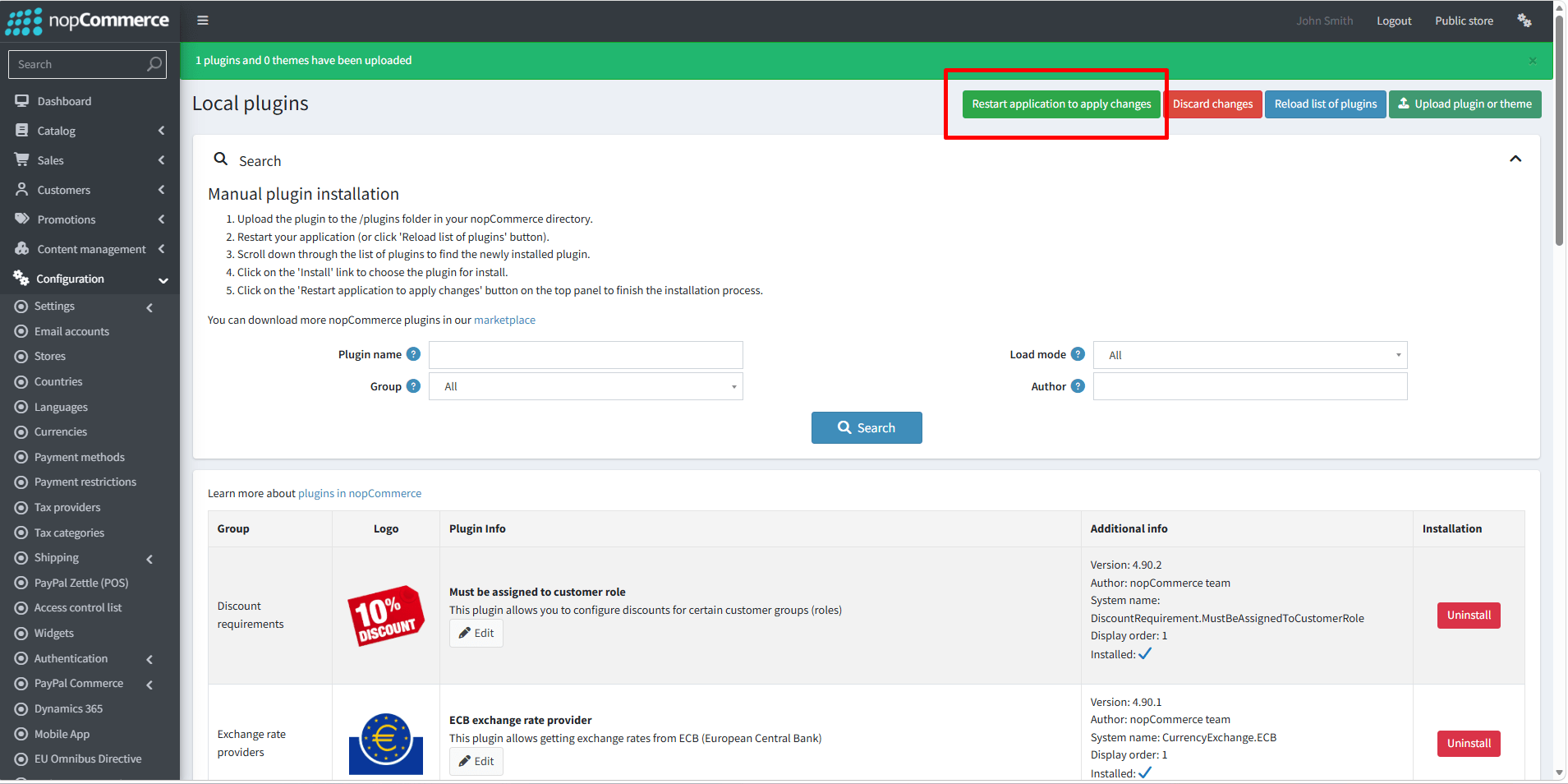
- Go to Administration → Configuration → Local plugins.
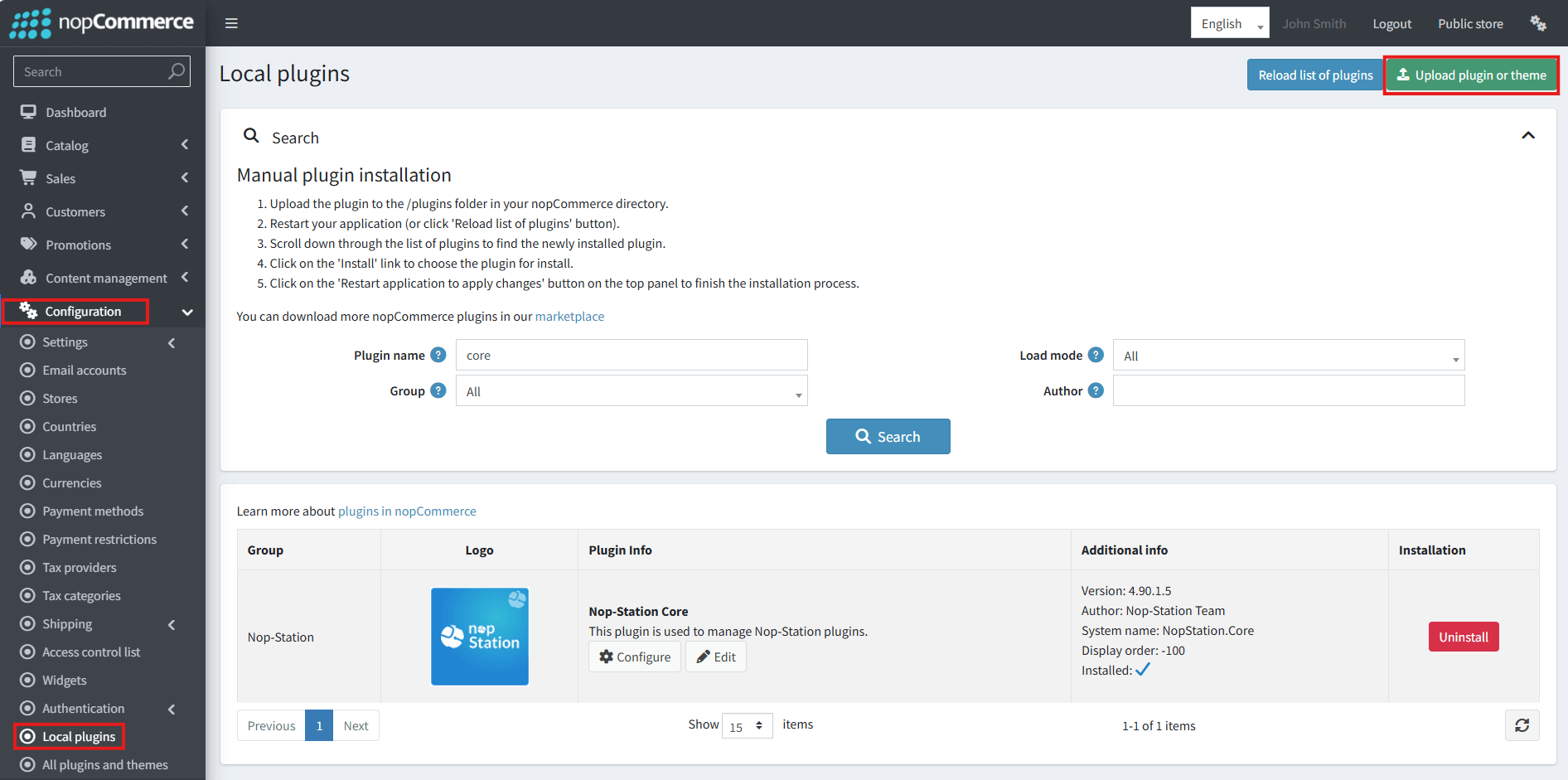
- Select the NopStation.Core file and upload it by clicking the 'Upload plugin or theme' button.
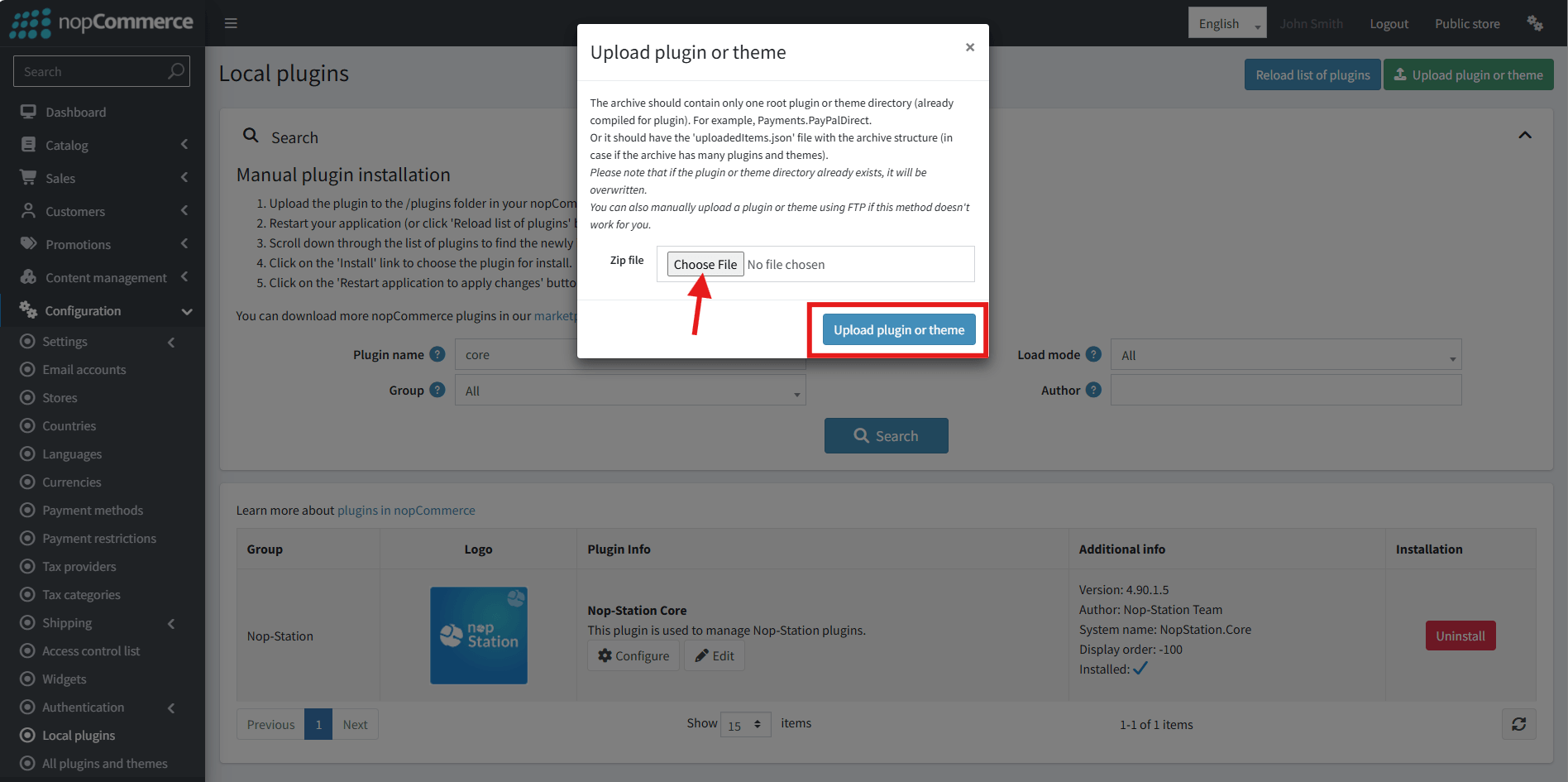
- Select the NopStation. Buckaroo Payment Plugin file.
- Upload the file using the 'Upload plugin or theme' button.
- After uploading the plugin, go to the Administration. Install 'Nop-Station Core' Plugin first and then install ' NopStation. Buckaroo Payment plugin.
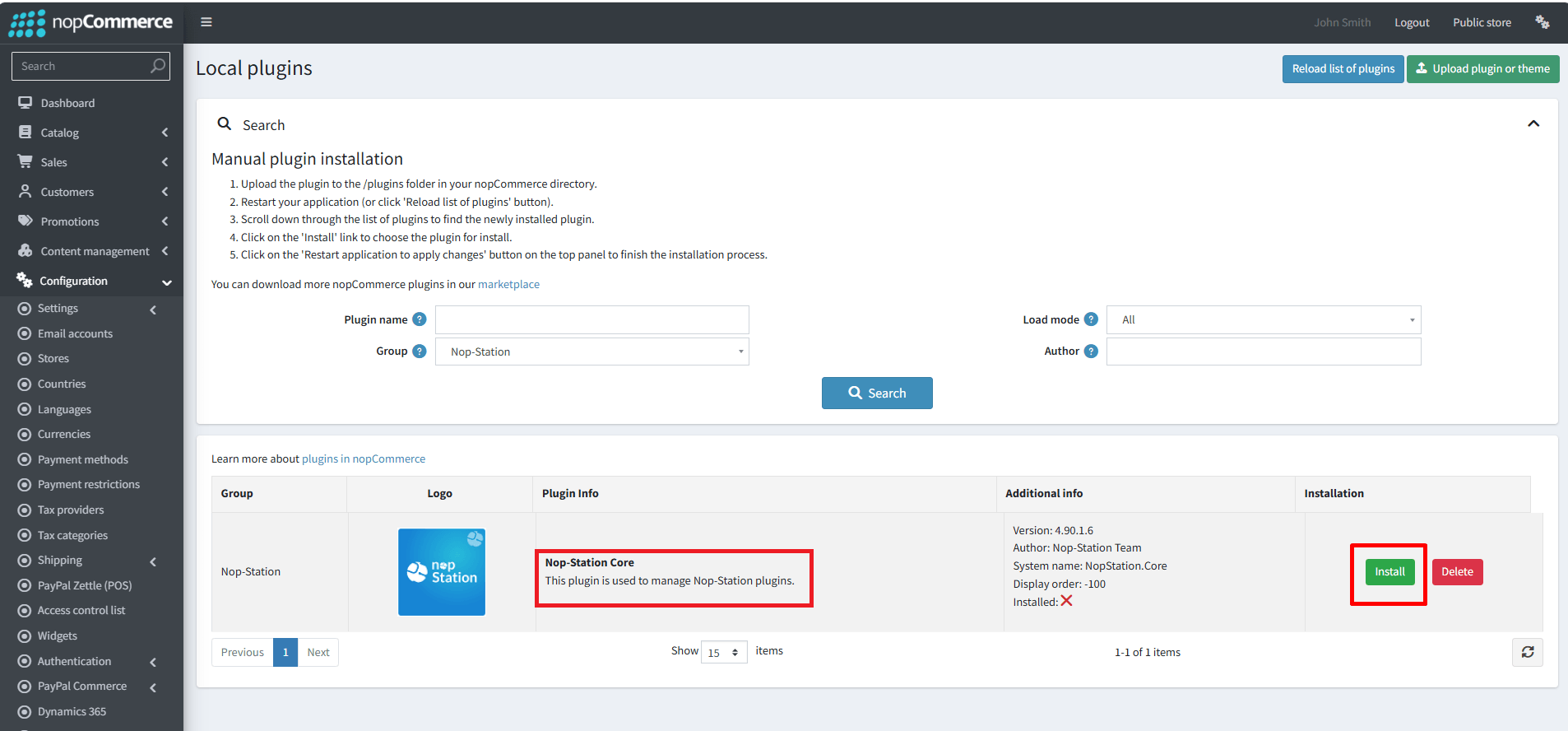
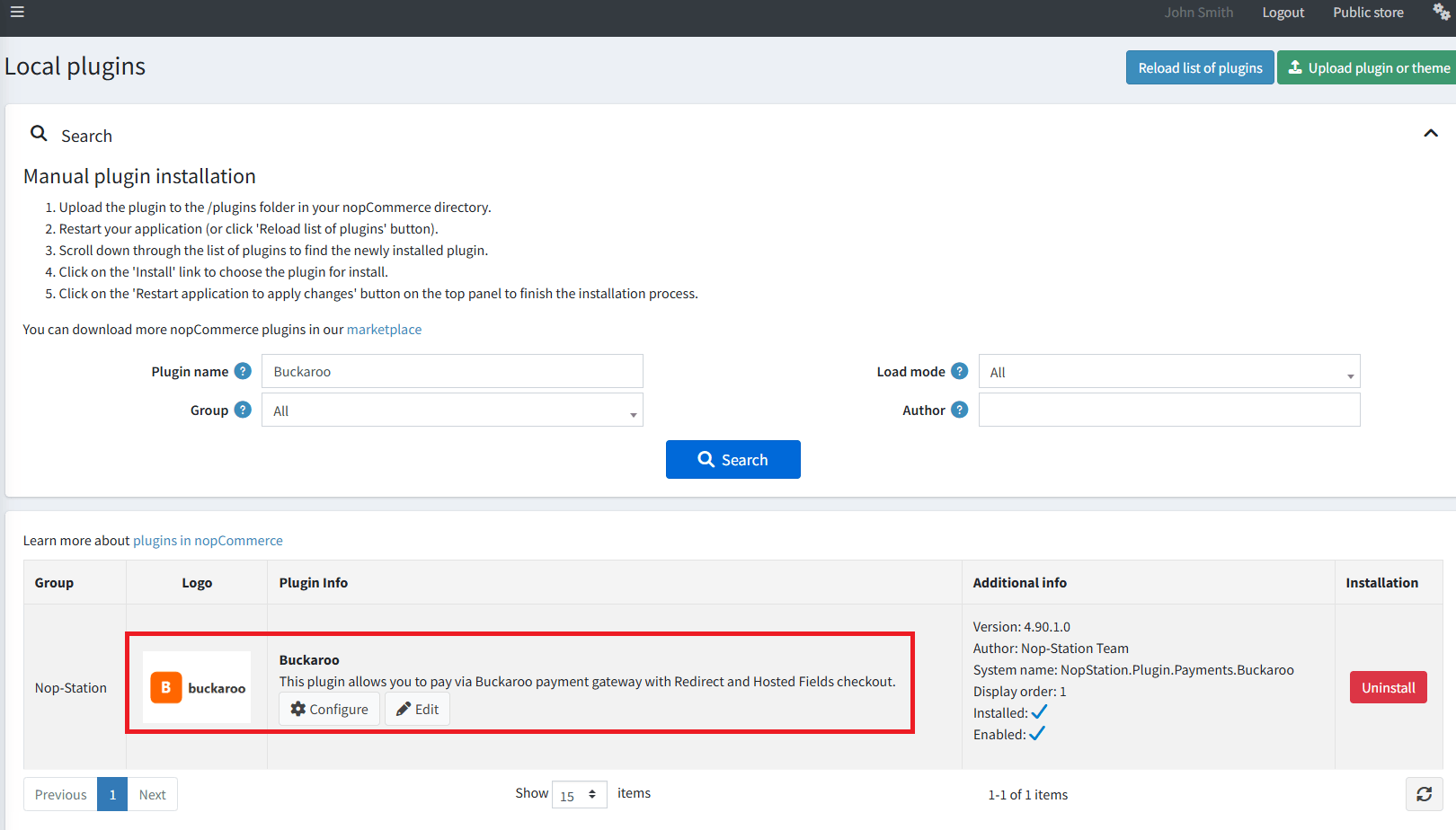
- To make the plugins functional, restart the application.
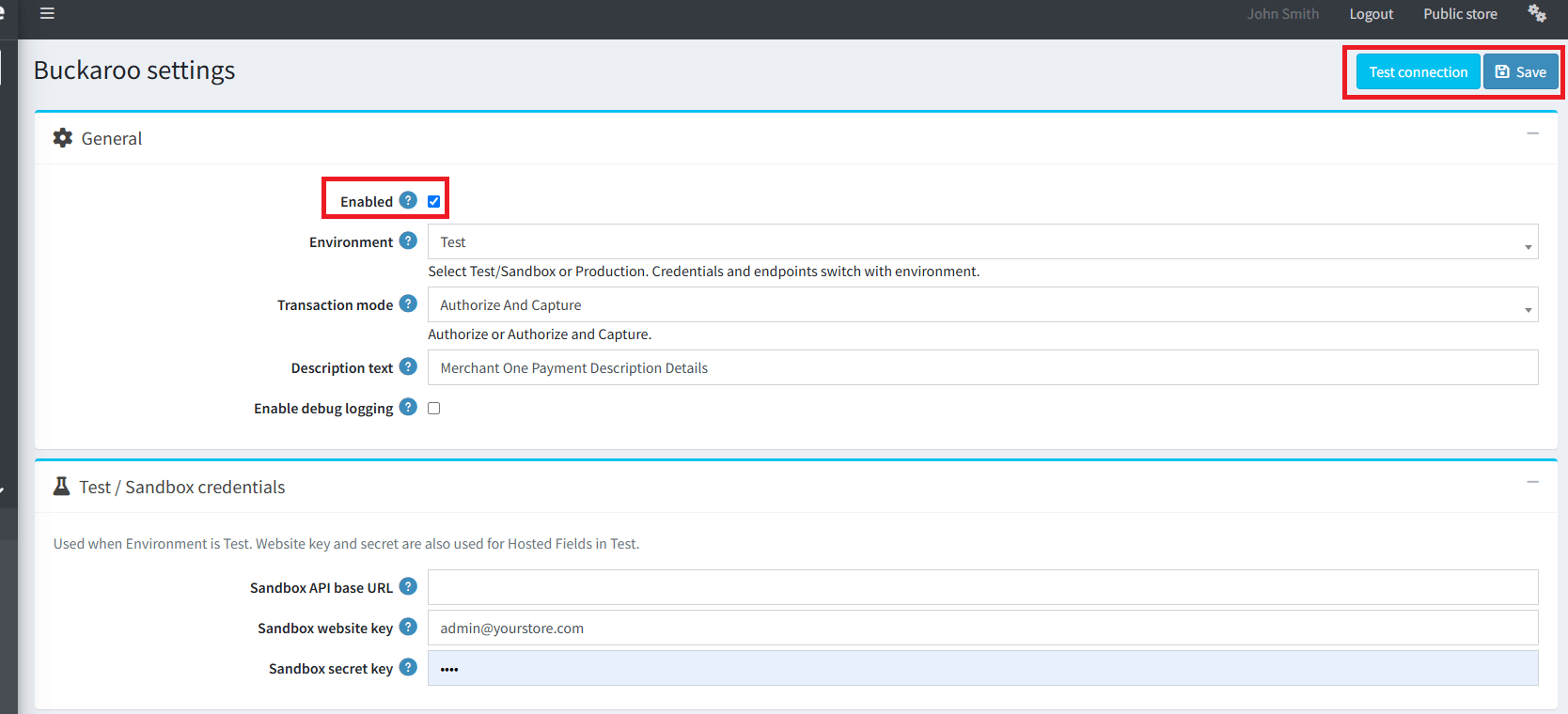
- You can configure the plugin by clicking on Configure from the Local Plugins page. Alternatively, go to nopStation → Plugins→ NopStation. Buckaroo Payment Plugin → Configure NopStation. Buckaroo Payment Plugin, enable the required options, and click Save.
Requirements
- Buckaroo Plaza account (Test and/or Production).
- For Hosted Fields: Token Registration Client Id/Secret with scope hostedfields:save.
- Public HTTPS URL for Push webhooks (or a tunnel for local testing).
Buckaroo Plaza setup
- Log in to Buckaroo Plaza.
- Copy Website key and Secret key for Test and/or Production.
- For Hosted Fields: Settings → Token registration → register an app with scope hostedfields:save → copy Client Id and Client Secret.
- Register your Push URL(s) from the plugin Webhooks section (same values as configured in admin).
Test / Production credentials
| Setting | Description |
|---|---|
| API base URL | Optional API Gateway base URL. |
| Website key / Secret key | HMAC credentials for that environment. |
Use Test connection after save (uses the active store scope).
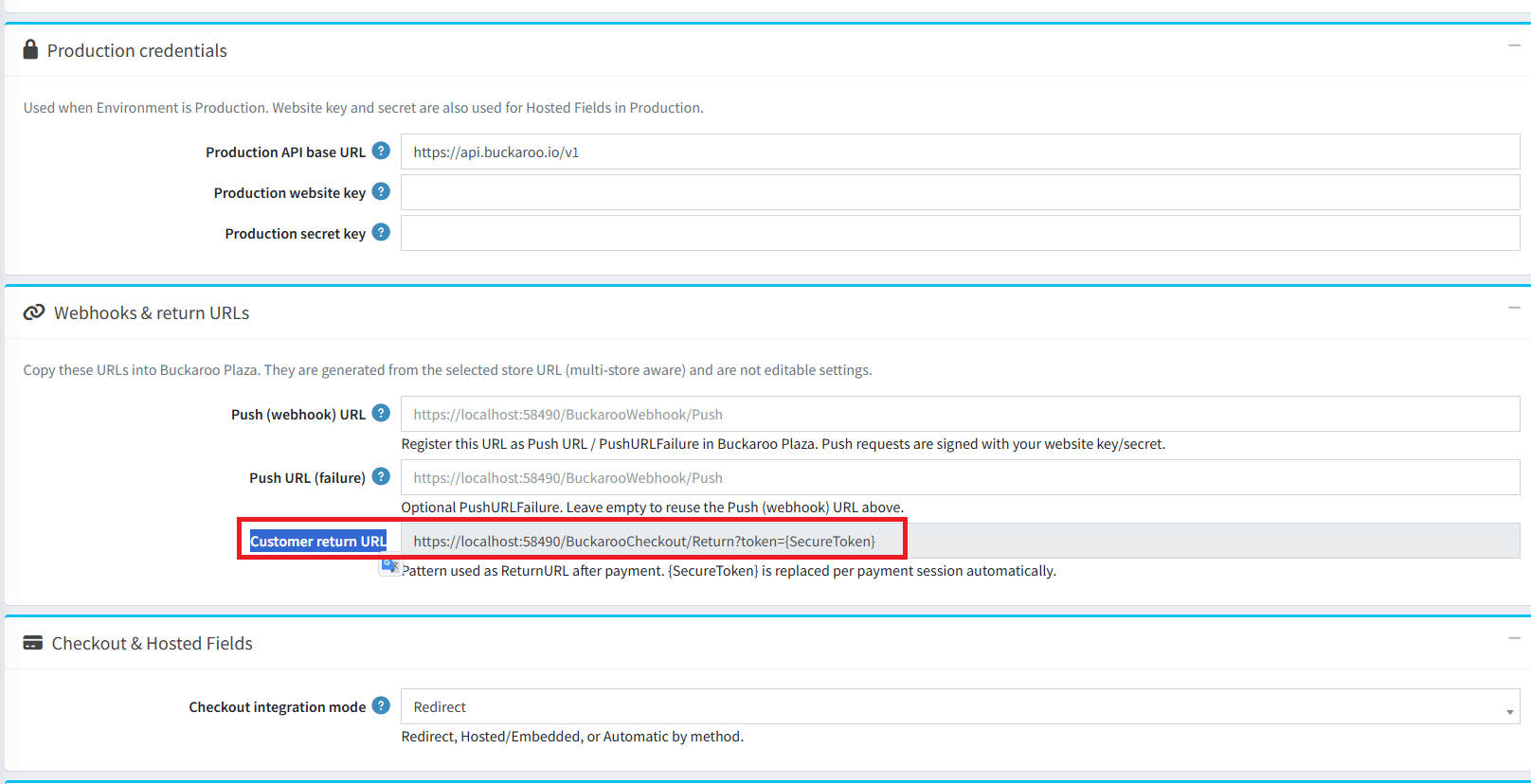
Webhooks & return URLs
| Setting | Description |
|---|---|
| Push (webhook) URL | Editable PushURL. Leave empty to auto-use {storeUrl}/BuckarooWebhook/Push. Override per store for custom domains or tunnels. Register the same URL in Plaza. |
| Push URL (failure) | Optional PushURLFailure. Leave empty to reuse the Push URL. |
| Customer return URL | Fixed (read-only): {storeUrl}/BuckarooCheckout/Return?token={SecureToken}. Sent automatically as ReturnURL. |
Checkout & Hosted Fields
| Setting | Description |
|---|---|
| Checkout integration mode | Redirect or Hosted. |
| Hosted Fields Client Id / Secret | Token Registration credentials (Hosted mode). |
| Hosted Fields SDK URL | Optional; leave empty for Buckaroo default CDN. |
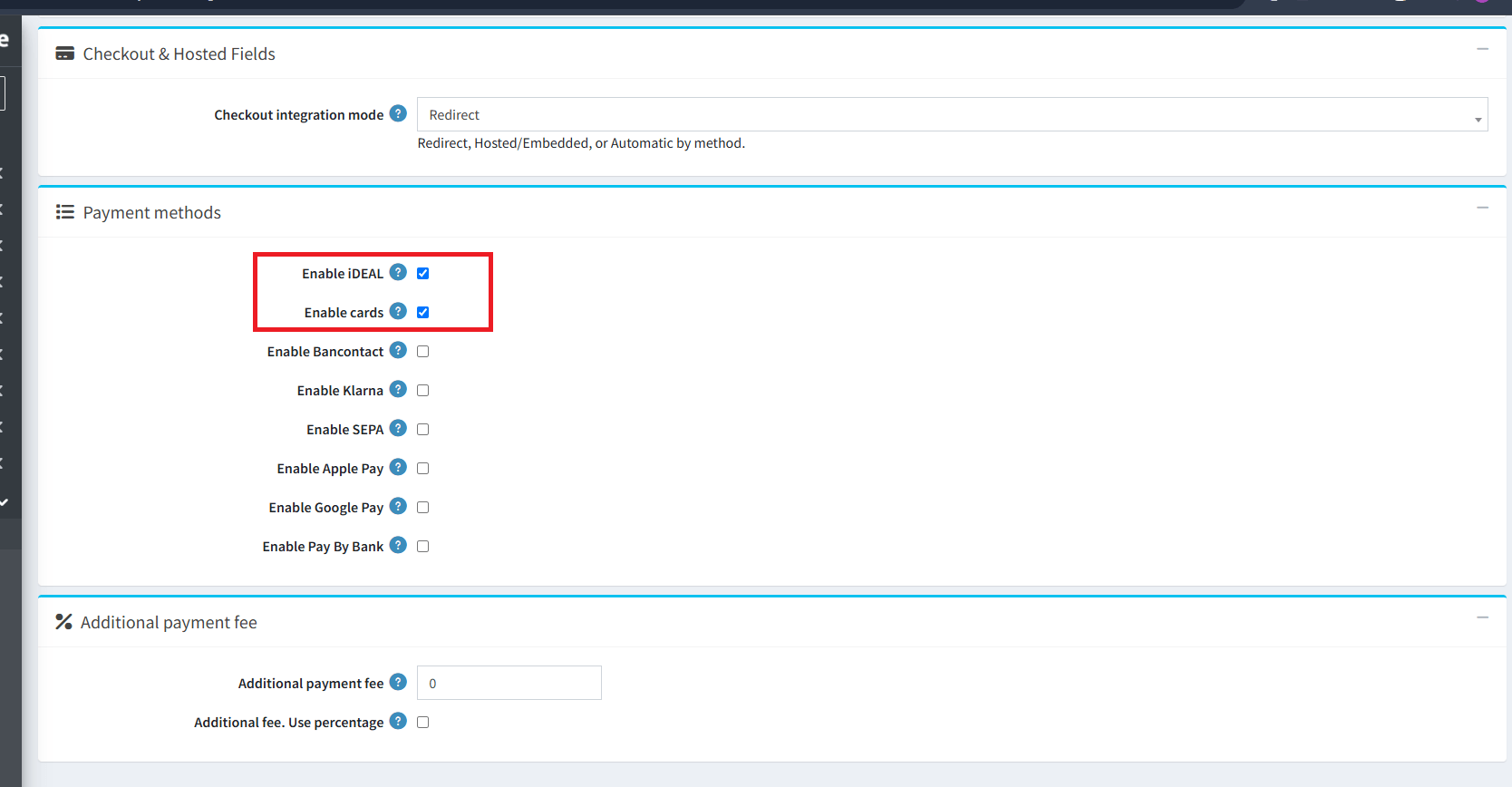
Payment methods & fee
- Enable only methods active on your Buckaroo contract.
- Additional fee: fixed amount or percentage.
Multi-store
- Select the store from the scope dropdown.
- Check Override for store on each setting to customize.
- Save.
Checkout modes
Redirect (order first)
- Customer places the order (payment Pending).
- Customer is redirected to Buckaroo.
- Return and/or webhook finalize Paid or Authorized.
Hosted Fields (pay first)
- Customer enters card details in Buckaroo Hosted Fields.
- Plugin uses PayWithToken / AuthorizeWithToken.
- Customer clicks Place Order; Status API is verified before the order is created.
- Place Order is never auto-clicked.
Admin payment operations
| Action | When |
|---|---|
| Capture | Authorized orders (Authorize mode) |
| Void | Unused authorization (CancelAuthorize) |
| Refund / Partial refund | When nopCommerce allows it for the order |
Schedule task Reconciliation (Buckaroo plugin) helps finalize stale pending sessions.
Troubleshooting
| Issue | What to do |
|---|---|
| Install fails / plugin missing | Install NopStation Core first. |
| Test connection fails | Check Environment, keys, and selected store scope. |
| Order stays Pending | Set/register Push URL; ensure HTTPS is reachable. |
| Hosted Fields won’t start | Hosted mode + Cards enabled + Token Client Id/Secret. |
| Place Order: not confirmed | Wait for success; cart total must match paid amount. |
| Webhook ignored | Website key/secret must match the signing environment. |

