The Nop AI Chat plugin by nopStation for nopCommerce enables AI-powered customer chat on your storefront. This generative AI tool enhances customer service by integrating Open AI and allows you to add custom knowledge sources like product documentation and FAQs. It provides quick, context-aware responses to customer inquiries without human intervention, ensuring reliable 24/7 support and reducing operational costs.
INSTALLATION
Make sure all the updated libraries are placed in your site root directory before installing Nop AI Chat plugin. Please contact us to get the list of updated libraris.
Download the Nop AI Chat plugin from provided link
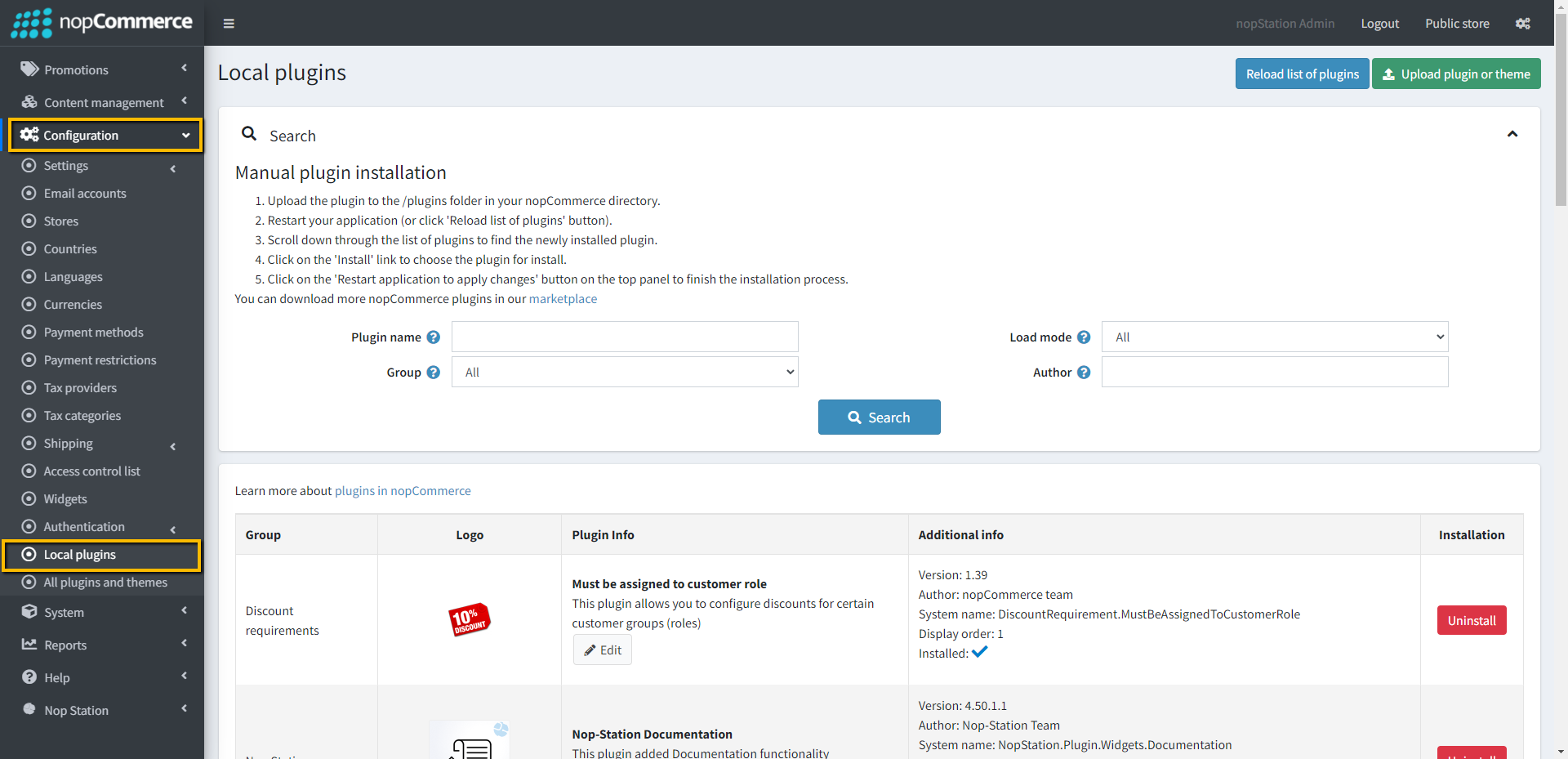
Go to Administration > Configuration > Local plugins.
Upload the Nop AI Chat zip file using the "Upload plugin or theme" button
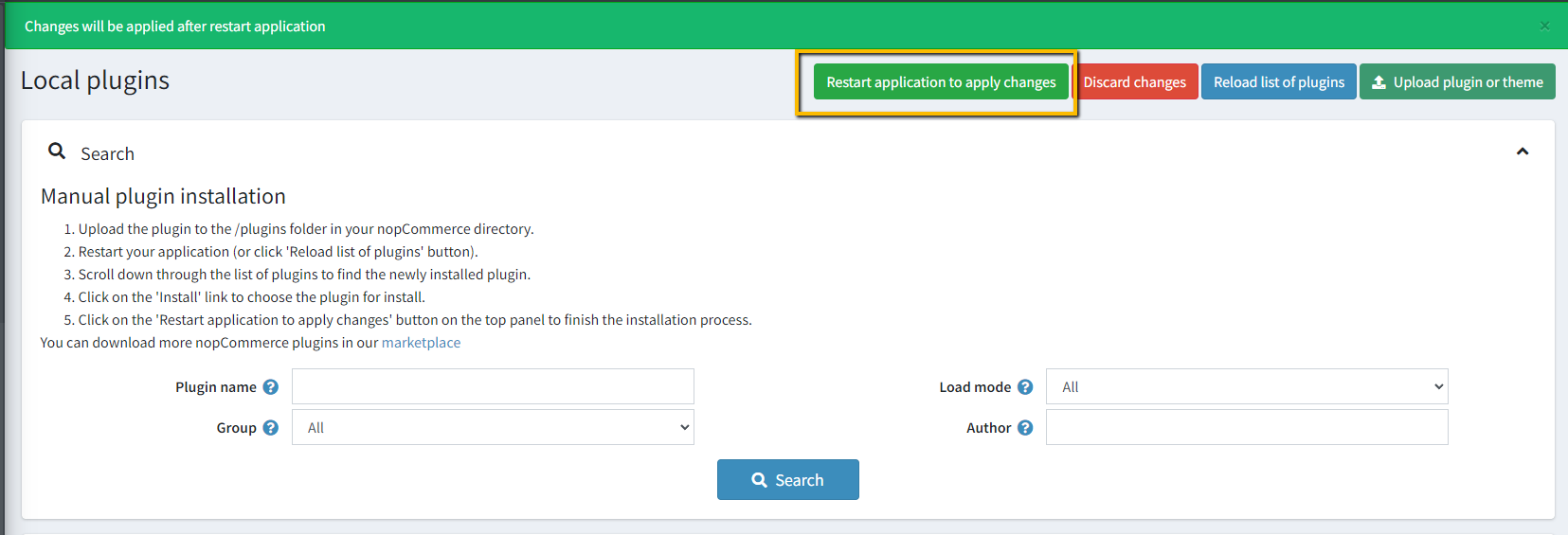
Go to Administration, reload the 'list of plugins'. Install 'Nop AI Chat'
To make the plugins functional, restart the application.
CONFIGURATION
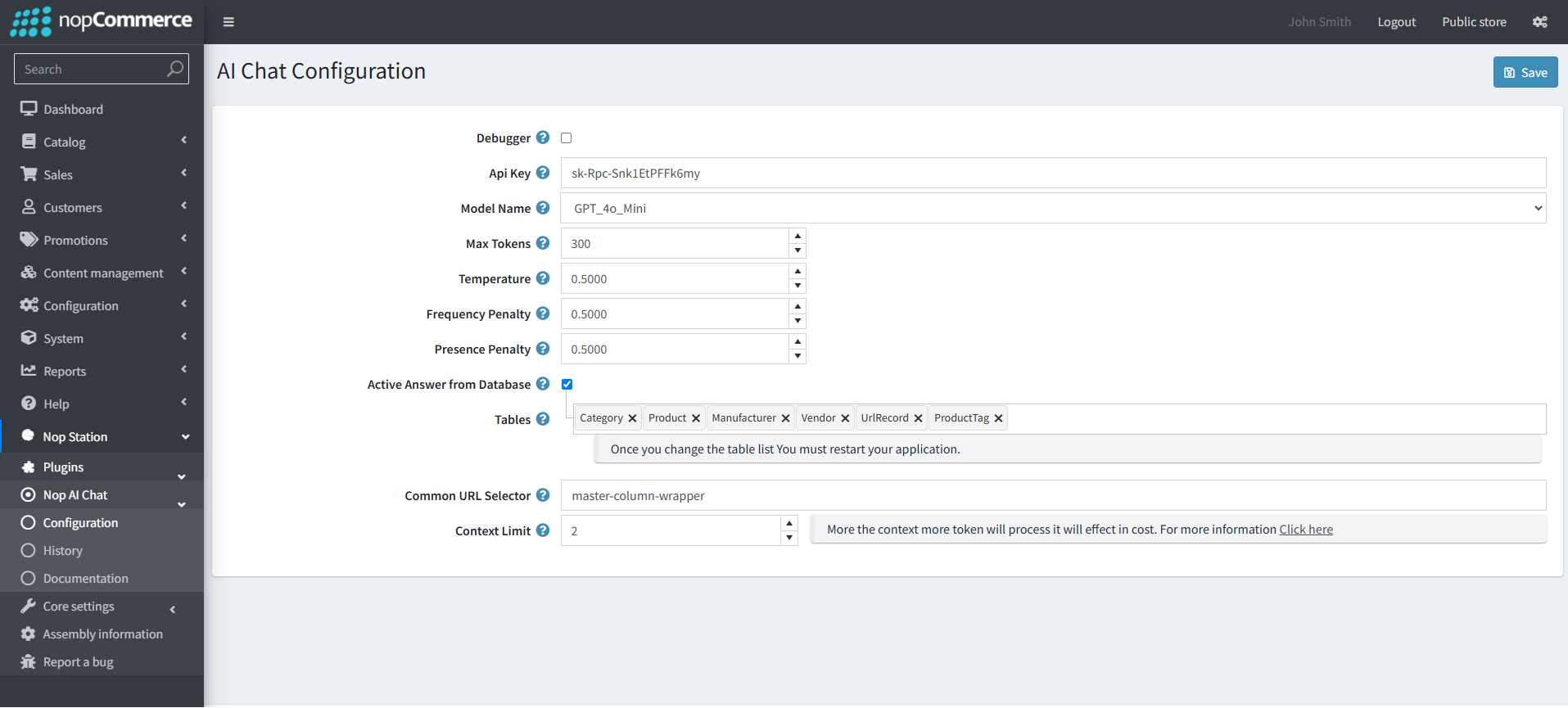
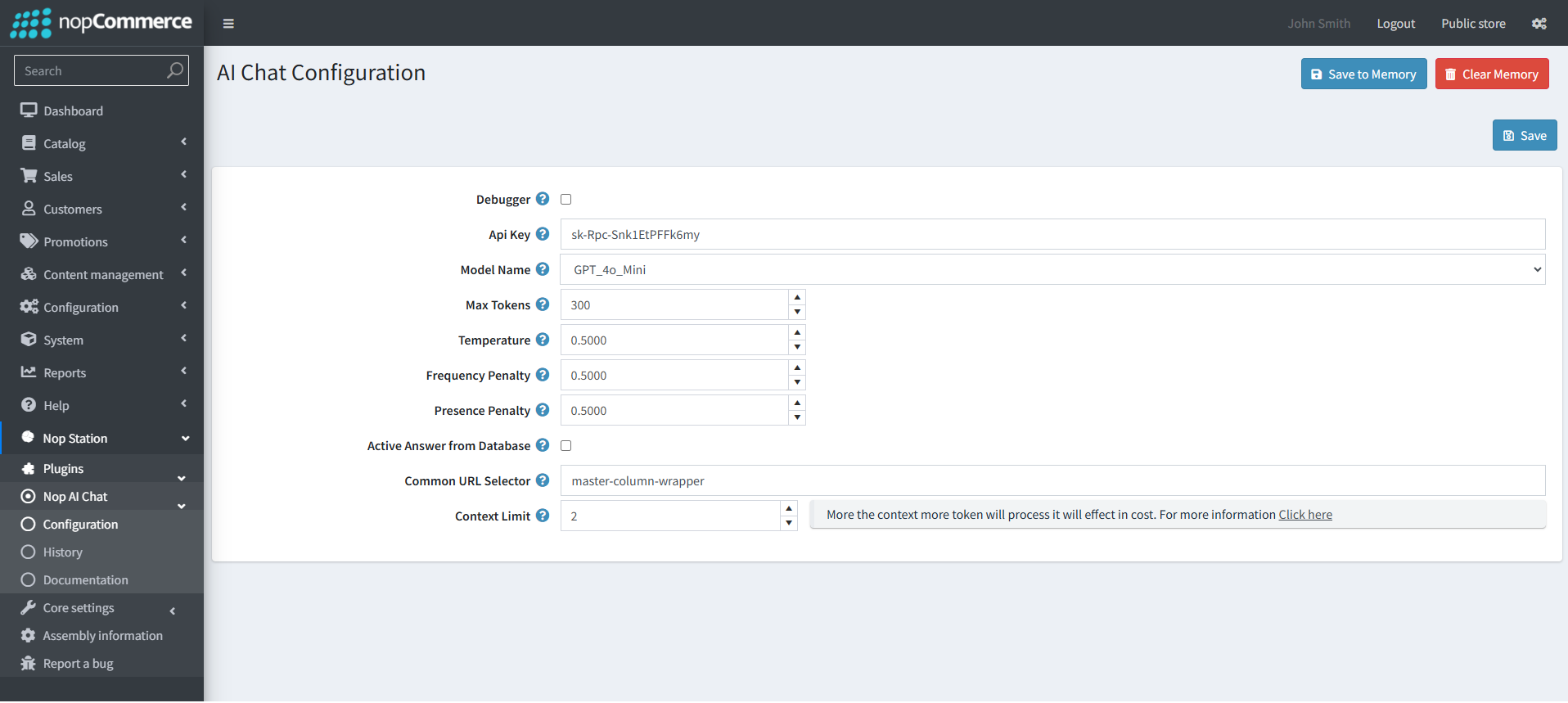
Go to Administration > Nop Station > Plugins > Nop AI Chat plugin and click on Configure to go to the plugin configuration page.
API key: Set the API key generated in OpenAI account.
Model: The model that will be used.
Max Tokens: Allowe max token size.
Temperature: sampling temperature, between 0 and 1. Higher values like 0.8 will make the output more random, while lower values like 0.2 will make it more focused and deterministic..
Frequency Penalty: Set the additional info which will be sent with the name.
Presence Penalty: Set the additional info which will be sent with the short description.
Active Answer from Database: Set to generate answer from vector store, instead of that it will generate answer directly from the database.
Common URL Selector: Select a common div class name for vector embedding from that section.
Context Limit: Select the Context limit for OpenAI Input.