Google Customer Reviews Plugin
Build Trust and Boost Conversions with Official Google Customer Reviews for nopCommerce
The nopStation Google Customer Reviews Plugin enables nopCommerce store owners to seamlessly integrate Google Customer Reviews into their online stores, helping collect verified customer feedback and showcase trusted Google seller ratings. By inviting customers to participate in Google's post-purchase survey, merchants can strengthen their online reputation, improve buyer confidence, and increase conversion rates with authentic seller reviews.
PRE-REQUISITES
The plugin requires you to install the Nop-Station Core plugin first.
INSTALLATION
· Download the Google Customer Reviews Plugin from our store
· Go to Administration → Configuration → Local plugins
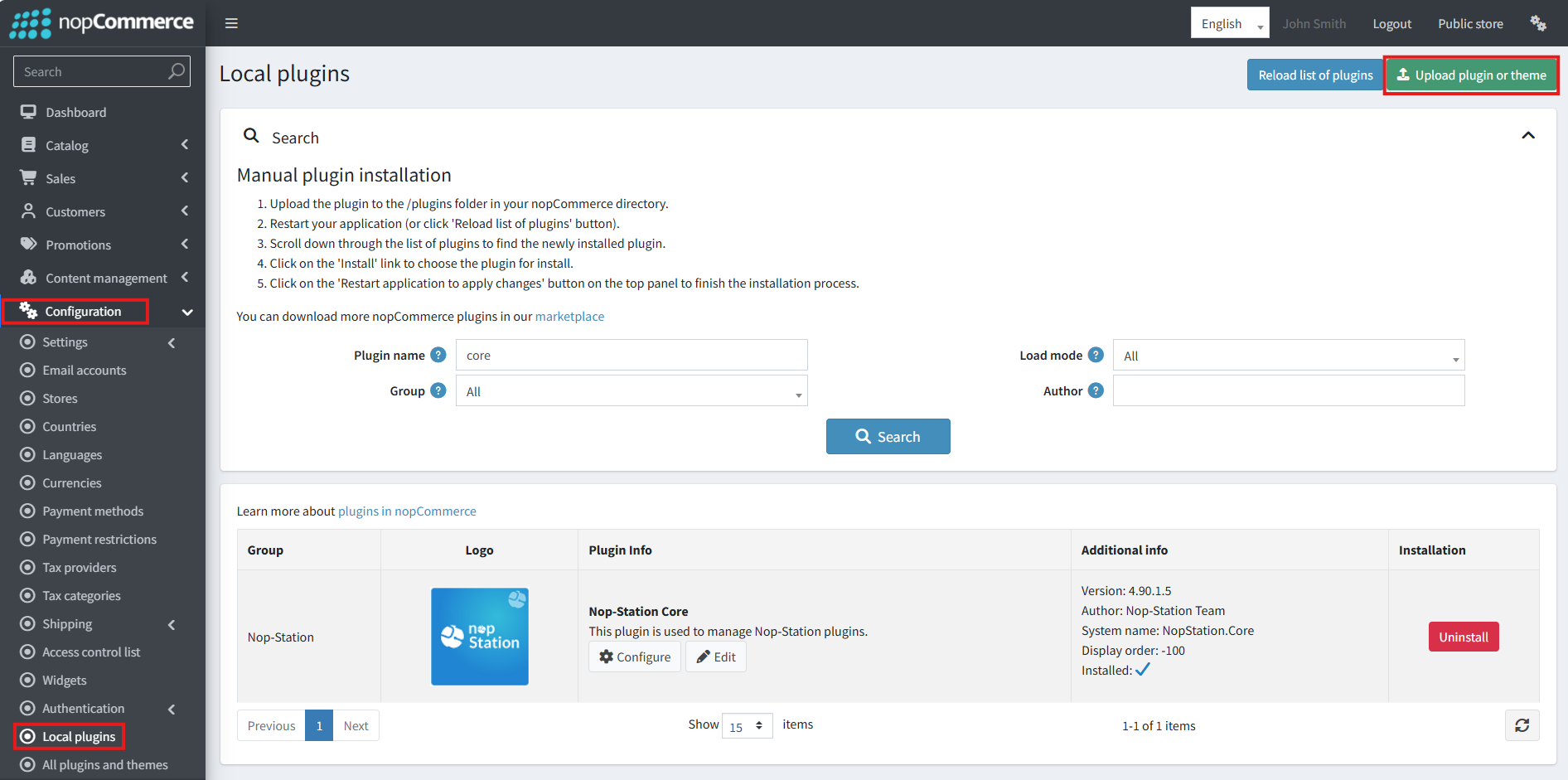
· Select the NopStation.Core file and upload it by clicking the 'Upload plugin or theme' button.
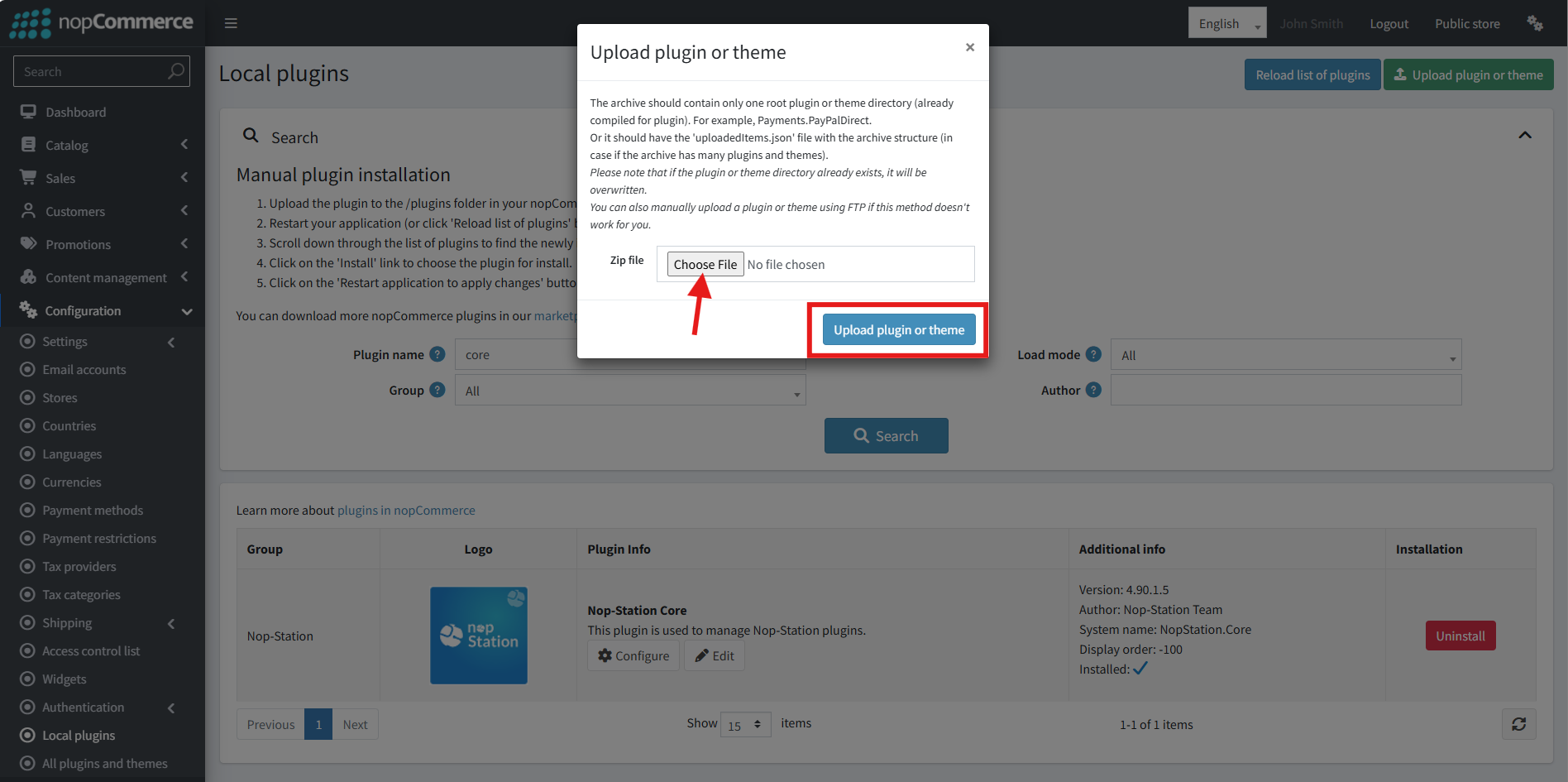
· Select the NopStation. Google Customer Reviews Plugin file.
· Upload the file using the 'Upload plugin or theme' button.
· After uploading the plugin, go to the Administration. Install 'Nop-Station Core' Plugin first and then install ' NopStation. Google Customer Reviews’ plugin.
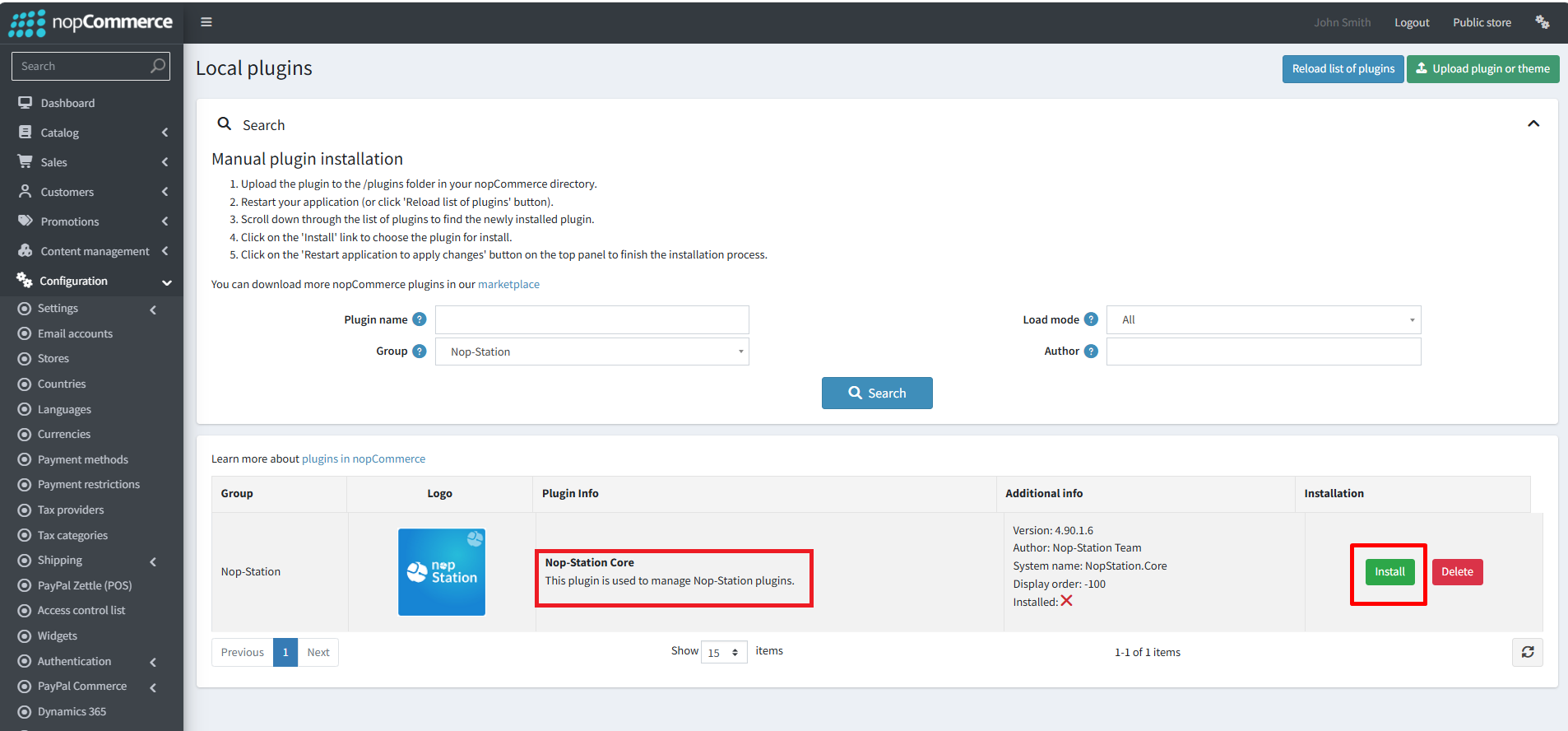
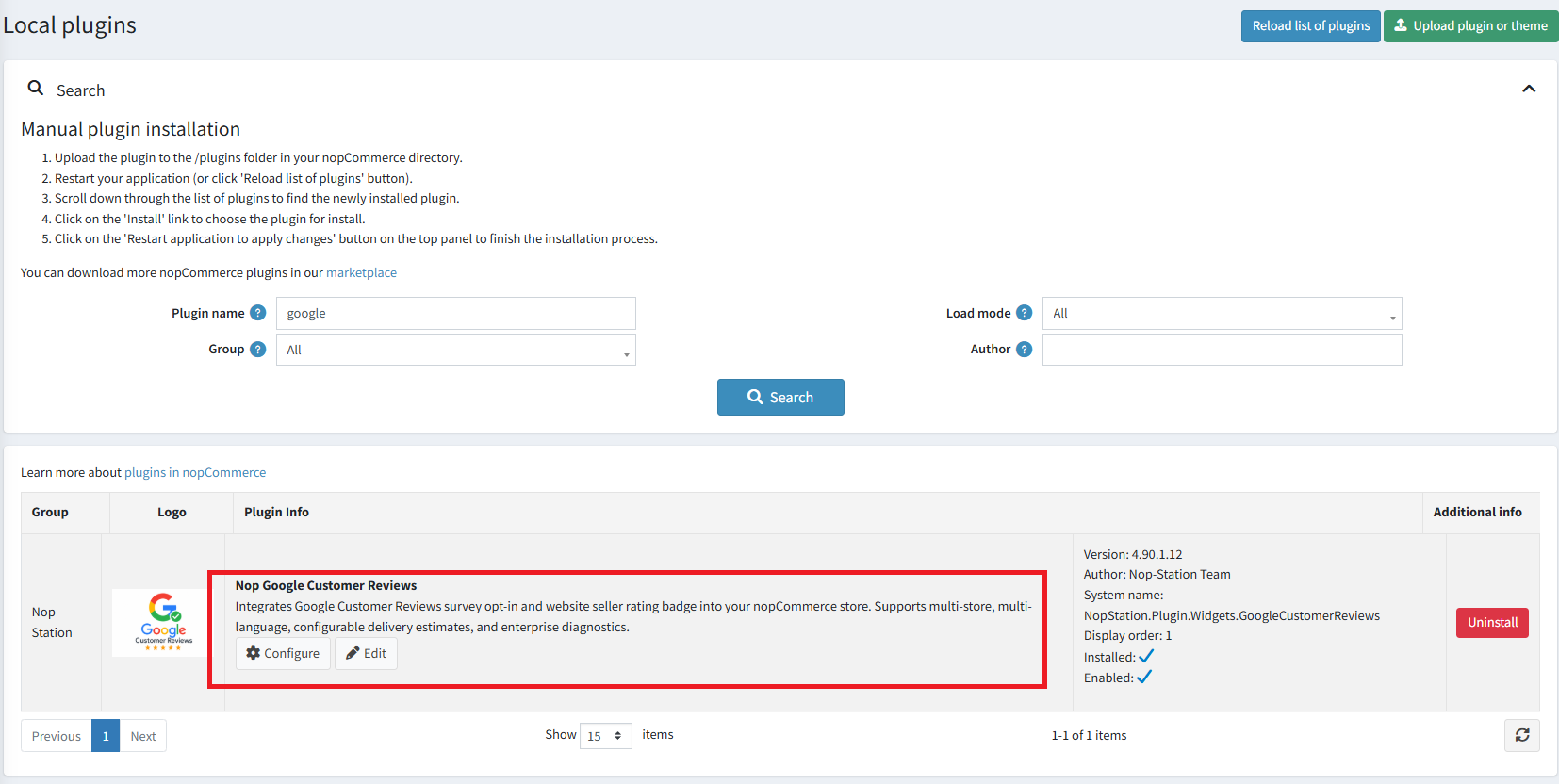
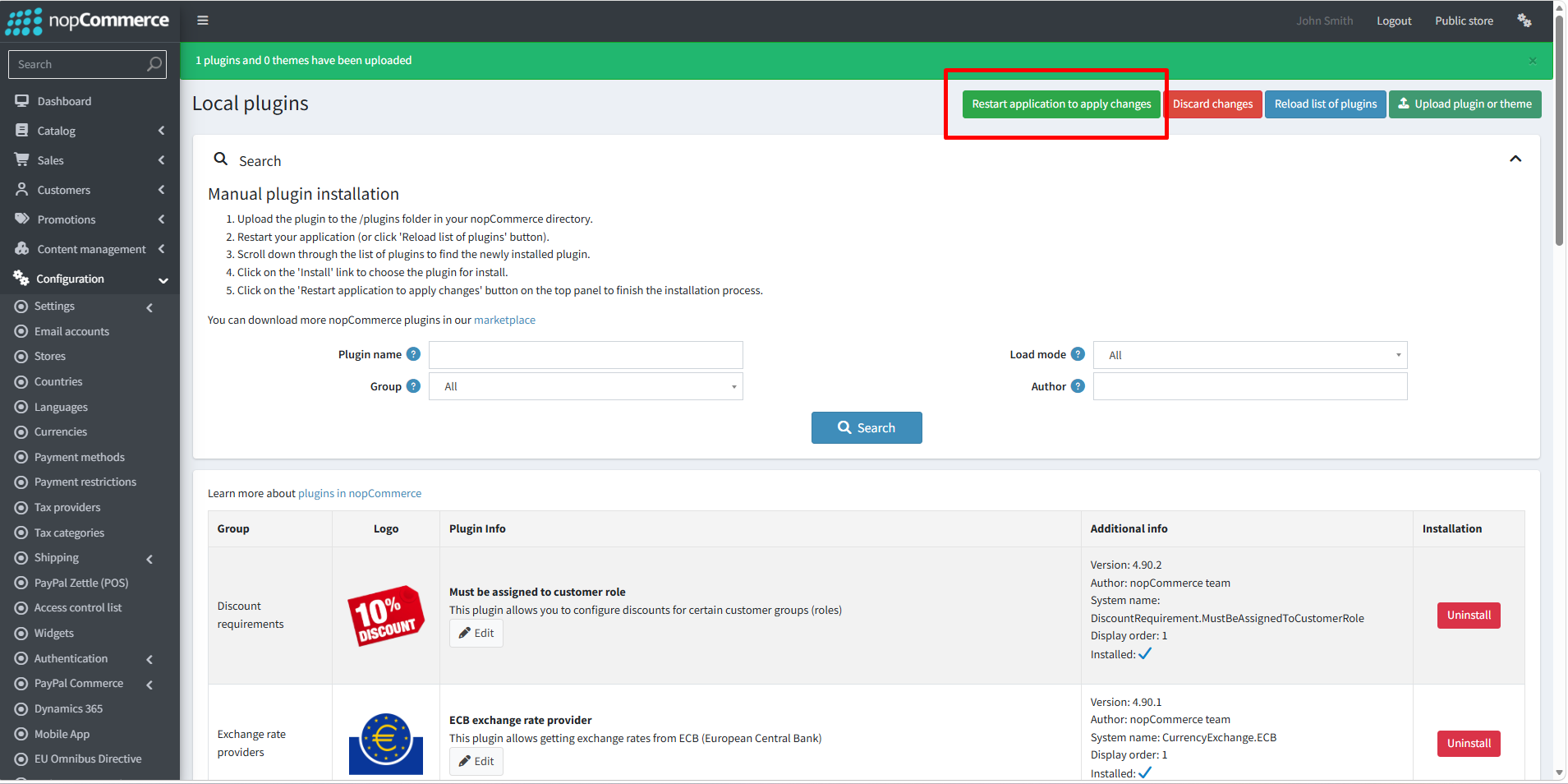
· To make the plugins functional, restart the application
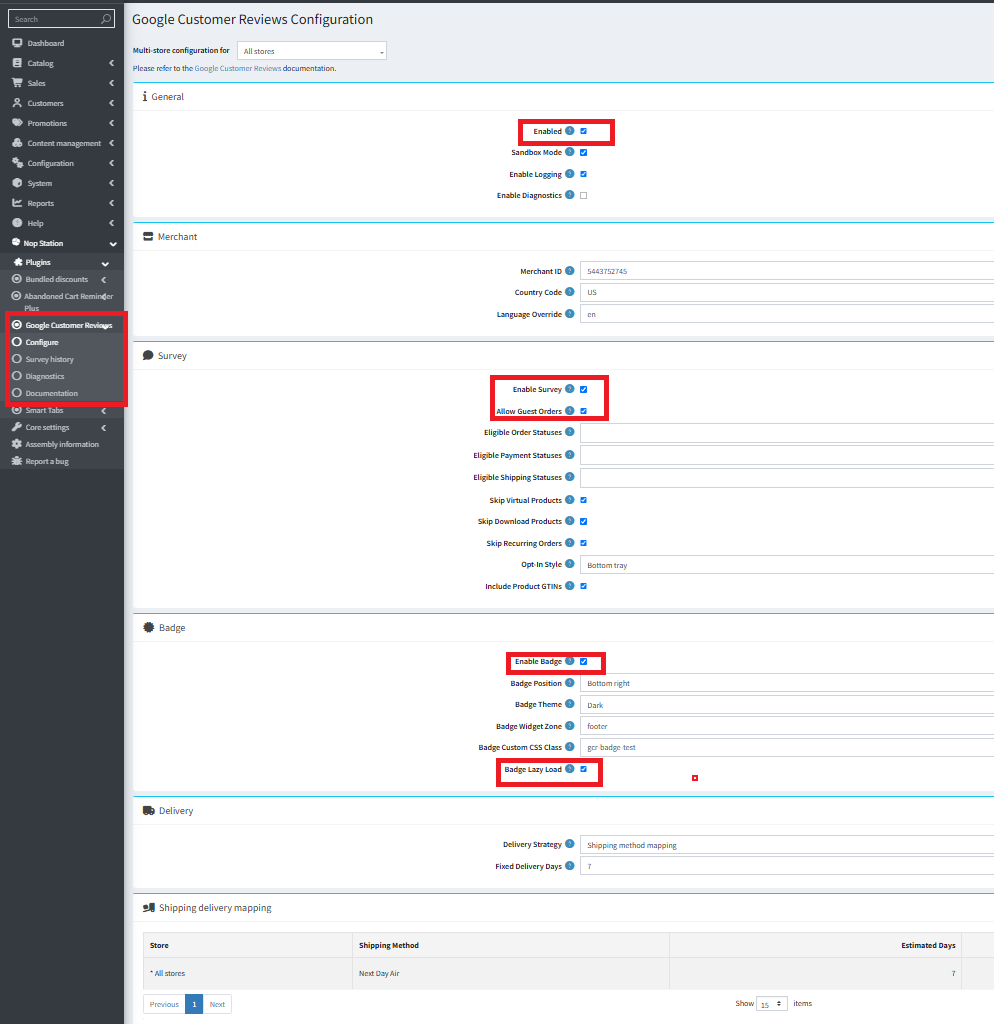
· You can configure the plugin by clicking on Configure from the Local Plugins page. Alternatively, go to nopStation → Plugins→ NopStation. Google Customer Reviews Plugin → Configure NopStation. Google Customer Reviews Plugin, enable the required options, and click Save
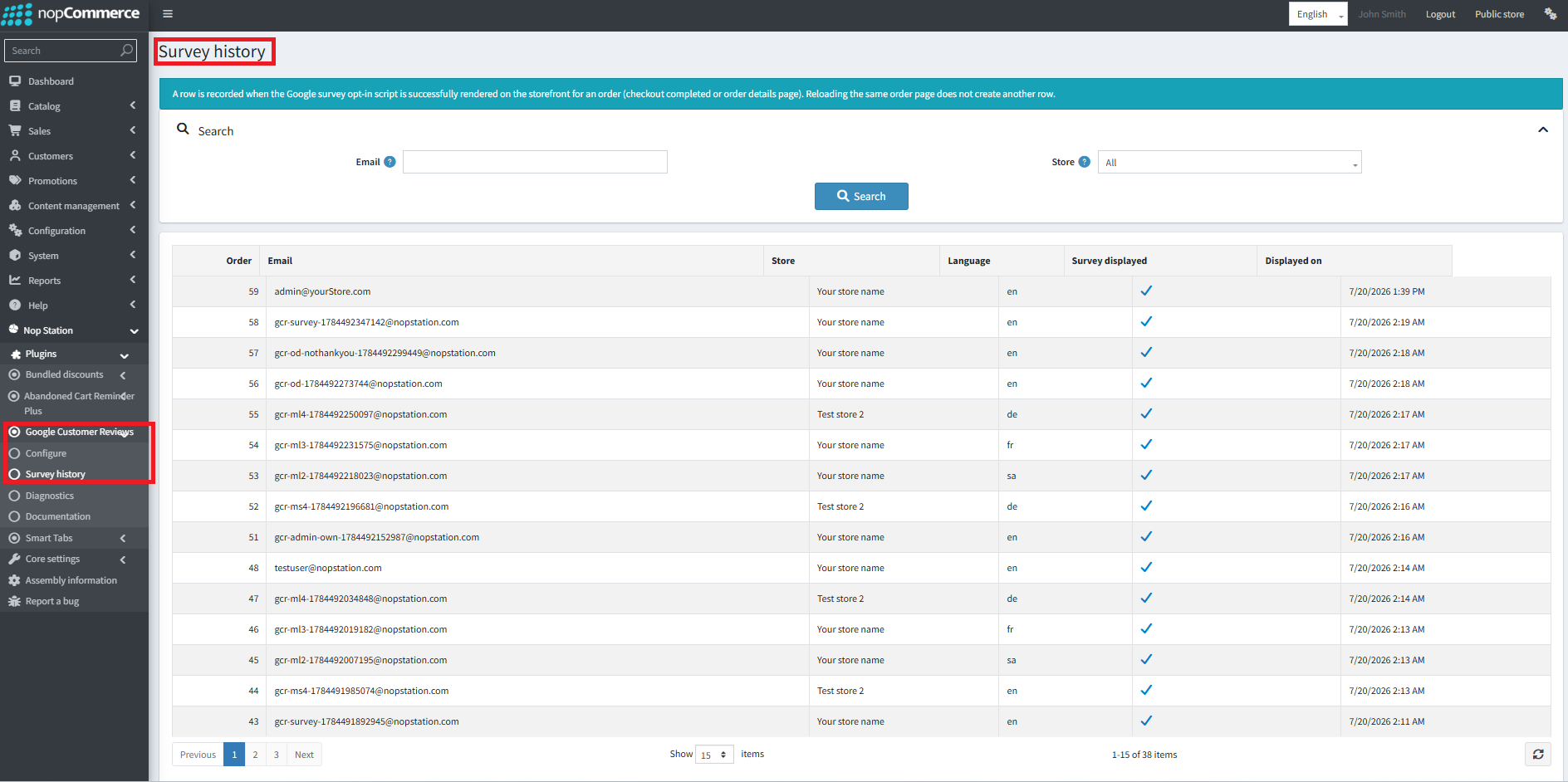
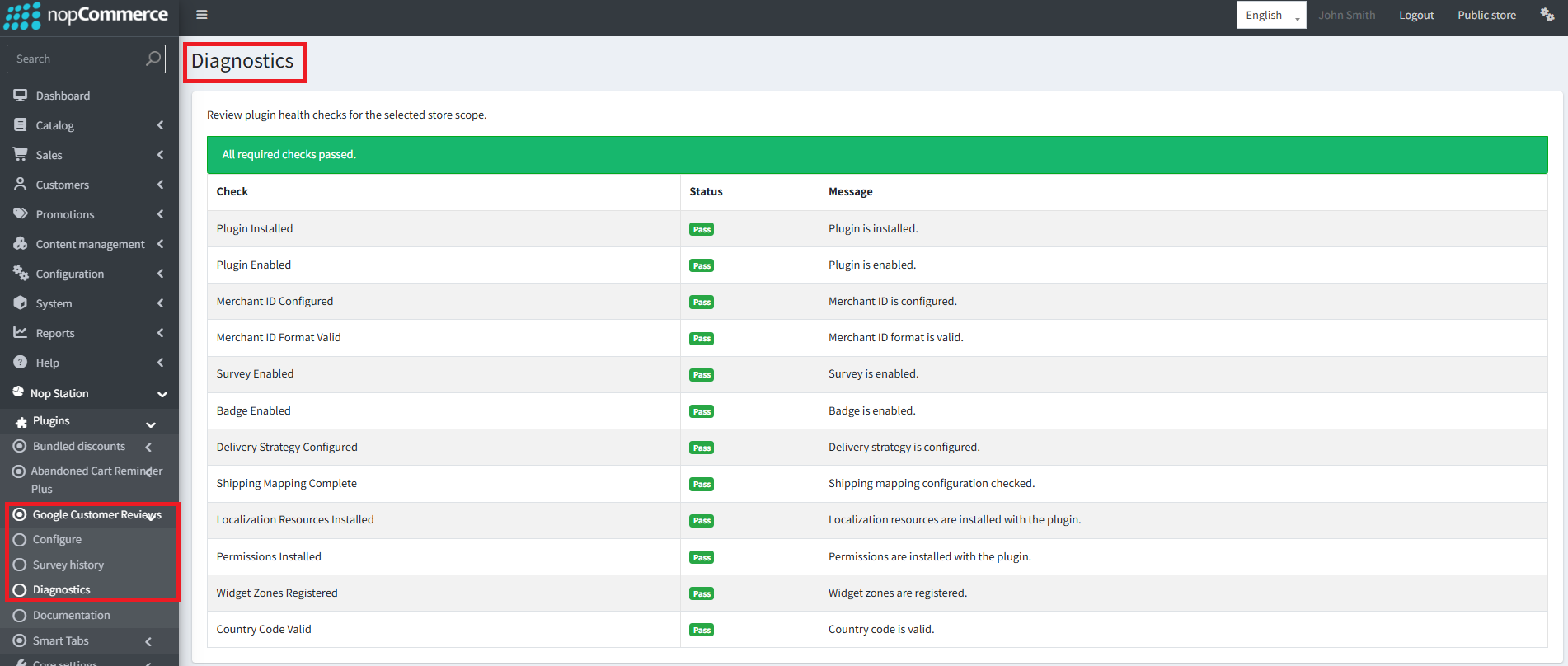
· Public View: