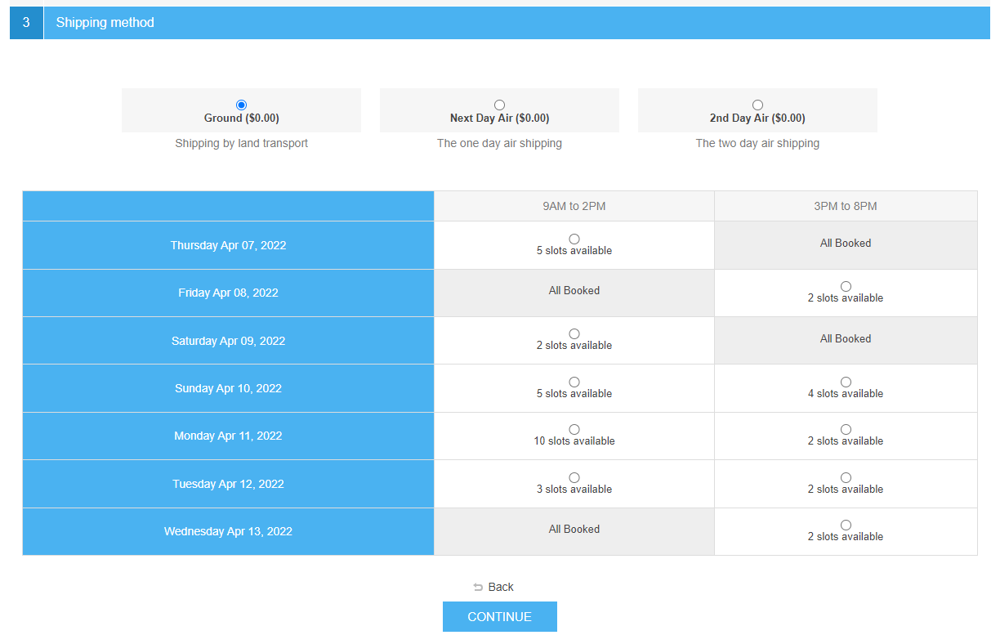
PRE-REQUISITES
- The plugin requires you to install the Nop-Station Core plugin first.
- This plugin requires you to install a base plugin of NopCommerce Manual (Fixed or By Weight and By Total)
INSTALLATION
- Download the Delivery Scheduler Plugin from our store https://nop-station.com/customer/downloadableproducts
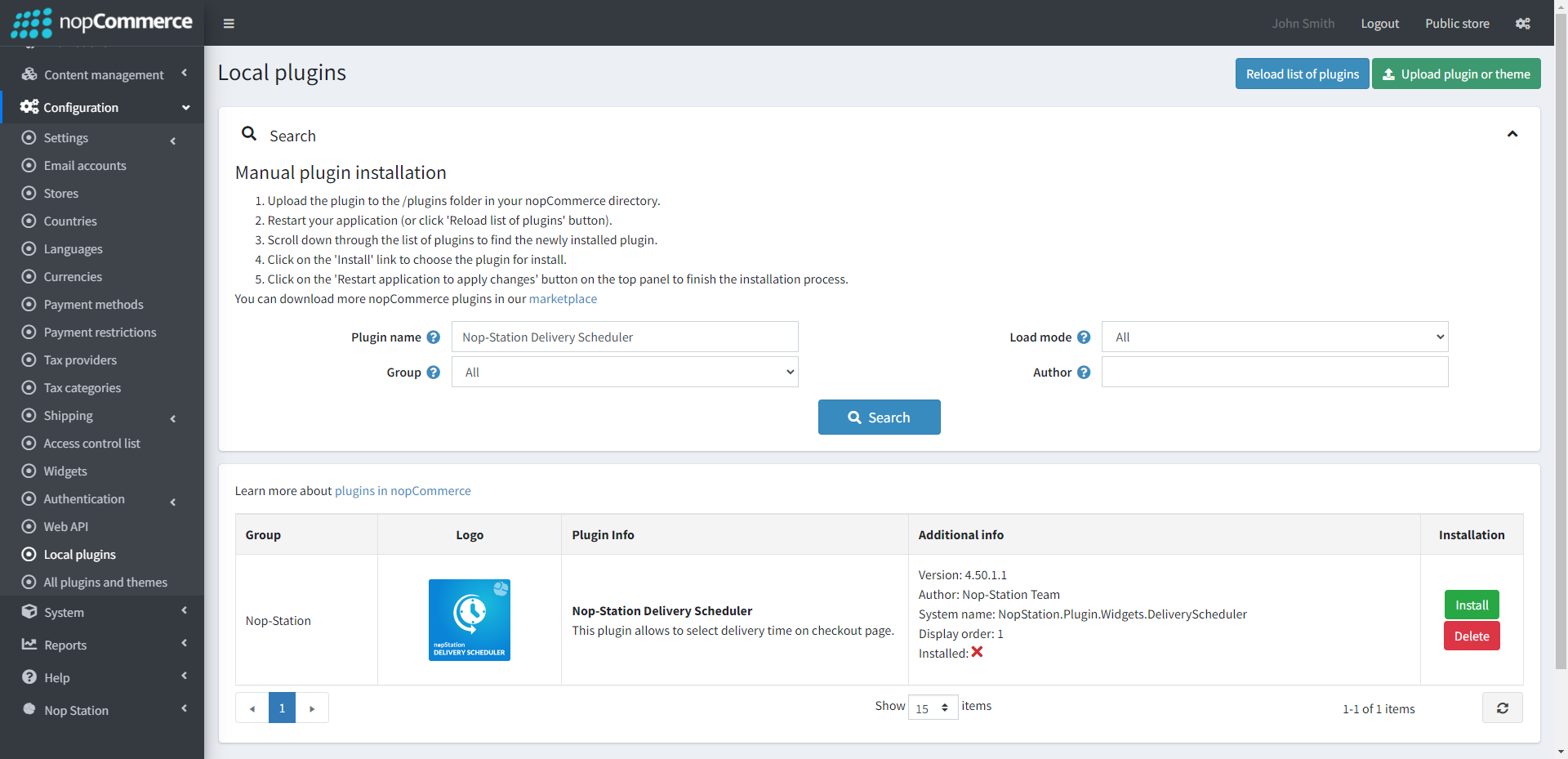
- Go to Administration → Configuration → Local plugins
- Upload the DeliveryScheduler zip file using the "Upload plugin or theme" button
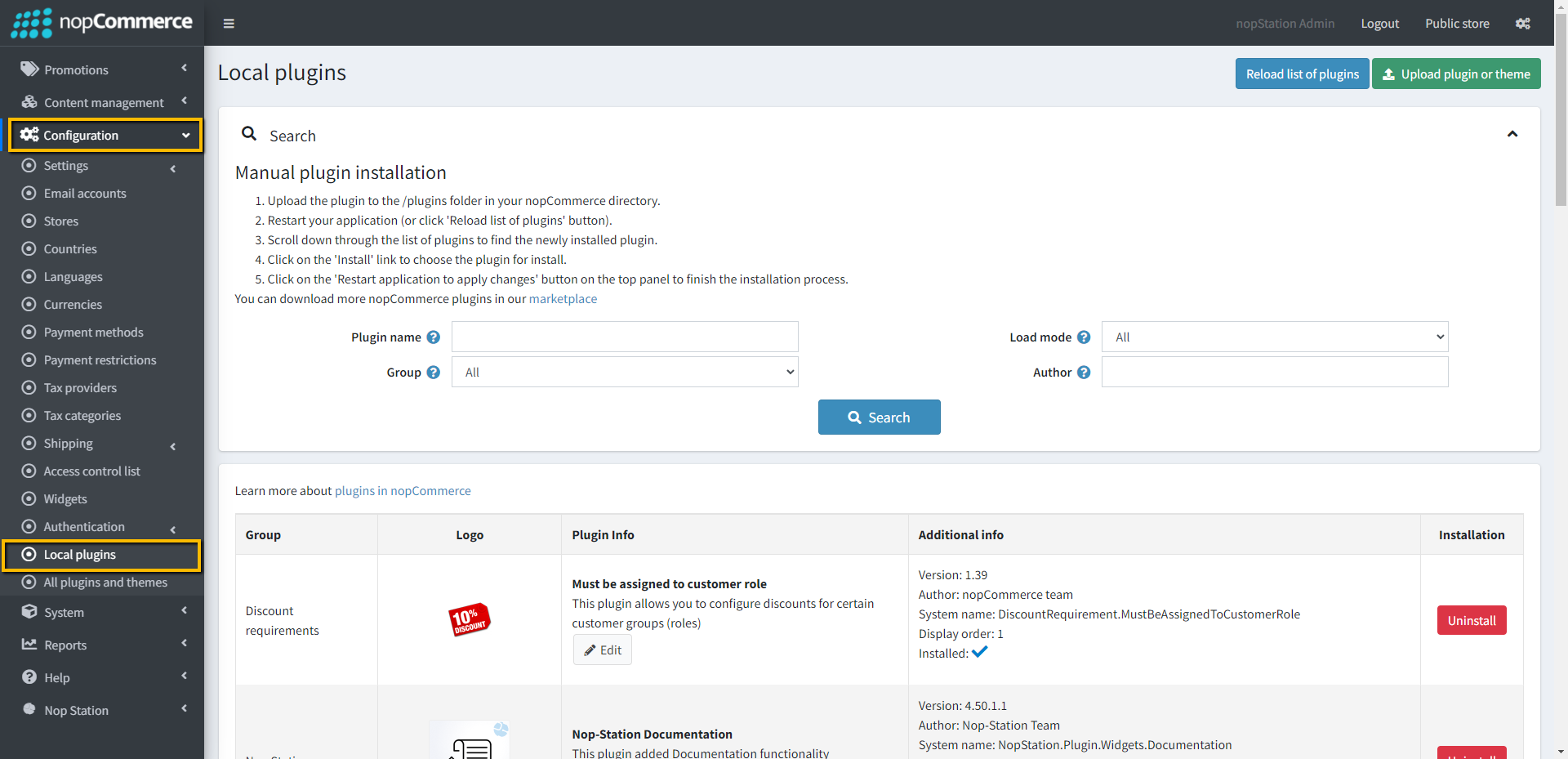
- Go to Administration, reload the 'list of plugins'. Install 'Nop-Station Core' plugin first and then install 'Nop-Station Delivery Scheduler'
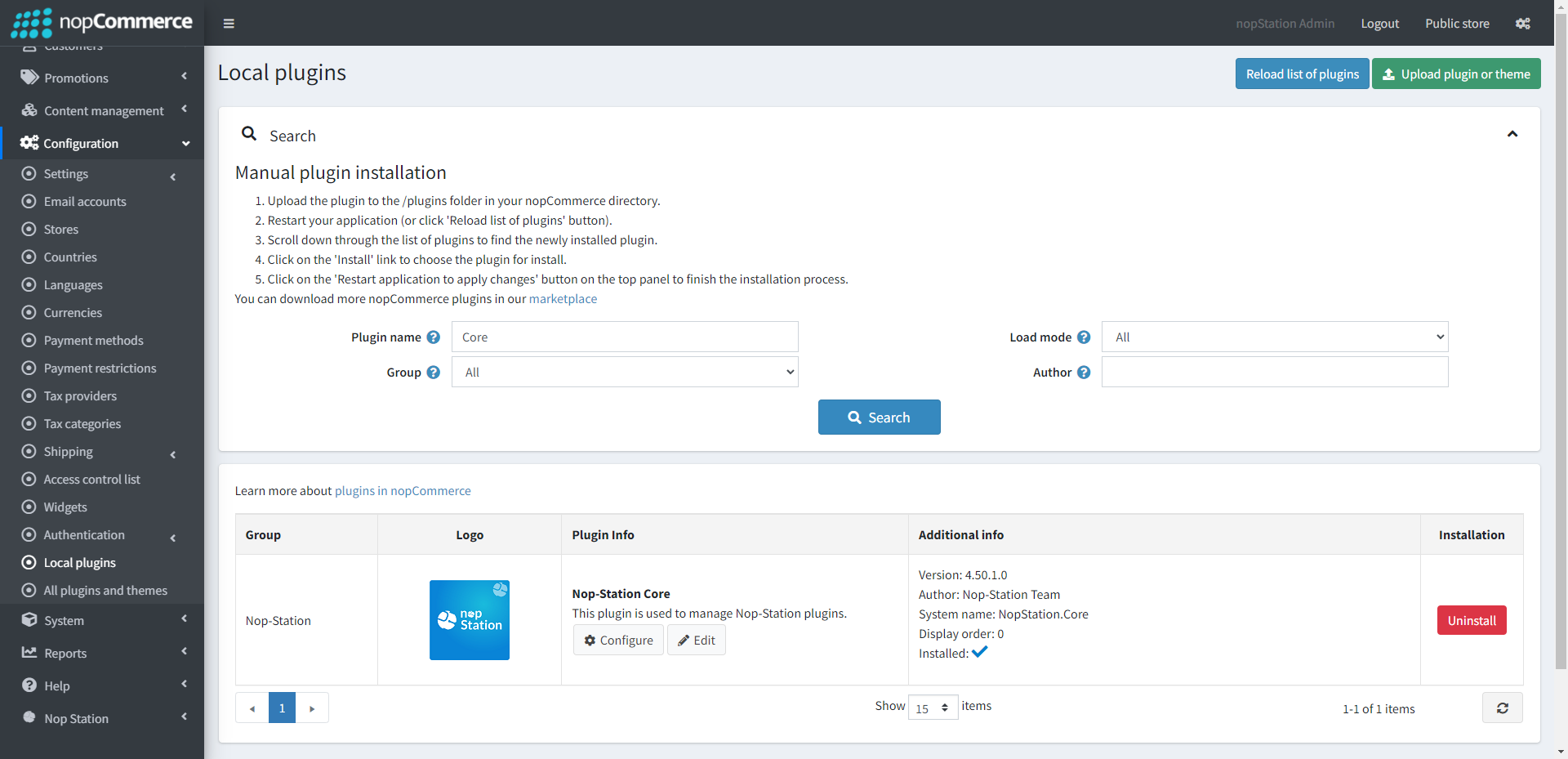
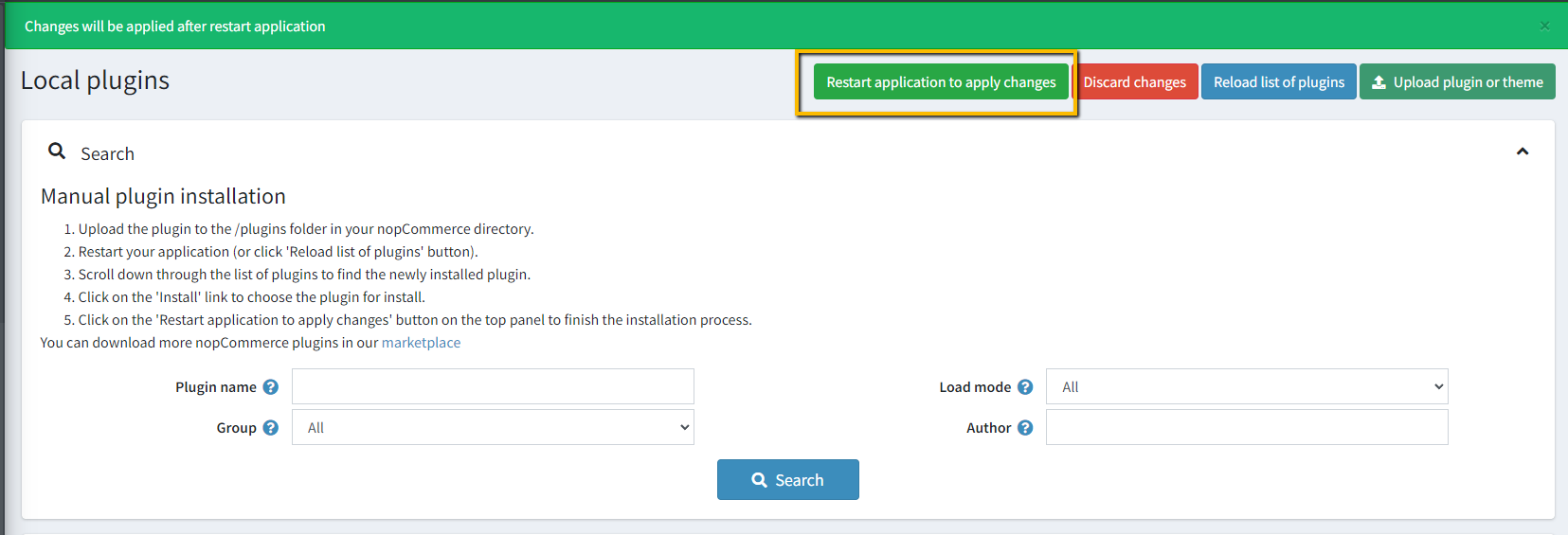
- To make the plugins functional, restart the application
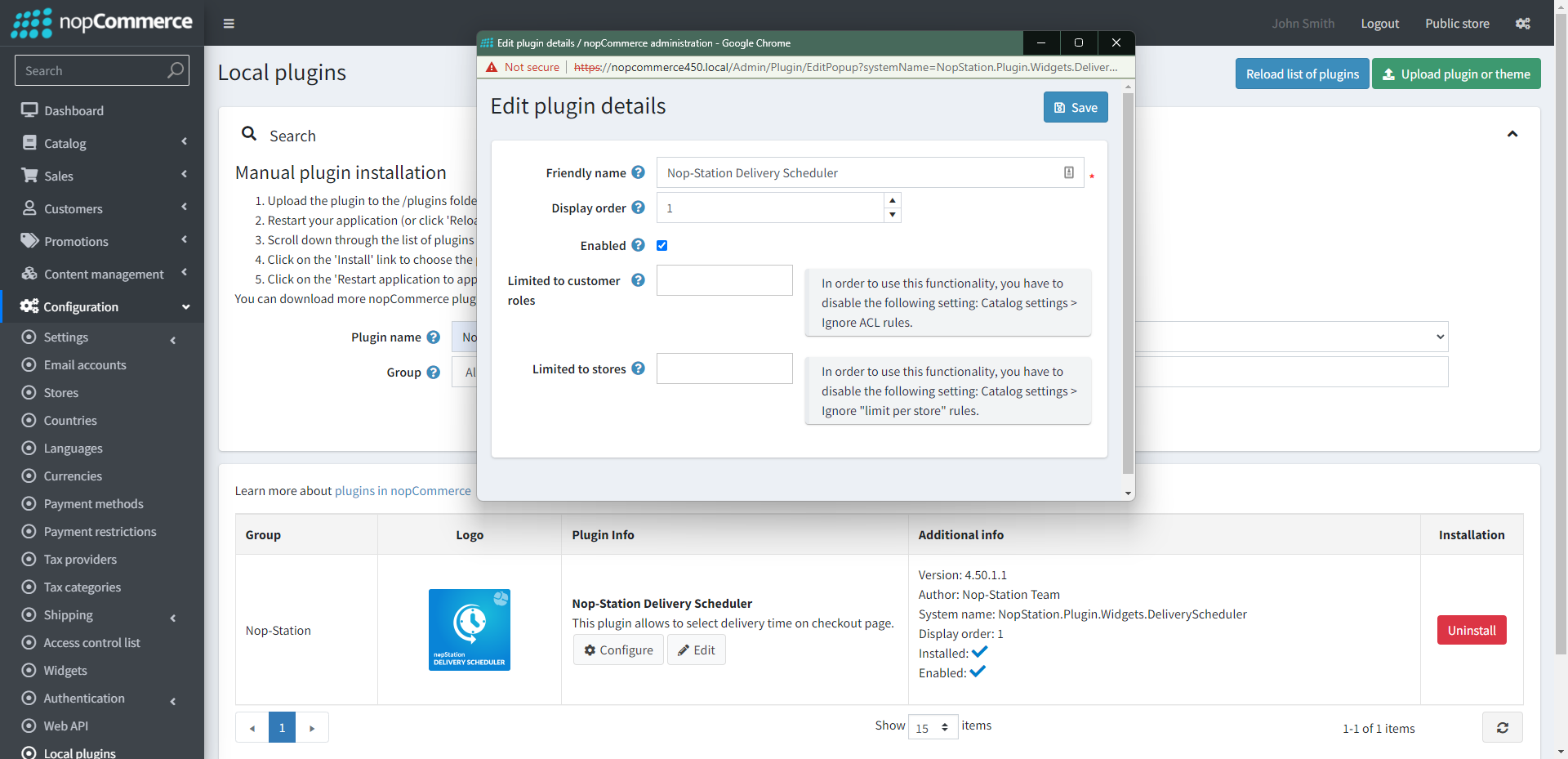
- Enable the plugin with 'Edit' option and Configure it
CONFIGURATION
- Go to Admin → NopStation → Plugins → Delivery scheduler → Configuration
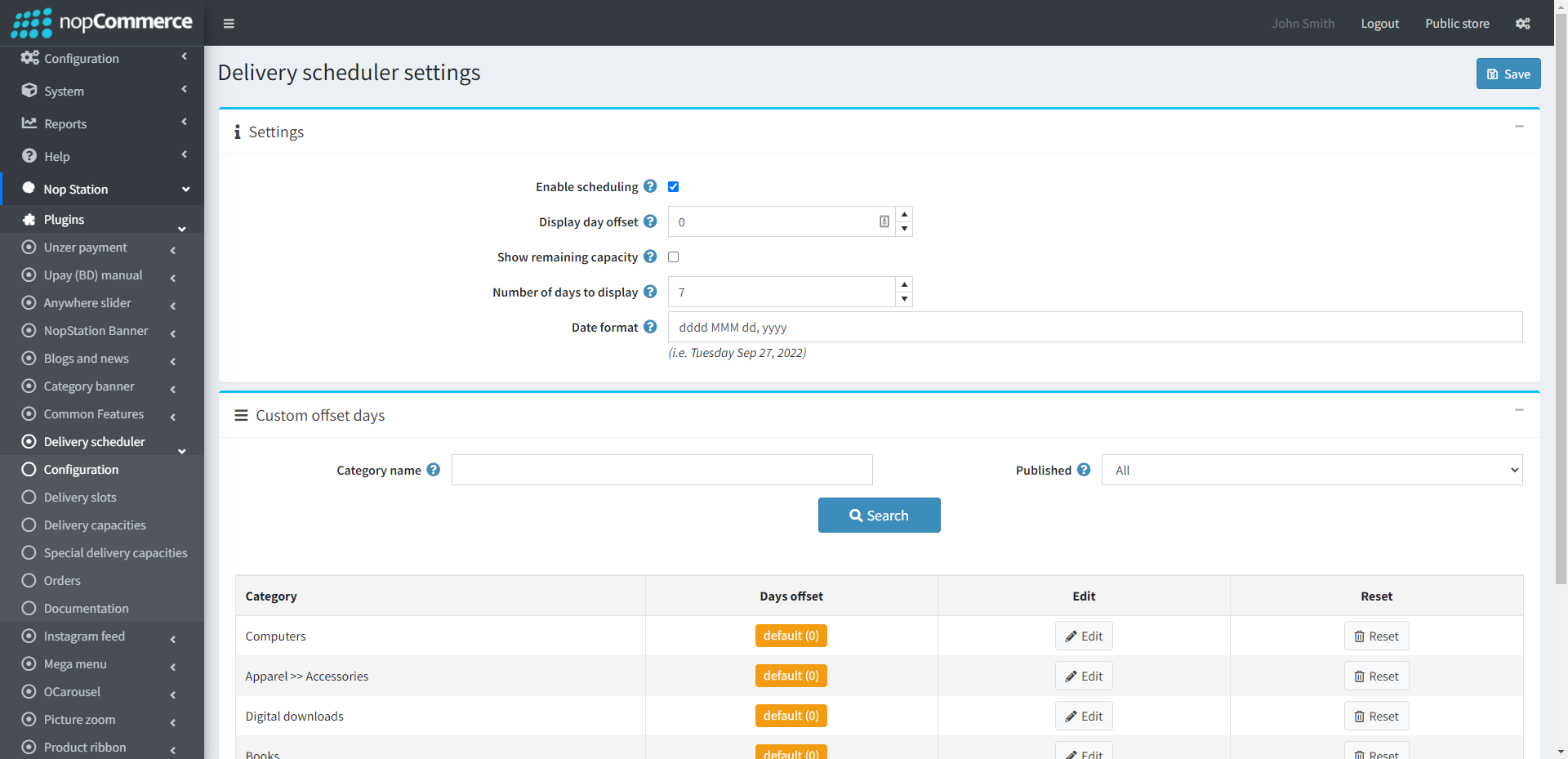
- Enable scheduling: Check the box to enable scheduling
- Display day offset: Determine the display day offset
- Show remaining capacity: Check the box to show remaining capacity on the checkout page
- Number of days to display: Specify the number of days to display
- Date format: The date format to display on checkout page
- Custom offset day: Custom offset days can be set for selected orders from this section
DELIVERY SLOTS
- Go to Admin → NopStation → Plugins → Delivery scheduler → Delivery slots
- New delivery slots can be added from this section and existing ones can be seen and configured
- After clicking on the Add new button, the following window will be opened
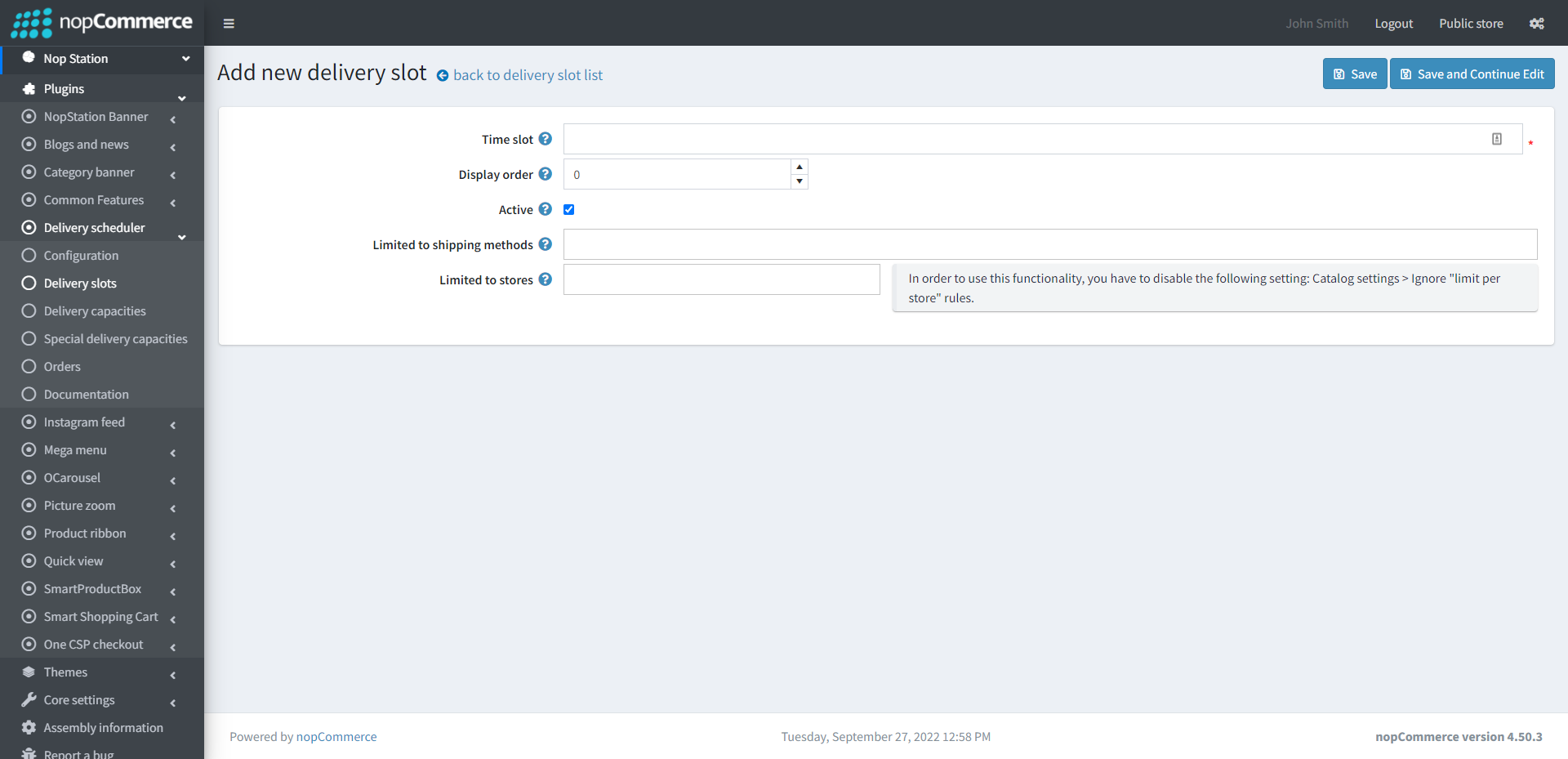
- Time slot: Specify the time slot here
- Display order: The display order for this delivery slot
- Active: Check the box to activate the delivery slot
- Limited to shipping methods: Option to limit this delivery slot to certain shipping methods
DELIVERY CAPACITIES
- Go to Admin → NopStation → Plugins → Delivery scheduler → Delivery capacities
- Delivery capacities can be specified from here according to days
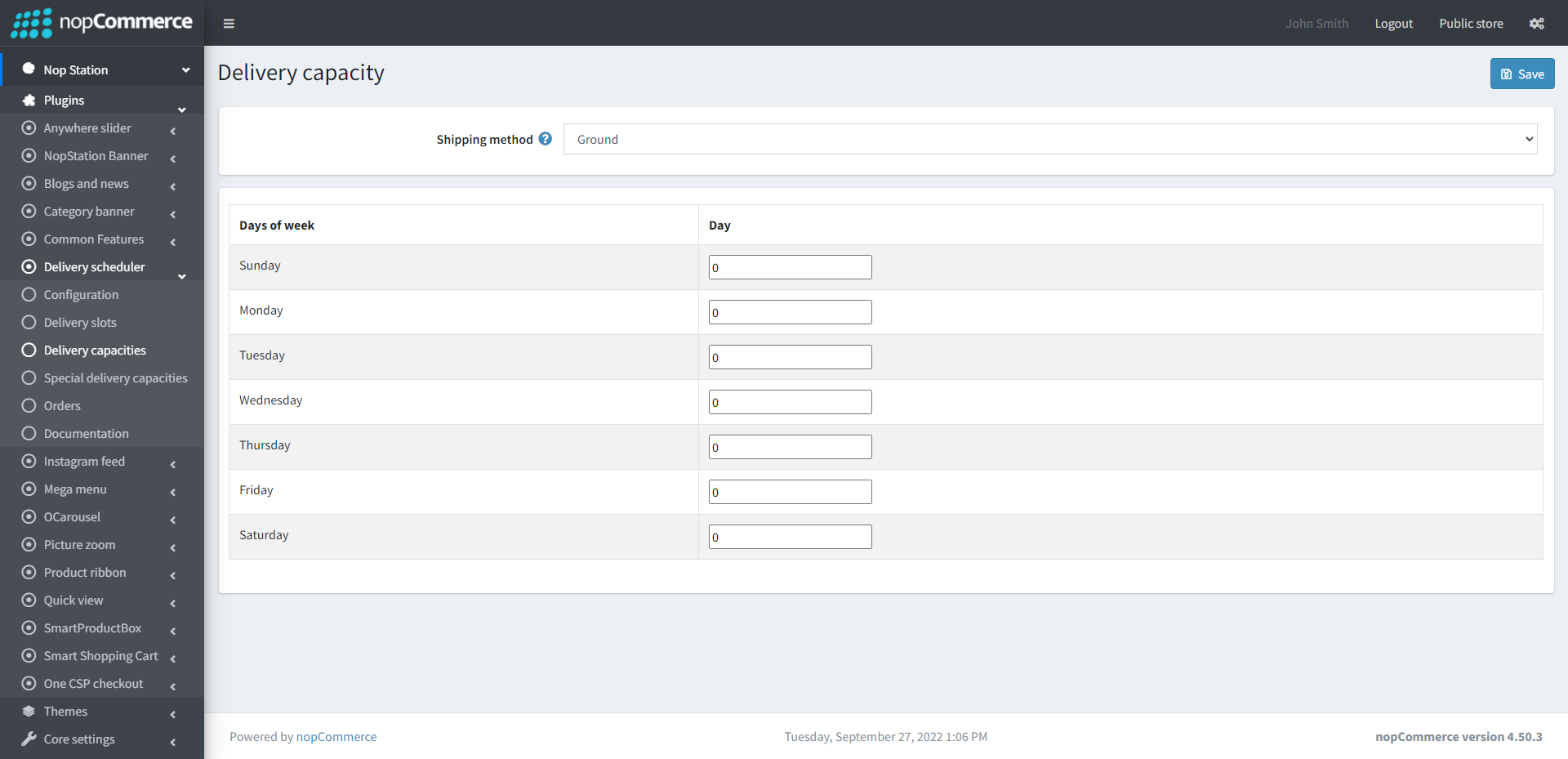
- Shipping method: Select the shipping method from here
SPECIAL DELIVERY CAPACITIES
- Go to Admin → NopStation → Plugins → Delivery scheduler → Special delivery capacities
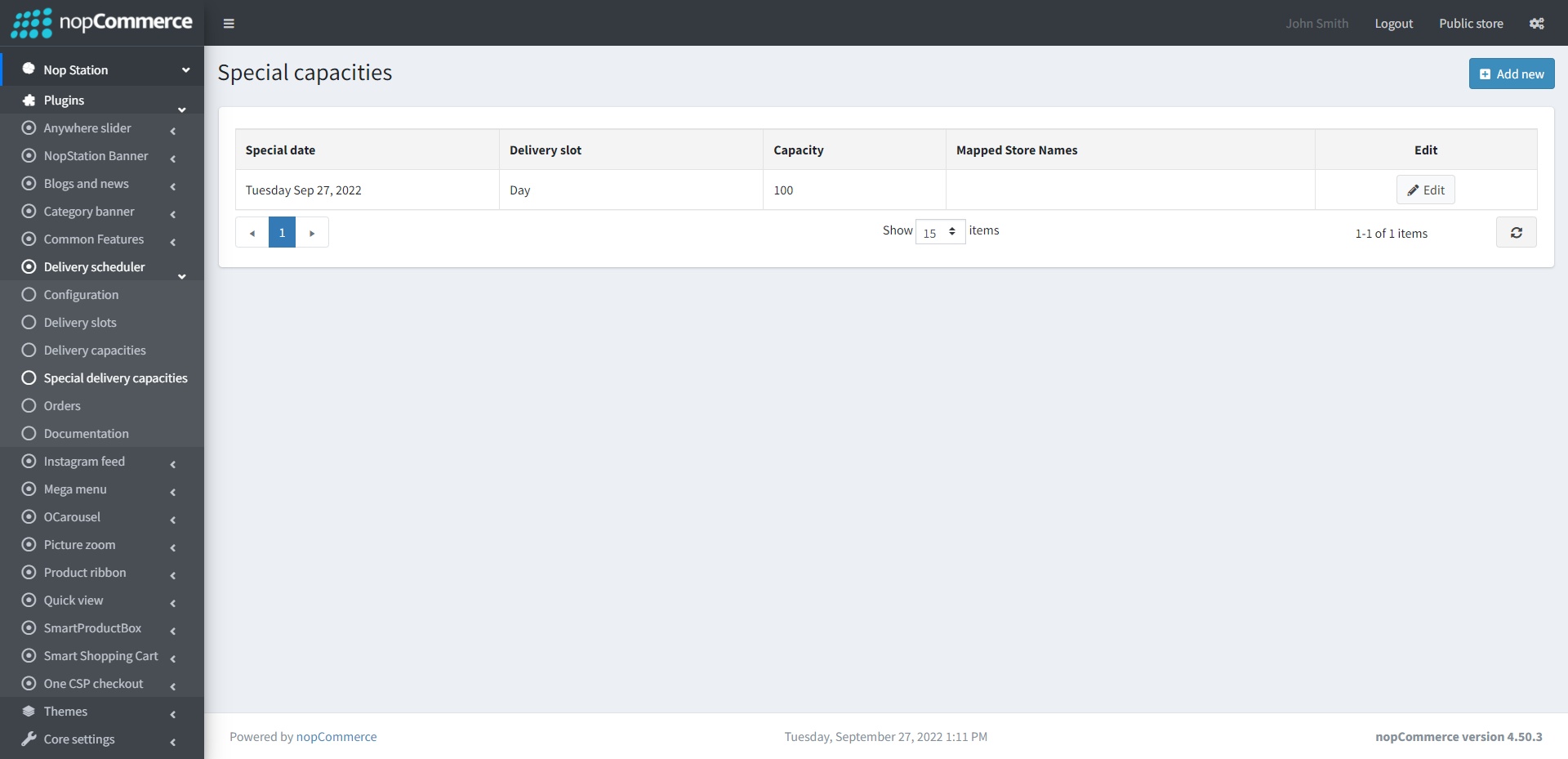
- New Special delivery slots can be added from this section and existing ones can be seen and configured
- After clicking on the Add new button, the following window will be opened
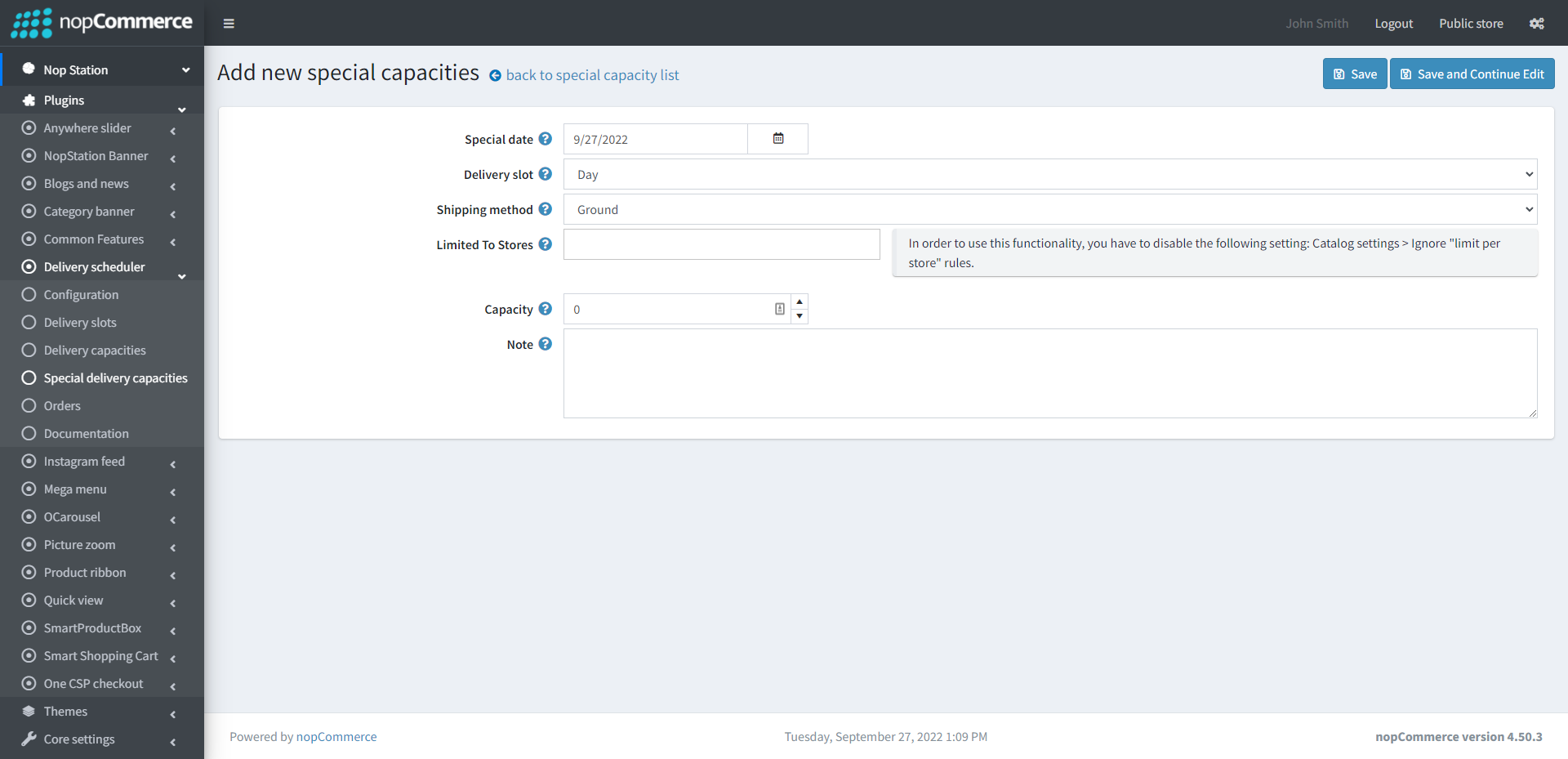
- Special date: Select the special date
- Delivery slot: Specify the delivery slot
- Shipping method: Specify the shipping method
- Capacity: Specify the capacity for the special date
- Note: Note for special capacity
ORDERS
- Go to Admin → NopStation → Plugins → Delivery scheduler → Orders
- Orders can be seen and edited from here according to Delivery slot, Shipping method and Delivery date
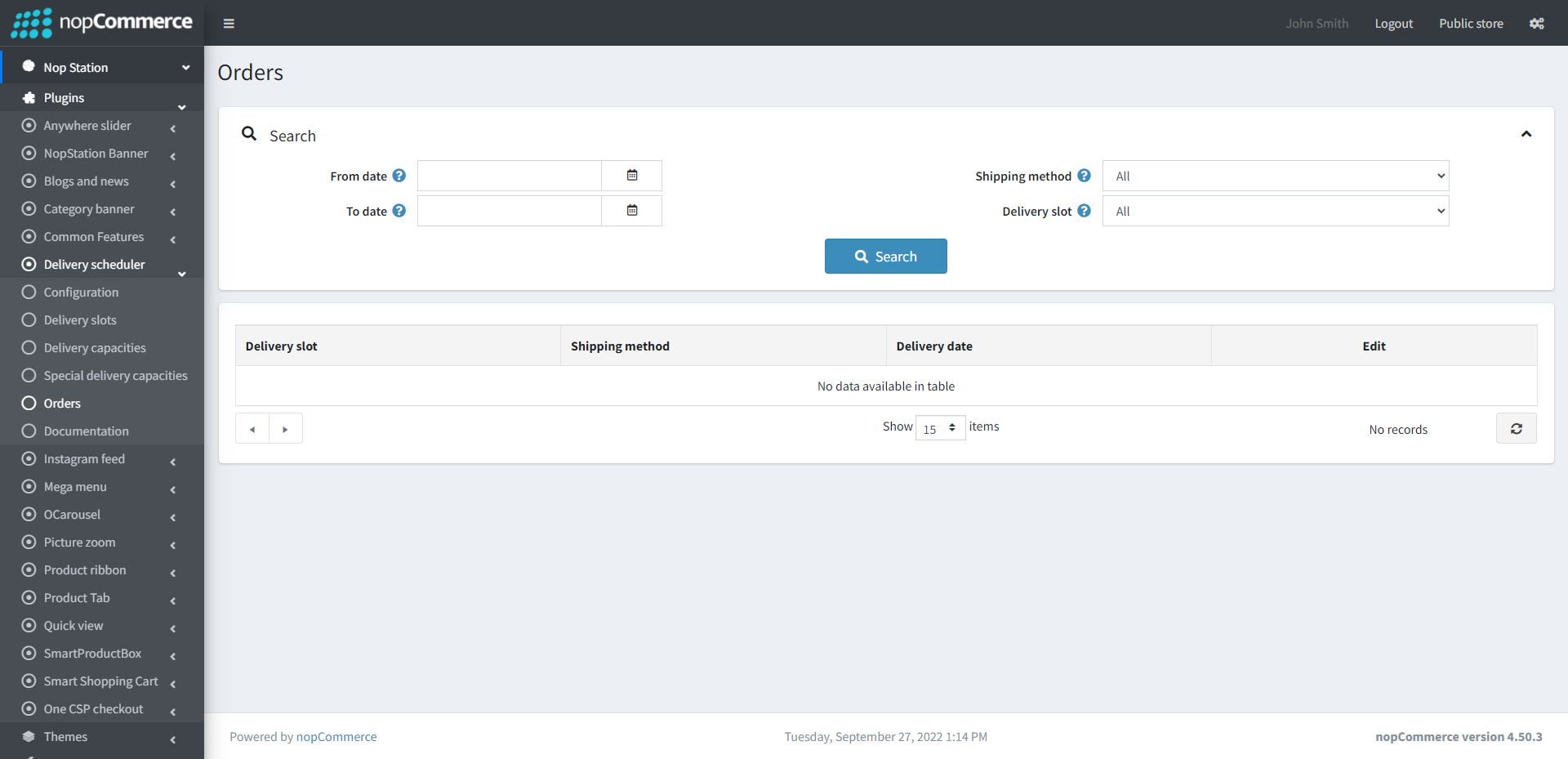
- From date: Select from date
- To date: Select to date
- Shipping method: Search by shipping method
- Delivery slot: Search by delivery slot
PUBLIC VIEW