nopStation’s Dreams SMS integration plugin enables seamless integration of the Dreams SMS service with nopCommerce-based online stores. Dreams SMS is a reliable, enterprise-grade SMS gateway and marketing platform that empowers businesses with robust messaging capabilities. With a simple plugin download and installation, store owners can activate SMS-based notifications for orders, payments, shipments, promotions, and more using customizable SMS templates. This plugin helps enhance customer engagement and communication by delivering timely, personalized SMS alerts directly from the nopCommerce store.
PRE-REQUISITES
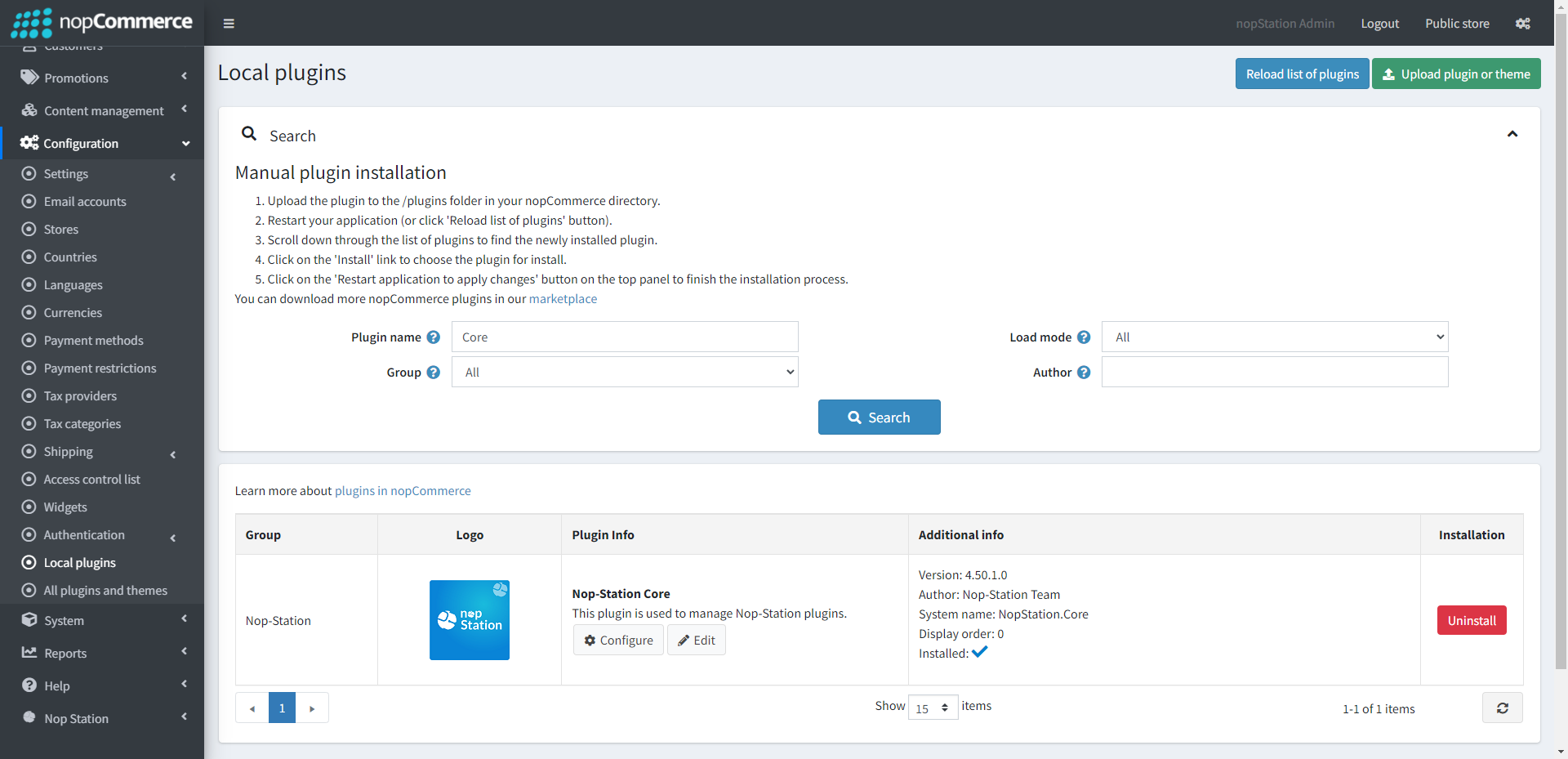
The plugin requires you to install the Nop-Station Core plugin first.
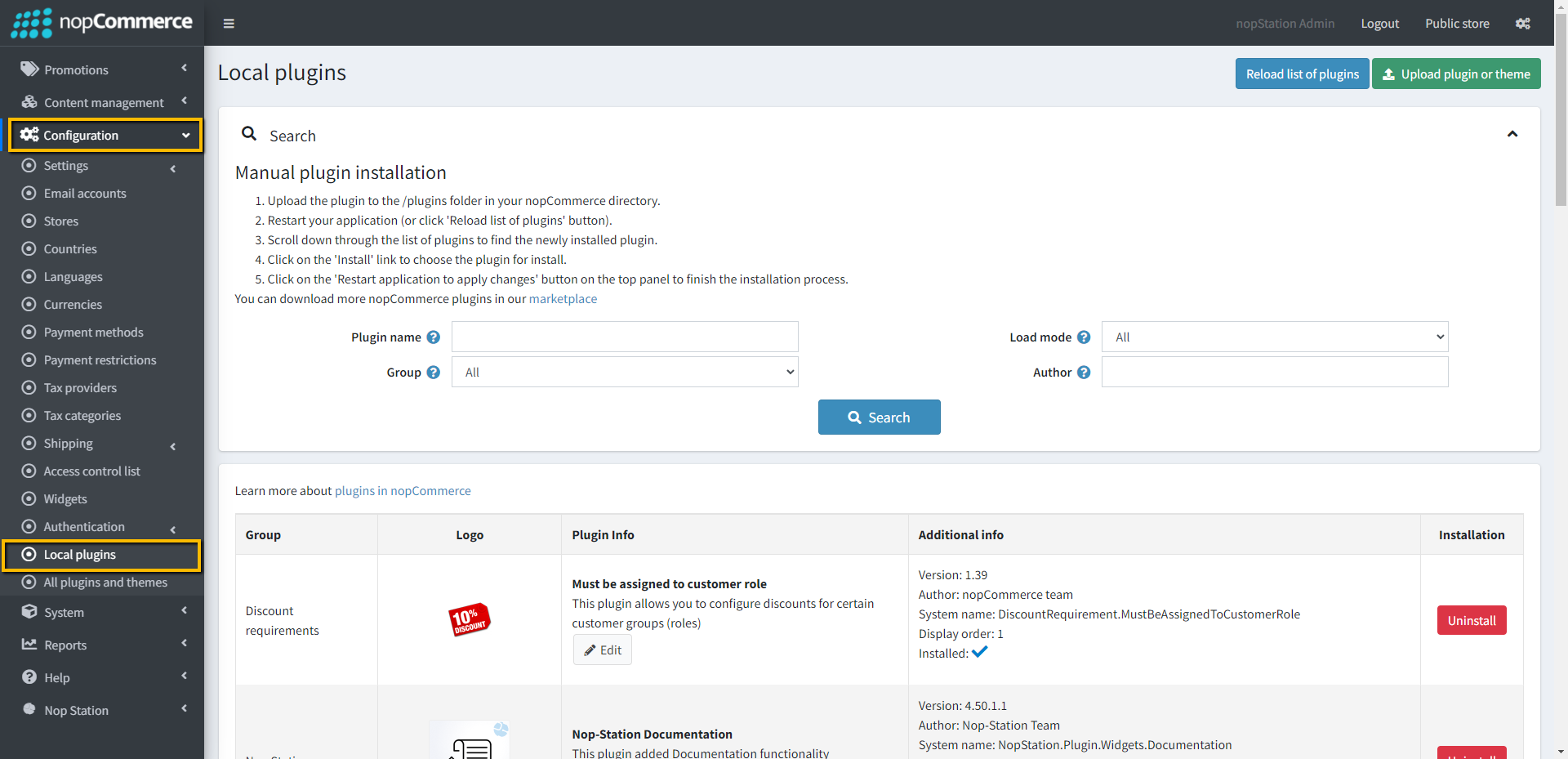
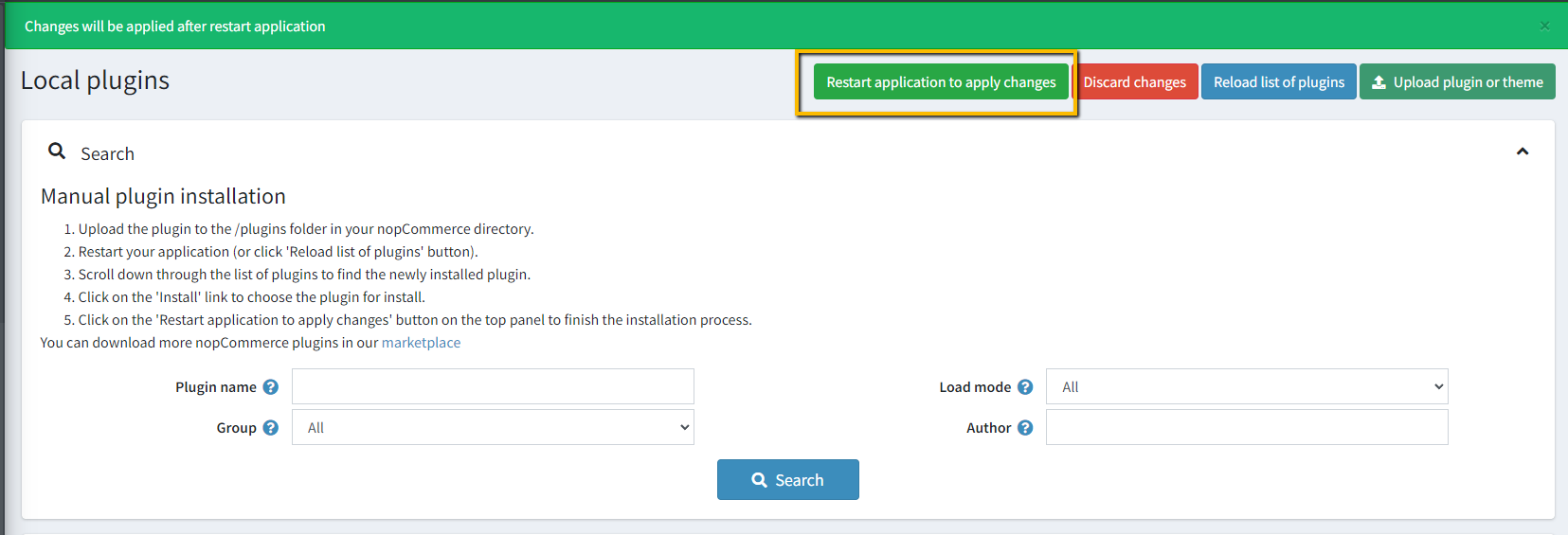
Go to Administration → Configuration → Local plugins
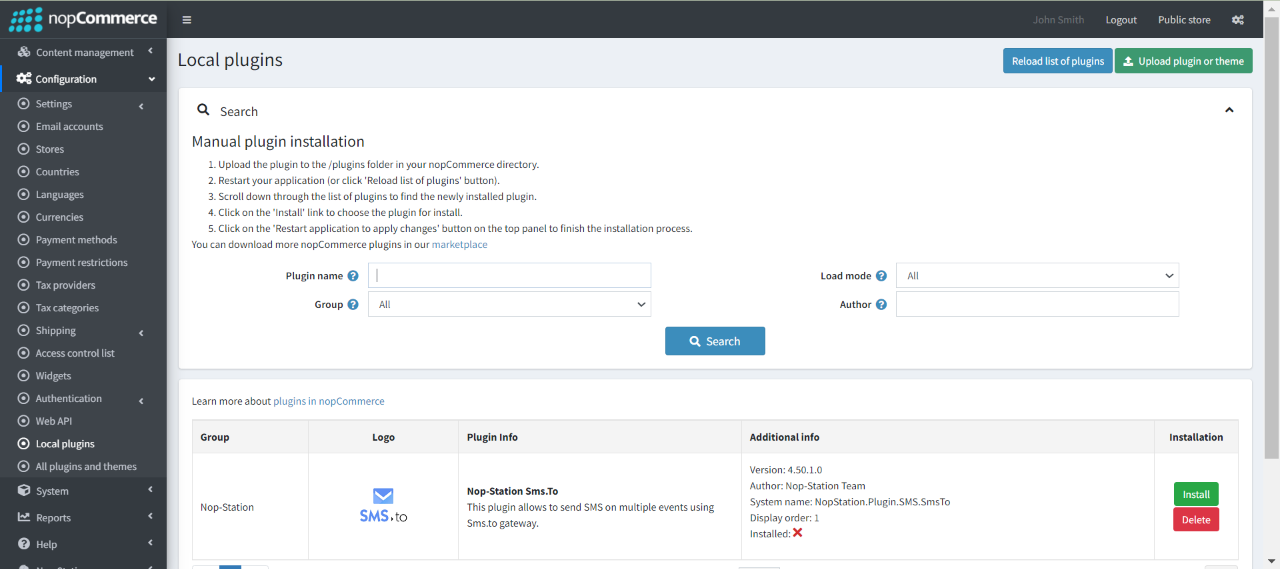
Upload the Nop-Station.Dreams SMS zip file using the "Upload plugin or theme" button
Go to Administration, reload the 'list of plugins'. Install'Nop-Station Core' Plugin first and then install 'Nop-Station.Dreams SMS' plugin
To make the plugins functional, restart the application.
CONFIGURE
Sign up to Dreams SMS Account and API Key and SenderId from Dreams SMS Website
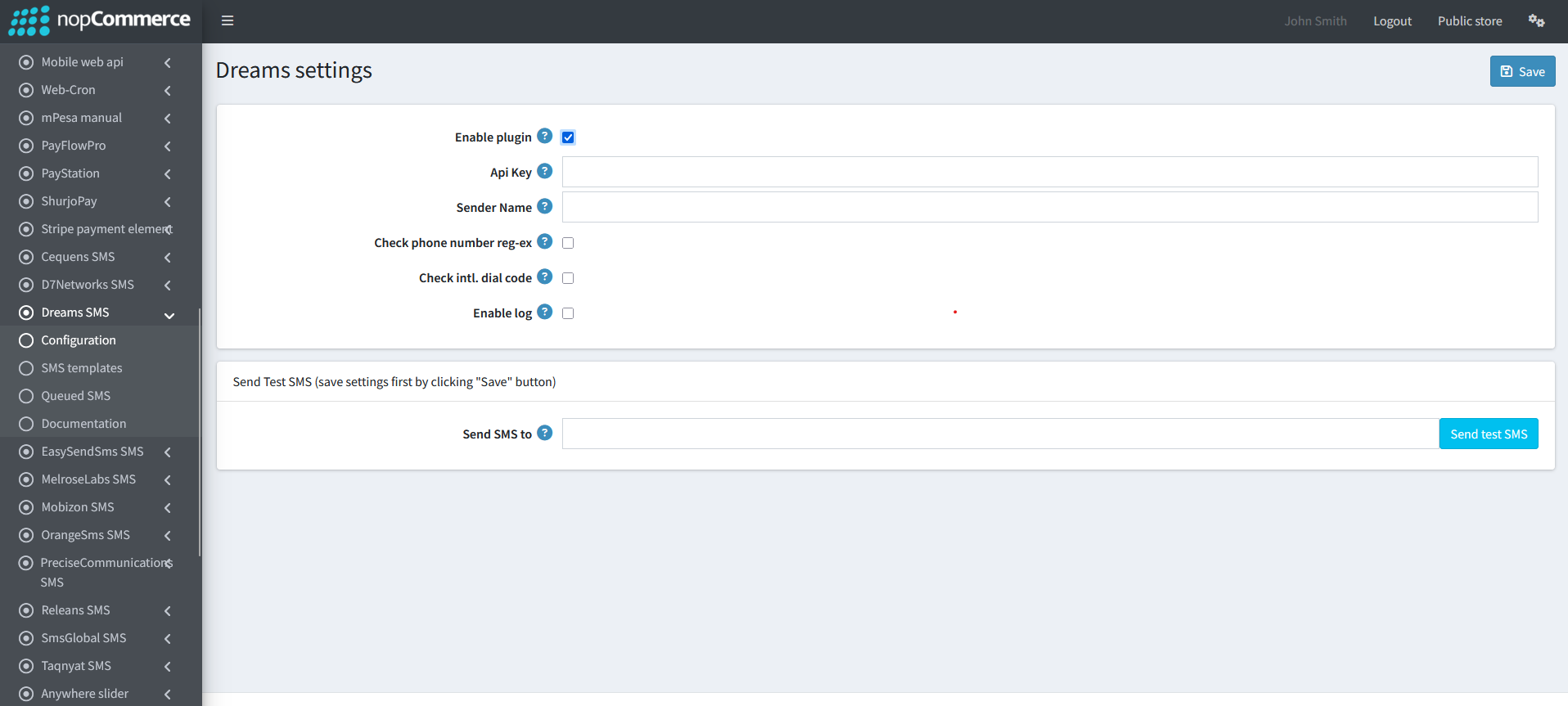
Go to Admin → NopStation → Plugins → Dreams SMS → Configuration
Check the Enable Plugin checkbox to enable the SMS Plugin
Enter the API Key and SenderId info into the API Key and SenderId fields
Enter the From field value, it's a value that represents the name or number the message should be sent from.
Note that alphanumeric SenderIds are not supported in all countries, see Global Messaging for more details. If alphanumeric, spaces will be ignored. Numbers are specified in E.164 format
Check phone number reg-ex to validate phone number using regular expression
Check intl. dial code to validate phone number using country code
Remove first N' digits when local number to remove any start digit from local phone number
SMS TEMPLATE
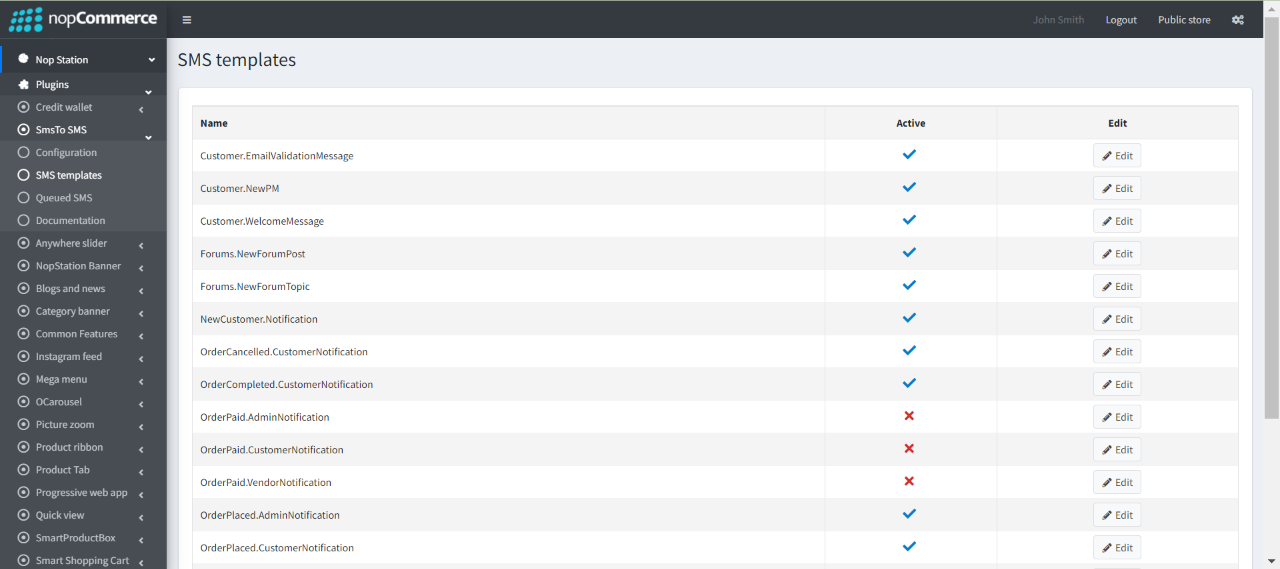
The plugin provides a total of 19 SMS templates that you can use.
Go to Admin → NopStation → Plugins → Dreams SMS → SMS templates to view all the available templates.
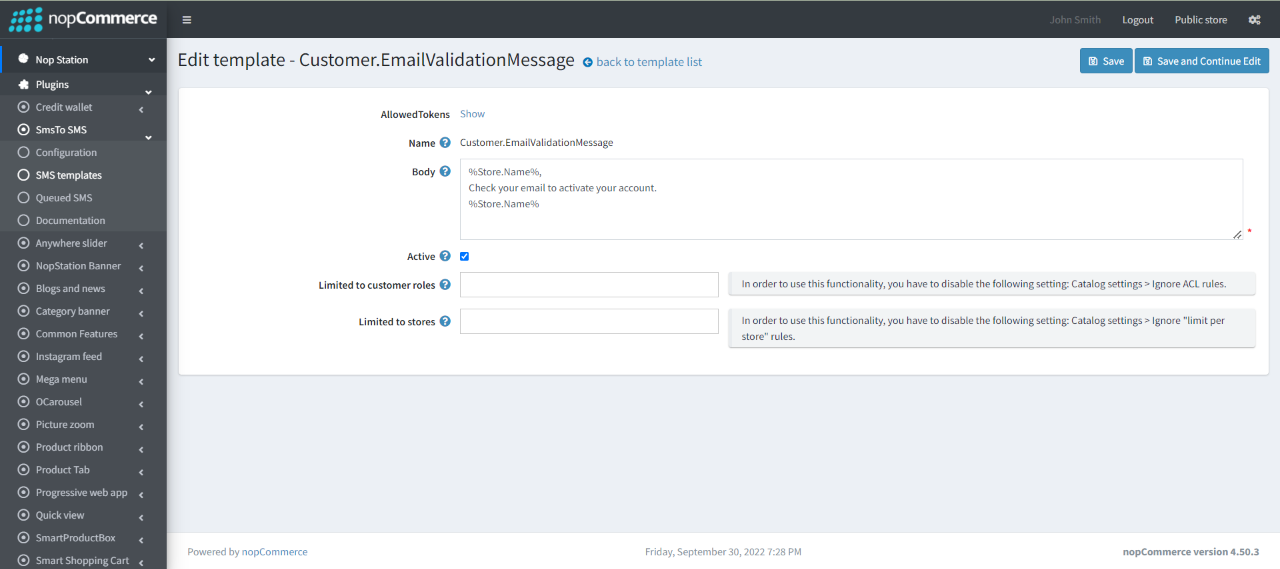
You can enable/disable or modify the templates based on your requirements
You can also set this to limited customer roles and limited stores
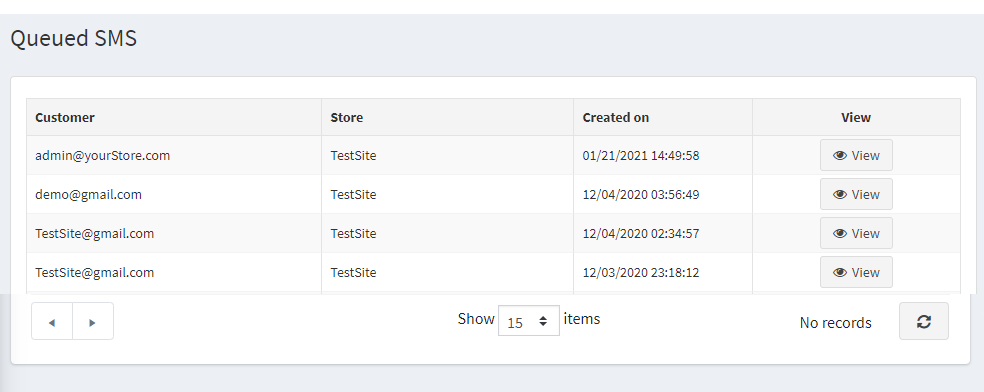
QUEUED SMS
Go to Admin → NopStation → Plugins → Dreams SMS → Queued SMS
Here you can see the messages queue that has already been sent to the customer
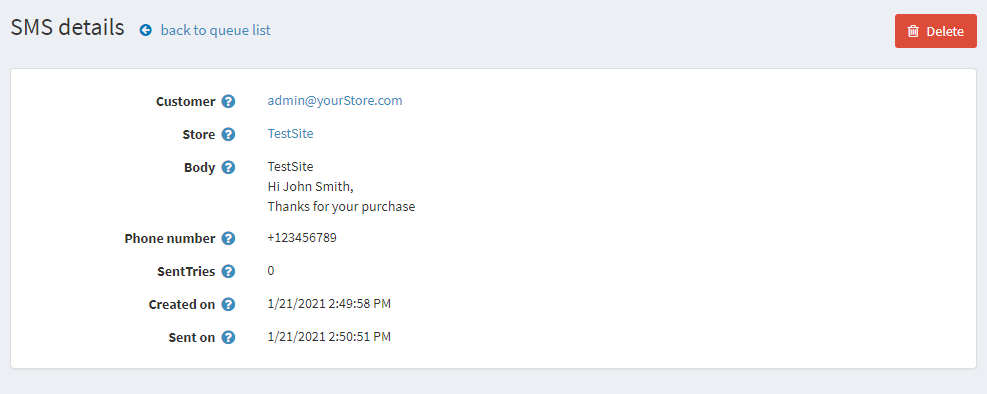
You will get the details of the Sent SMS by clicking on the View button on Queued SMS page