NopStation.CategoryExporter is a powerful add-on designed to enhance the functionality of Optimizley CMS 12. It provides a comprehensive view of categories, enabling admin users to efficiently organize and manage content. Additionally, it offers features for users to focus on specific categories, view associated content, and export relevant details, streamlining content management and analysis.
Supported Version
Optimizley CMS 12
Dependencies
EPiServer.CMS.UI.Core Version = 12.4.0 or later
.NET 5 or .NET 6
Installation
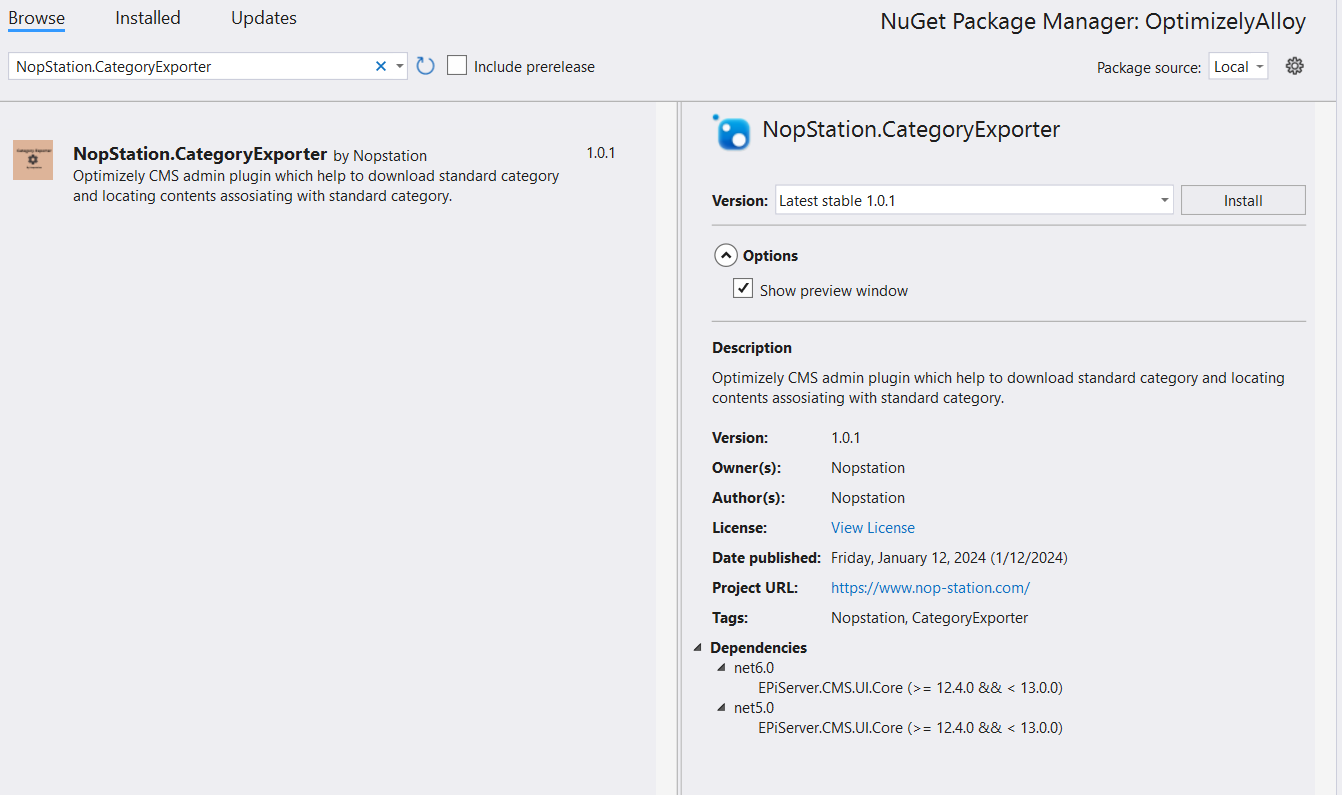
Install the add-on from Optimizley NuGet's sourcefeed
Search for the NopStation.CategoryExporter package from that NuGet. After installing the package, a new menu named Category Exporter will appear in the top admin bar
Usage Guide
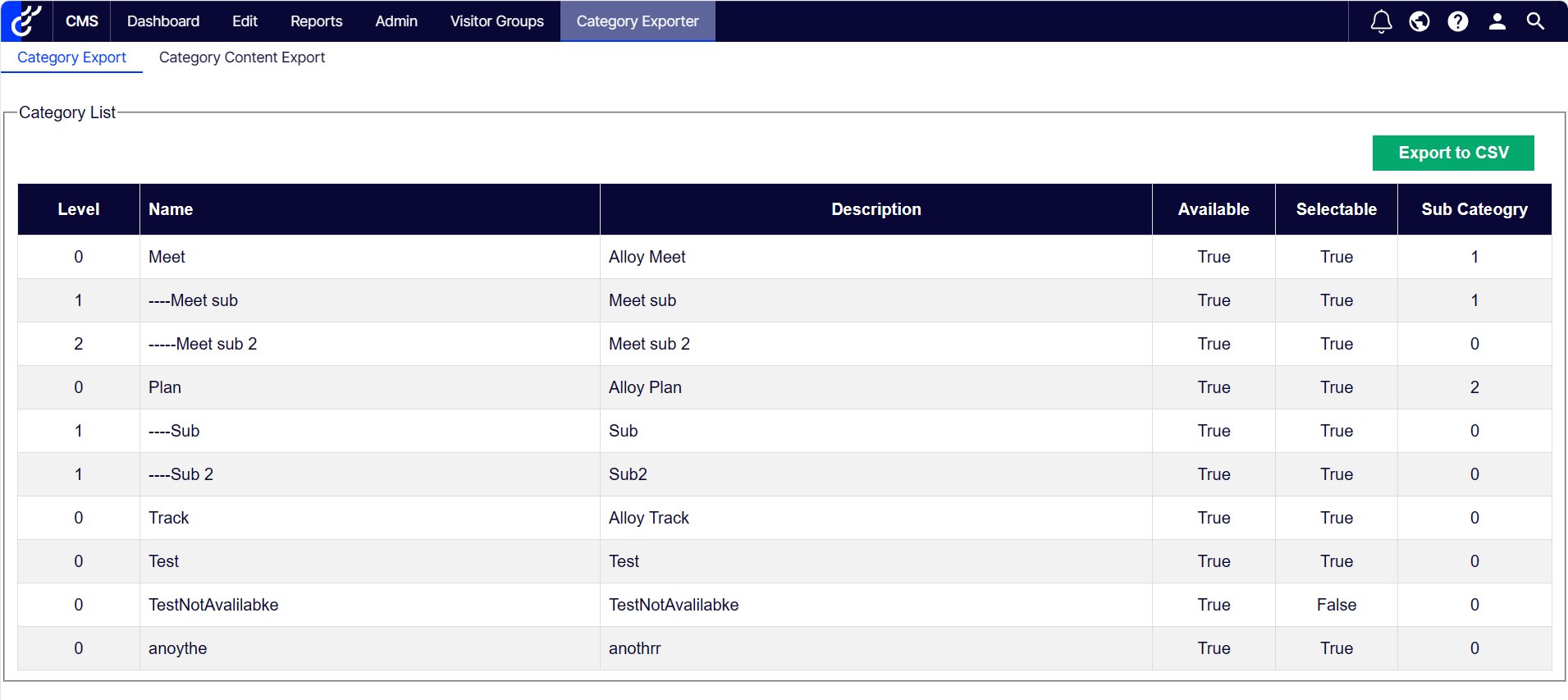
Click on the Category Exporter menu in the top admin bar. The menu provides the default access to the Category Export UI.
Click Export to CSV for exporting category list information.
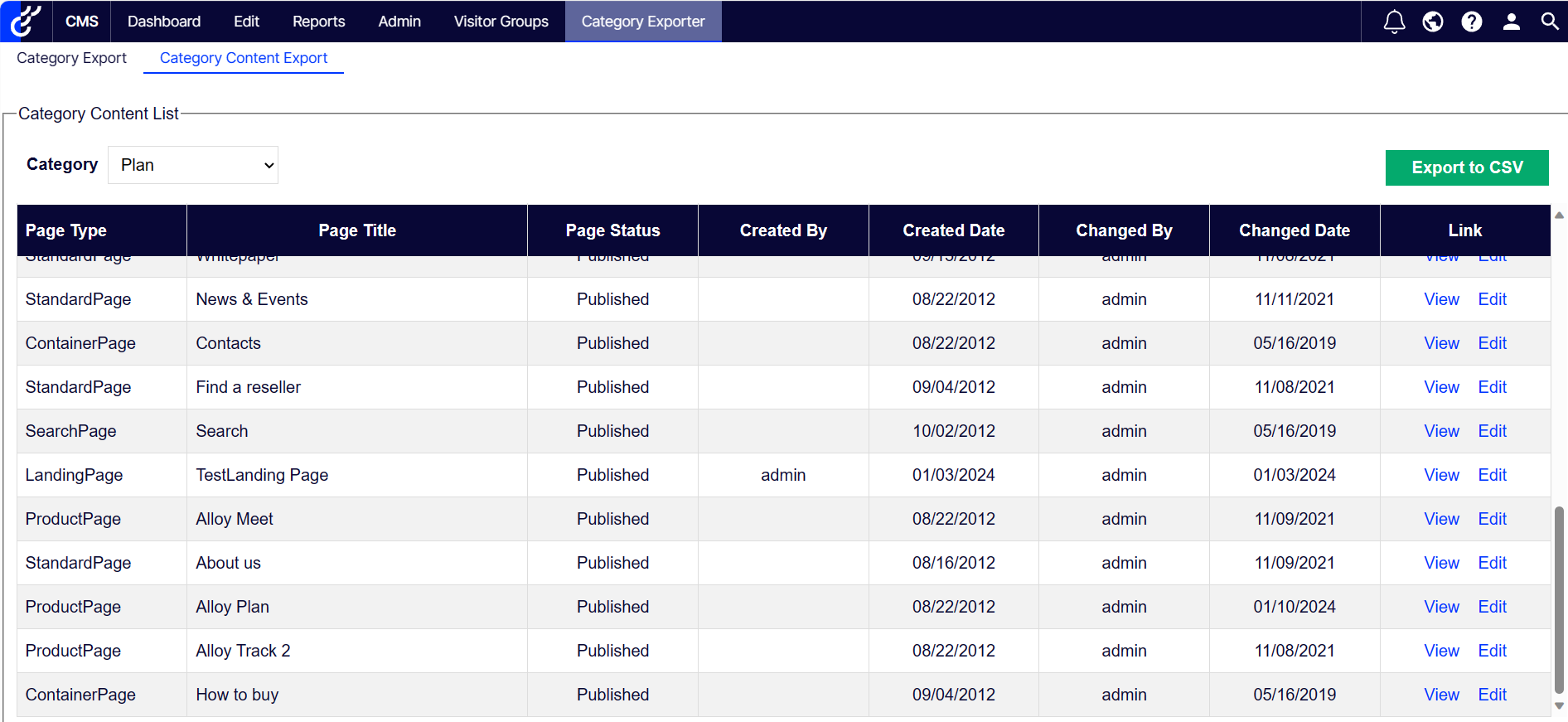
From the sub-menu, click Category Content Export.
Select from the Category options. It'll show the list of contents for that category.
Use View/Edit from tables to manage the contents.
Click Export to CSV to export this table's data.
Features
Category List with Details View: Gain a comprehensive view of categories with detailed information.
Content Filtering: List all content by filtering based on specific categories.
Content Details: View detailed information about the associated content.
Easy Navigation: Navigate content effortlessly for public view or manage content by switching to edit mode.
CSV Export: Export all tabular data in CSV format for further analysis.