
PRE-REQUISITES
- The plugin requires you to install the Nop-Station Core plugin first.
INSTALLATION
- Download the TinyPNG Image Compressor from our store https://nop-station.com/customer/downloadableproducts
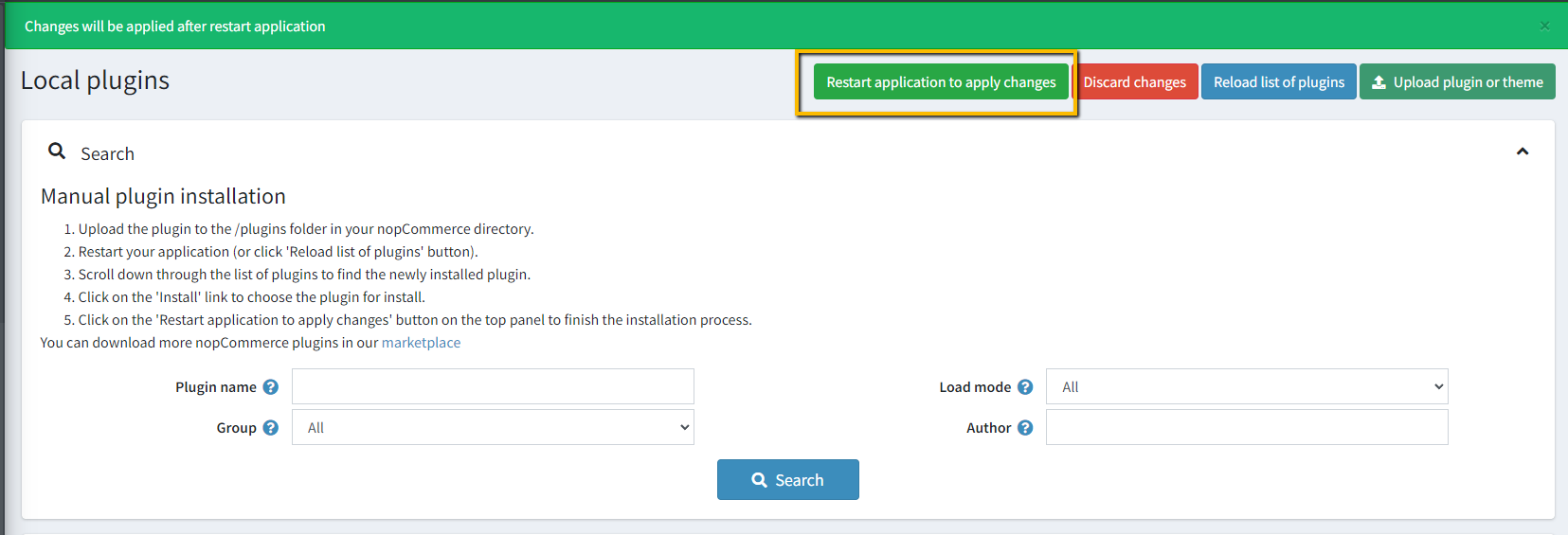
- Go to Administration → Configuration → Local plugins
- Upload the NopStation.TinyPNG zip file using the "Upload plugin or theme" button
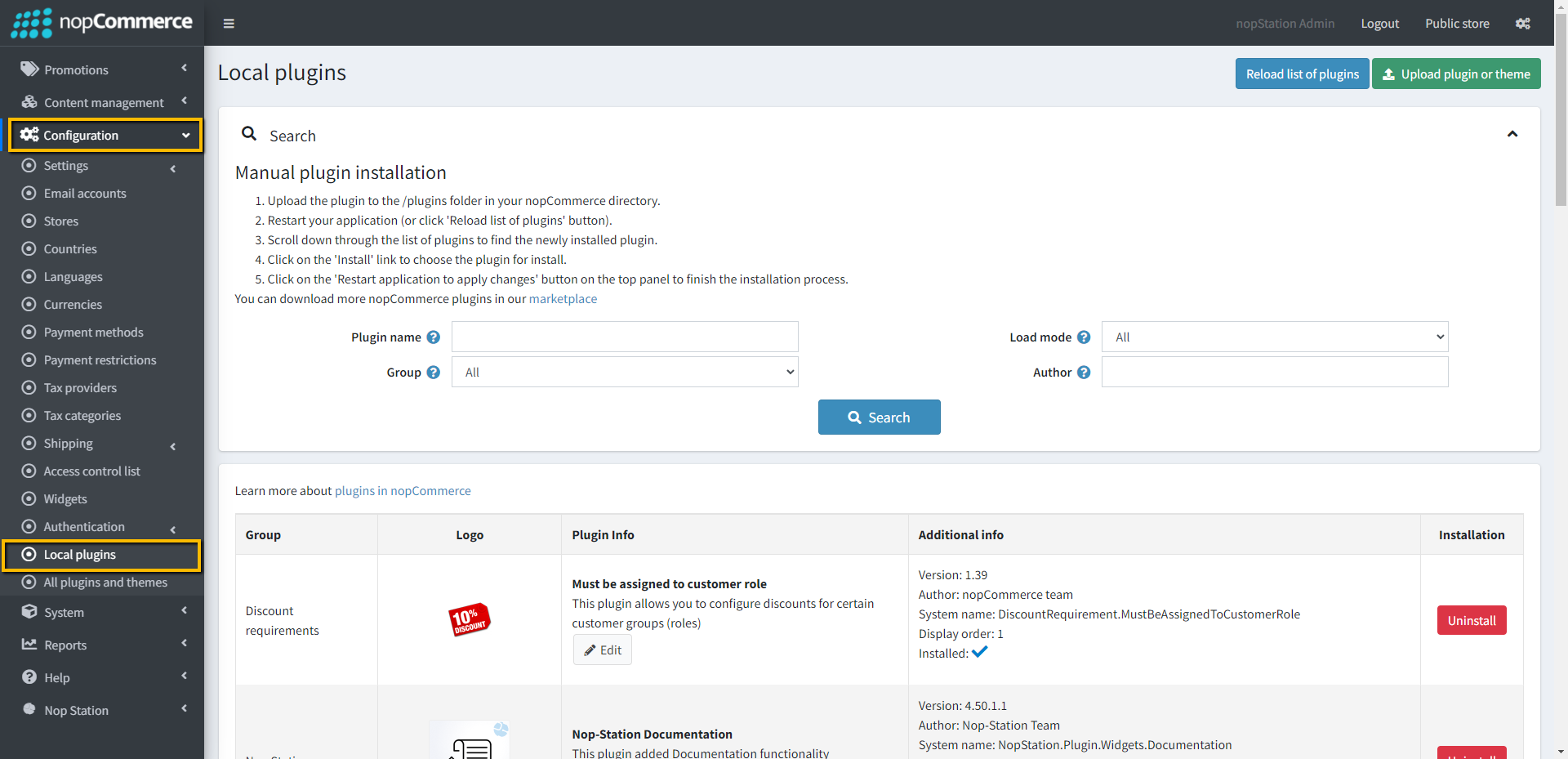
- Go to Administration, reload the 'list of plugins'. Install 'Nop-Station Core' Plugin first and then install 'Tiny PNG'
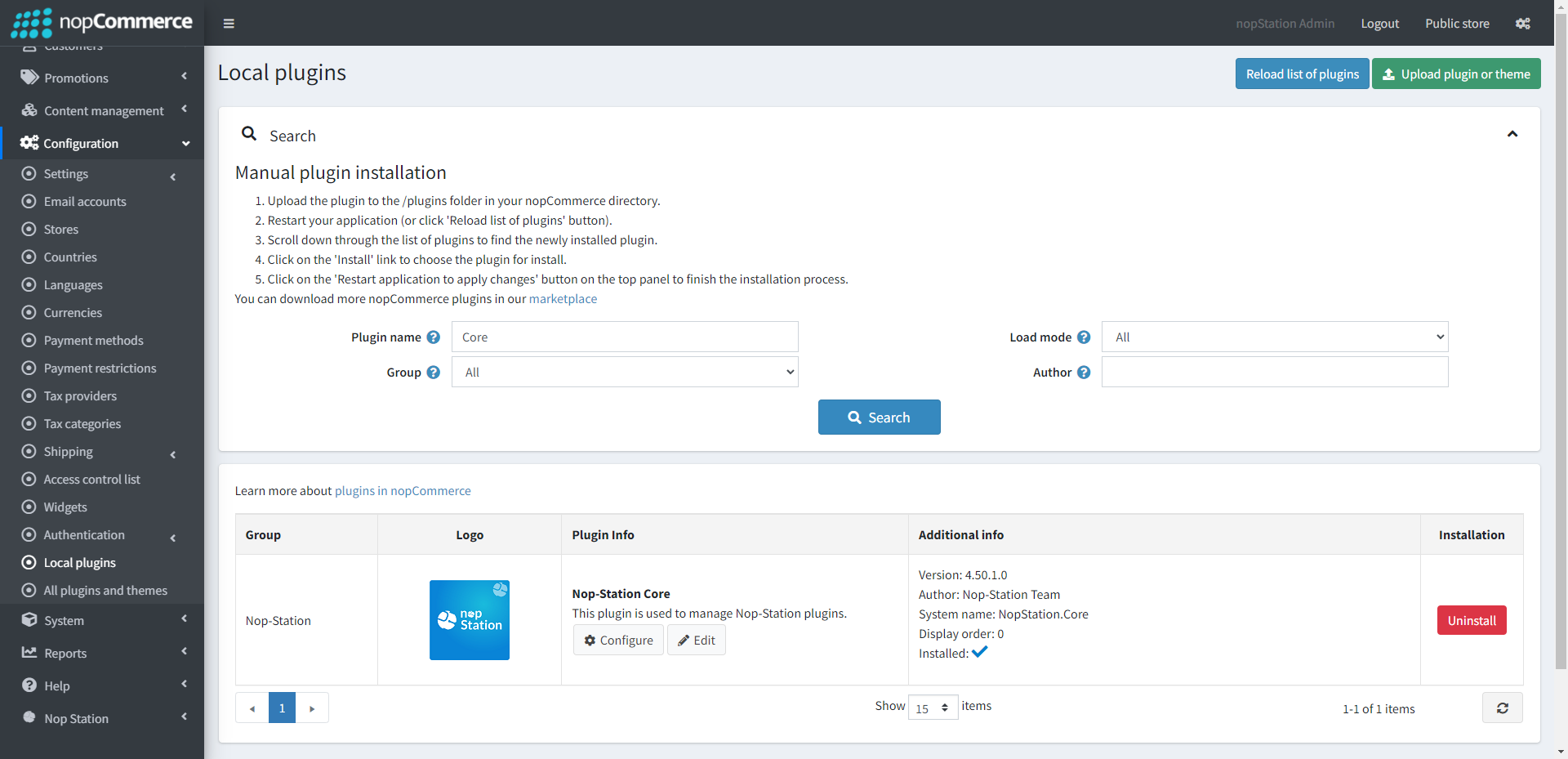
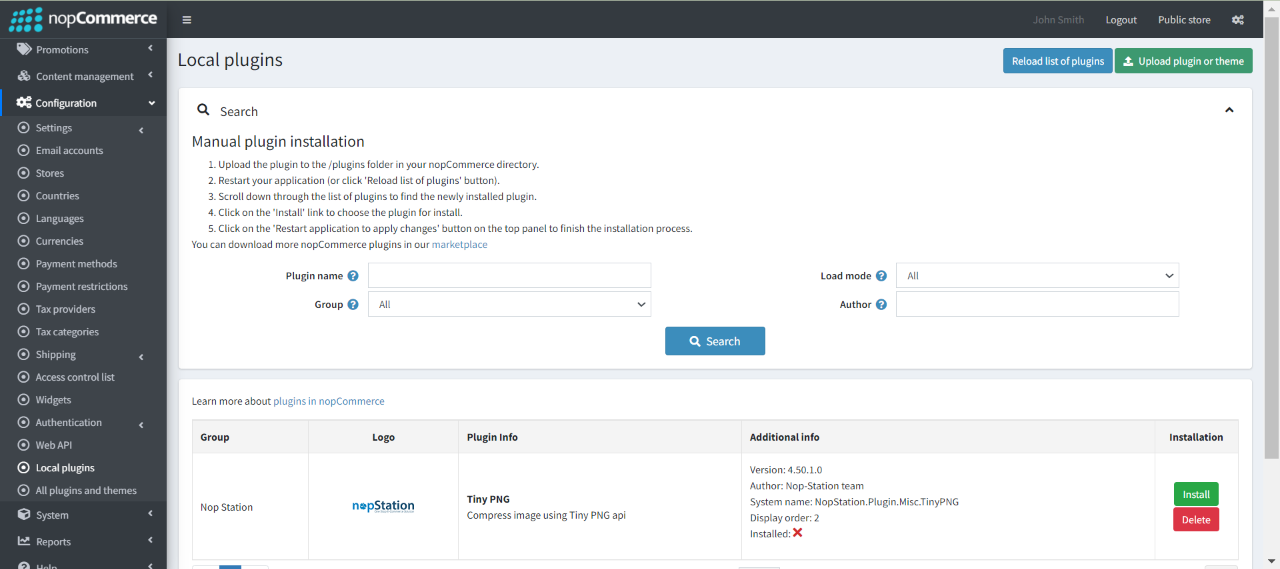
- To make the plugins functional, restart the application.
CONFIGURATION
- Register for Developer API key by sign up to Developer API
- Verify your email by clicking the button Visit your Dashboard.
- Copy API key from your API Dashboard
- Go to Admin → NopStation → Plugins → Tiny PNG → Configuration
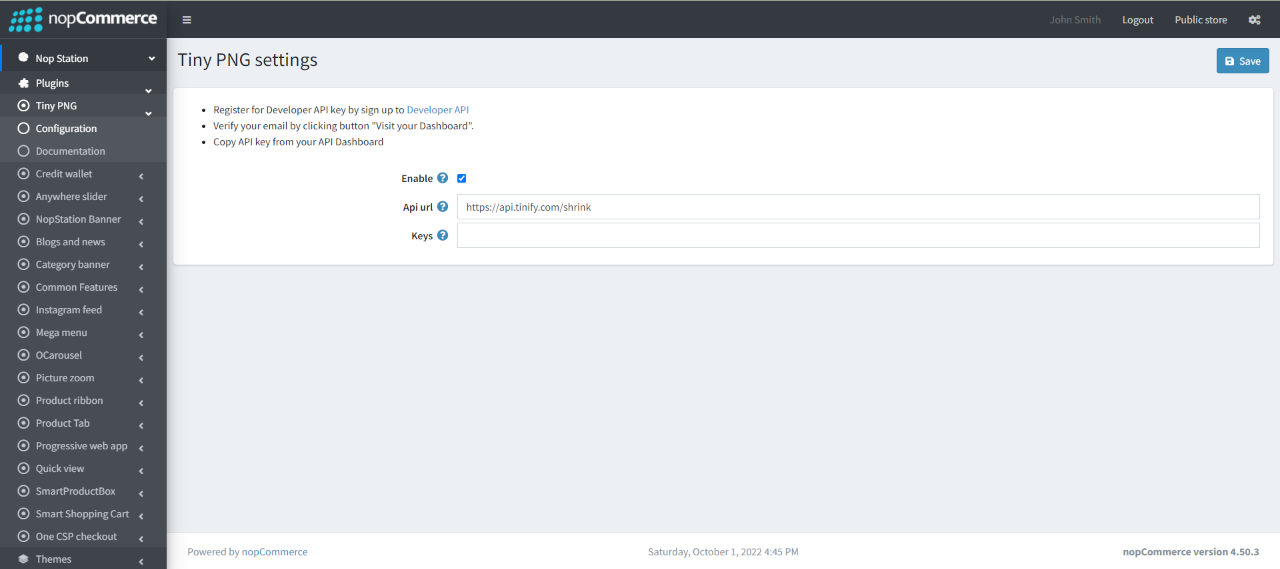
- Check to Enable the plugin
- Enter the tiny png Api url
- Add multiple Tiny PNG keys by comma seprated text

