
PRE-REQUISITES
- The plugin requires you to install the Nop-Station Core plugin first.
INSTALLATION
- Download the Store Locator Plugin from our store https://nop-station.com/customer/downloadableproducts
- Go to Administration → Configuration → Local plugins
- Upload the Storelocator-450 zip file using the "Upload plugin or theme" button
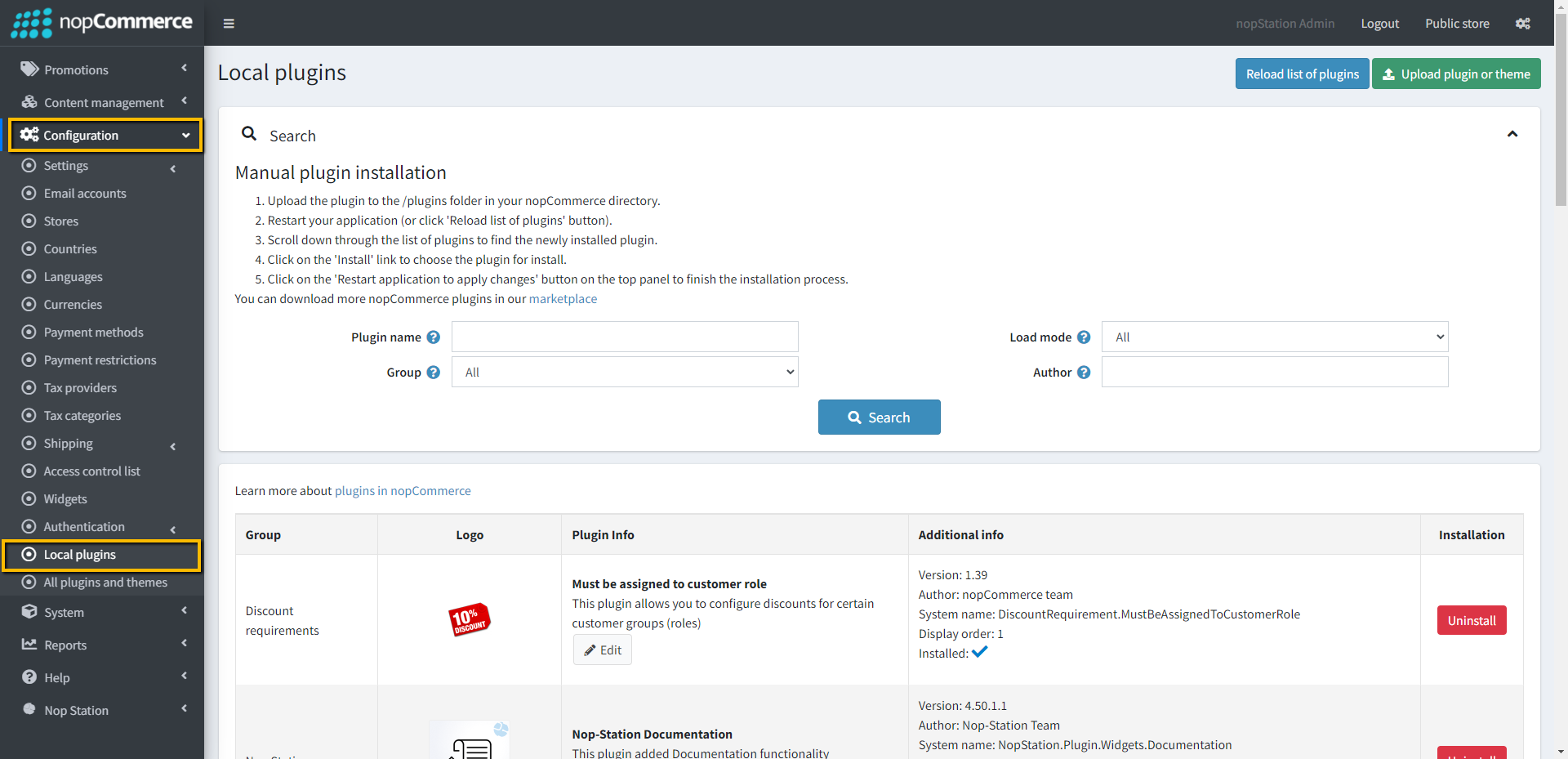
- Go to Administration, and reload the 'list of plugins'. Install 'Nop-Station Core' Plugin first and then install 'Nop-Station Store Locator'
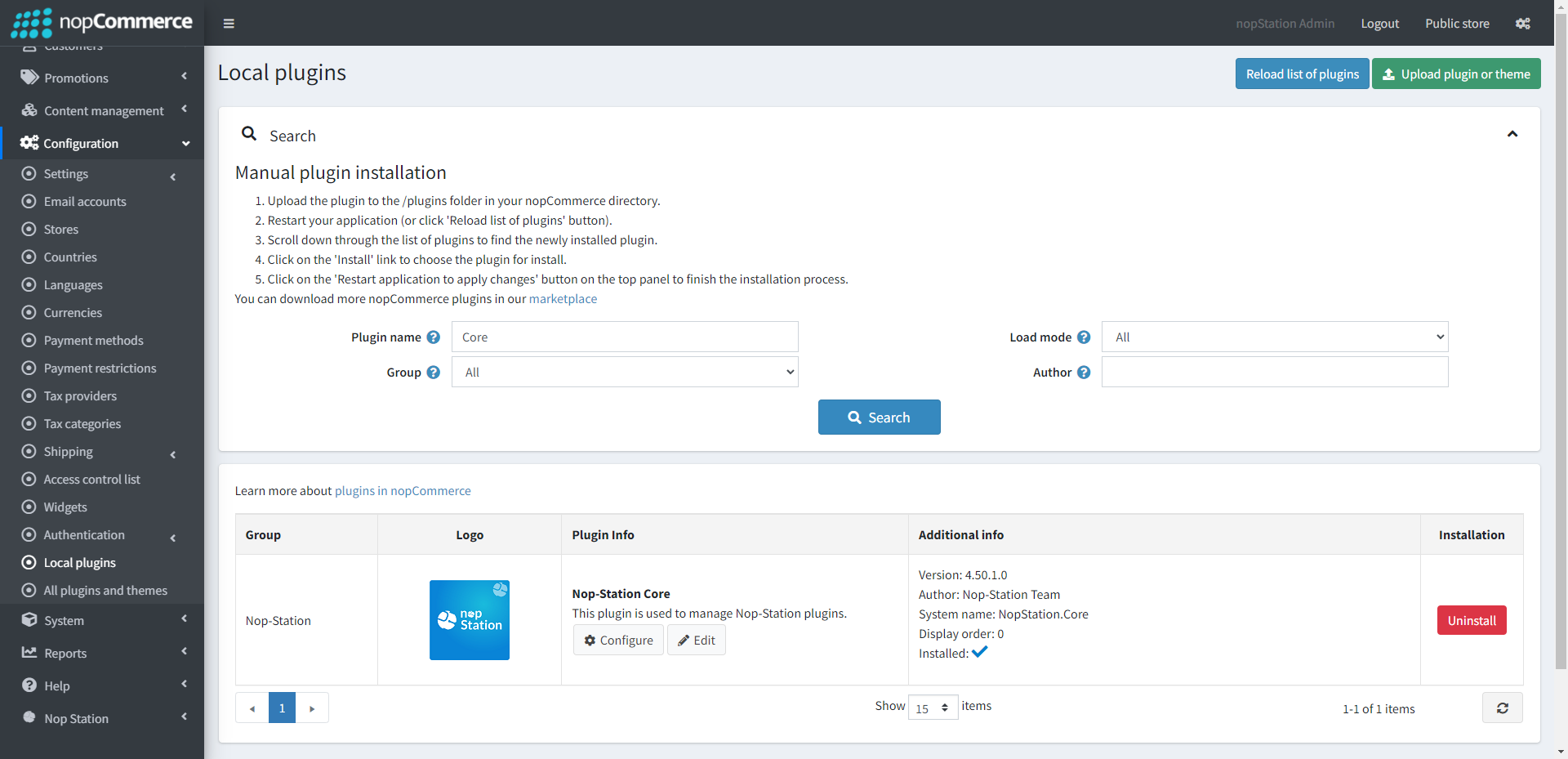
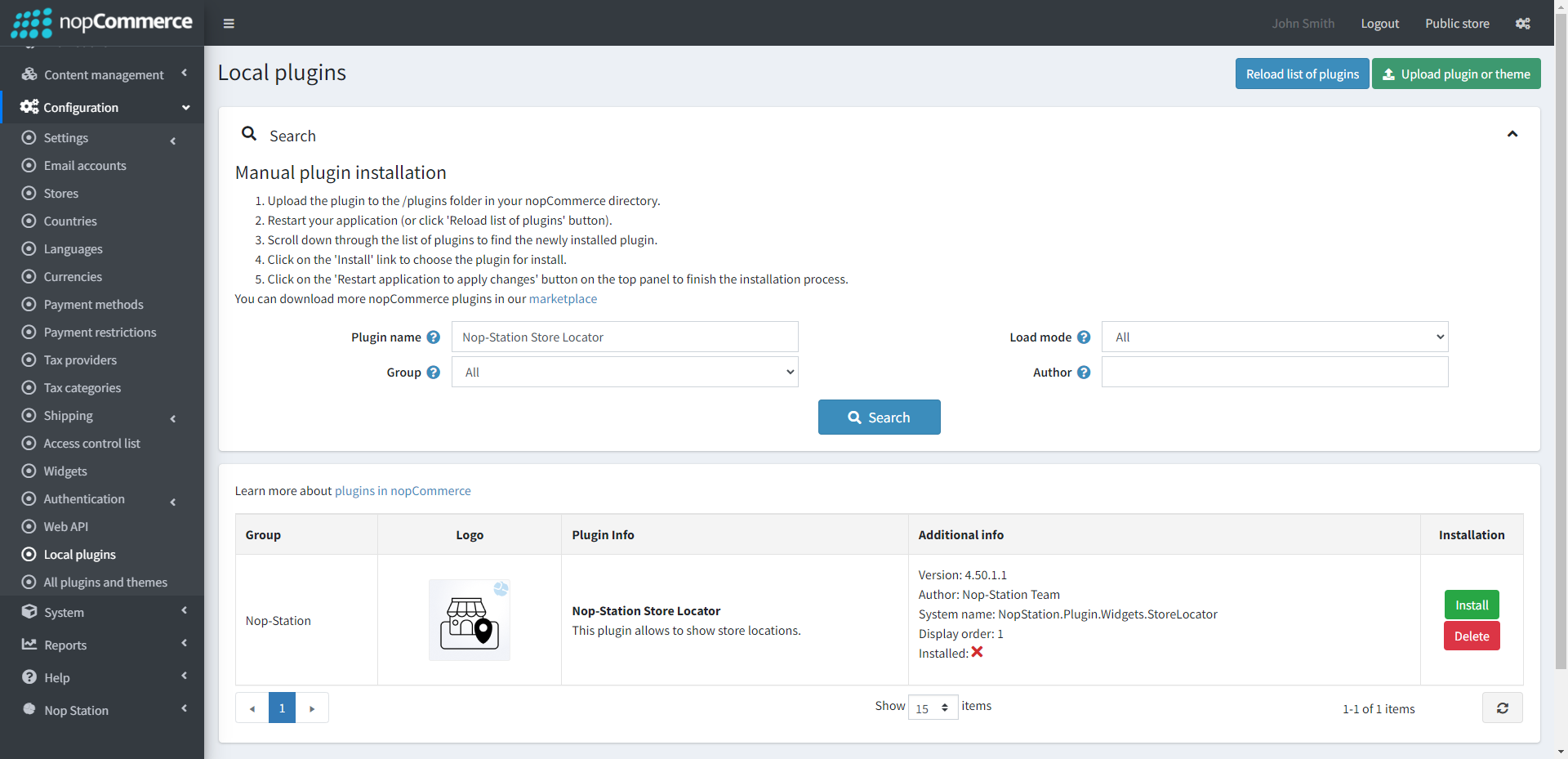
- To make the plugins functional, restart the application.
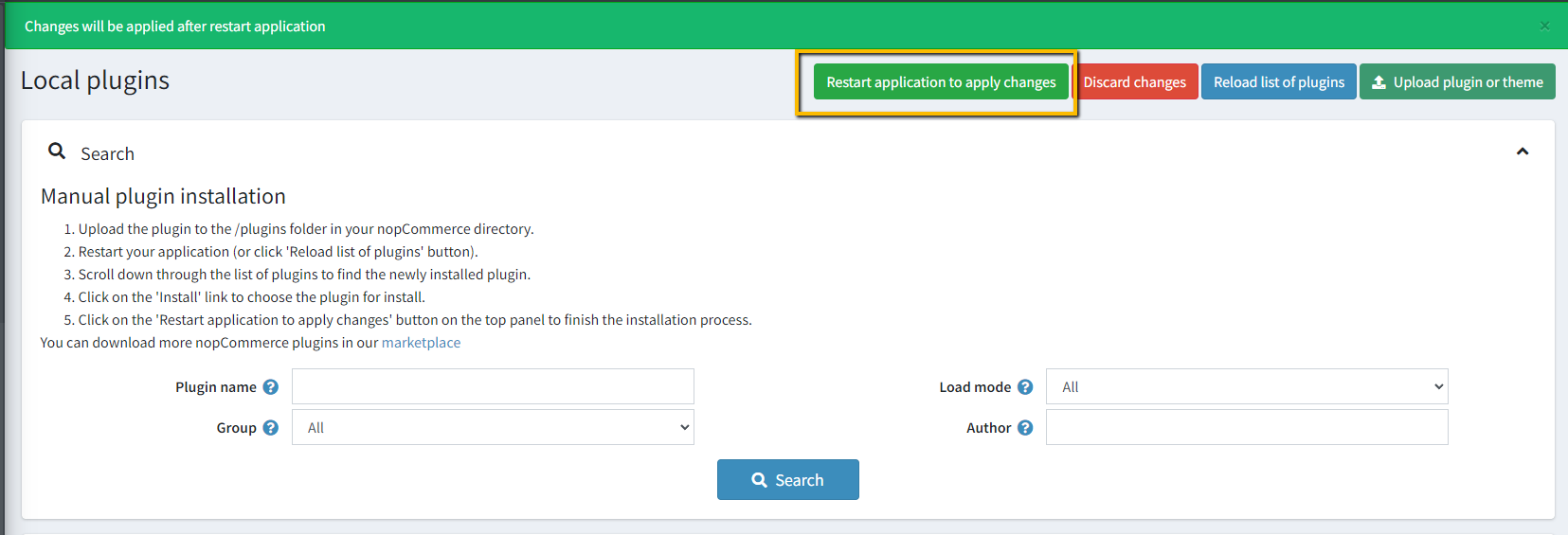
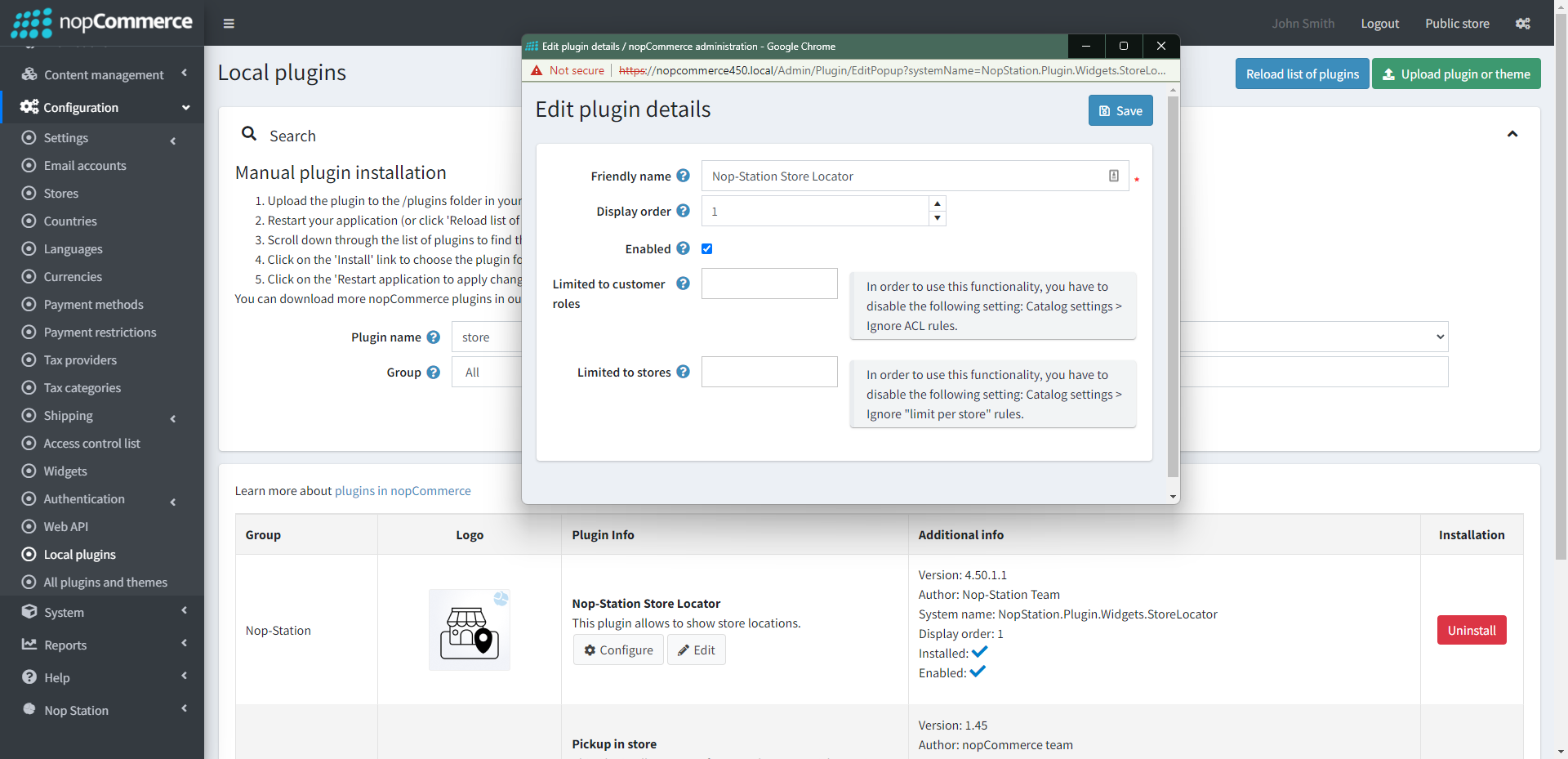
- Enable the plugin with 'Edit' option and Configure it.
CONFIGURATION
- Go to Admin → NopStation → Plugins → Store locator → Configuration
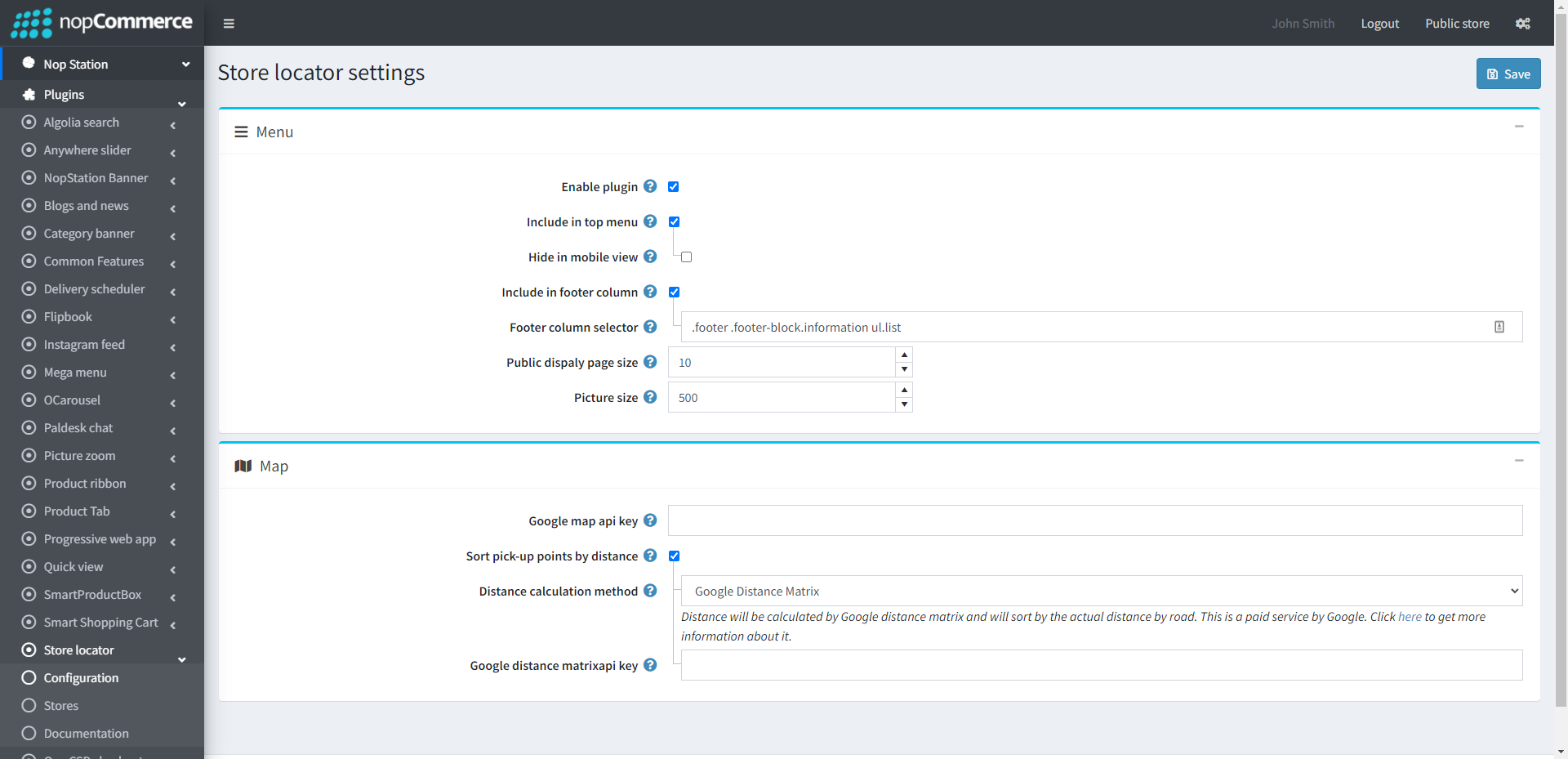
- Check the Enable plugin option to make the plugin functional
- Check the Include in top menu option to include the option in the top menu bar
- Check to Hide in mobile view
- Check to Include in footer column
- Enter the column selector name in Footer column selector field
- Enter the number of stores to show in the map in the Public dispaly page size field
- Enter the store thumbnail Picture size
- Enter the Google map api key. Go to https://developers.google.com/maps/documentation/javascript/get-api-key to find more details.
- Sort pick-up points by distance: This will determine whether pick-up points are to be sorted by the distance in the checkout step or not.
- Select Distance calculation method. Either Google Distance Matrix or Geo Coordinate can be selected.
- If you select Distance calculation method then enter the Google distance matrixapi key in the field.

