PRE-REQUISITES
- The plugin requires you to install the Nop-Station Core plugin first.
INSTALLATION
- Download the Quick View Plugin from our store https://nop-station.com/customer/downloadableproducts
- Go to Administration → Configuration → Local plugins
- Upload the NopStation.QuickView zip file using the "Upload plugin or theme" button
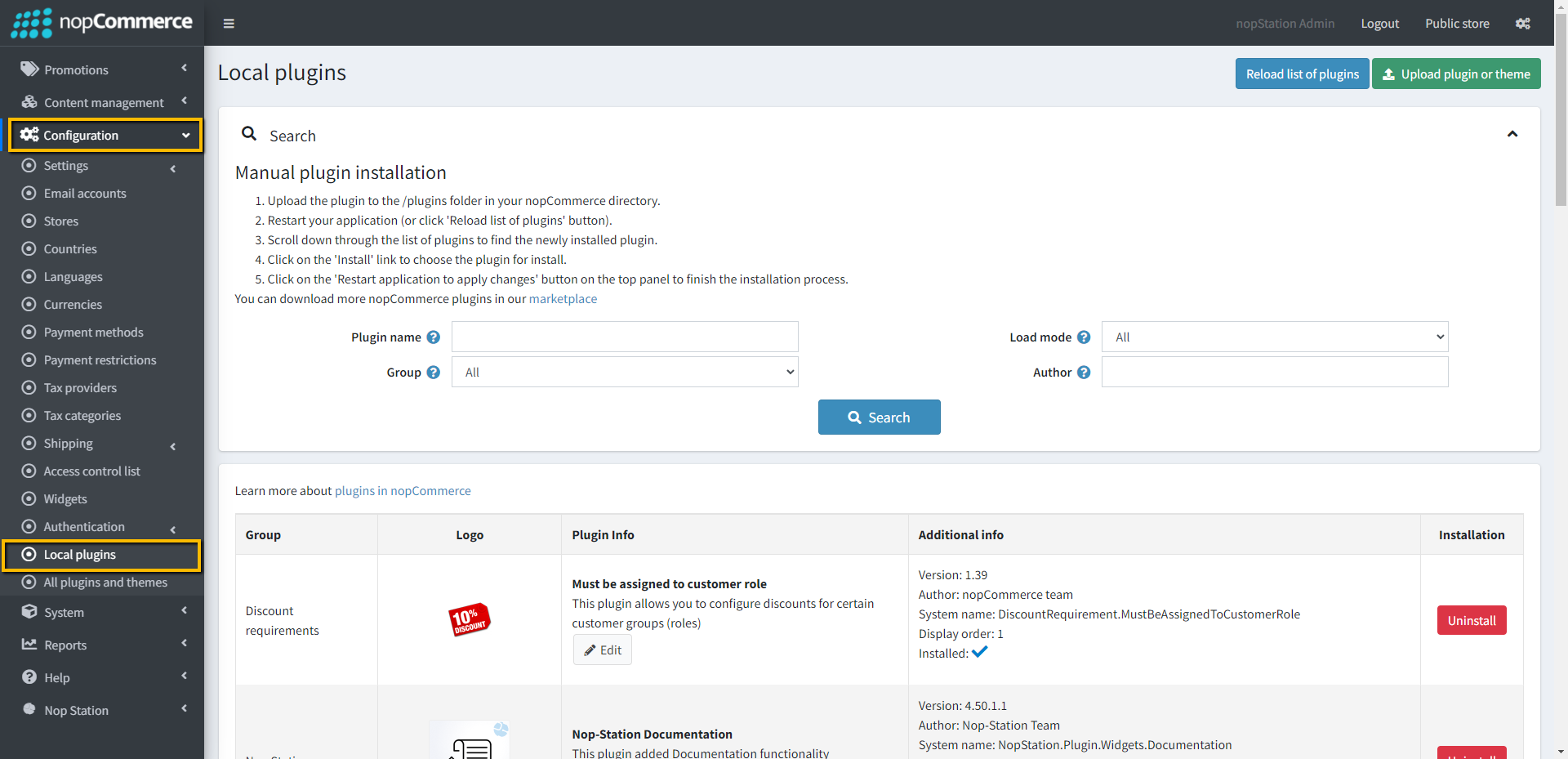
- Go to Administration, reload the 'list of plugins'. Install 'Nop-Station Core' Plugin first and then install 'Nop-Station Quick View'
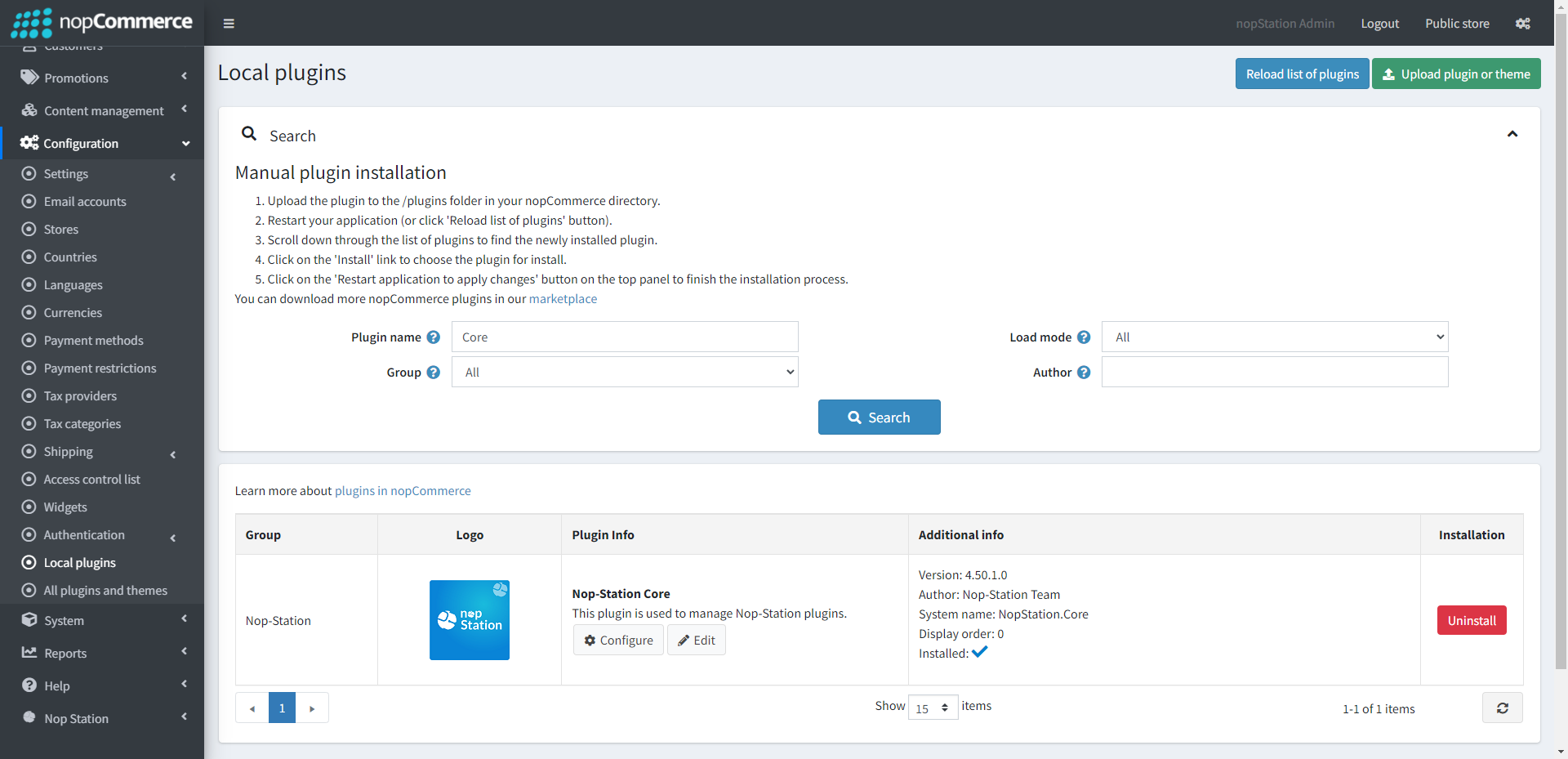
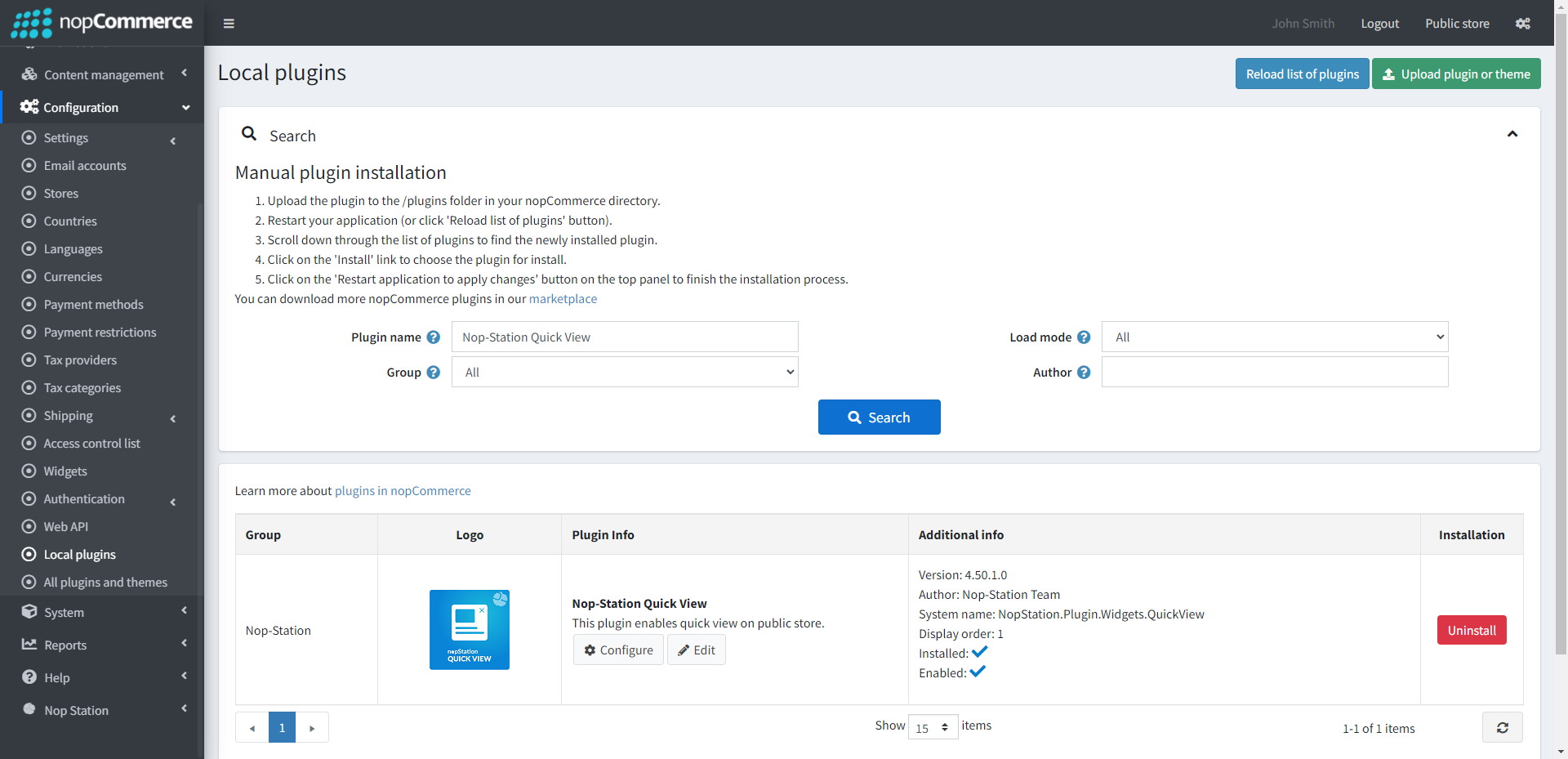
- To make the plugins functional, restart the application.
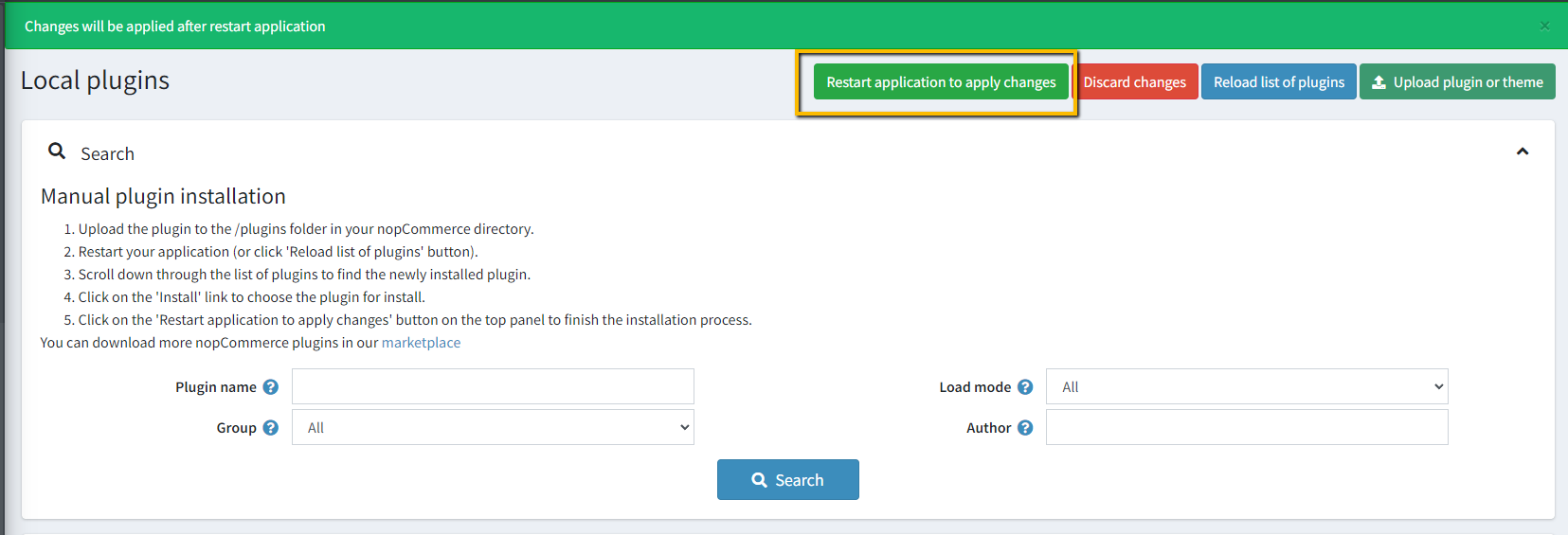
- Enable the plugin with 'Edit' option and Configure it
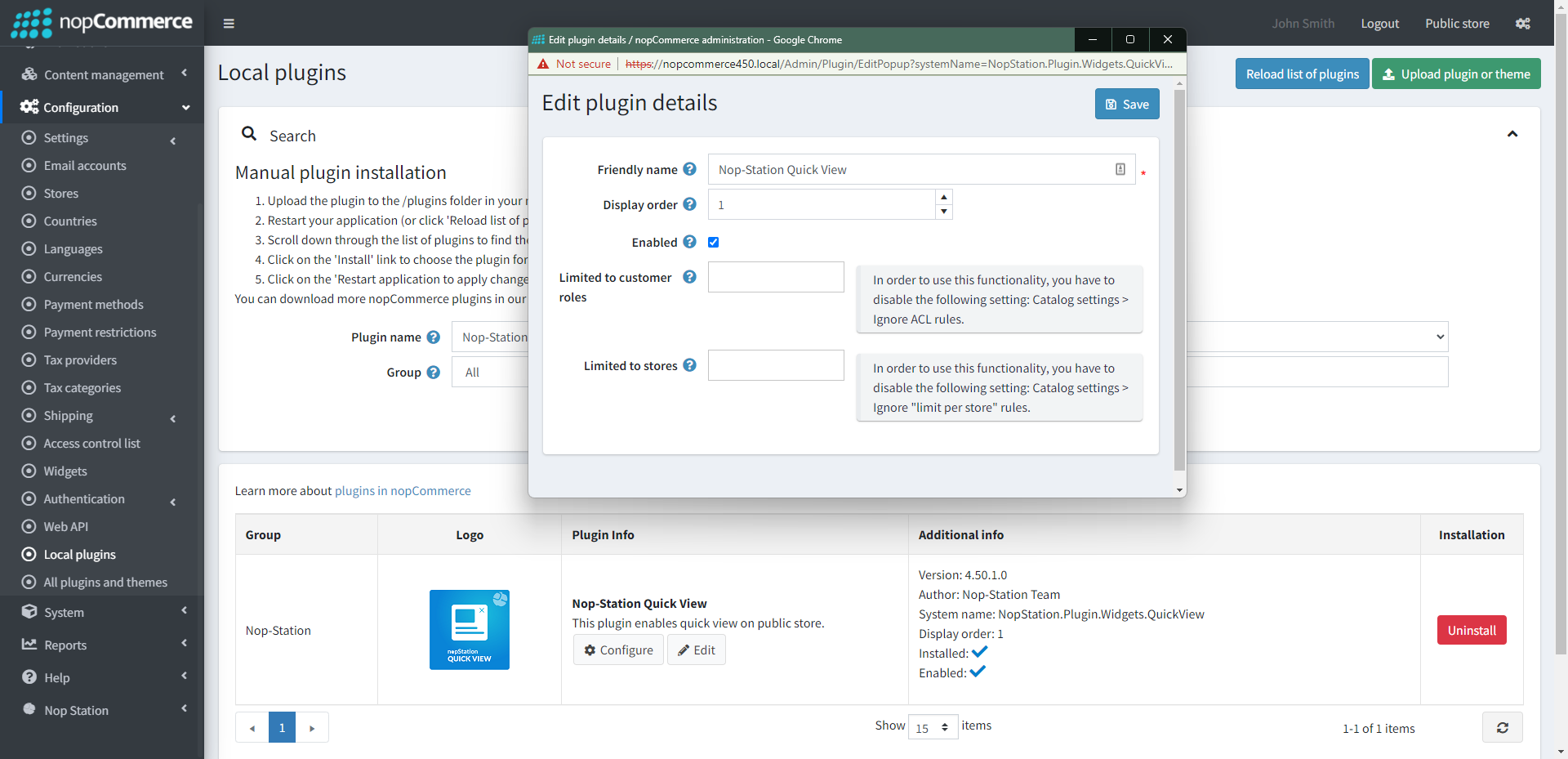
CONFIGURE
- Go to Admin → Nop Station → Plugins → Quick View → Configuration
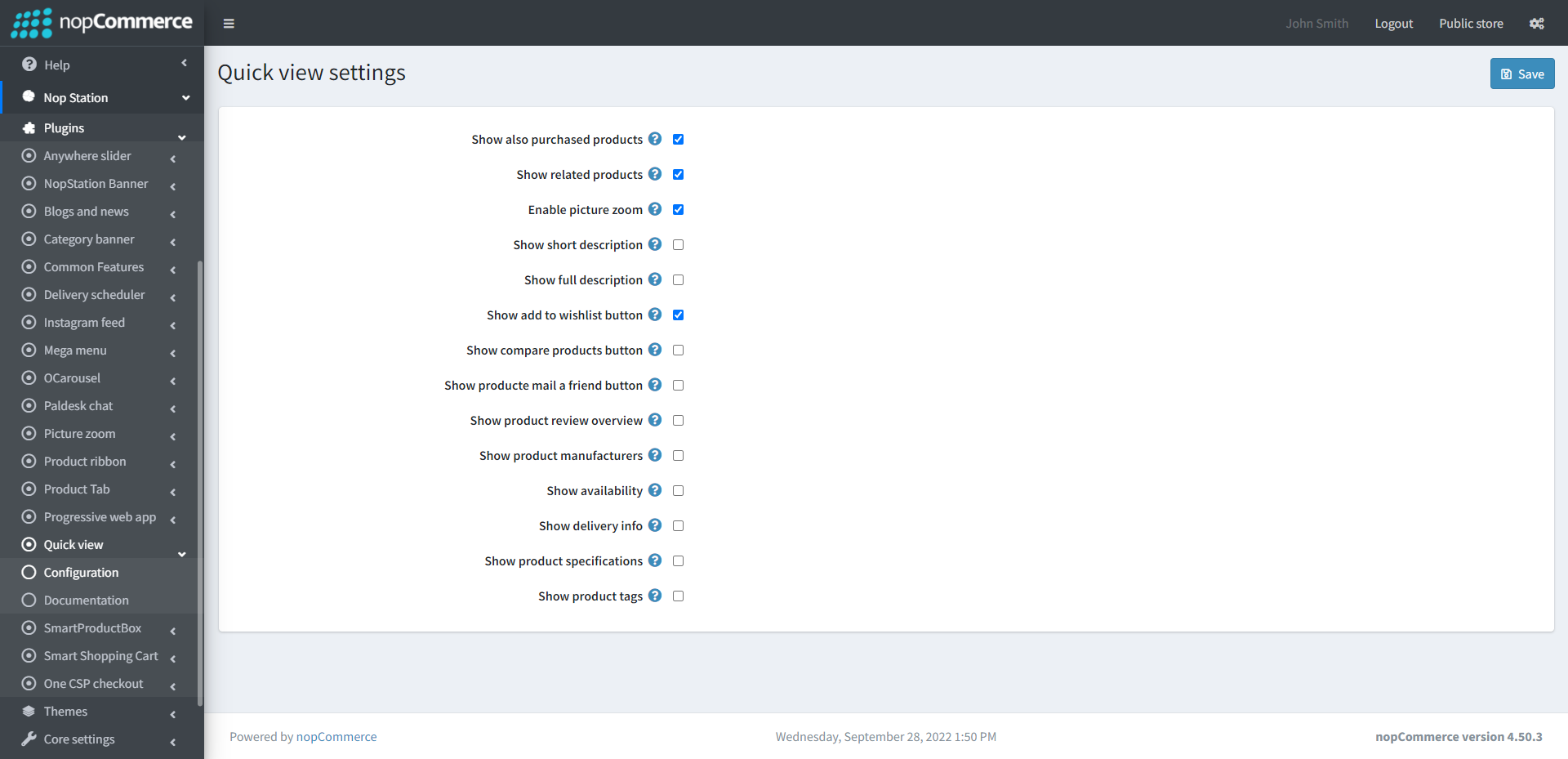
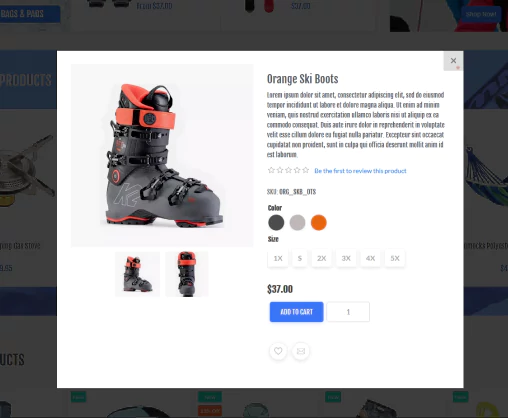
- If you enable purchased products it will display in the quick view page
- Show related products display the related product in the quick view page
- Enable short description will display the short description in the quick view page
- Enable full description will display the full description in the quick view page
- Enable add to wishlist button let you add product to wishlist
- After enabling compare product, you can compare two products in quick view
- You can mail a friend directly if you enable the show product mail a friend button
- You can enable/disable product review overview in quick view by Show product review overview
- You can enable/disable Show product manufacturers
- If you enable show availability it will display if the product is available or not
- If you enable show delivery info it will display the delivery info in the quick view page
- If you enable Show product specifications it will display the product specification in the quick view page
- If you enable Show product tags it will display the product tags in the quick view page
PUBLIC VIEW