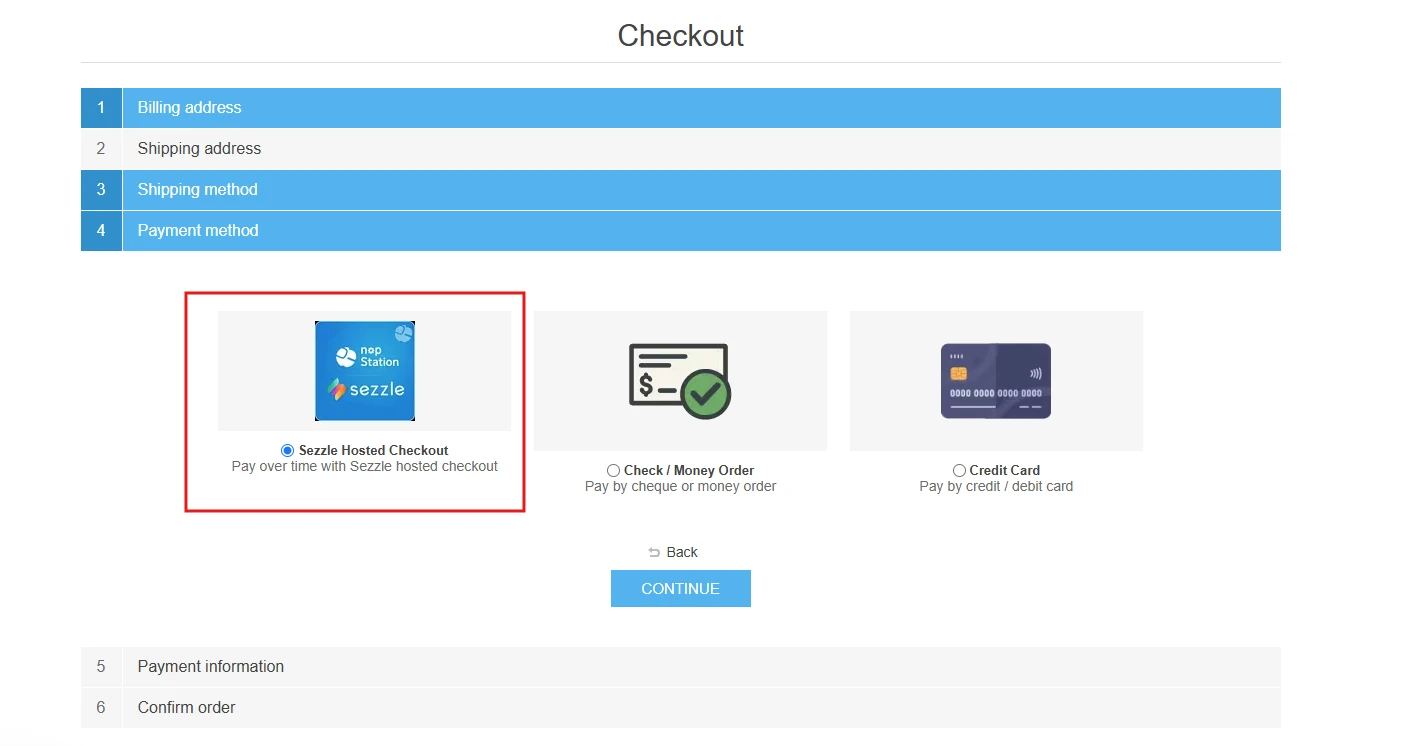
nopStation Sezzle Hosted Checkout Plugin integrates Sezzle’s official Buy Now, Pay Later (BNPL) hosted payment solution into your nopCommerce store, allowing shoppers to split any purchase into 4 interest-free installments over 6 weeks. Customers are redirected to Sezzle’s secure hosted checkout for phone verification, payment scheduling, and terms acceptance, while the merchant is paid upfront and Sezzle carries the customer credit risk.
PRE-REQUISITES
The plugin requires you to install the Nop-Station Core plugin first.
INSTALLATION
· Download the Sezzle Hosted Checkout Plugin from our store
· Go to Administration → Configuration → Local plugins
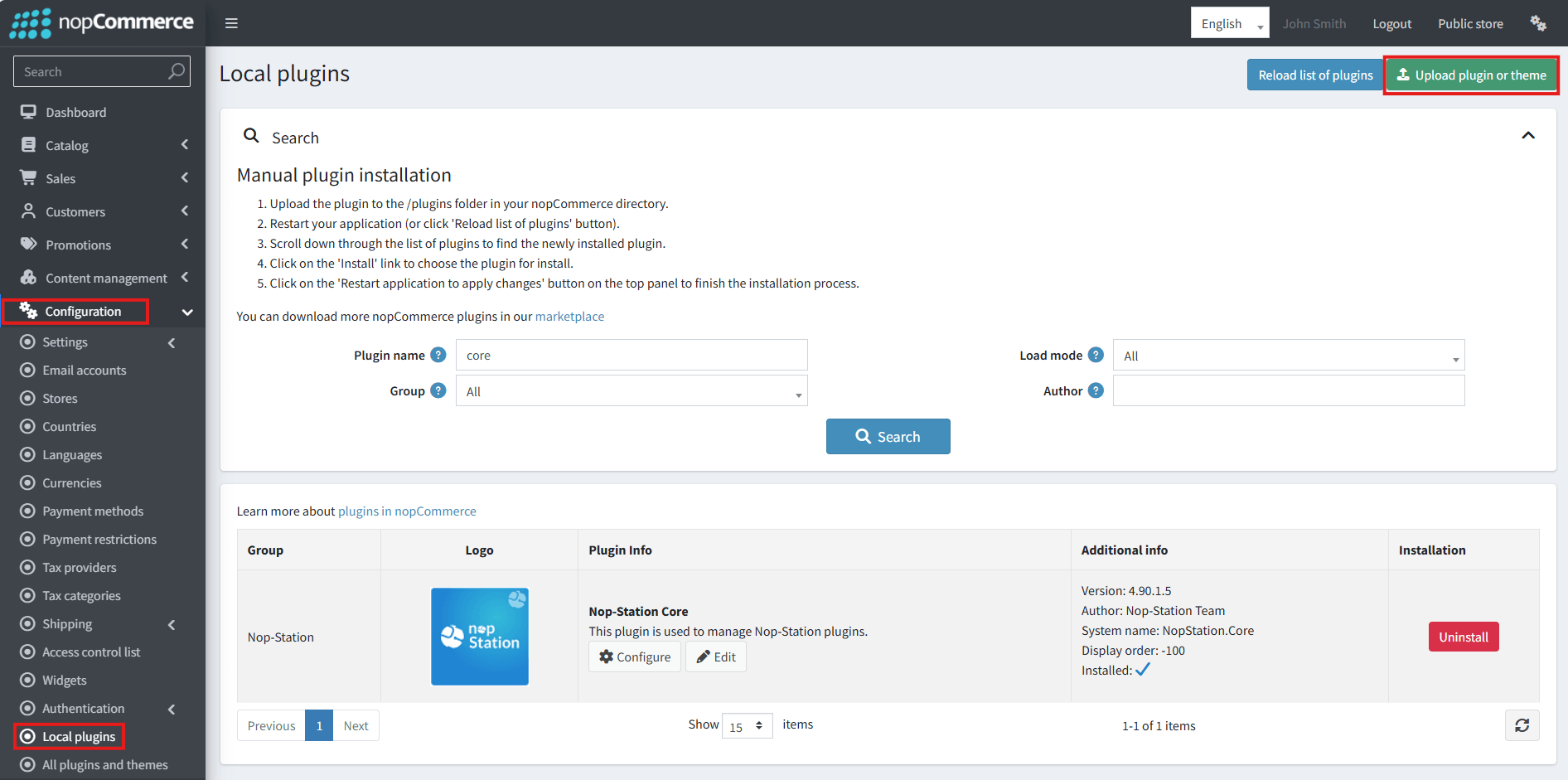
· Select the NopStation.Core file and upload it by clicking the 'Upload plugin or theme' button.
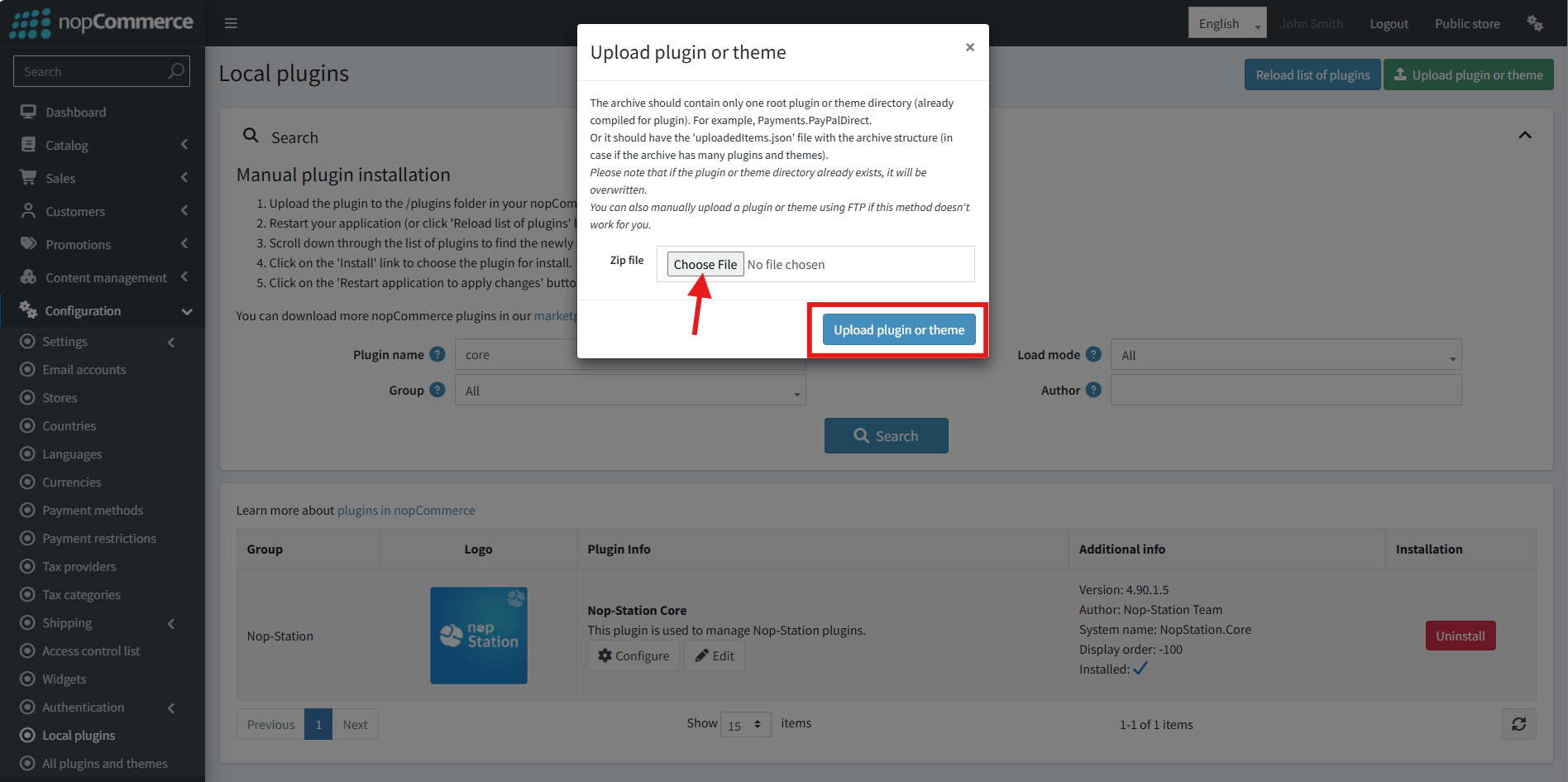
· Select the NopStation. Sezzle Hosted Checkout Plugin file.
· Upload the file using the 'Upload plugin or theme' button.
· After uploading the plugin, go to the Administration. Install 'Nop-Station Core' Plugin first and then install ‘ NopStation. Sezzle Hosted Checkout’ plugin.
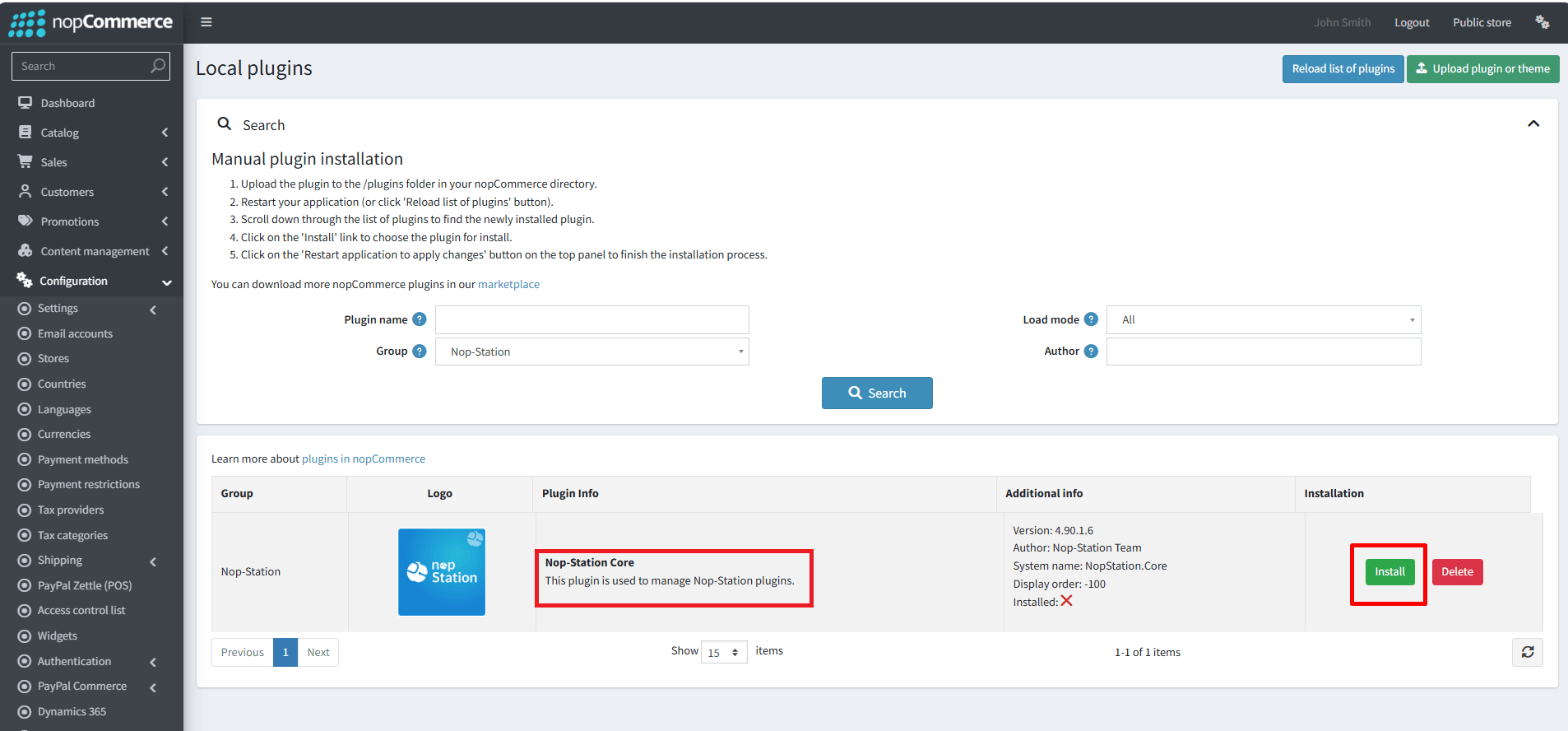
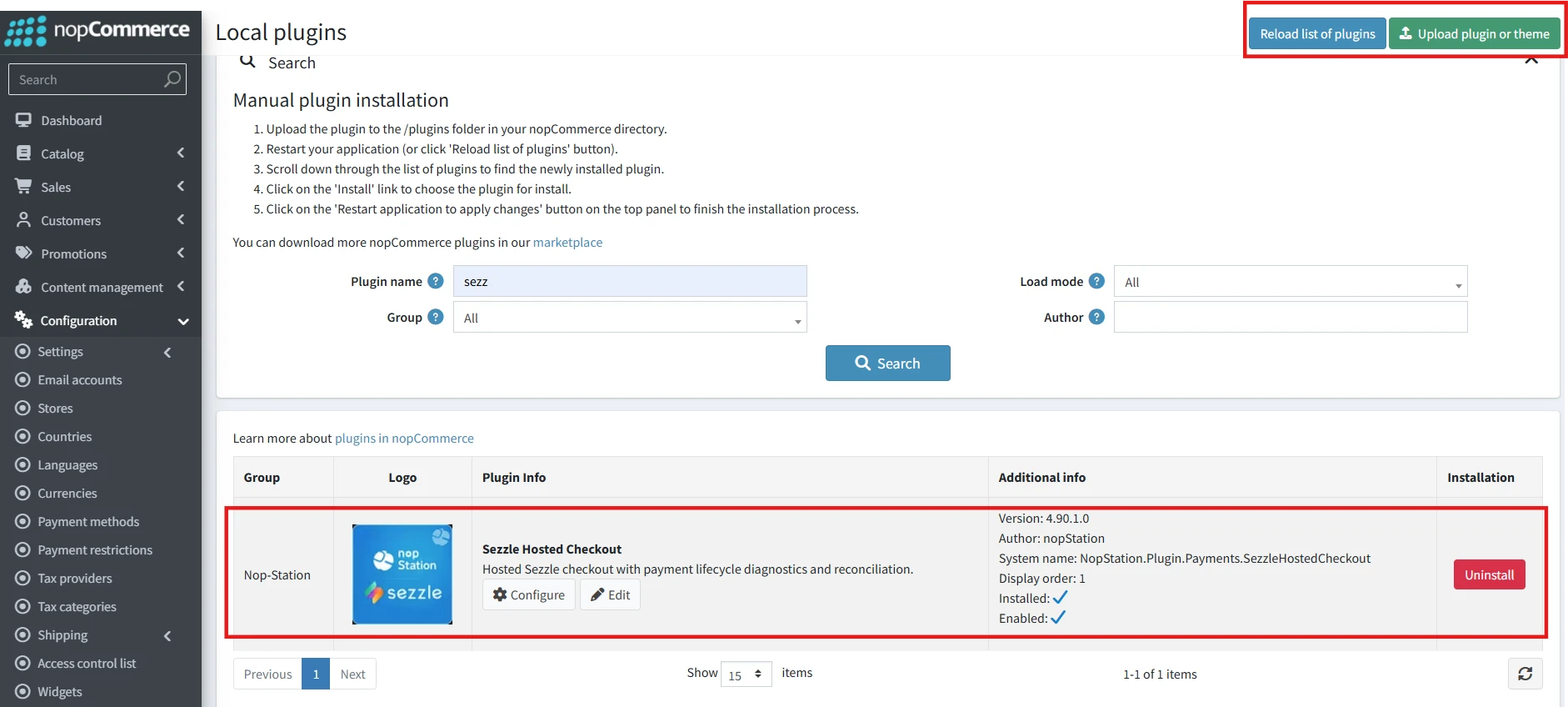
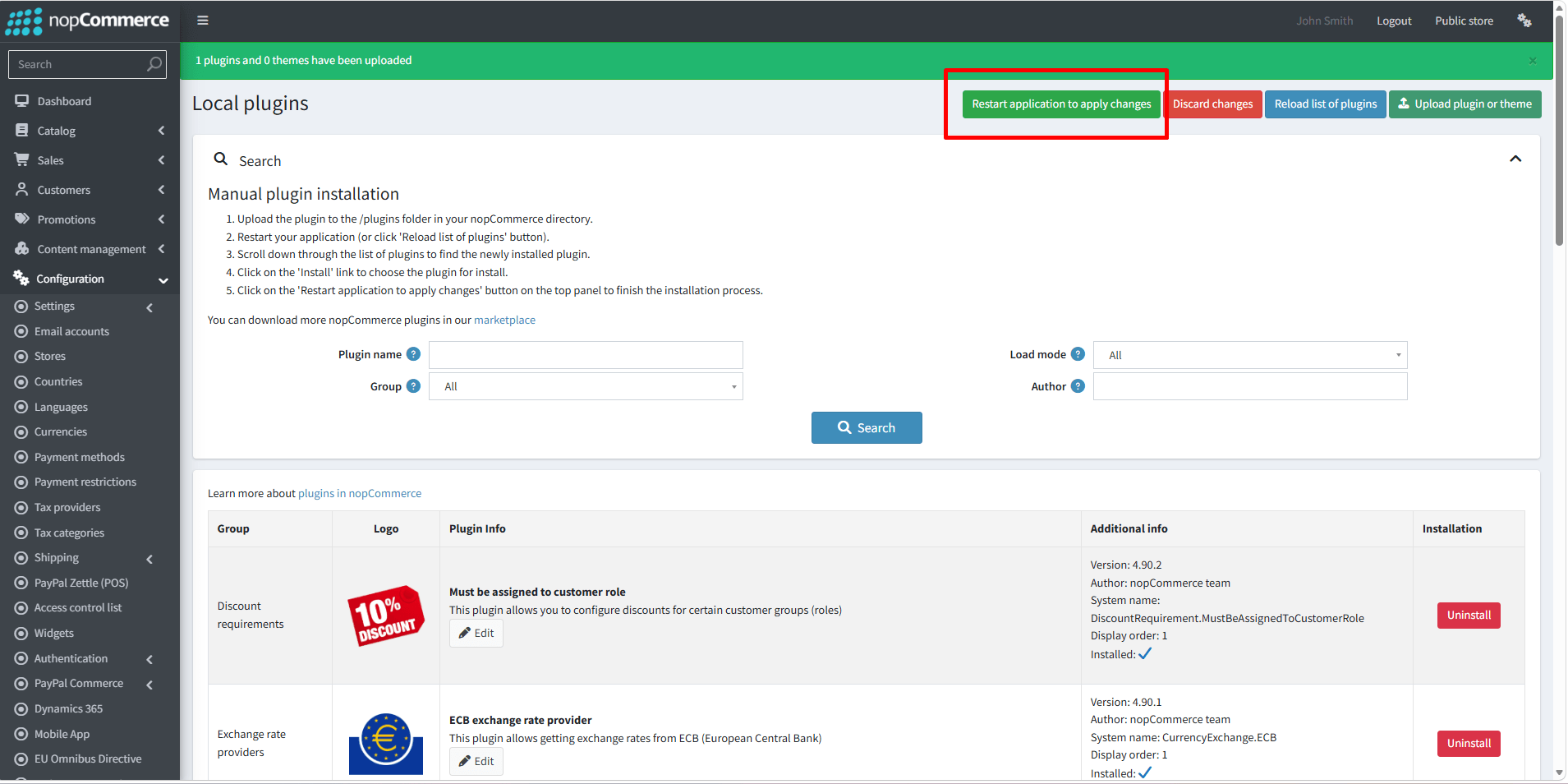
· To make the plugins functional, restart the application.
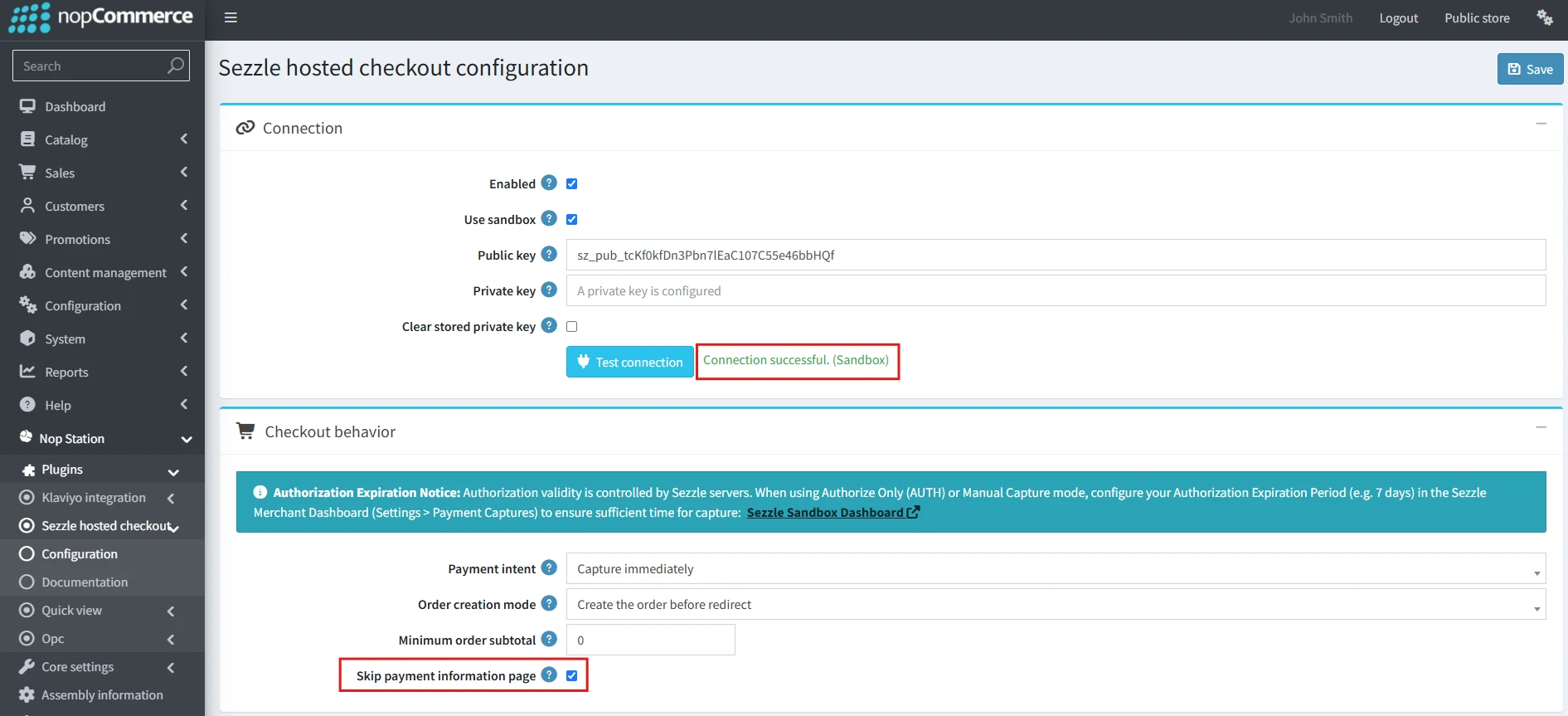
· You can configure the plugin by clicking on Configure from the Local Plugins page. Alternatively, go to nopStation → Plugins→ NopStation. Sezzle Hosted Checkout Plugin → Configure NopStation. Sezzle Hosted Checkout Plugin, enable the required options, and click Save
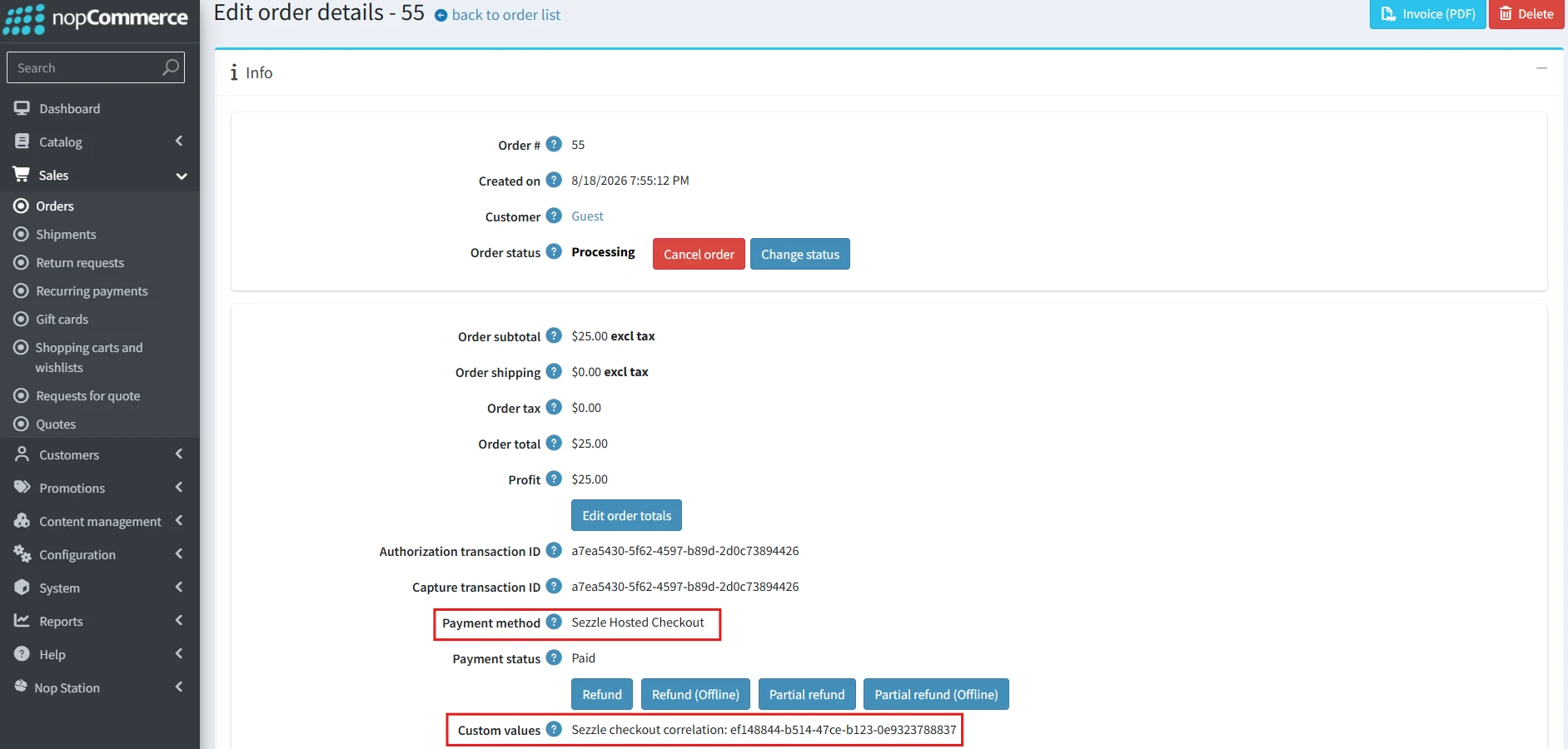
· Once an order is placed, open Sales → Orders → Edit order details to review the Sezzle Authorization transaction ID, Capture transaction ID, and payment status, and to perform Refund or Partial refund operations.
Public View:
On the storefront, Sezzle Hosted Checkout appears as a payment method during checkout. Selecting it redirects the customer to Sezzle’s hosted checkout page to complete the installment plan, after which they are returned to your store to confirm the order.