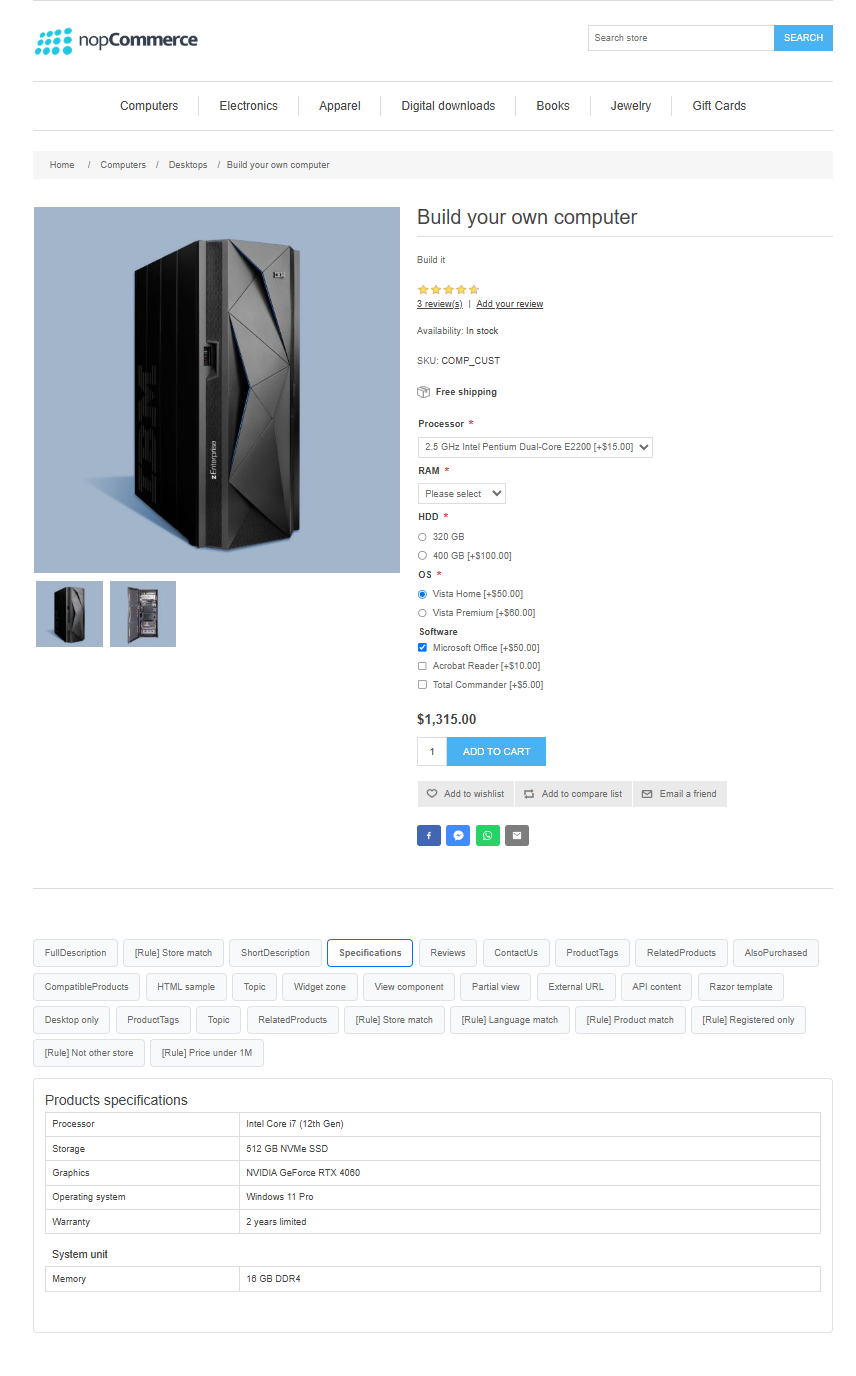
Managing content across an eCommerce store can quickly become overwhelming. Long product descriptions, specifications, FAQs, policies, and promotional content often make pages cluttered and difficult to navigate. Smart Tabs help you organize and present content in a clean, structured, and engaging way. Create reusable tab groups and display them across product pages, categories, manufacturers, vendors, topic pages, blog posts, custom routes, and widget zones; all without modifying your theme or writing custom code. With flexible display styles, intelligent content targeting, and enterprise-ready features, Smart Tabs makes it easier to deliver the right information to the right customers while keeping your storefront organized and user-friendly.
PRE-REQUISITES
The plugin requires you to install the Nop-Station Core plugin first.
INSTALLATION
· Download the Smart Tabs Plugin from our store
· Go to Administration → Configuration → Local plugins
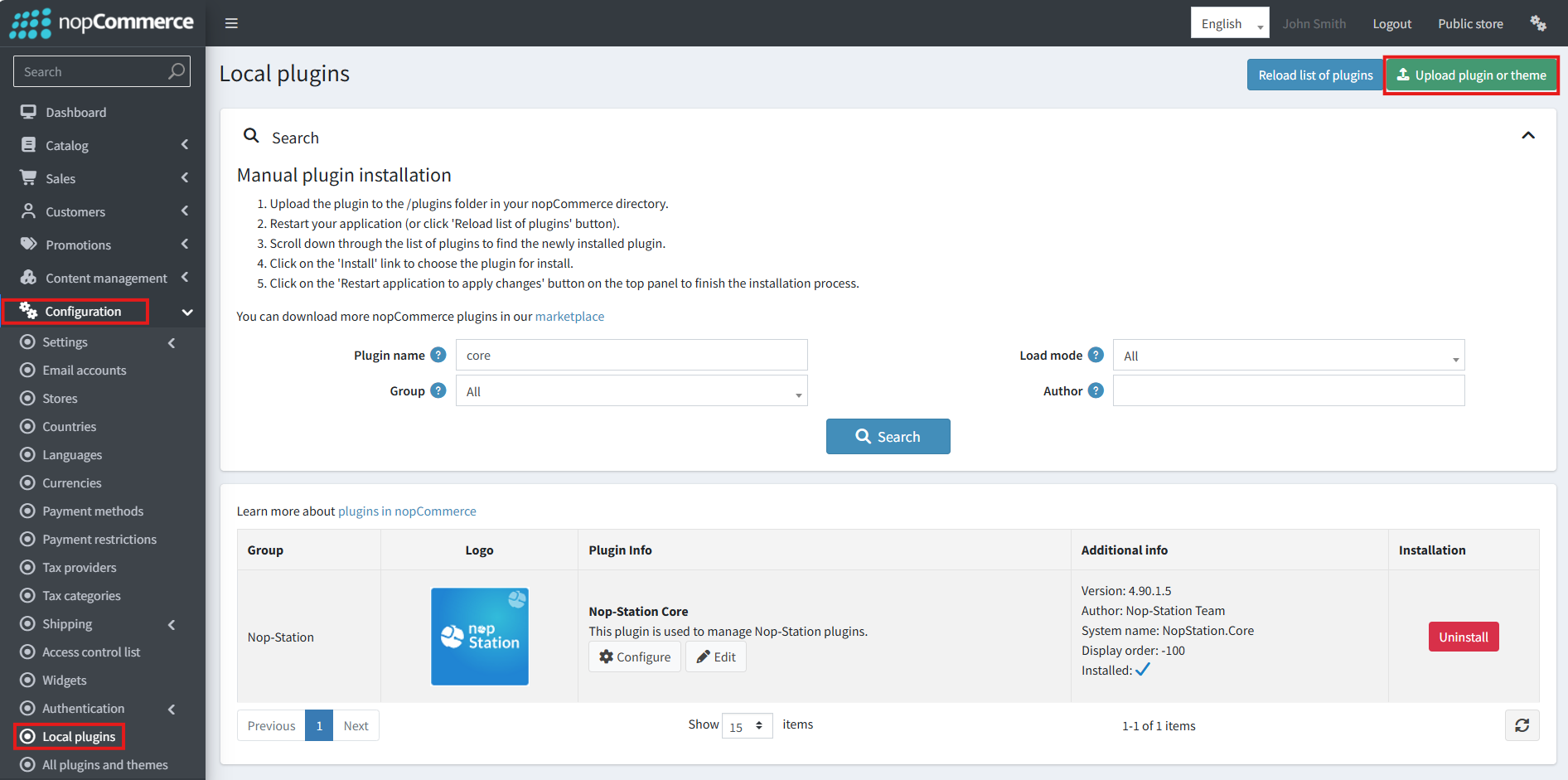
· Select the NopStation.Core file and upload it by clicking the 'Upload plugin or theme' button
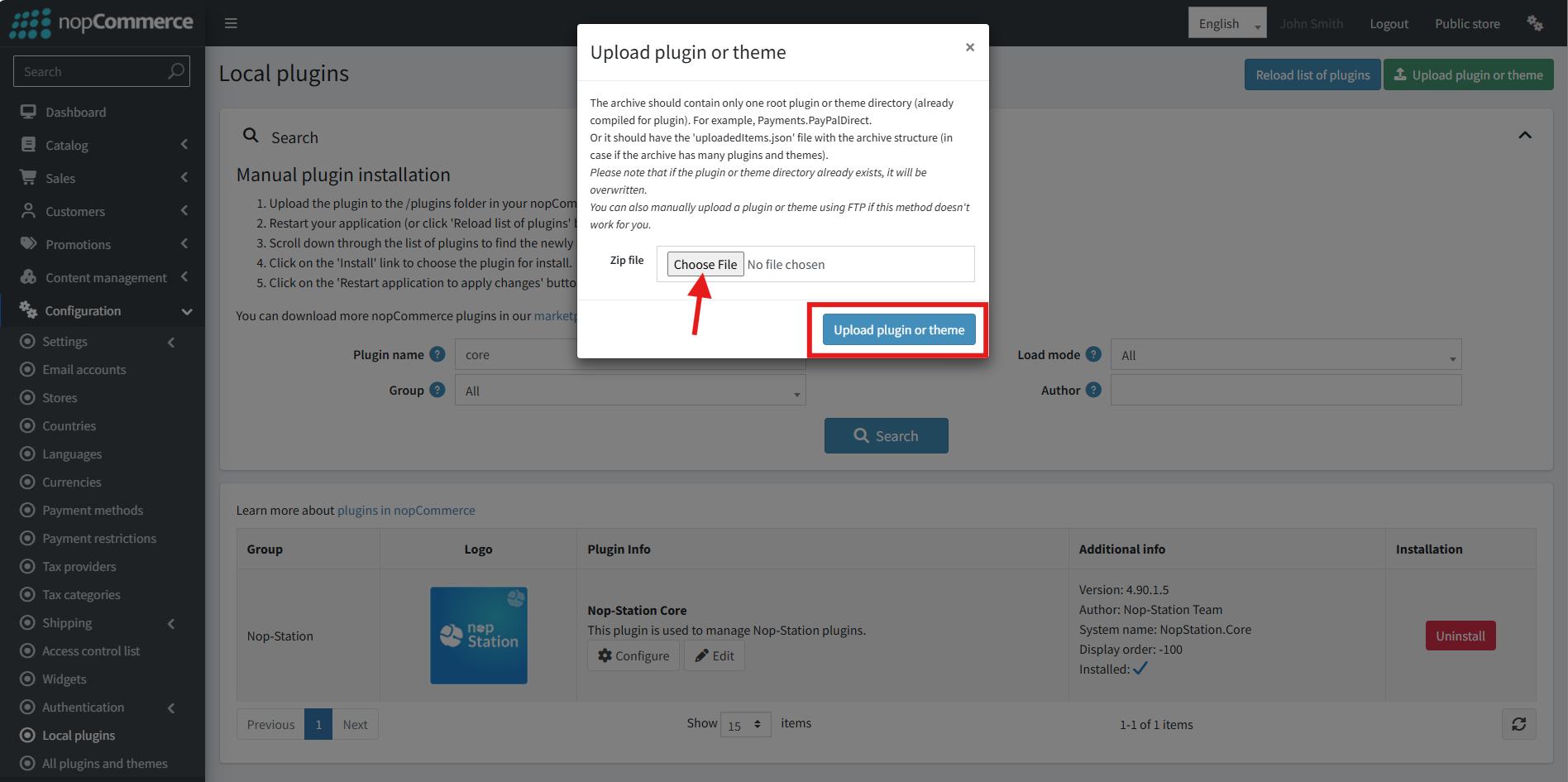
· Select the NopStation. Smart Tabs Plugin file.
· Upload the file using the 'Upload plugin or theme' button.
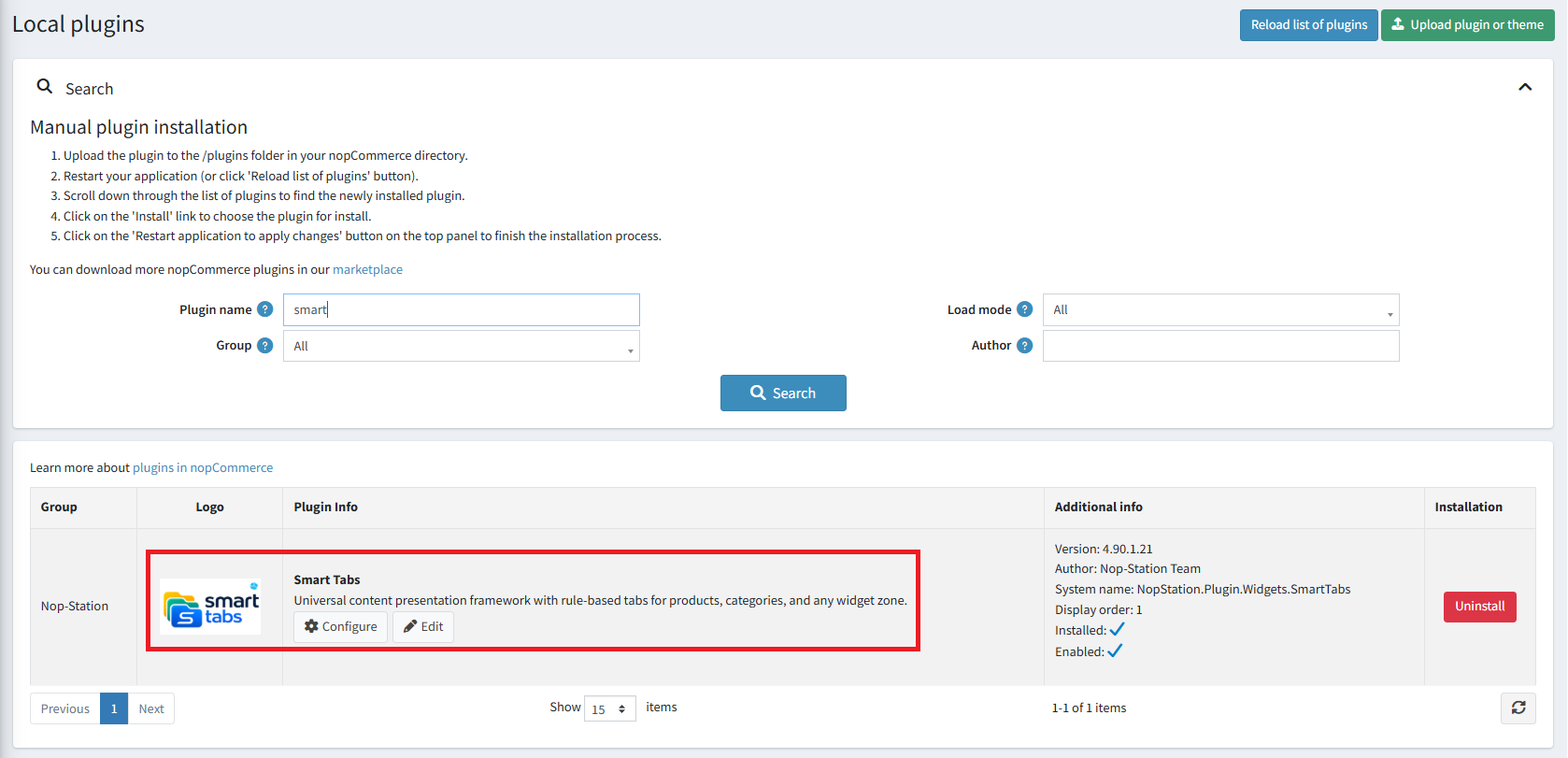
· After uploading the plugin, go to the Administration. Install 'Nop-Station Core' Plugin first and then install ' NopStation. Smart Tabs ' plugin.
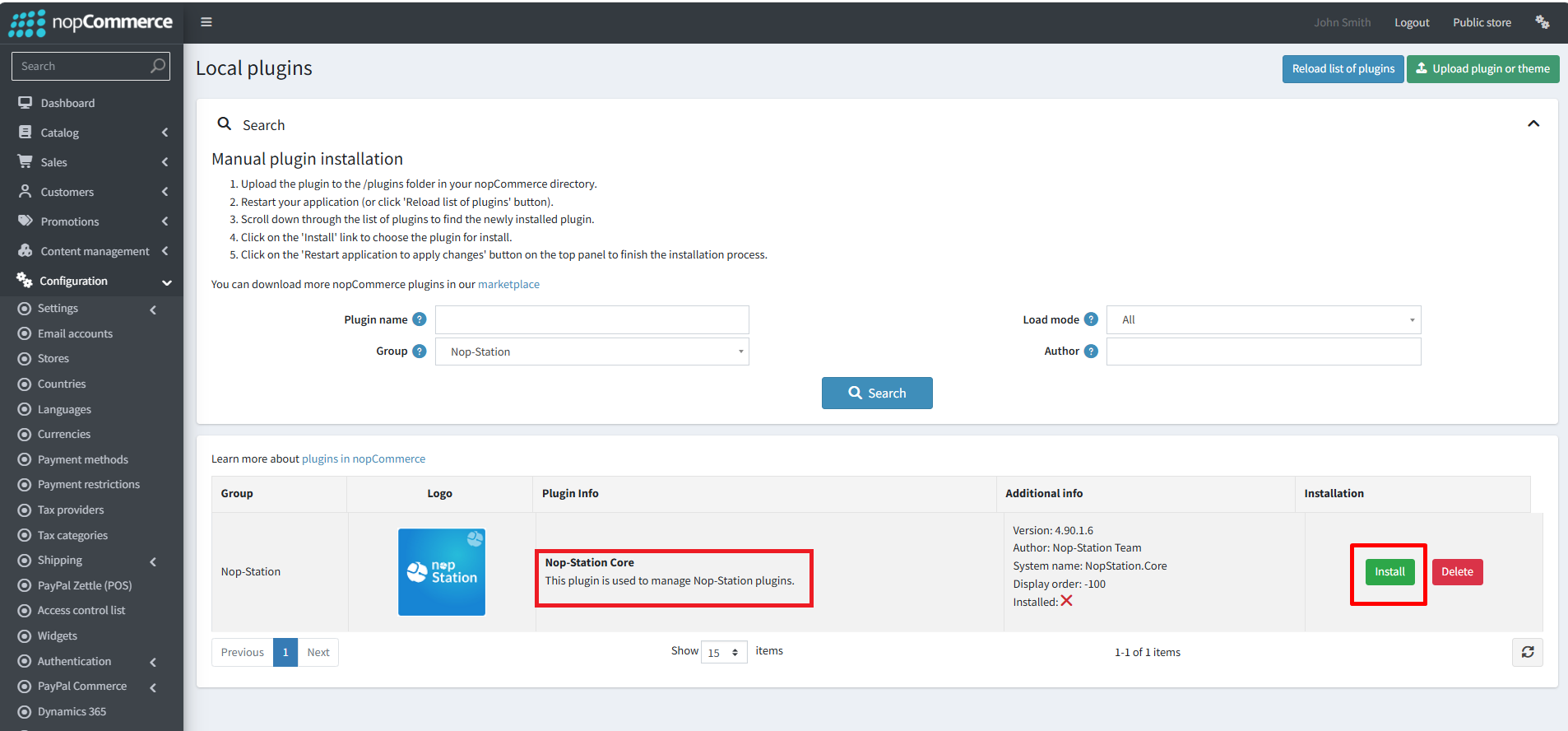
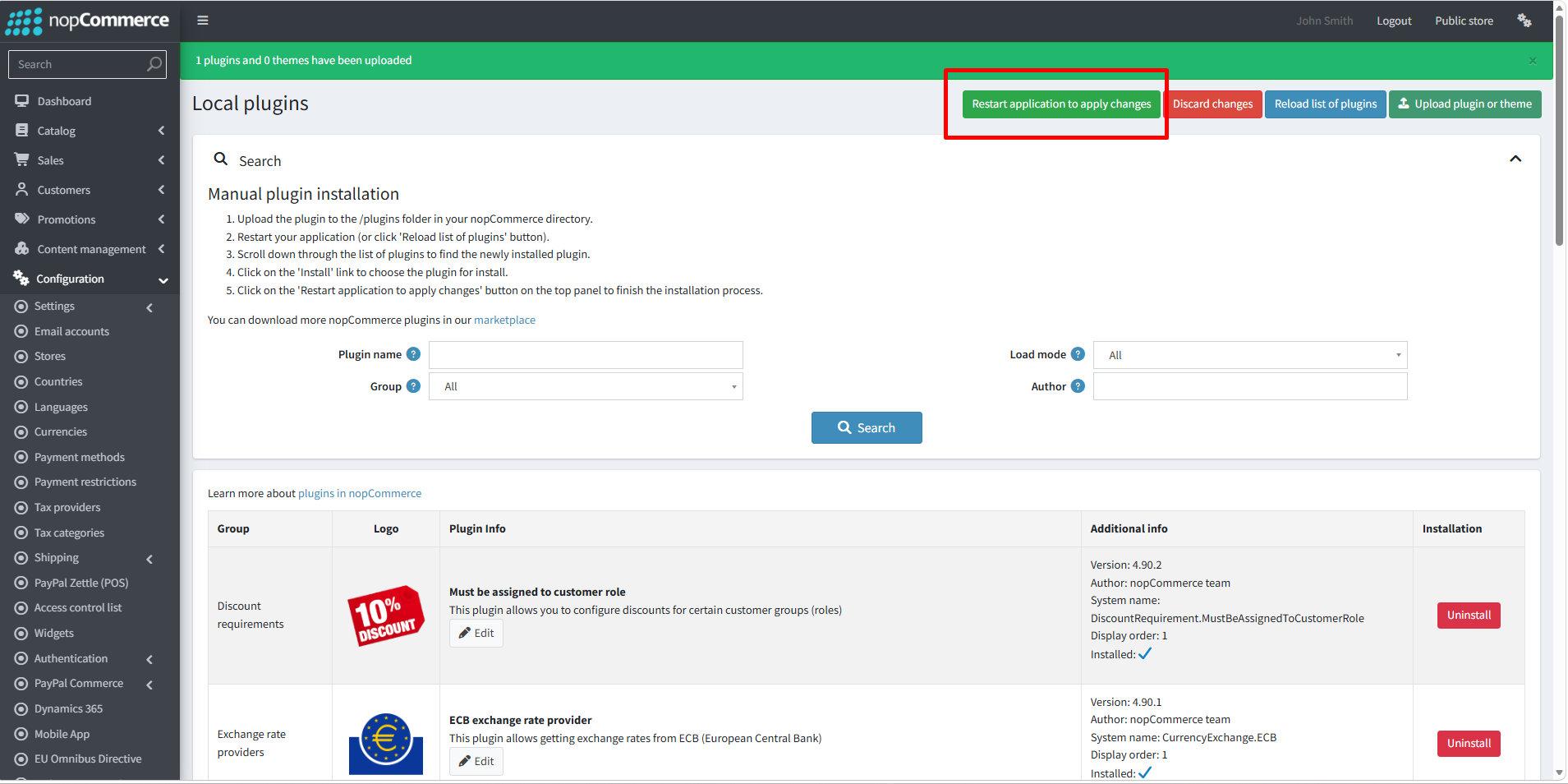
· To make the plugins functional, restart the application
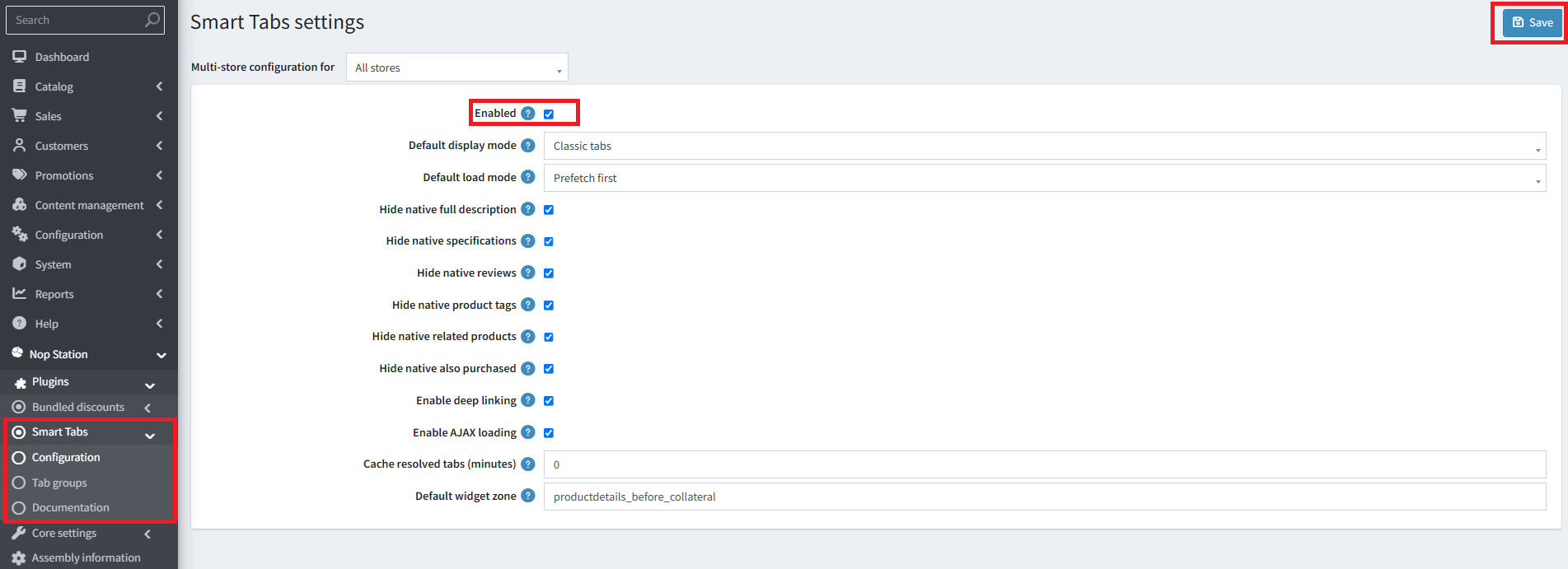
· You can configure the plugin by clicking on Configure from the Local Plugins page. Alternatively, go to nopStation → Plugins→ Smart Tabs plugin → Configure Smart Tabs plugin, enable the required options, and click Save
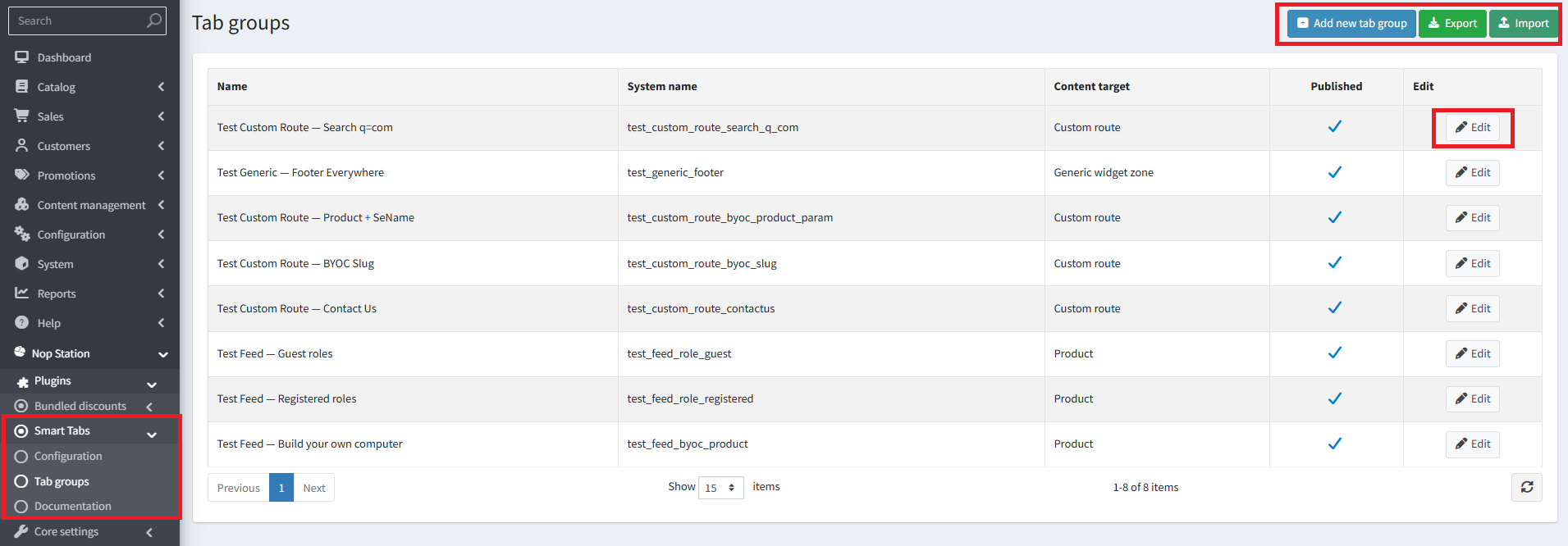
· Public View: