PRE-REQUISITES
- The plugin requires you to install the Nop-Station Core plugin first.
INSTALLATION
- Download the FwdSlash Ai Chat Plugin from our store
- Go to Administration → Configuration → Local plugins
- Upload the .zip file using the "Upload plugin or theme" button
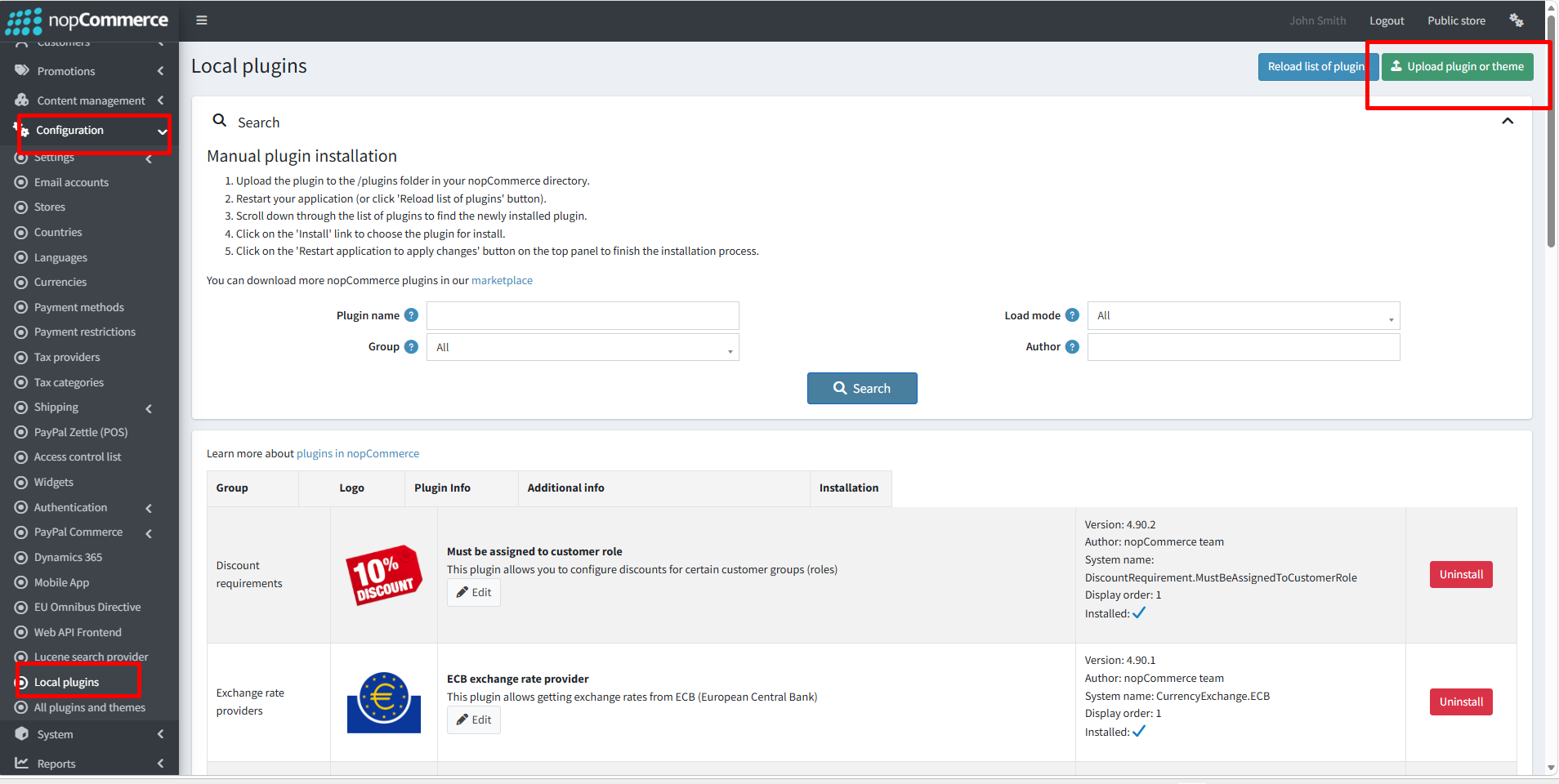
- Then click on ‘Reload list of plugins’
- Go to the Administration and reload the 'list of plugins.
- Install the 'Nop-Station Core' Plugin and then install the 'FwdSlash AI Agent Plugin'
- To make the plugins functional, restart the application
- After uploading the plugin go to Administration. Install 'Nop-Station Core' Plugin first and then install 'NopStation.Plugin.Misc.FwdSlash’ plugin.
CONFIGURATION
- Go to NopStation > FwdSlash AI Agent
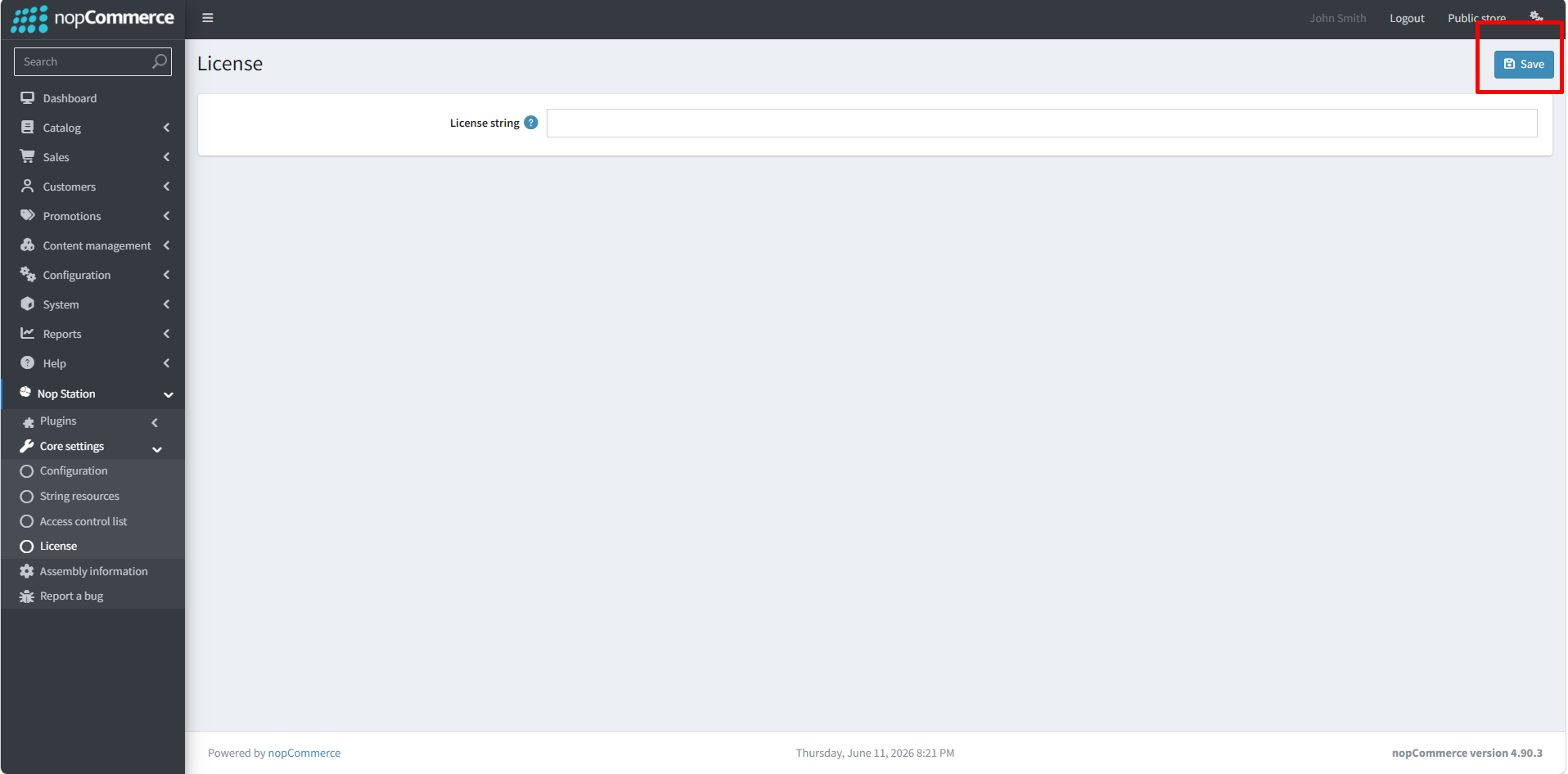
- Automatically redirect to Core settings>> License
- Give the license string than save it
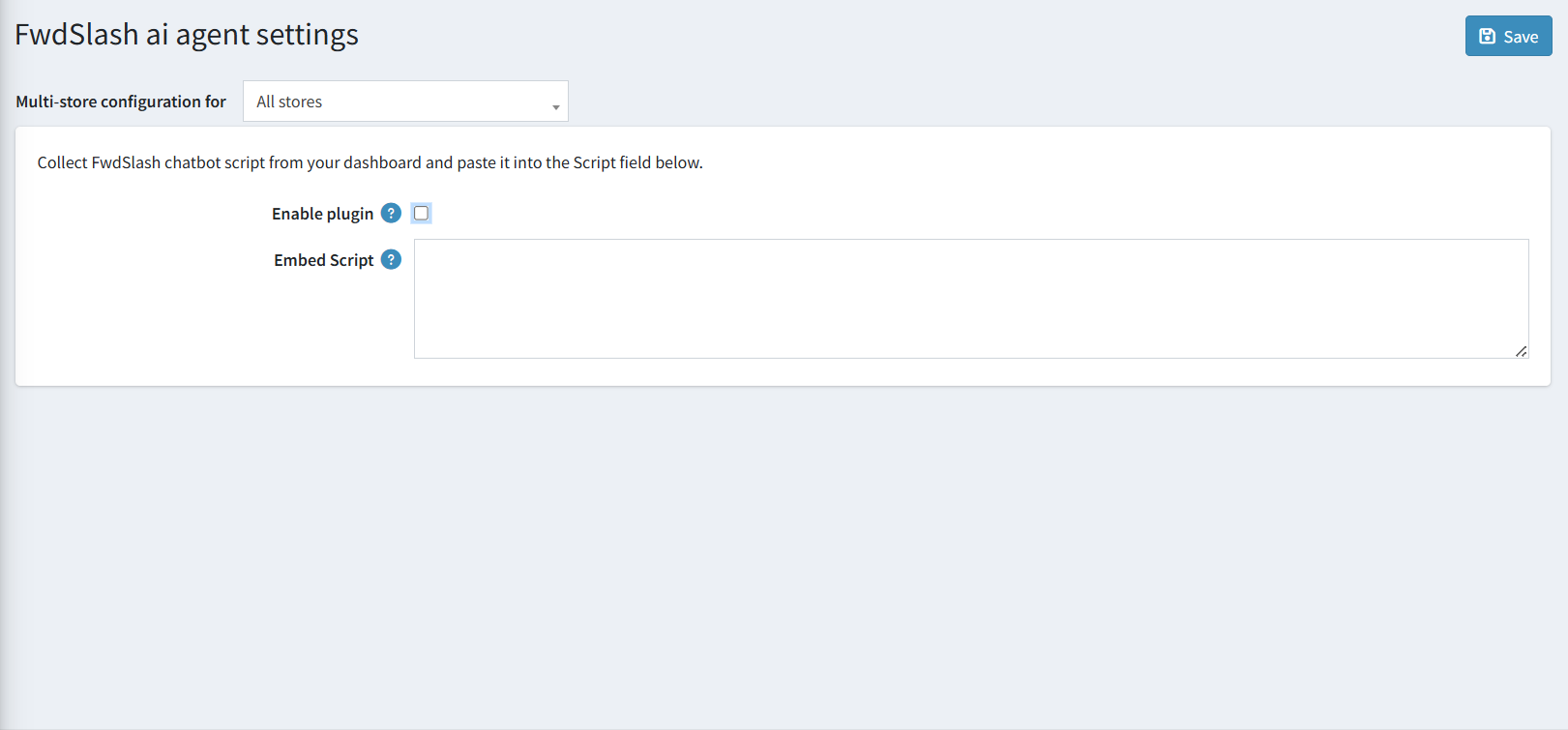
- Now go to the FwdSlash AI Agent Plugin > Configuration.
- Enable the plugin and paste the Fwdslash embed script from the from Fwdslash AI site
- Go to Fwdslash AI and sign up. After completing all the steps, you will see the dashboard like this In FwdSlash Dashboard
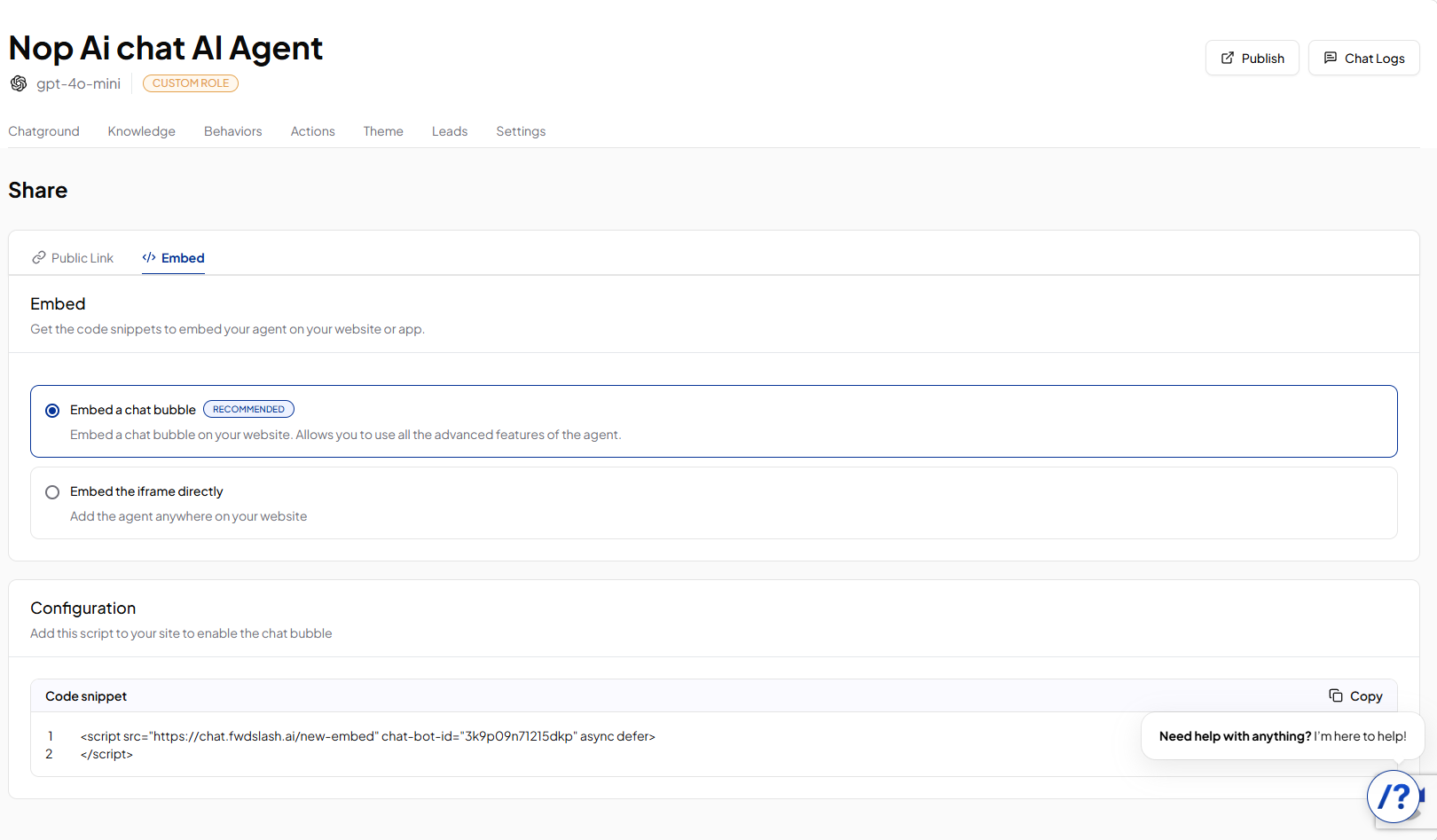
- Go to Embed section
- Copy the embed code
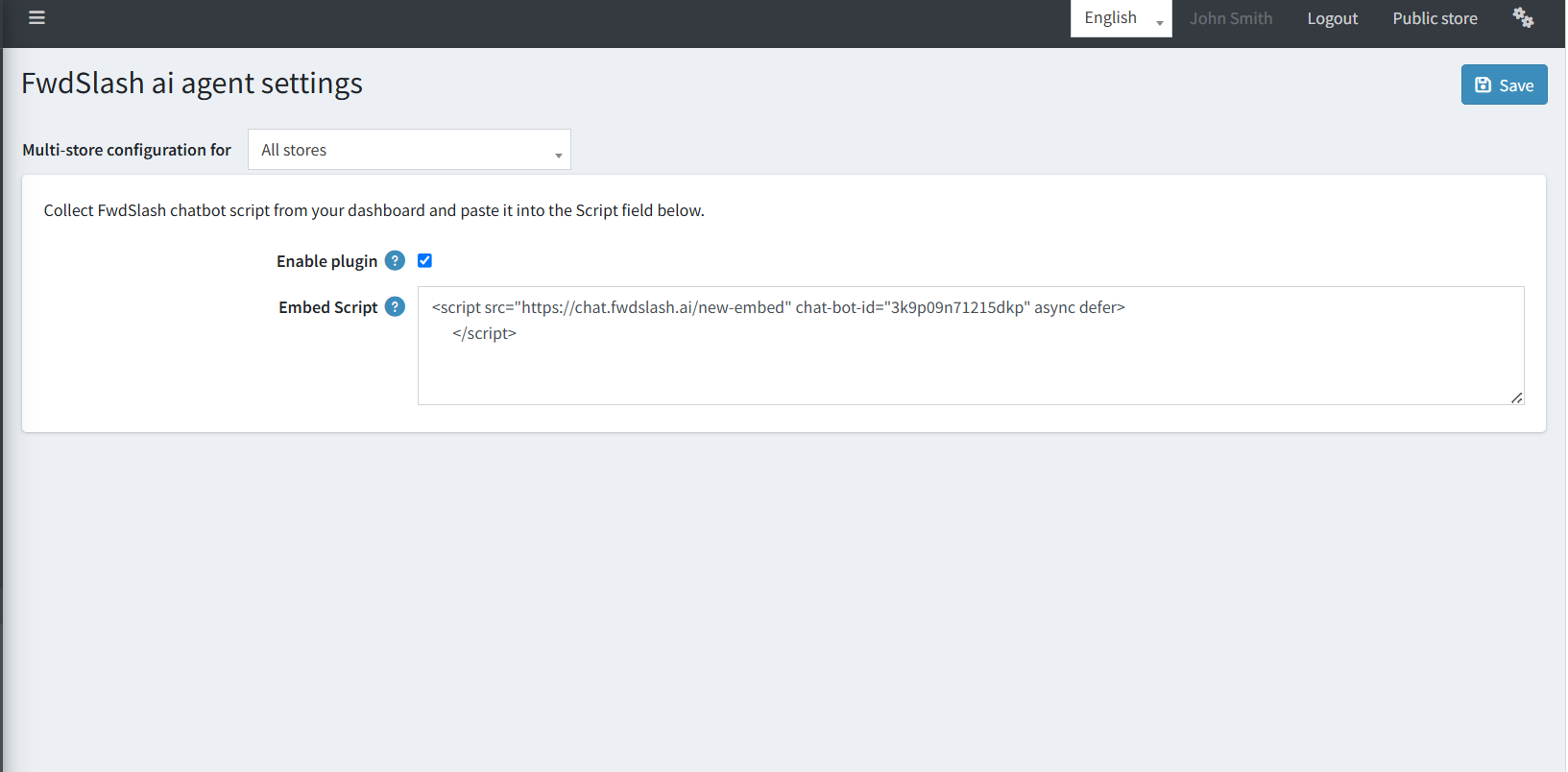
In nopCommerce Admin
- Go to FwdSlash AI Agent plugin
- Paste the code in the designated field
- Enable the plugin
- Save
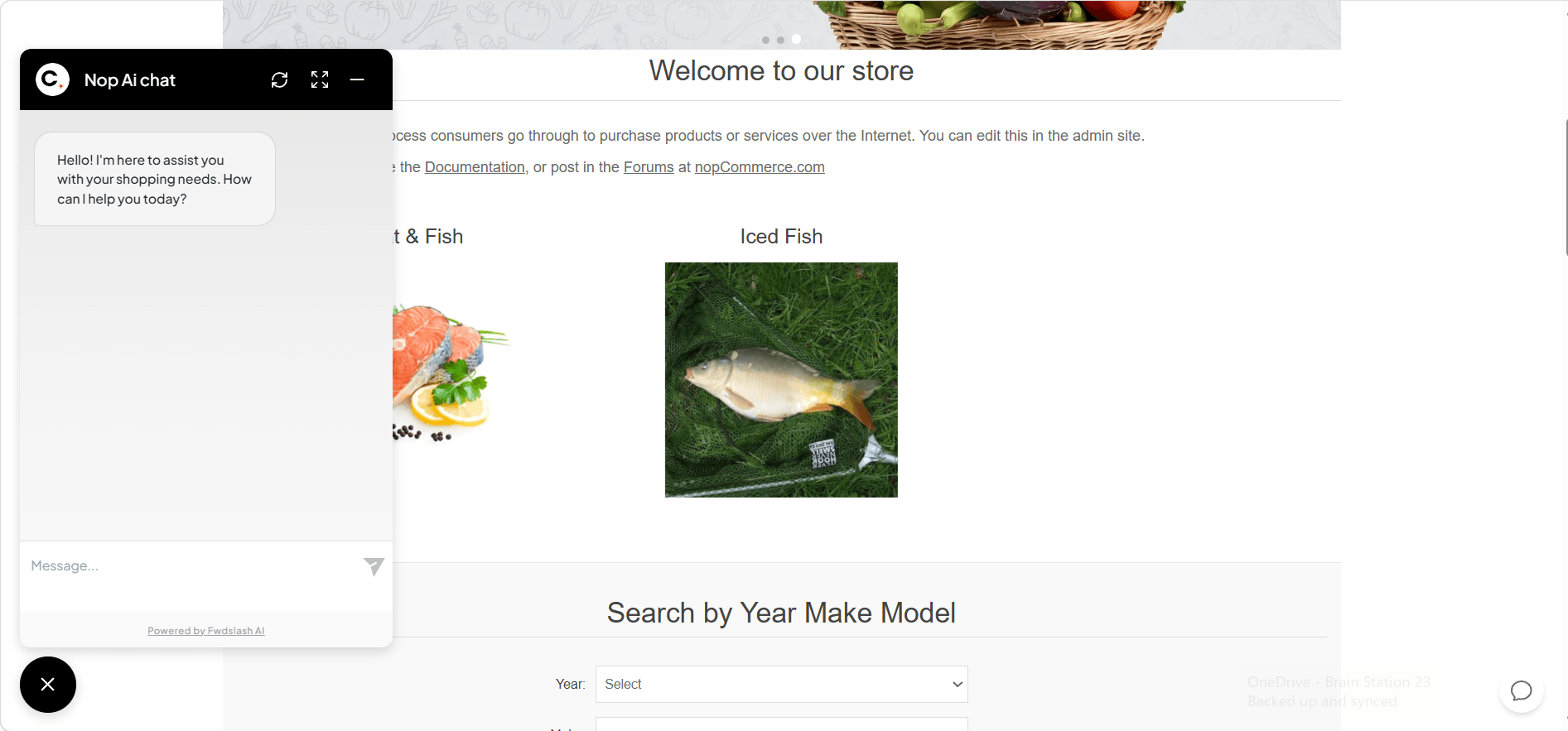
- Check public store (chat bubble should appear in the left side)
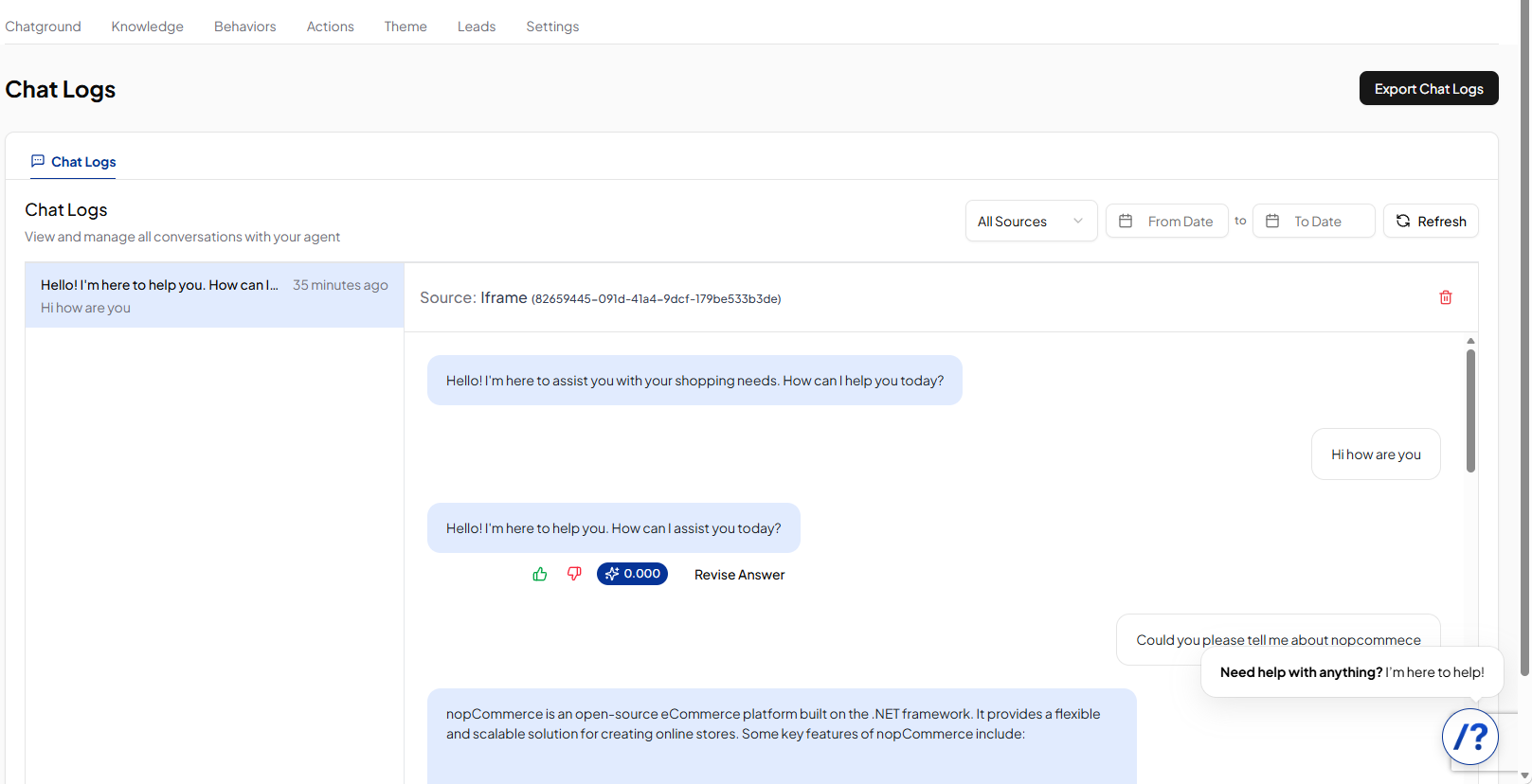
- The FwdSlash dashboard allows you to monitor conversations in real time