Bundle Discounts Plugin
Increase Sales with Smart Product Bundles and Combo Discounts for nopCommerce
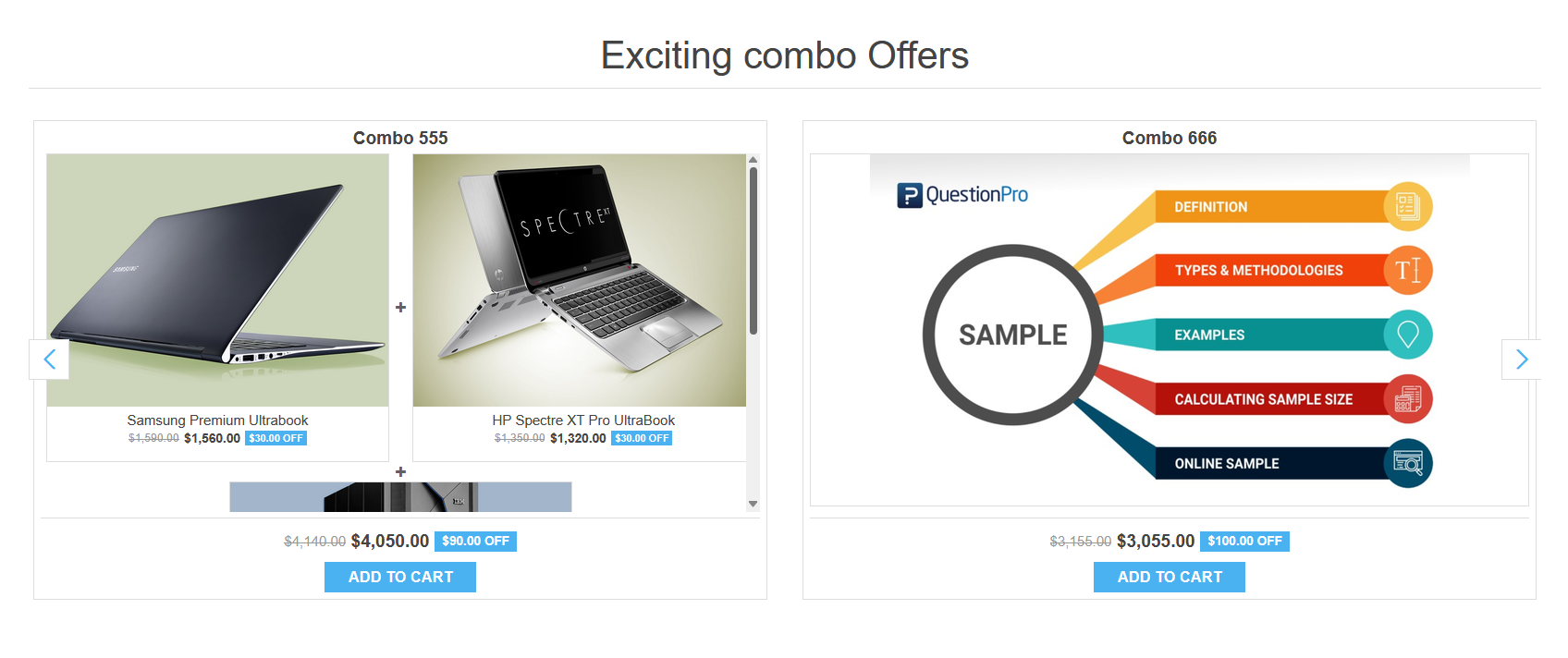
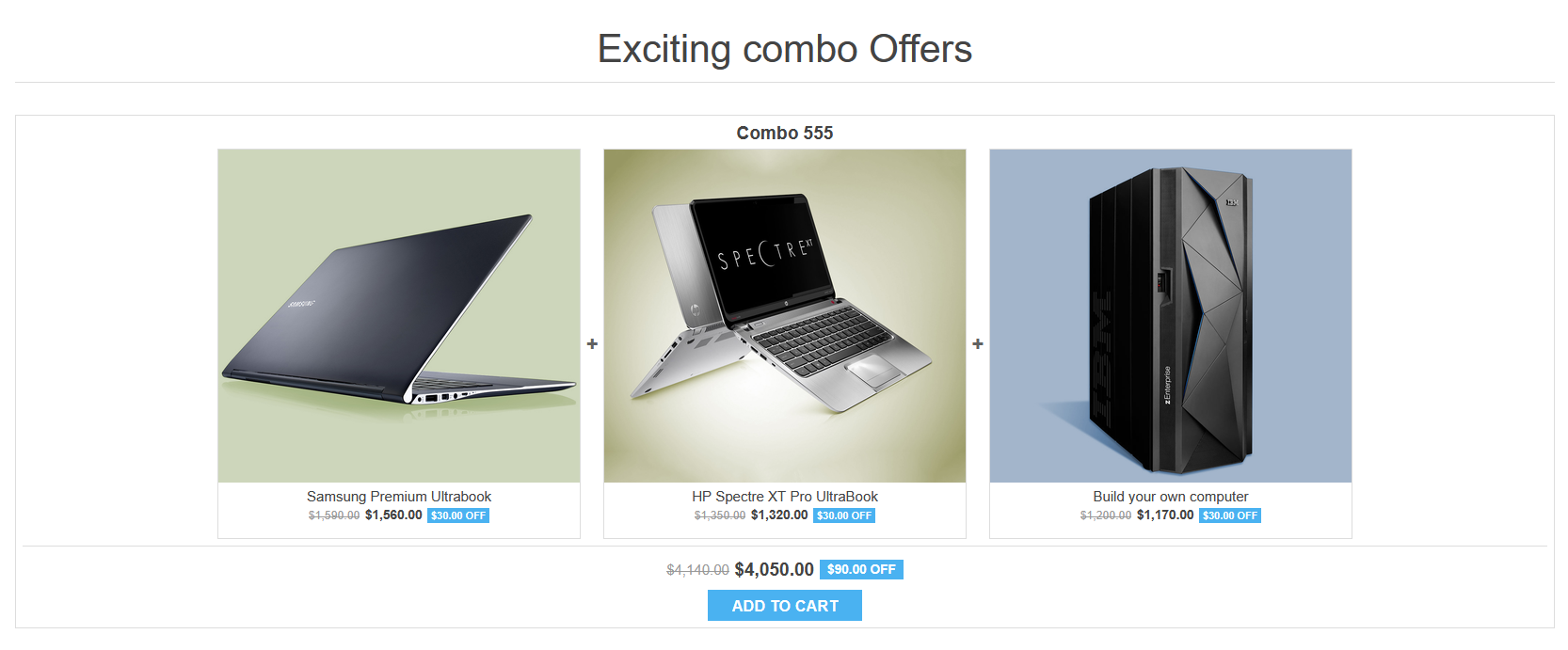
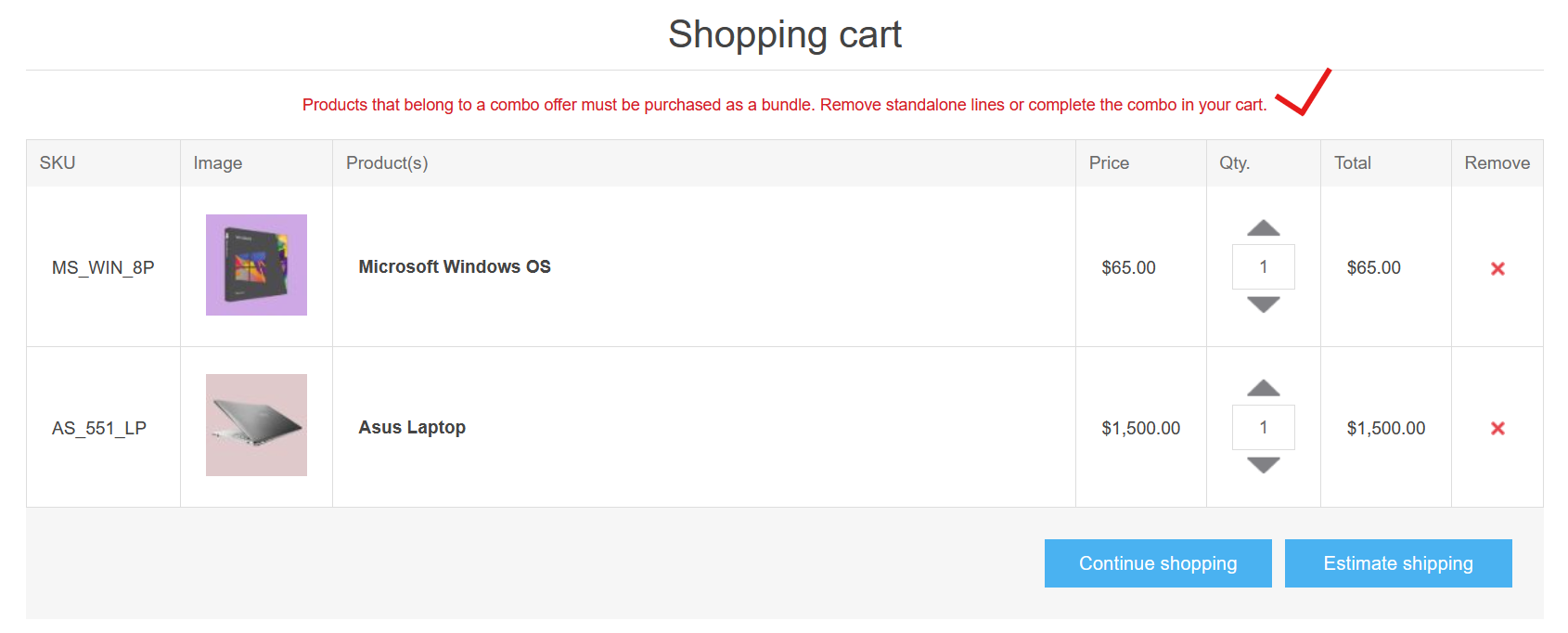
The nopStation Bundle Discounts Plugin enables nopCommerce store owners to create attractive product bundles and automatically apply discounts when customers purchase the complete set. By combining related products into promotional offers, merchants can increase average order value, boost cross-selling, and deliver greater value.
PRE-REQUISITES
The plugin requires you to install the Nop-Station Core plugin first.
INSTALLATION
· Download the Google Address Autocomplete Plugin from our
· Go to Administration → Configuration → Local plugins
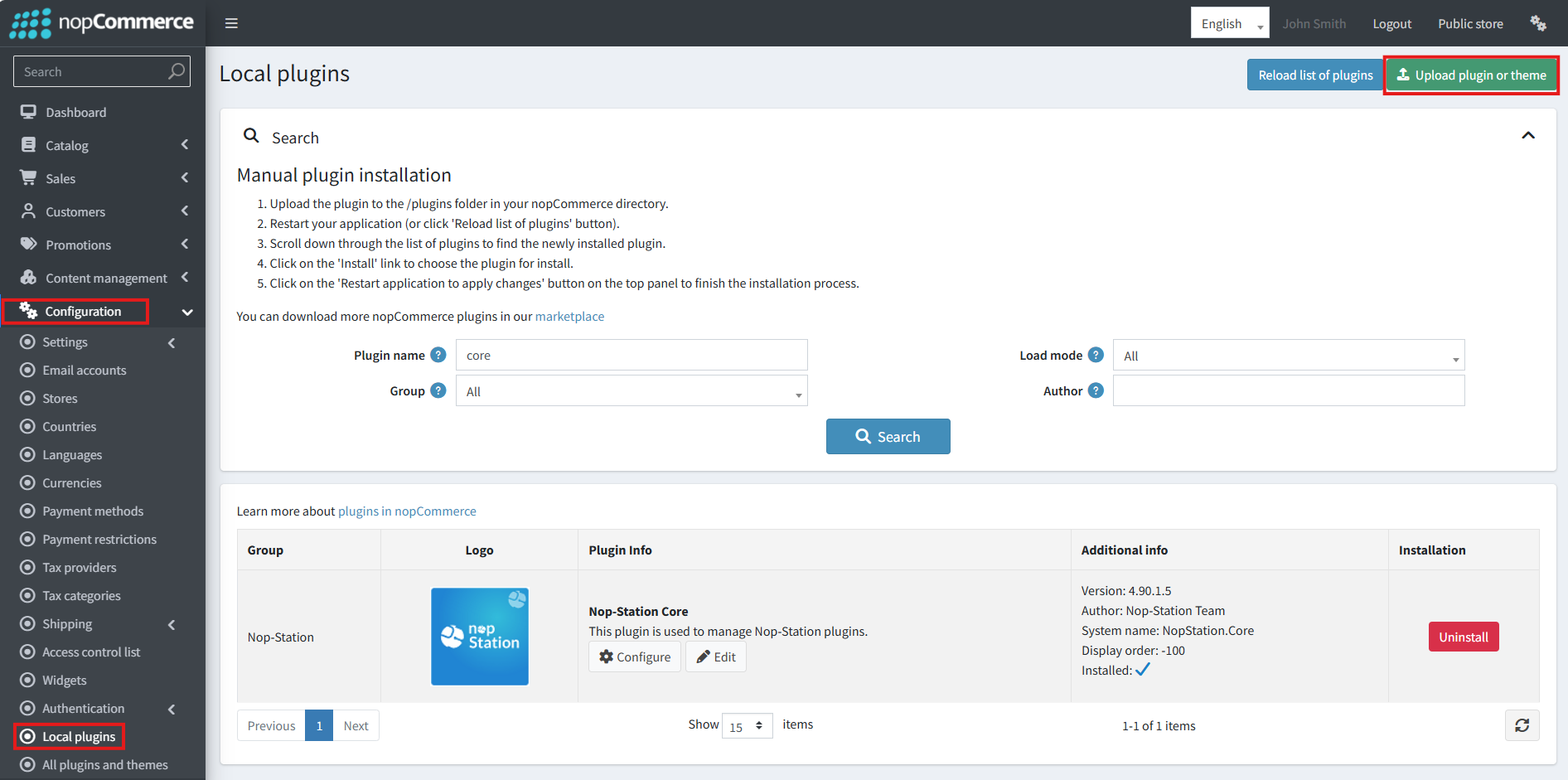
· Select the NopStation.Core file and upload it by clicking the 'Upload plugin or theme' button
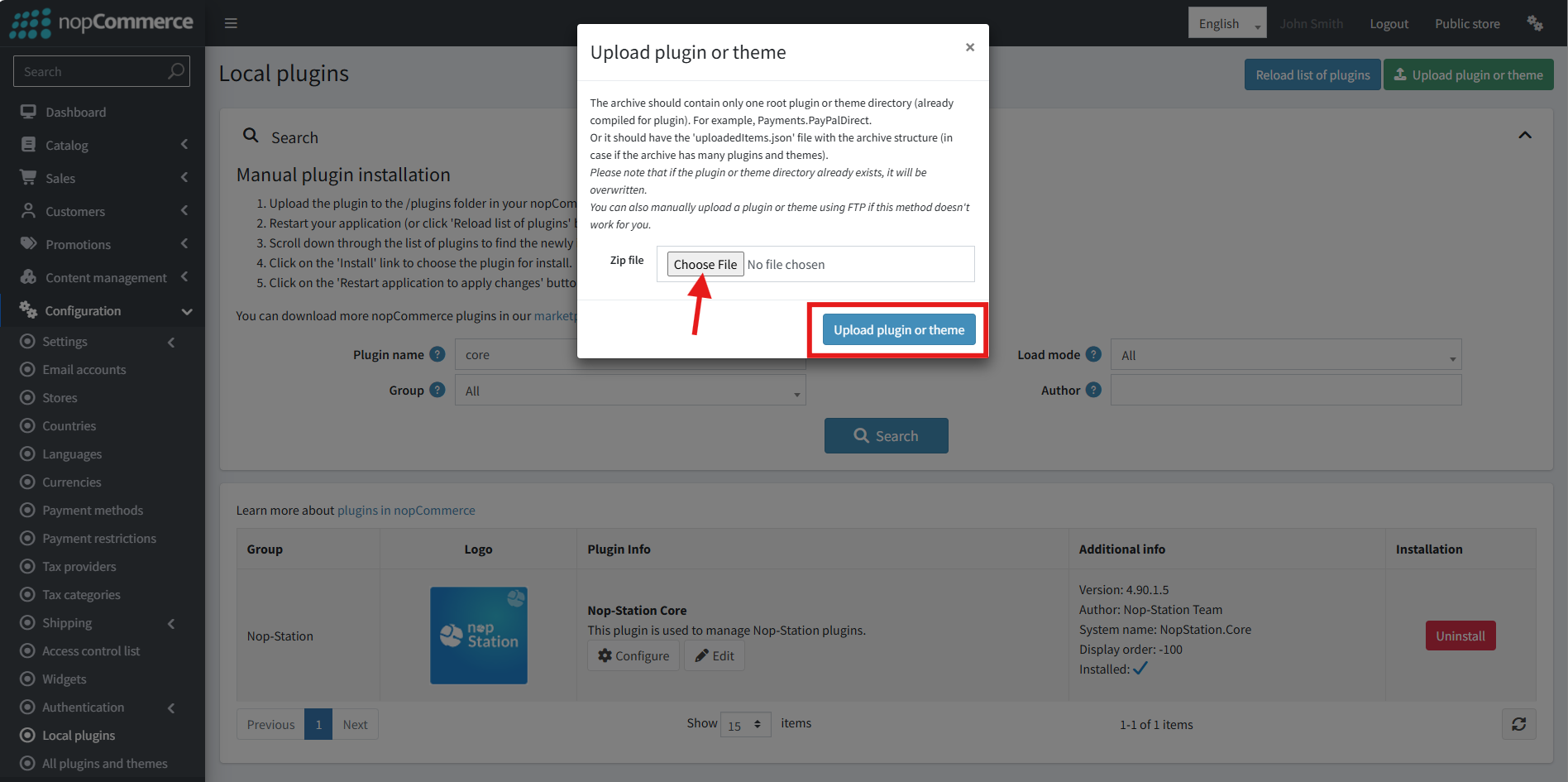
· Select the NopStation. Bundle Discounts Plugin file.
· Upload the file using the 'Upload plugin or theme' button.
· After uploading the plugin, go to the Administration. Install 'Nop-Station Core' Plugin first and then install ' NopStation. Bundle Discounts’ plugin.
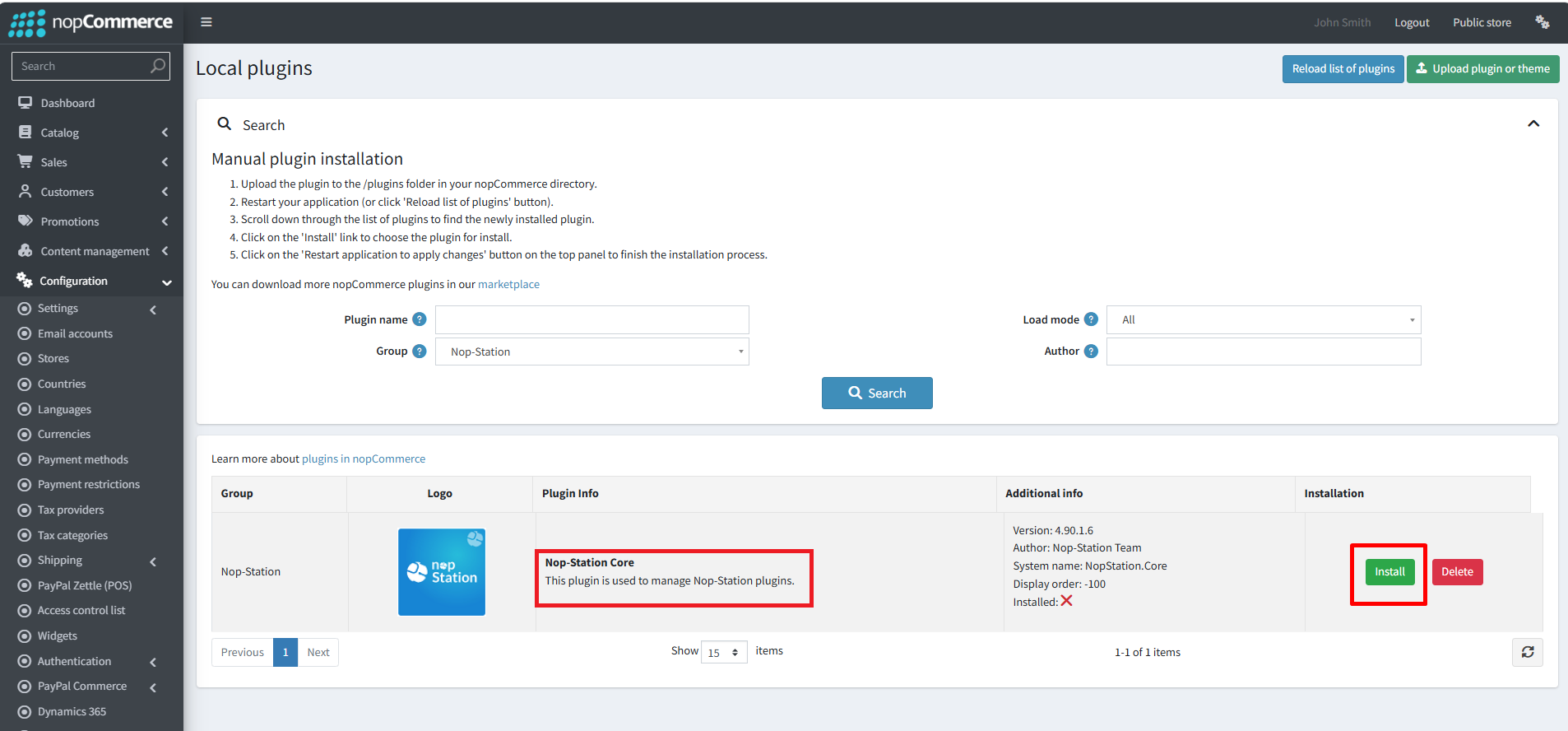
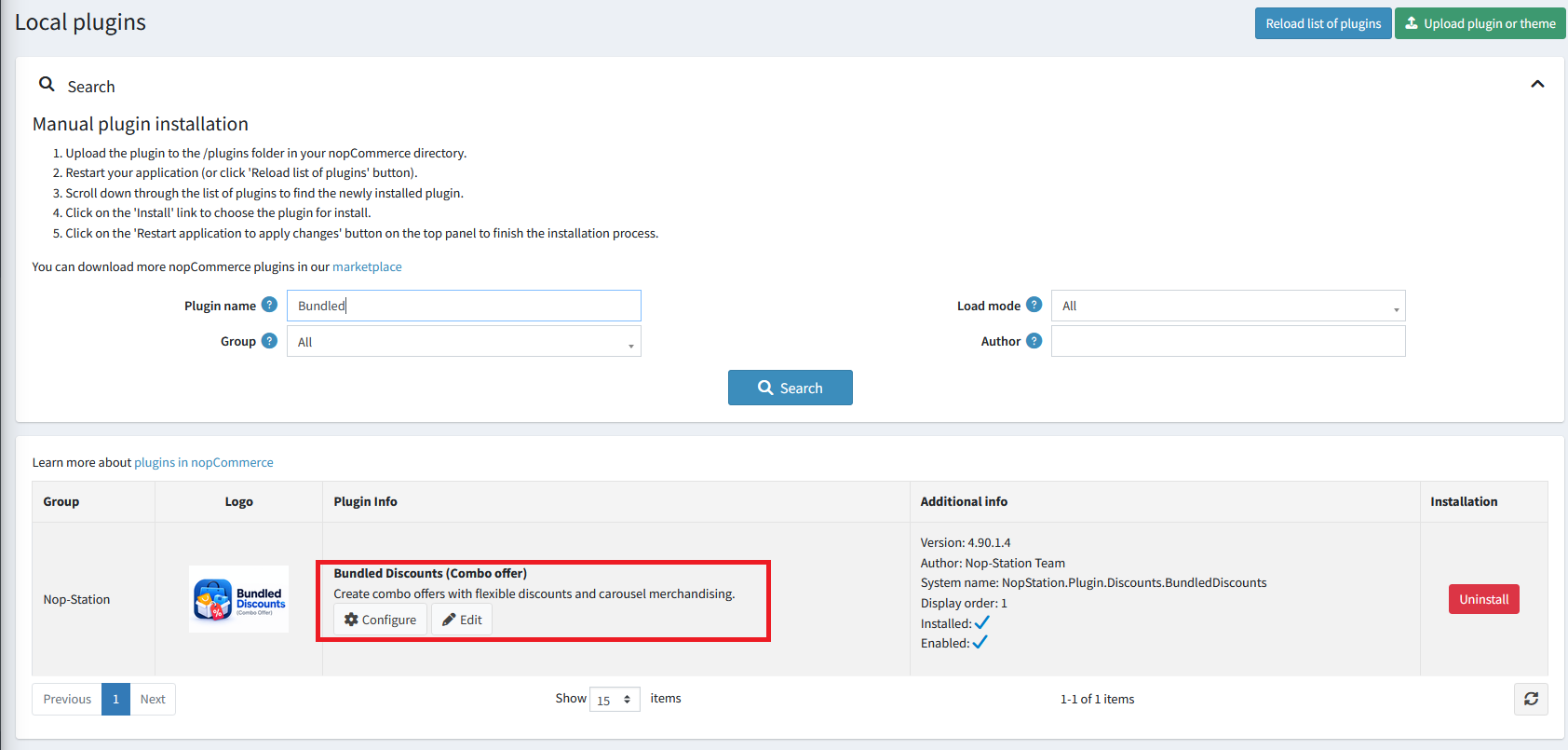
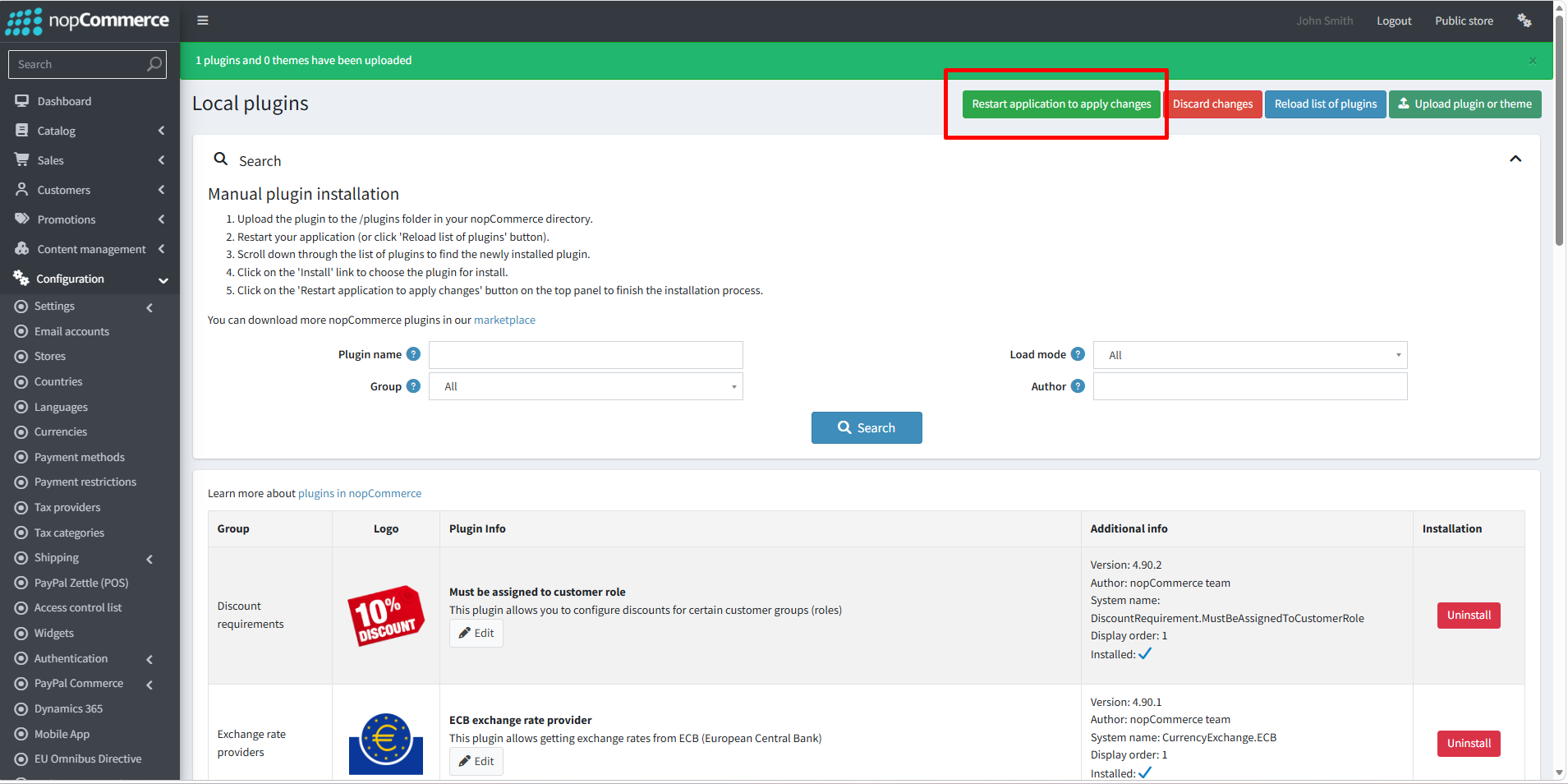
· To make the plugins functional, restart the application
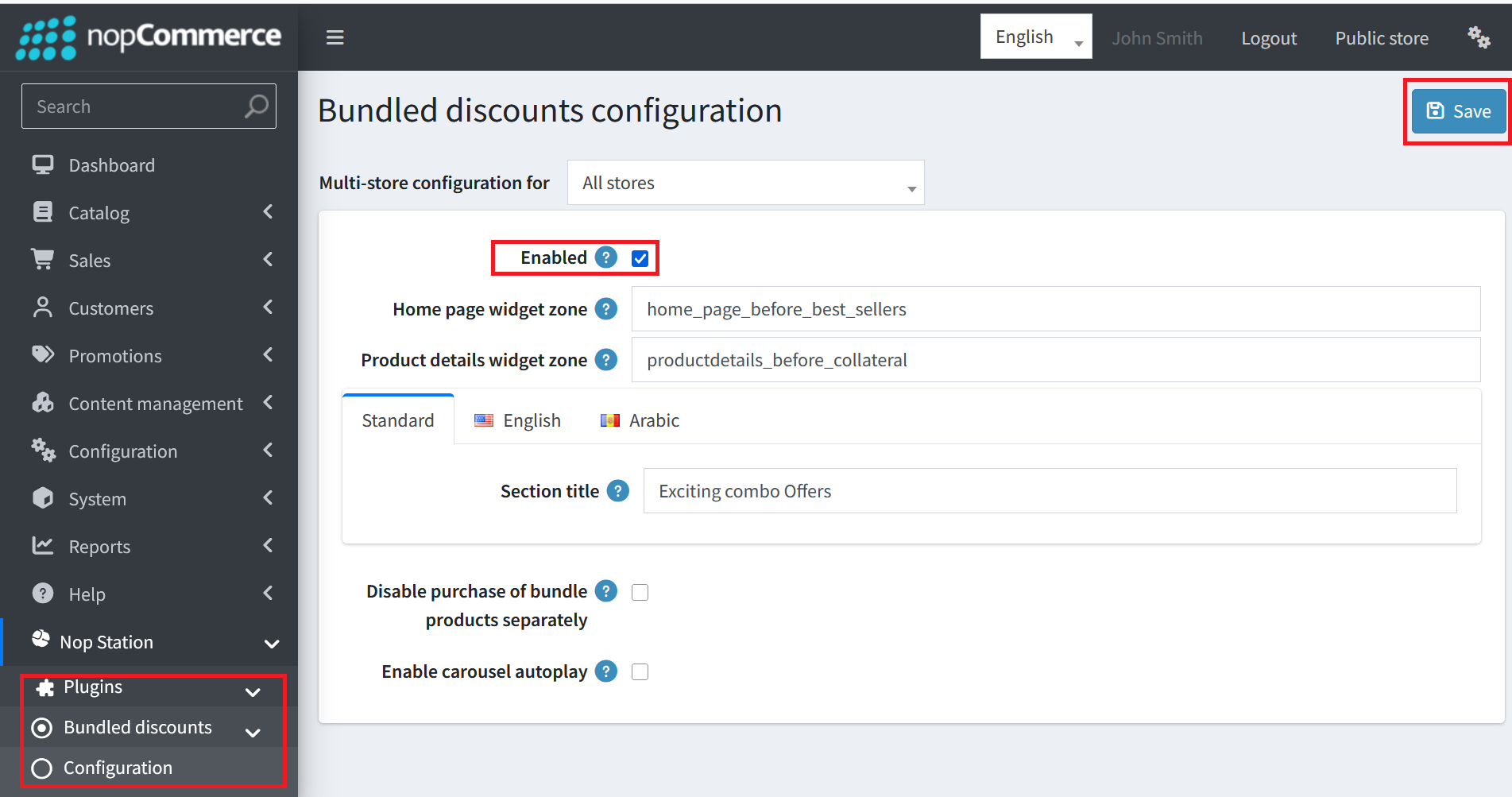
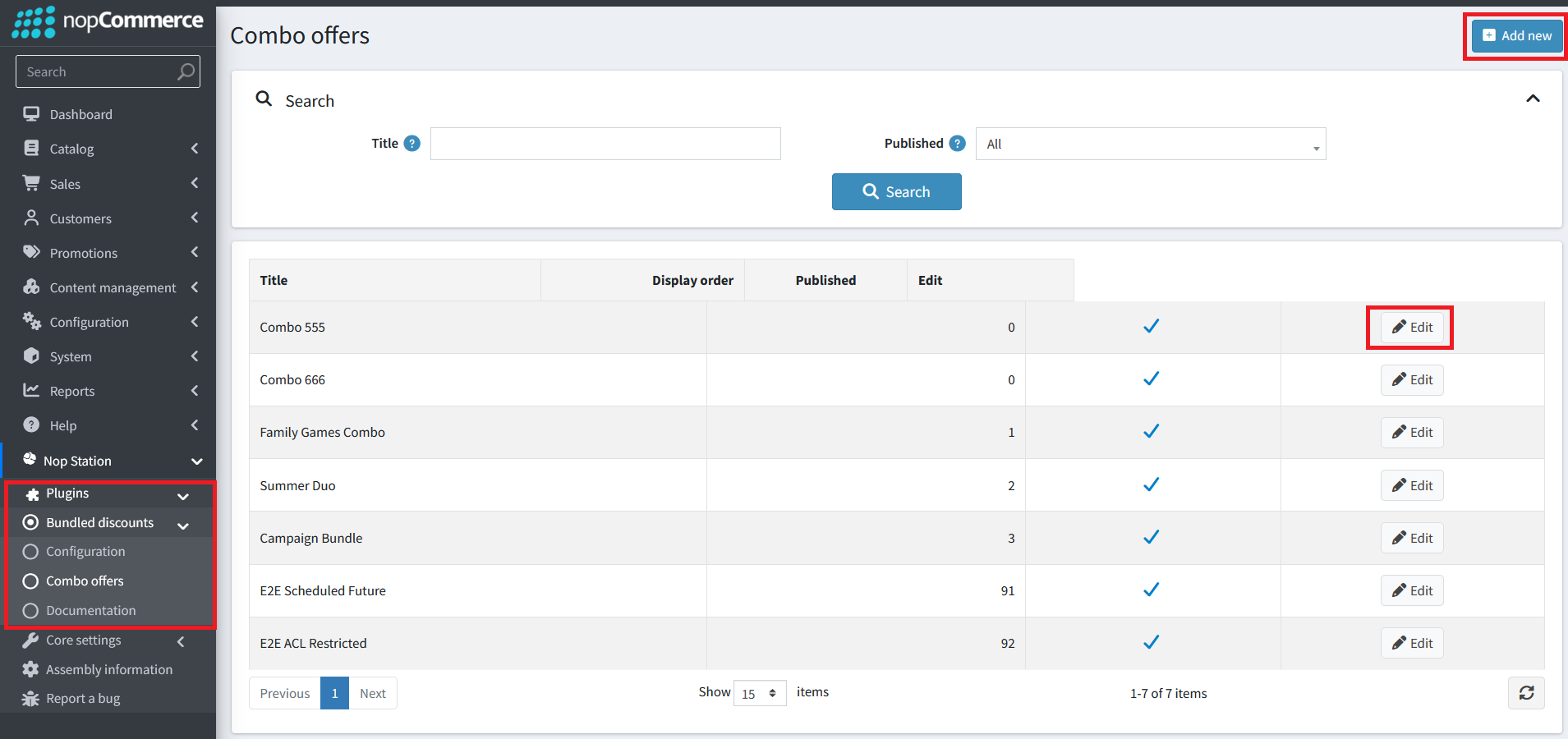
· You can configure the plugin by clicking on Configure from the Local Plugins page. Alternatively, go to nopStation → Plugins→ Bundle Discounts Plugin → Configure Bundle Discounts Plugin, enable the required options, and click Save
· Public View: