
Connect nopCommerce with Mollie for Secure Payments and Reliable Payment Processing
The nopStation Mollie Payment Plugin connects nopCommerce with Mollie's hosted payment experience, allowing customers to complete payments through a secure Mollie checkout while keeping the nopCommerce order flow familiar. The plugin verifies payment status directly with Mollie before marking an order as Paid, helping merchants maintain a reliable and accurate payment process.
PRE-REQUISITES
- The plugin requires you to install the Nop-Station Core plugin first.
INSTALLATION
- Download the Mollie Payment Plugin from our store.
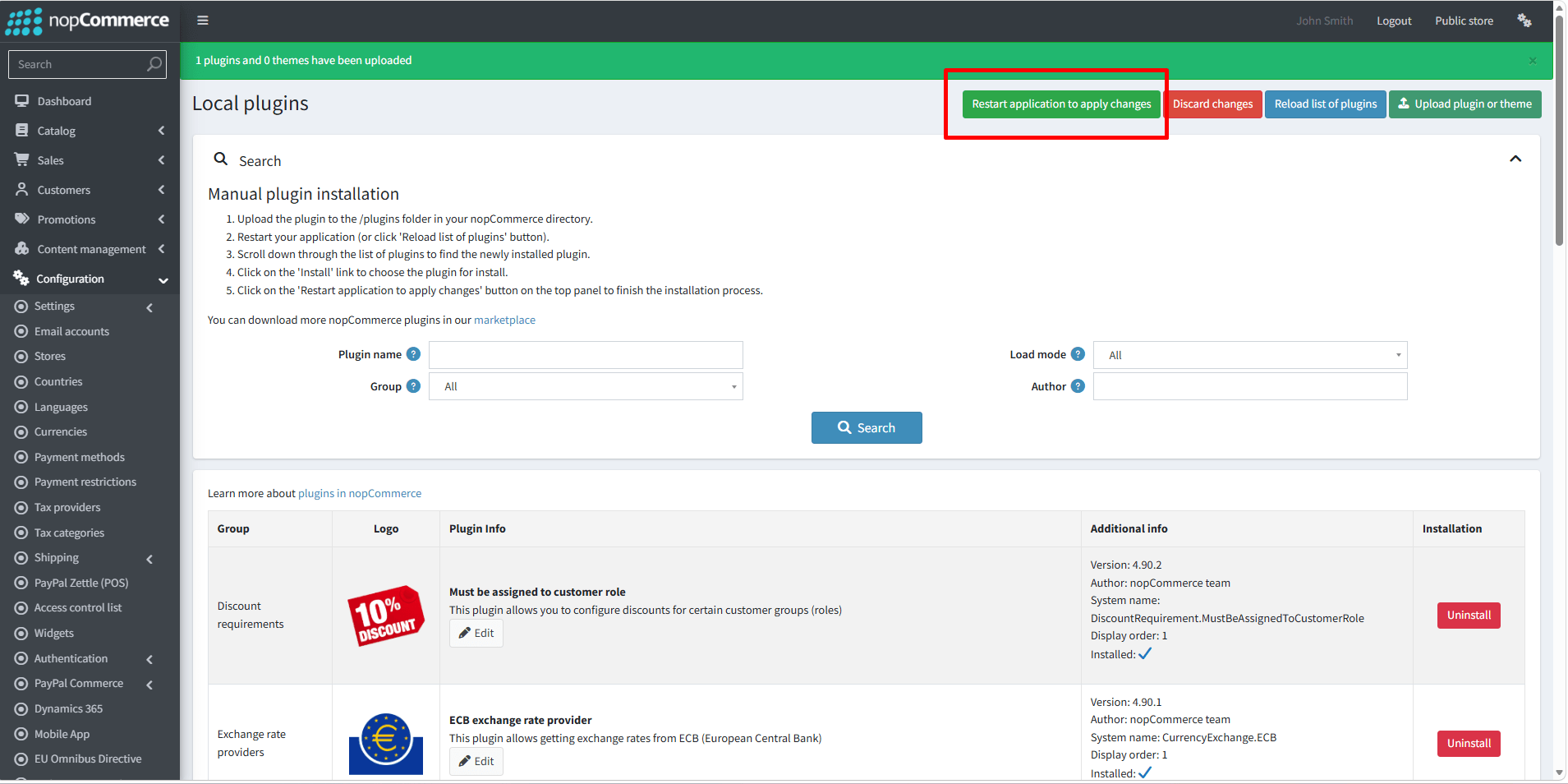
- Go to Administration → Configuration → Local plugins.
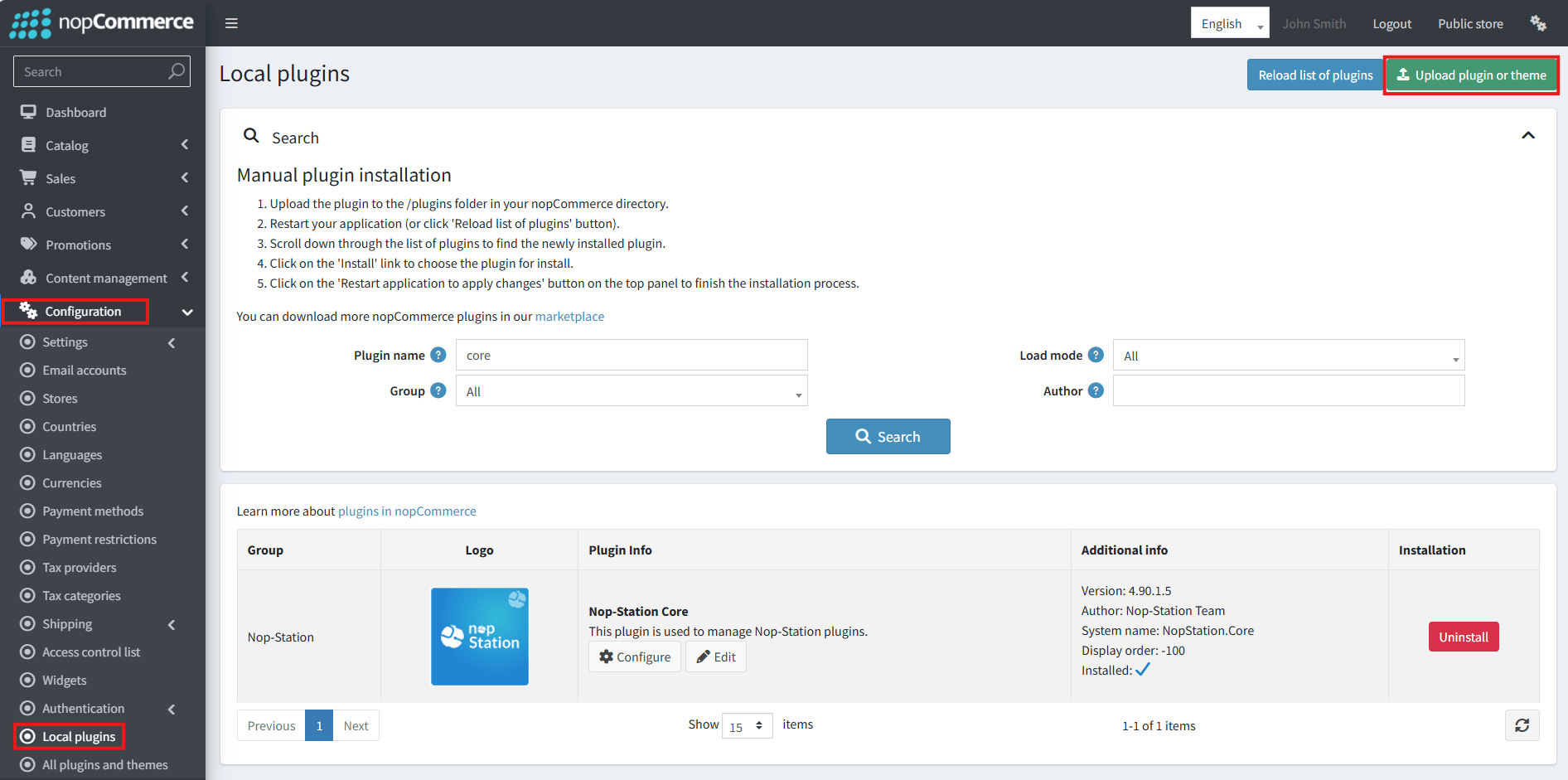
- Select the NopStation.Core file and upload it by clicking the 'Upload plugin or theme' button.
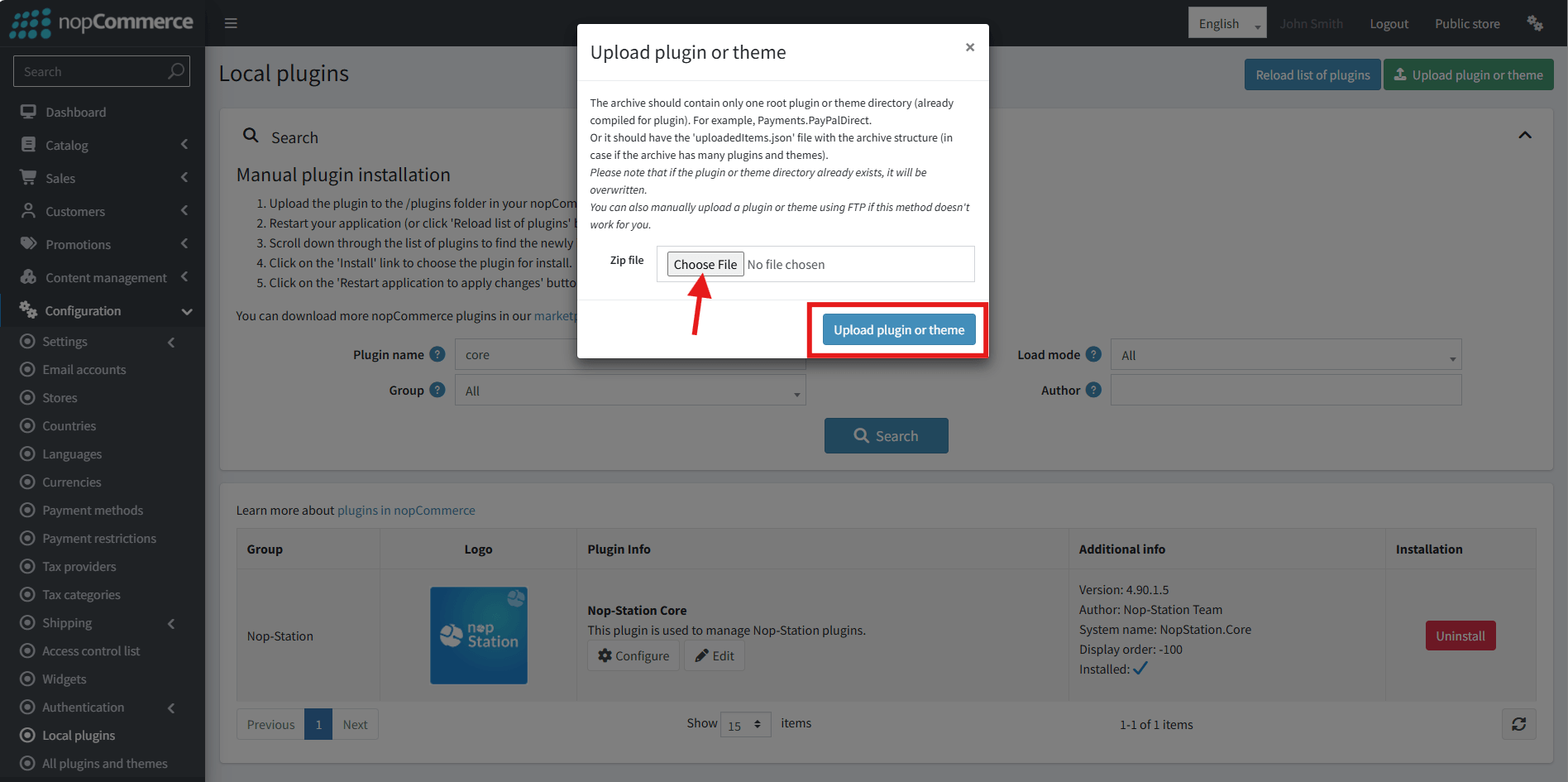
- Select the NopStation. Mollie Payment Plugin file.
- Upload the file using the 'Upload plugin or theme' button.
- After uploading the plugin, go to the Administration. Install 'Nop-Station Core' Plugin first and then install ' NopStation. Mollie Payment plugin.
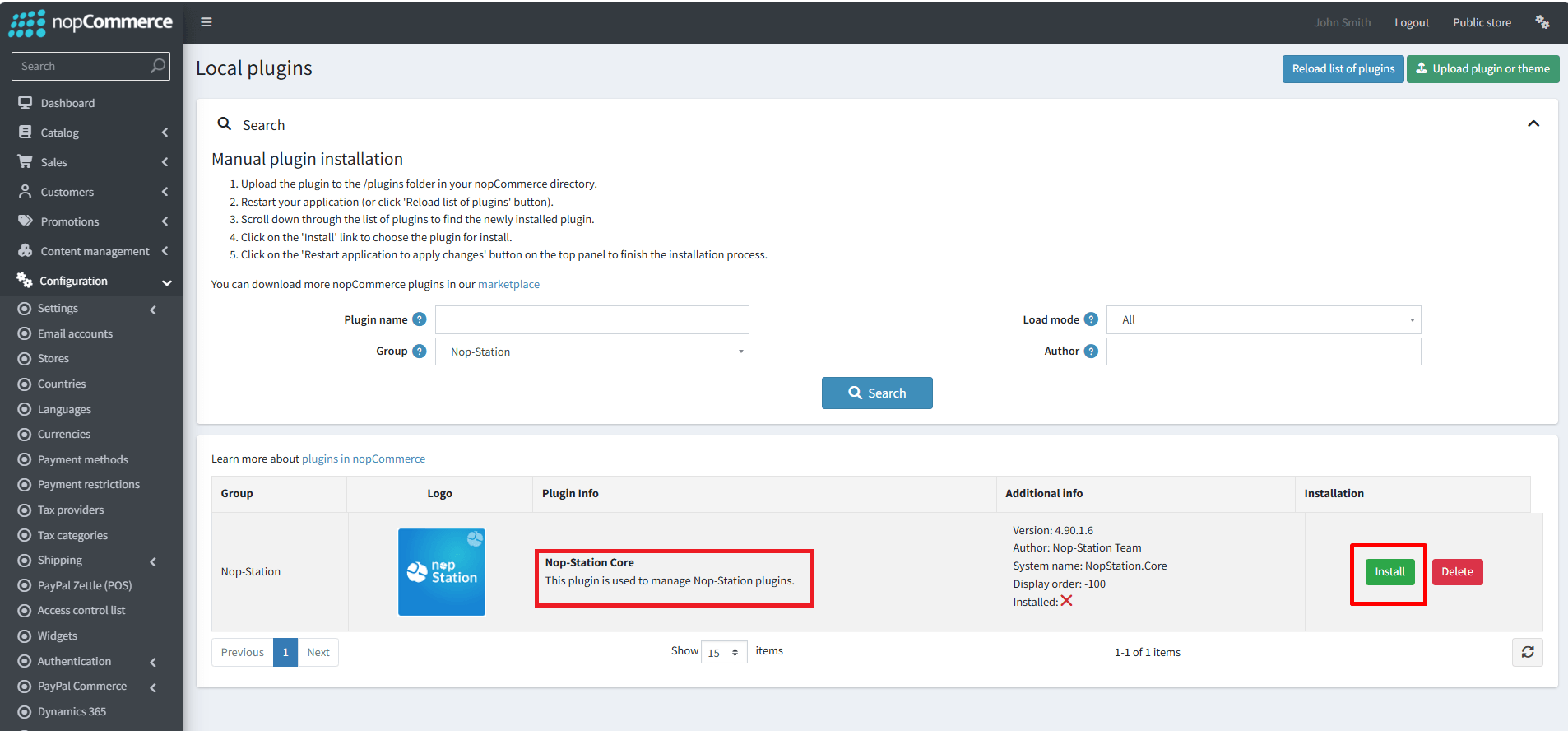
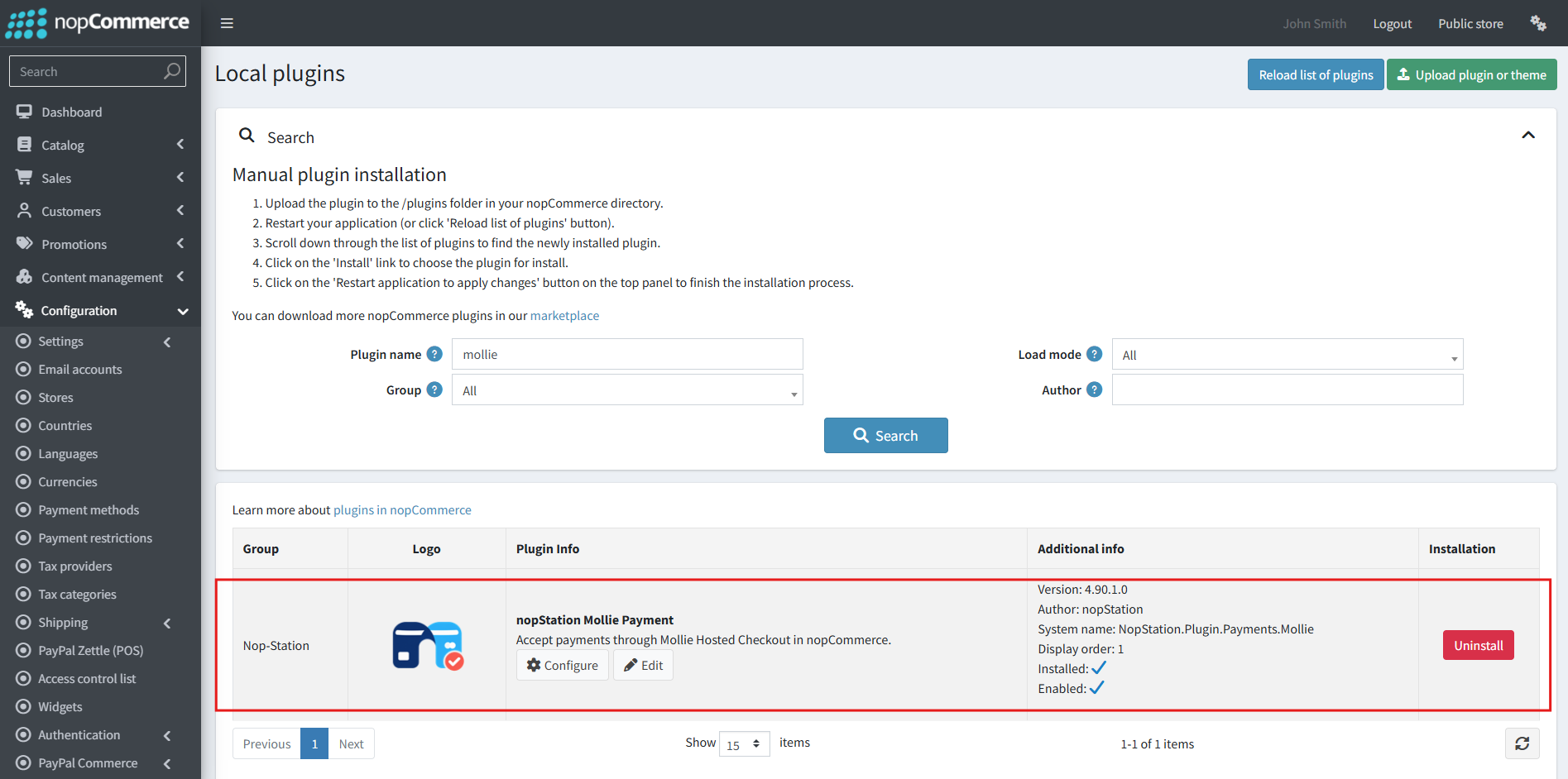
- To make the plugins functional, restart the application.
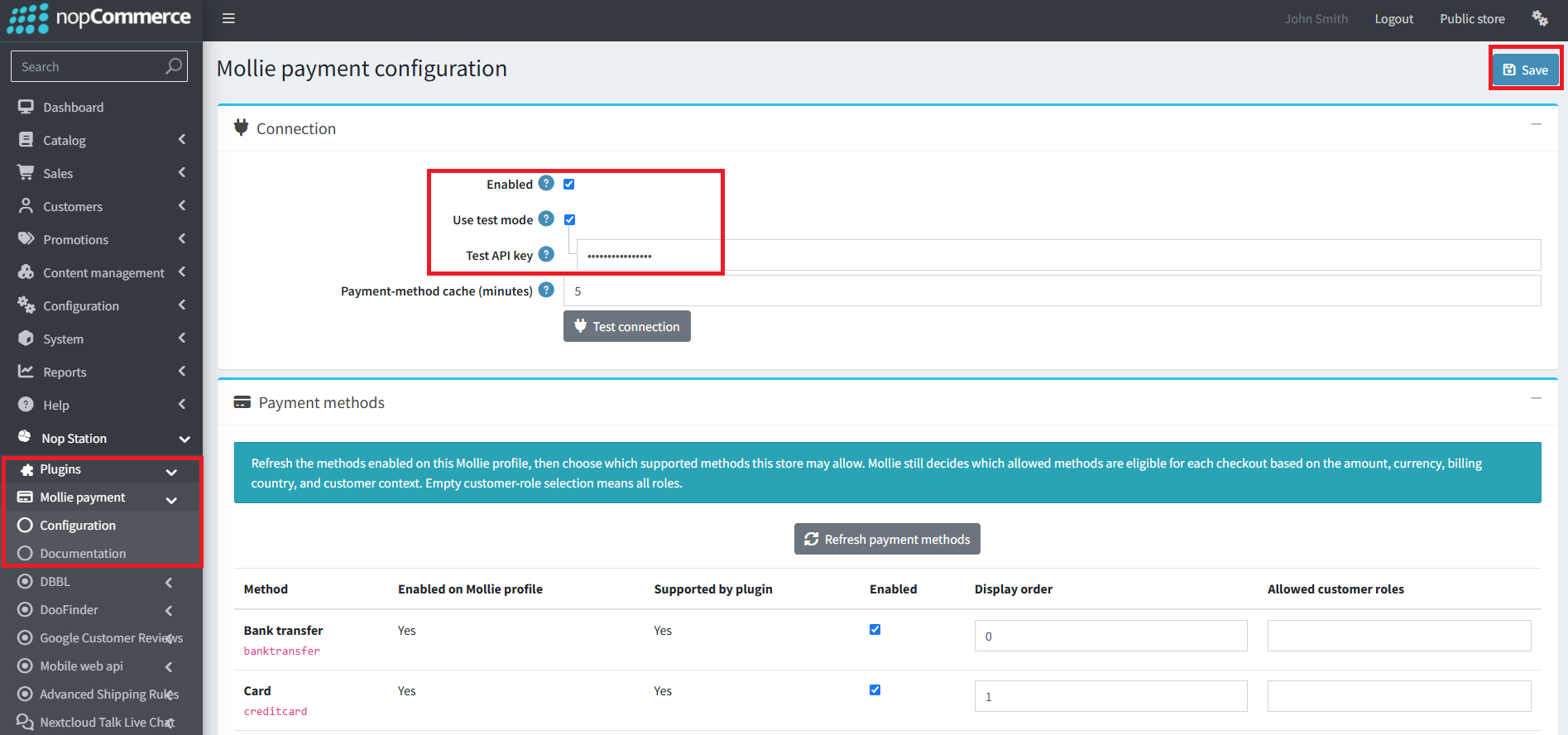
- You can configure the plugin by clicking on Configure from the Local Plugins page. Alternatively, go to nopStation → Plugins→ NopStation. Mollie Payment → Configure NopStation. Mollie Payment Plugin, enable the required options, and click Save.
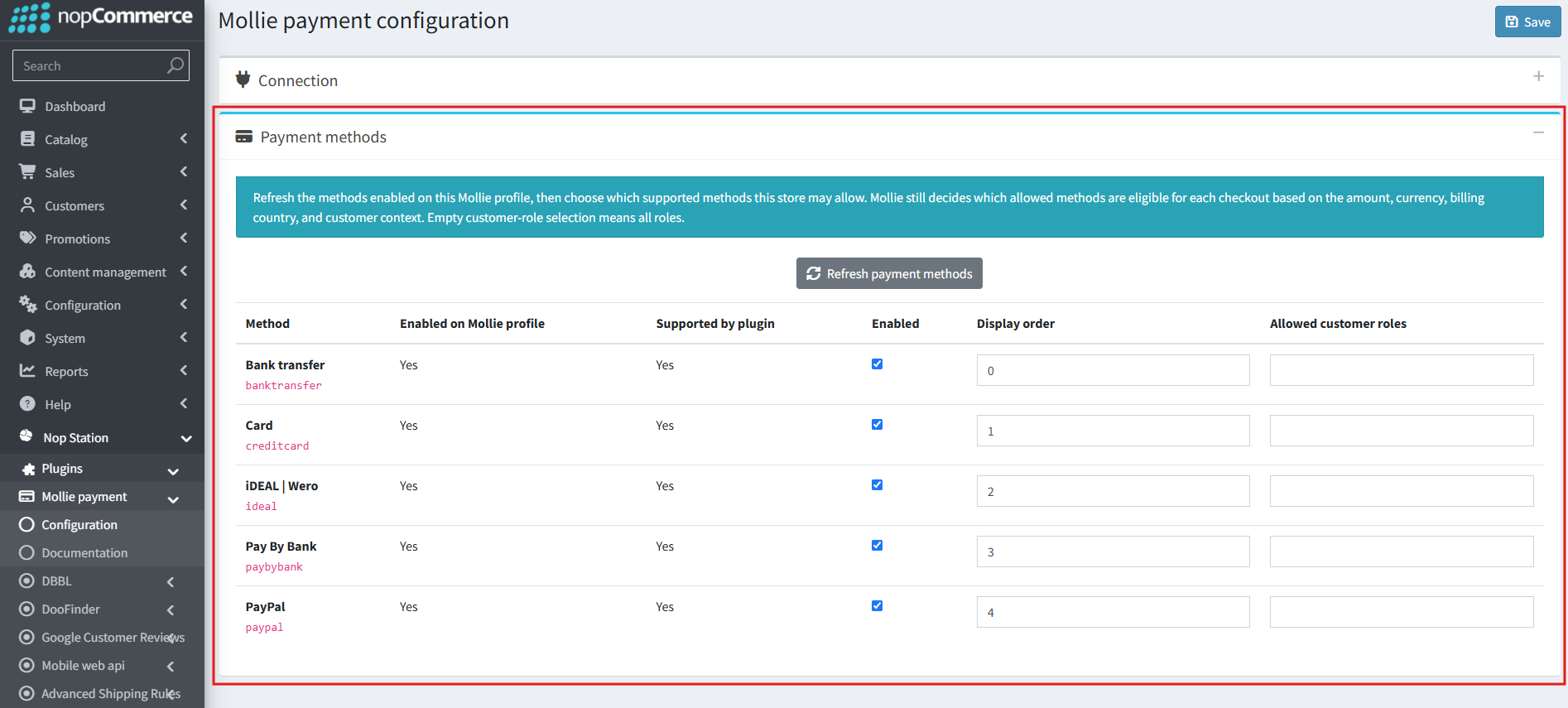
Configure Payment Methods
- Select Refresh payment methods.
- Review methods enabled on the Mollie profile and technically supported by the plugin.
- Enable only the methods this nopCommerce store may offer.
- Set the display order.
- Optionally restrict a method to selected customer roles. Empty role selection means all roles.
- Save the main configuration form.
Mollie remains authoritative for contextual eligibility. A method can be enabled in both dashboards yet remain hidden for a particular order because of its amount, currency, country, customer context, or provider rules.
Customer Checkout
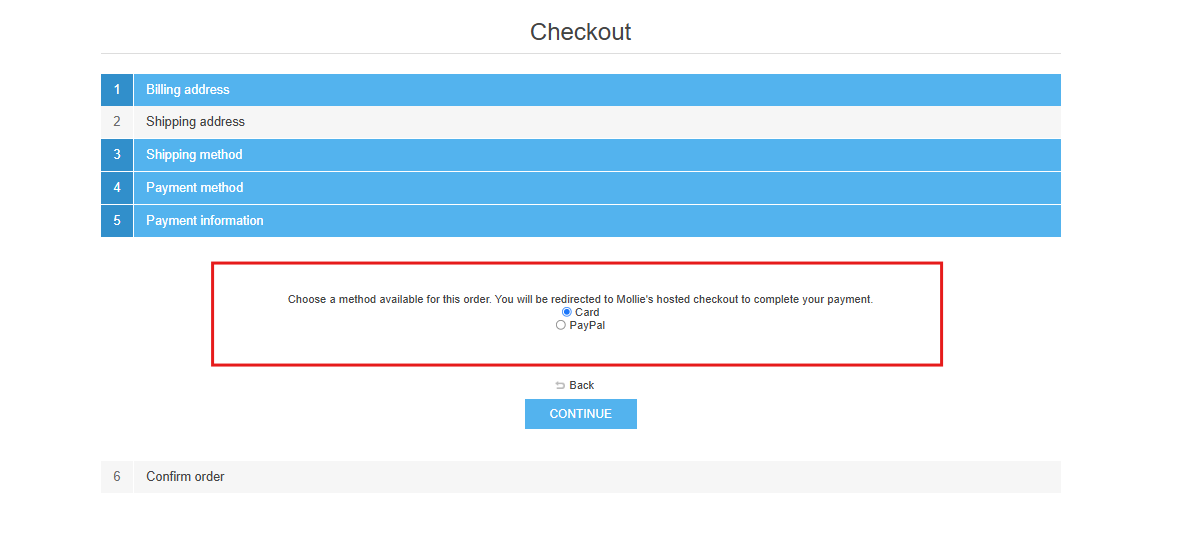
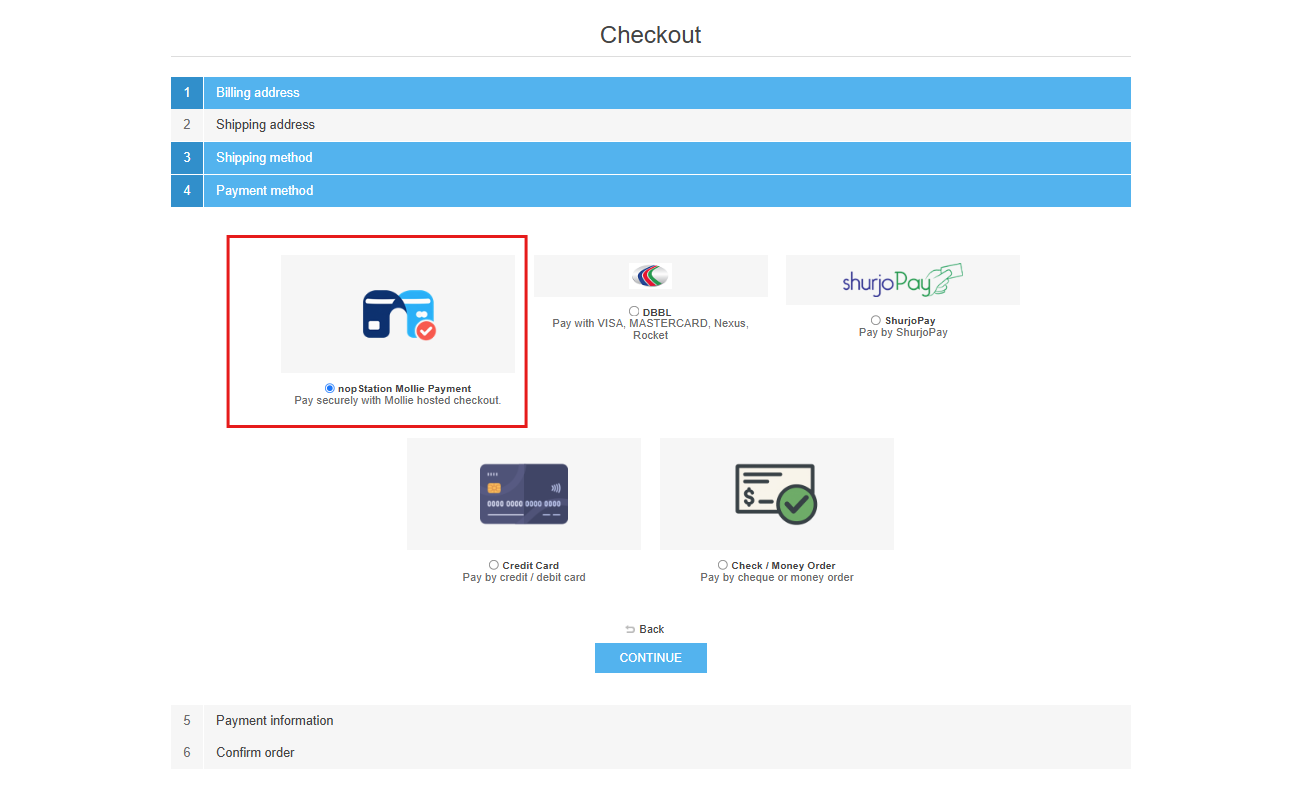
The plugin appears as one nopCommerce payment plugin. Its payment-information step lists the Mollie methods eligible for that order.
After order confirmation:
- the plugin creates one idempotent Mollie payment;
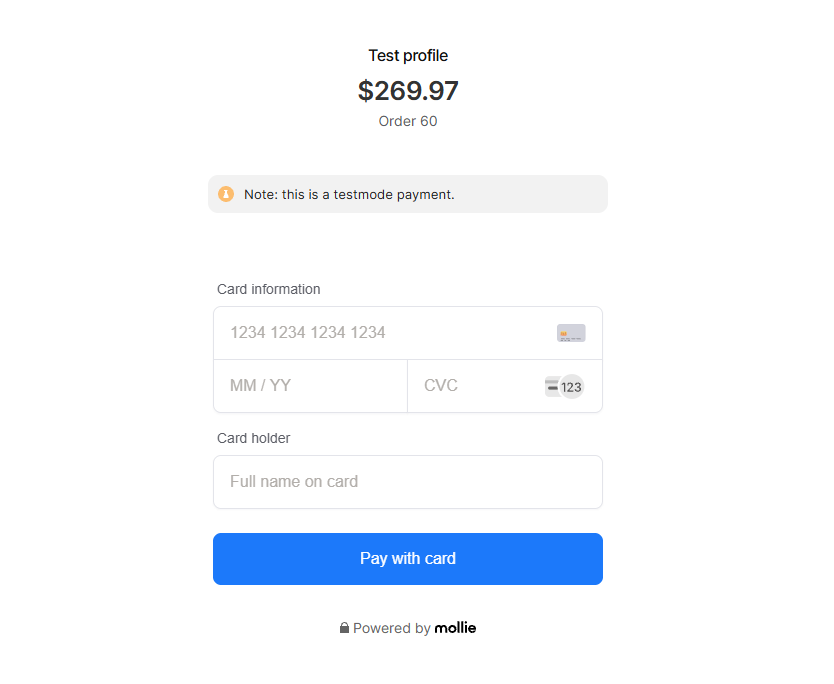
- the customer is redirected to Mollie's hosted checkout;
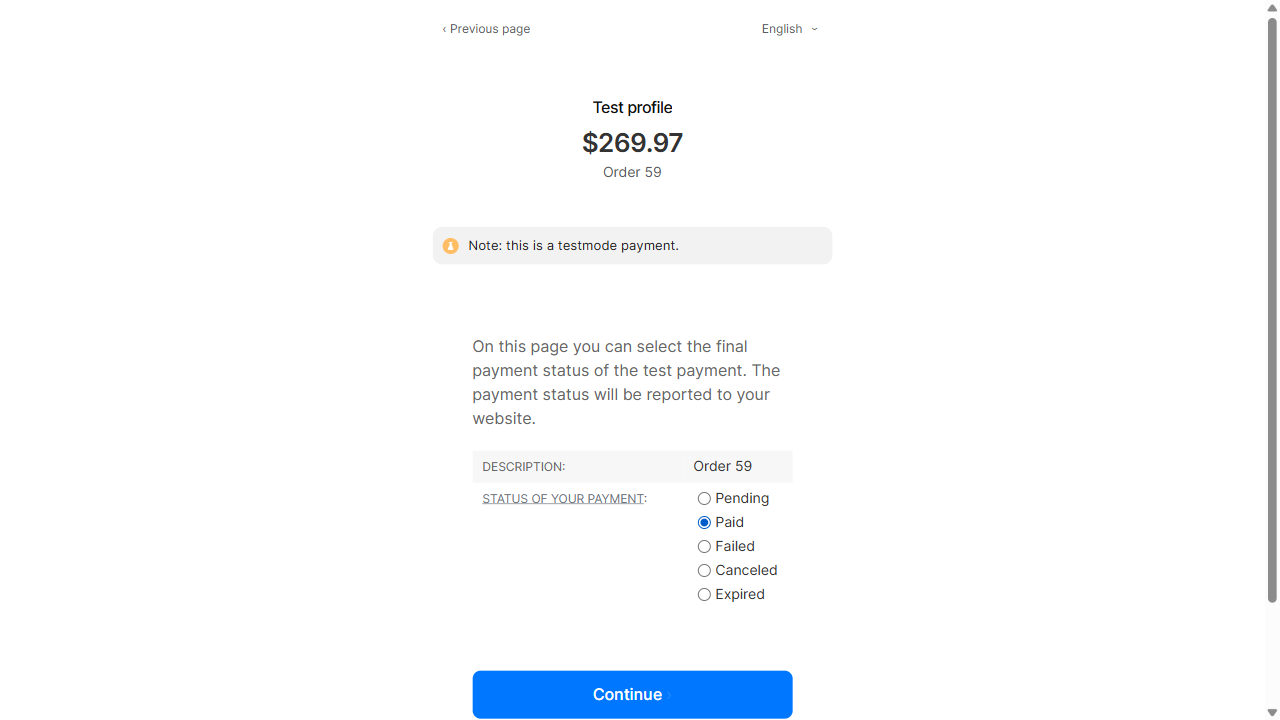
- the customer completes or selects a Test outcome at Mollie;
- return and webhook handlers retrieve the authoritative provider payment; and
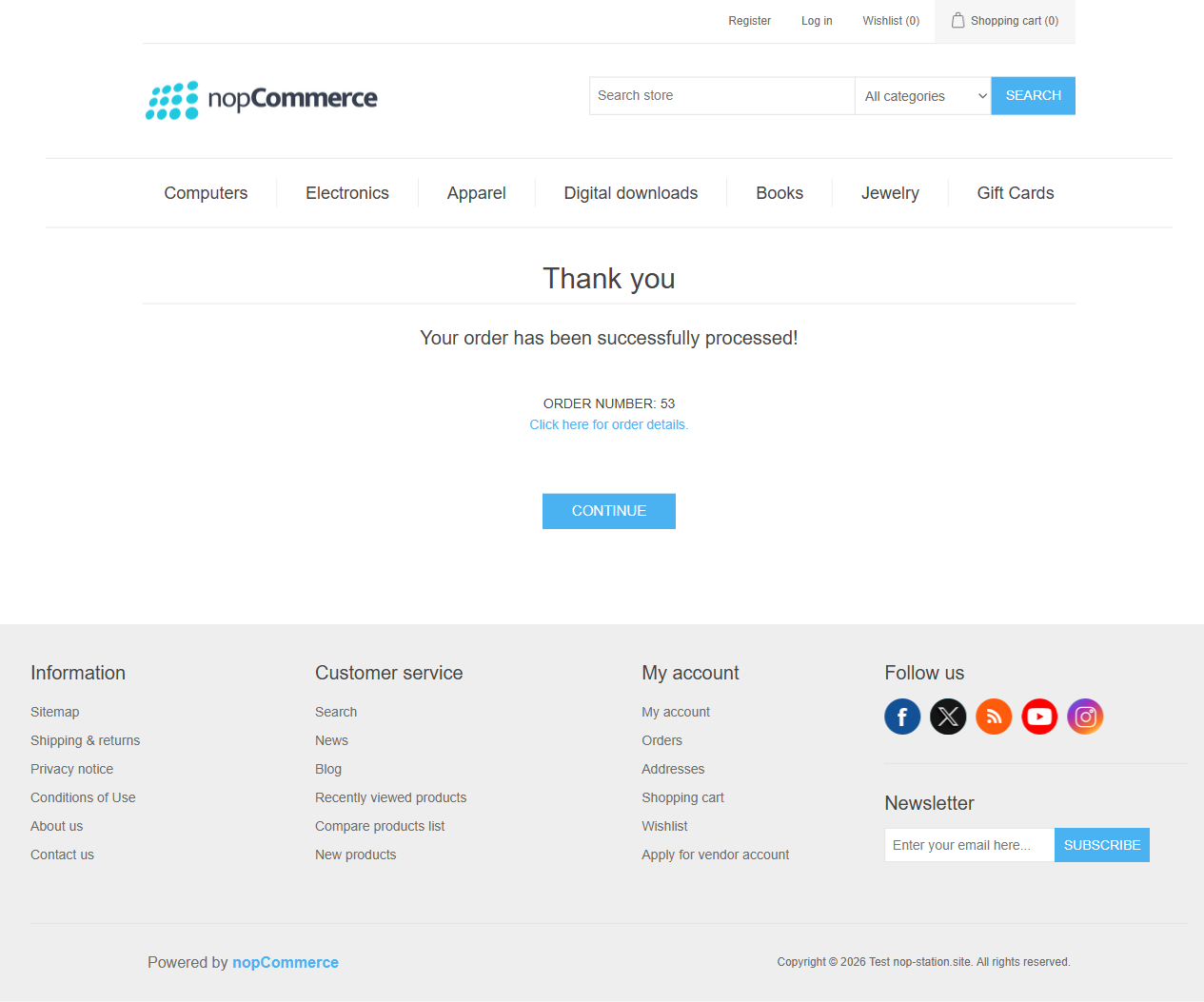
- nopCommerce becomes Paid only after verified provider success.
Payment Status and Retry
- Paid: the verified Mollie payment is Paid; nopCommerce payment completion runs idempotently.
- Open/Pending: the order remains unpaid and may later be reconciled.
- Failed/Canceled/Expired: the order remains unpaid and can be eligible for nopCommerce Retry payment.
- Retry payment: starts or resumes only through the plugin's stored attempt rules; the method-cache duration does not disable it.
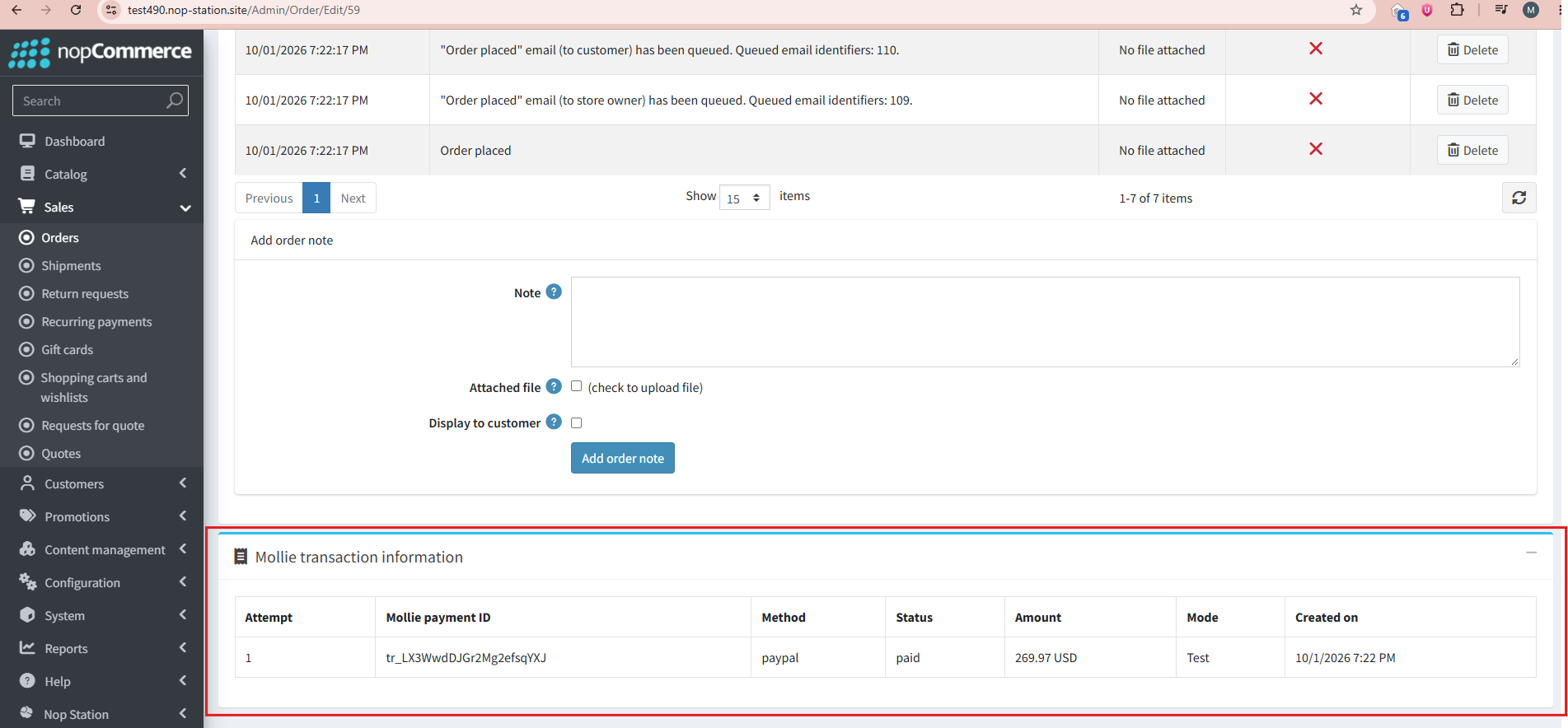
The order page presents only safe Mollie transaction fields. Provider identifiers should be treated as operational data and are redacted in the publishing evidence.
Refunds
- Use nopCommerce's standard order refund actions.
- Full and partial refund amounts are validated against the remaining refundable balance.
- Pending refund amounts are reserved to prevent an unsafe duplicate or over-refund.
- A provider-accepted refund can remain pending; nopCommerce changes only when Mollie confirms the applicable state.
- Multiple partial refunds are supported when each prior amount has reached a safe state.
- Repeating a request uses durable operation identity rather than creating an uncontrolled duplicate.
Cancellation / Void
The plugin supports nopCommerce Void only when Mollie reports the payment is cancelable. If the provider says the payment cannot be canceled, the plugin fails closed and does not claim a local cancellation.
Webhooks and Application Downtime
The public HTTPS webhook endpoint accepts Mollie's classic payment identifier as an untrusted notification. It resolves the known local attempt and retrieves the payment using the correct store and environment credential.
Safety behavior includes:
- duplicate webhook and return delivery converges on one financial transition;
- malformed or unknown identifiers cannot change an order;
- transient provider failures request later retry instead of falsely succeeding;
- raw request/response bodies and credentials are not logged; and
- browser input never supplies the authoritative amount or status.
The plugin also installs Mollie payment reconciliation, enabled every 300 seconds. It checks bounded stale active payments and refunds. This provides recovery when:
- the customer never returns from Mollie;
- the webhook is delayed or missed;
- nopCommerce is temporarily offline;
- the database or Mollie API is temporarily unavailable; or
- a credential/configuration outage is corrected later.
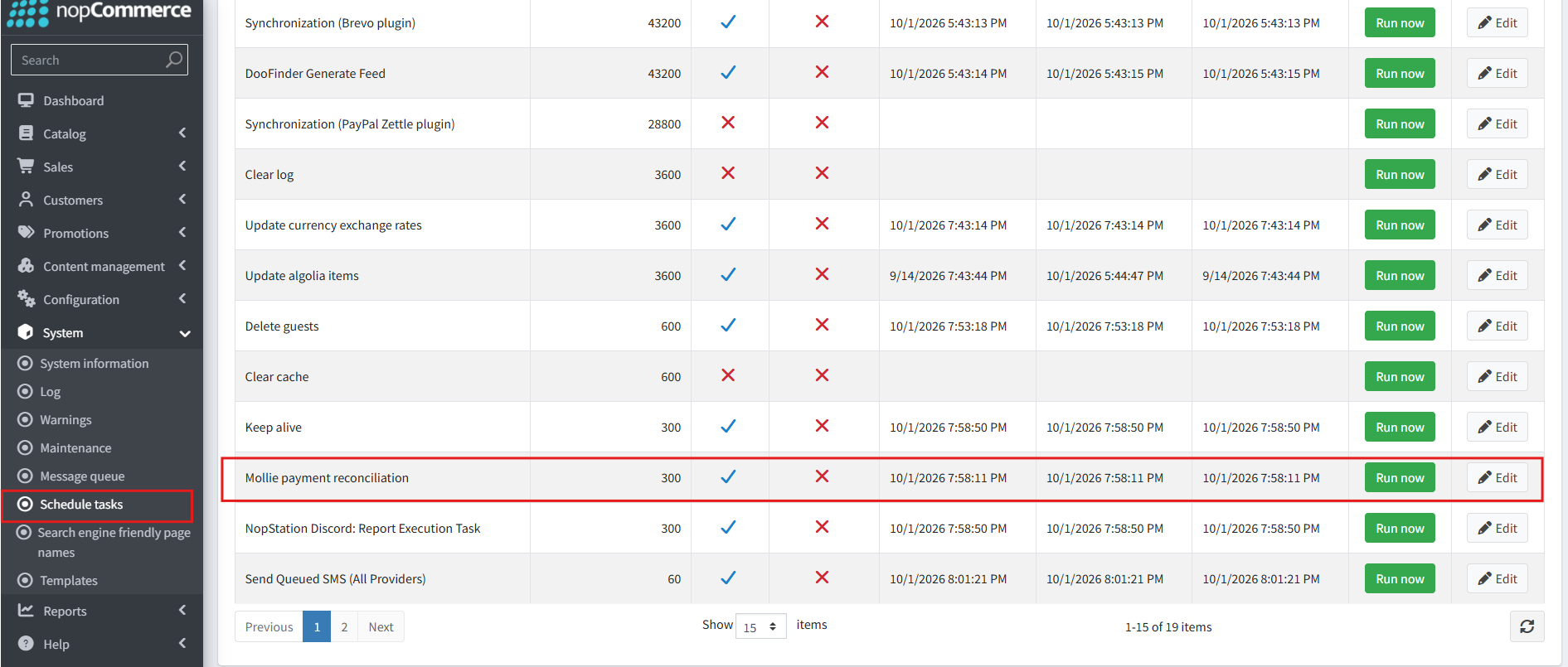
The scheduler is a recovery layer, not a replacement for a publicly reachable HTTPS webhook endpoint.
Multi-Store Setup
For each store:
- select the store scope at the top of the configuration page;
- enable the override for every value that should differ;
- configure the correct Test/Live mode and corresponding key;
- refresh and save that store's method allowlist, display order, and role mappings; and
- run a controlled checkout using that store's URL and currency.
One store's credential or method rules must never drive another store's payment.
Mollie Dashboard
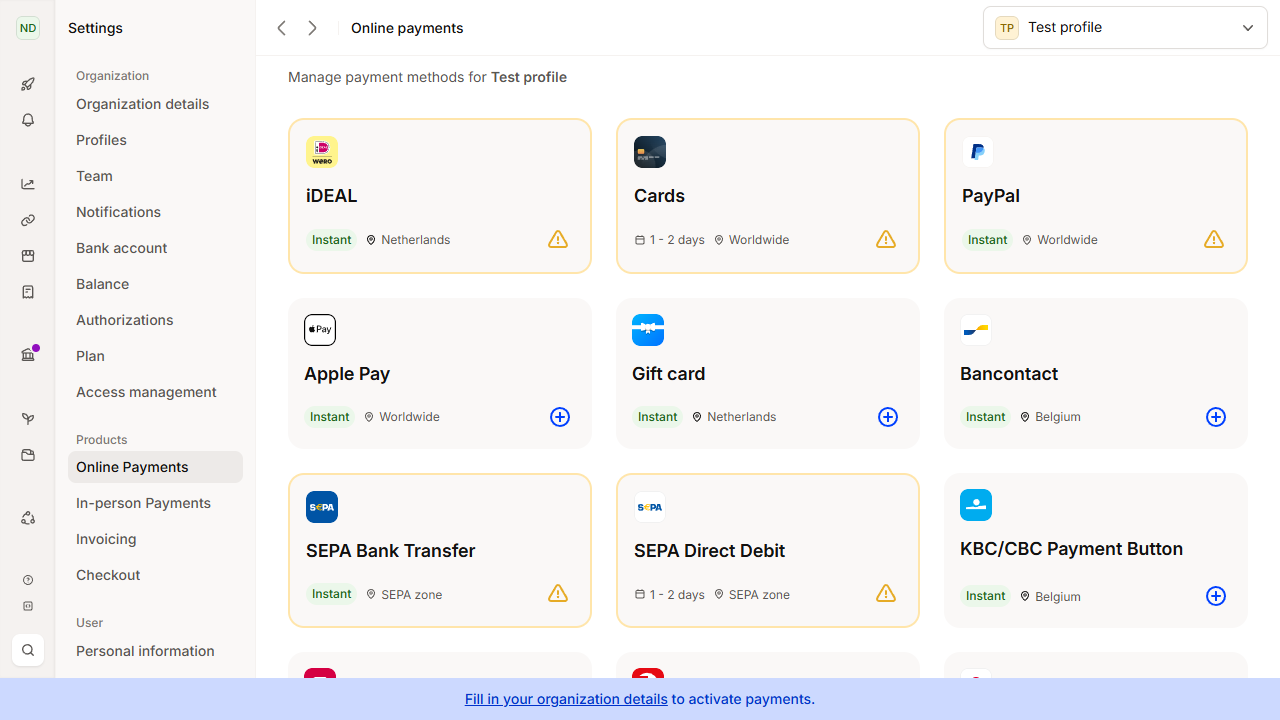
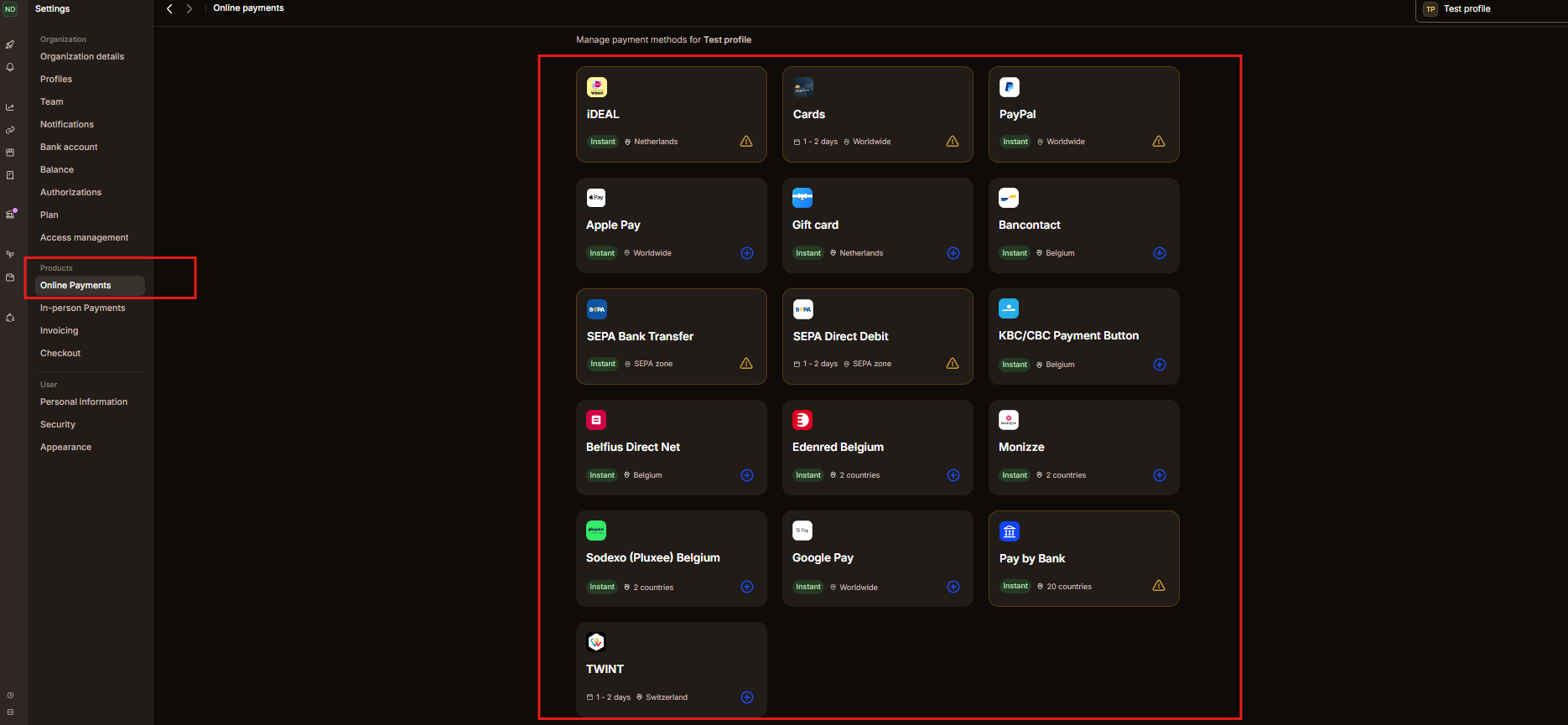
Mollie's dashboard determines which methods are activated for the merchant profile. nopCommerce then applies its own store and role allowlist, while Mollie's Methods API makes the final contextual eligibility decision.
Go-Live Checklist
- Confirm the production store URL is HTTPS and publicly reachable.
- Configure and test the Live API key under the correct store scope.
- Refresh profile methods and enable only the intended store methods.
- Verify currency, billing-country, and customer-role scenarios.
- Complete one low-value live payment using an approved method.
- Confirm the order becomes Paid only after Mollie verification.
- Verify webhook reachability and the scheduled reconciliation task.
- Test one permitted refund and one cancelable-payment cancellation where the provider permits them.
- Review nopCommerce logs and the order's Mollie transaction card for redacted diagnostics.
Troubleshooting
| Symptom | Guidance |
|---|---|
| Mollie is absent from payment-method selection | Confirm the plugin is enabled and at least one enabled method is eligible for the order's amount, currency, country, store, and role. |
| A dashboard method is not shown at checkout | Refresh methods, check the store allowlist/roles, and remember that Mollie applies contextual eligibility. |
| Customer returned but the order is Pending | Check provider status, webhook reachability, and the reconciliation task. Never mark it Paid manually without provider verification. |
| Refund remains pending | Wait for provider confirmation and scheduled reconciliation; do not repeat a reserved amount. |
| Retry payment is unavailable | Confirm that the nopCommerce order is still Pending and that a stored attempt is in an eligible state. Cache expiry is unrelated. |
| Connection test fails | Verify mode, store scope, applicable key, provider availability, and outbound HTTPS connectivity. |
Current Boundaries
- Version 4.90.1.0 does not expose manual capture or recurring payments.
- Payment methods vary by Mollie account, country, currency, amount, and shopper context.
- Wero and Klarna are not promised when the connected account does not return them.
- SEPA Direct Debit is not offered without a complete mandate/consent workflow.
- Refund and cancellation completion depends on the provider's current resource state.

