The NopStation App Push Notification Plugin allows to send push notifications to mobile app, run campaigns using notification templates, and so much more.
Integrating App Push Notification Plugin enables you to provide a smooth experience for customers, store owners, admins and vendors through push notifications and a wonderful mobile experience
PRE-REQUISITES
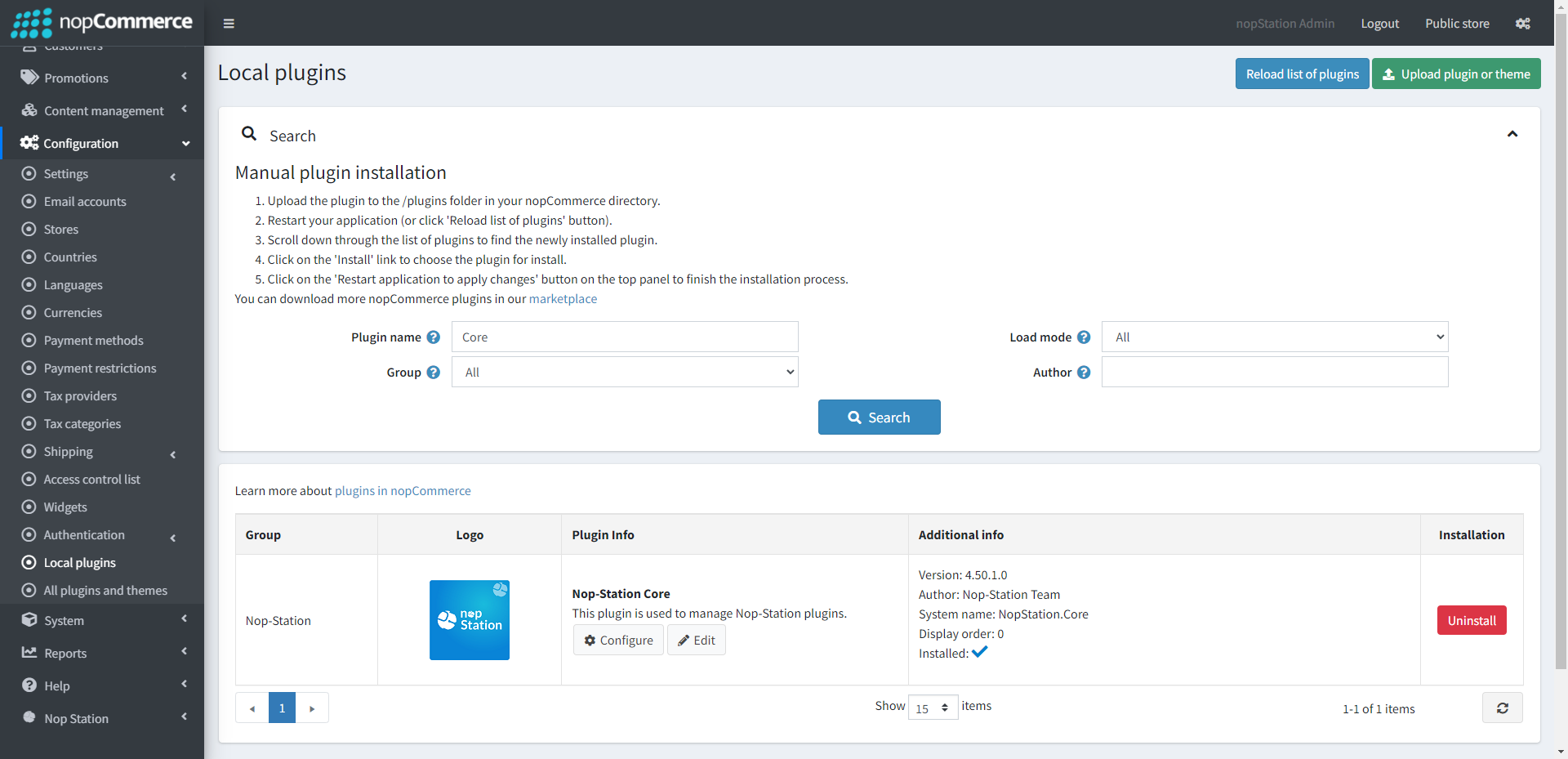
The plugin requires you to install the Nop-Station Core plugin first
The plugin requires you to install the Nop-Station Web API plugin
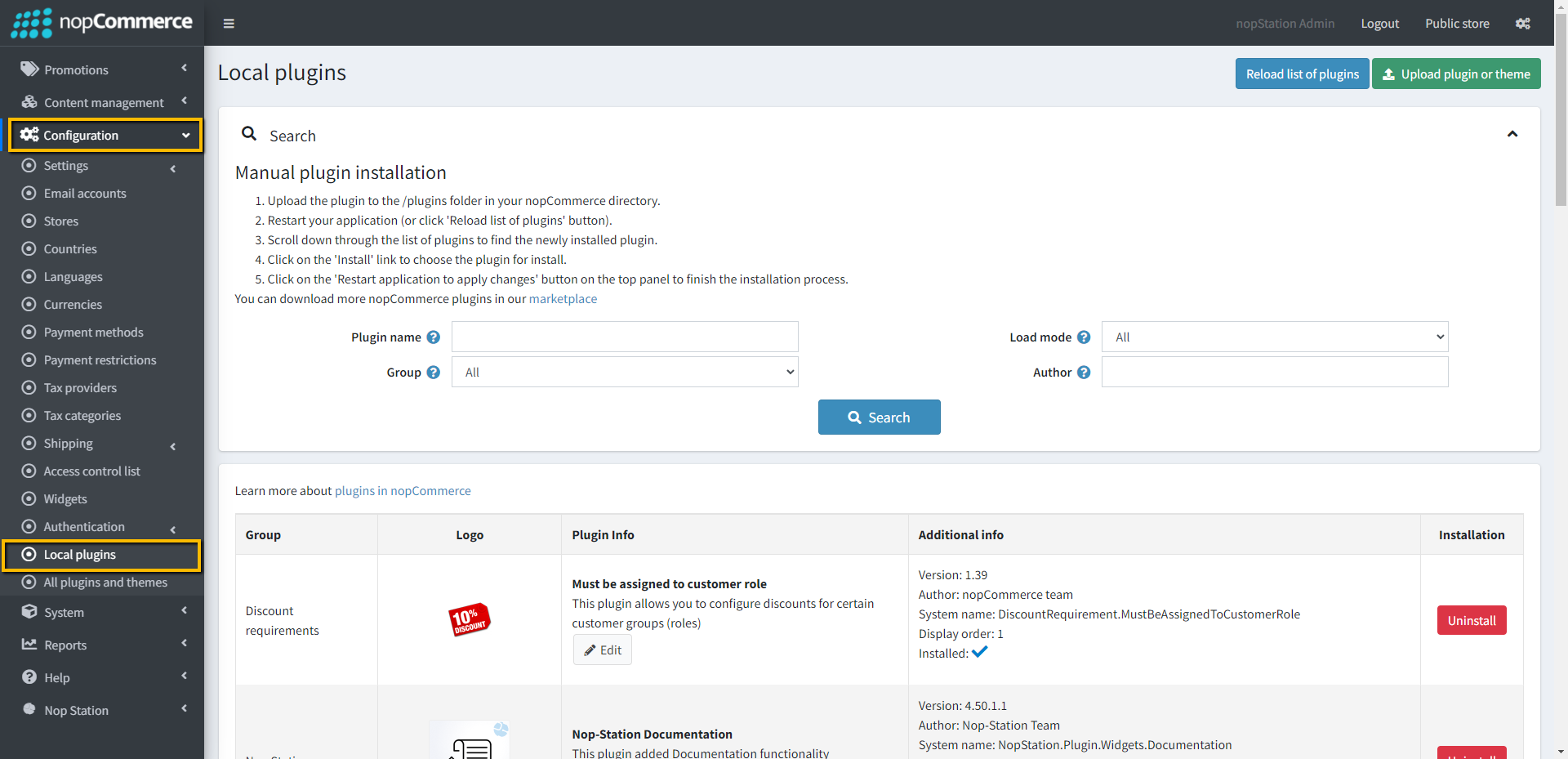
Go to Administration → Configuration → Local plugins
Upload the NopStation.AppPushNotification zip file using the "Upload plugin or theme" button
Go to Administration, reload the 'list of plugins'. Install 'Nop-Station Core' Plugin first, after that 'Nop-Station Web API and then install 'Nop-Station App Push Notification'
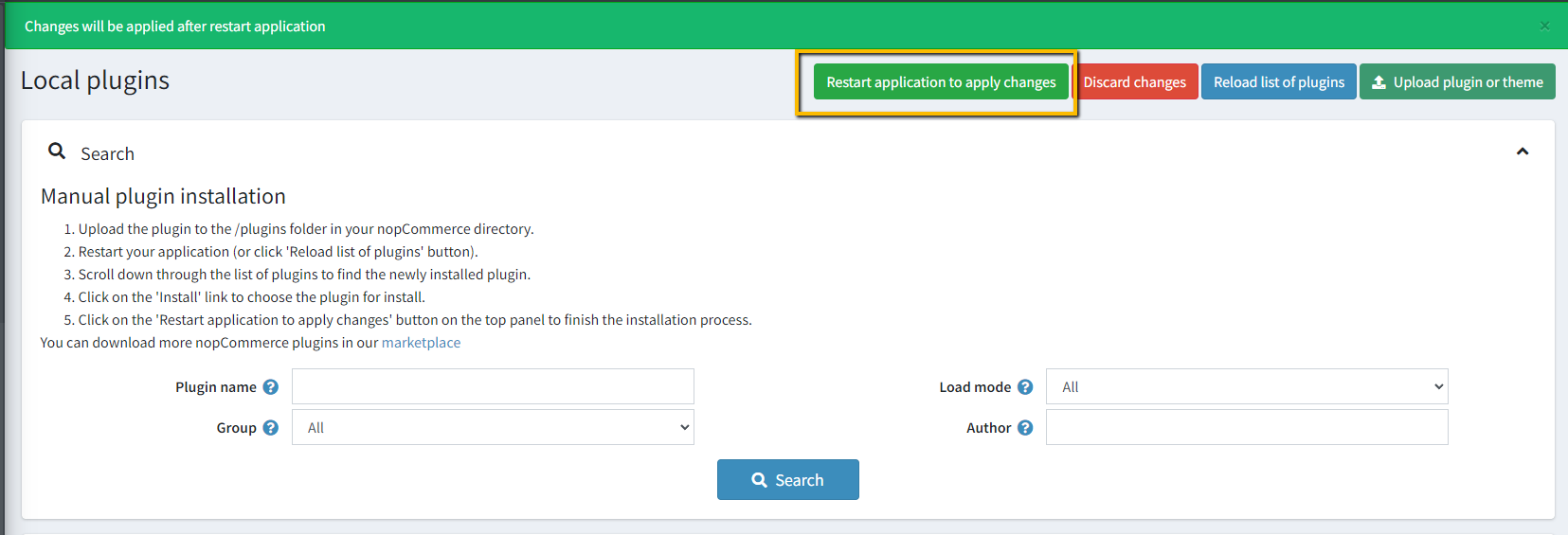
To make the plugins functional, restart the application
Enable the plugin with 'Edit' option and Configure it
FIREBASE TOKEN
Go to Firebase Console and create a new project from here
Go to project settings and collect Server Token
Go to configure enter Firebase Server Token into Google console api access key field Admin → NopStation → Plugins → App Push Notification → Configuration
CONFIGURATION
Go to Admin → NopStation → Plugins → App Push Notification → Configuration
Google console api access key: Enter the google console API key
Application type: Select mobile application type
CAMPAIGNS
Go to Admin → NopStation → Plugins → App Push Notification → Campaigns
Send start from date: Search by send start from date
Send start to date: Search by send start to date
Search keyword: Search campaigns by specific keywords
New campaigns can also be added from here by clicking on Add new button
Allowed notification tokens: This is a list for the notification tokens that you can use in your notification templates
Name: The name for this campaign
Title: The title for this campaign
Body: The template body
Image: The template image
Action type: It determines which page will open in mobile app on clicking the notification
Value: It determines the value of action type
Limited to customer roles:< Option to limit this campaign to a certain customer role/li>
Limited to device types: Option to limit this campaign to a certain device type
Limited to store: Choose a store for which subscribers will get notifications
Sending will start on: The date or time on which the campaign will be started
NOTIFICATION TEMPLATES
Go to Admin → NopStation → Plugins → App Push Notification → Notification templates
From here, the notification templates can be seen
NOTIFICATION QUEUE
Go to Admin → NopStation → Plugins → App Push Notification → Notification queue
From here, the notification which are in queue can be seen