
Release breakdown · nopCommerce 5.00
With the release of nopCommerce version 5.00 on 27 October 2026, nopCommerce has taken its biggest step yet toward enterprise eCommerce. Built on .NET 10, this major version brings AI-powered product recommendations, a ChatGPT Shopping feed, native B2B price lists, PunchOut (cXML) for procurement systems, EU compliance features and a long list of improvements and bug fixes. At nopStation, we have gone through the release in detail, so here is a comprehensive breakdown of what is new in nopCommerce 5.00 and what it means for store owners and developers.
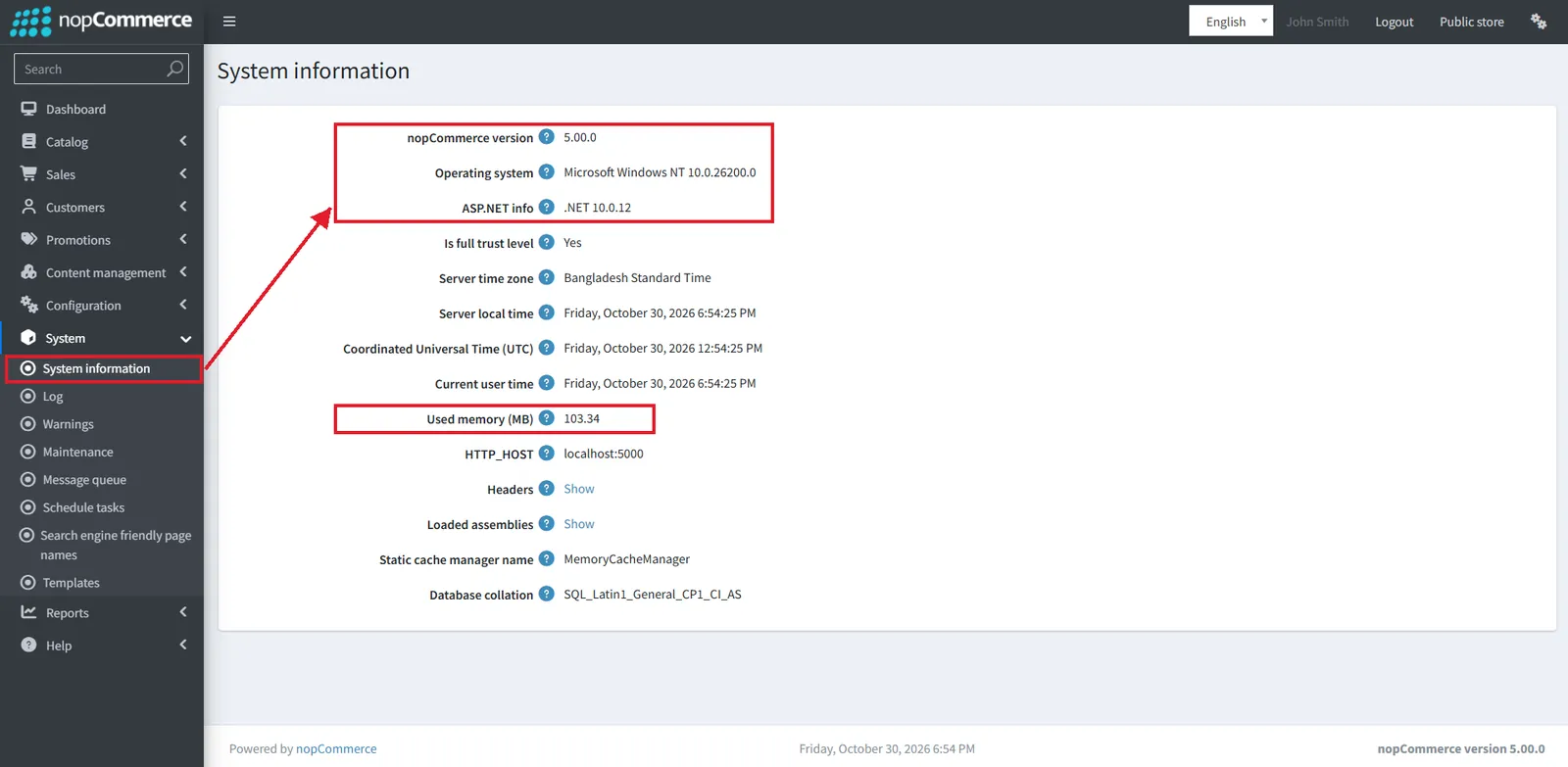
nopCommerce 5.00 moves the whole platform from .NET 9 to .NET 10, the new long-term support release.
Read more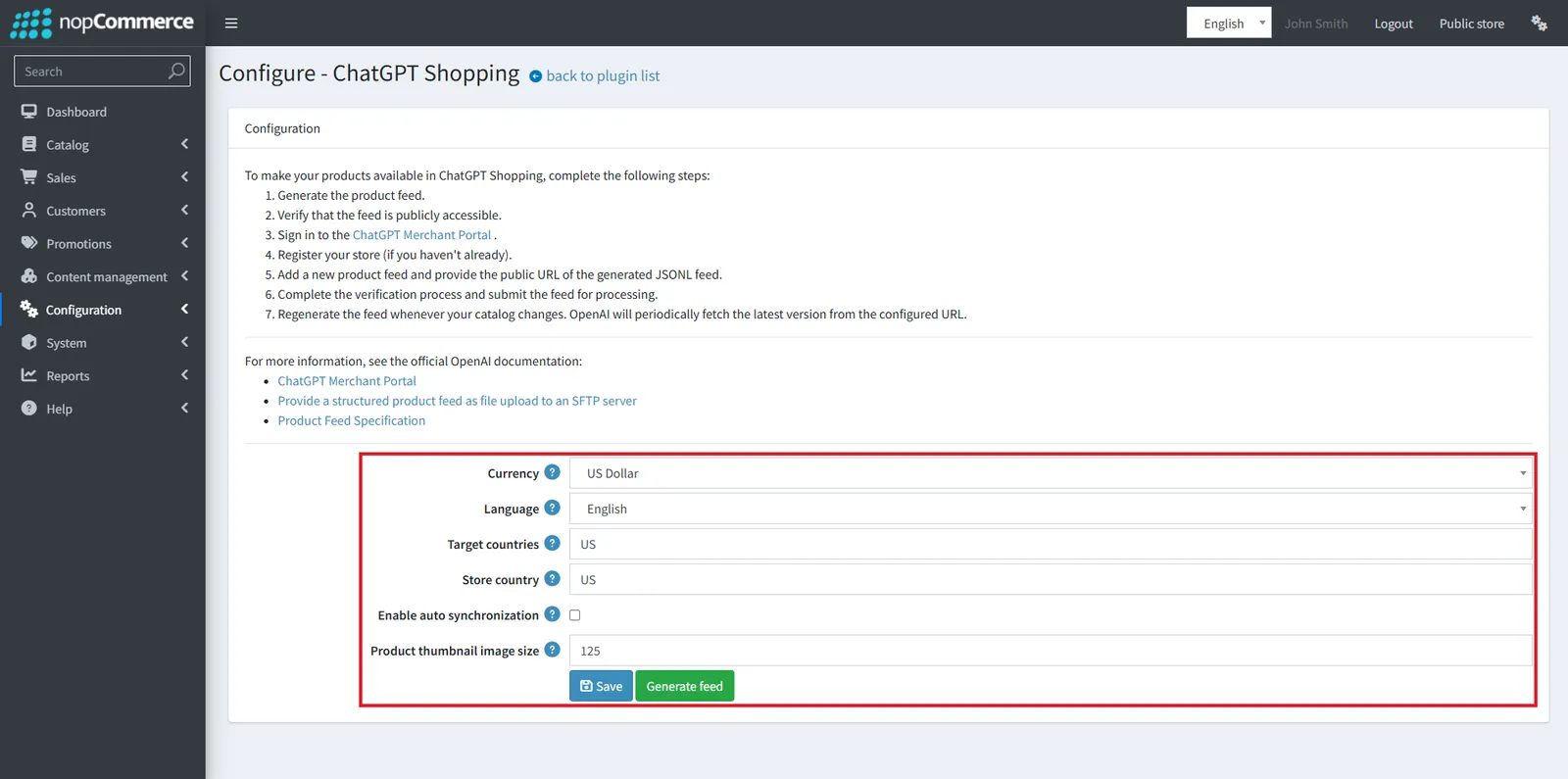
A structured product feed so ChatGPT can index and show your products with up-to-date price and availability.
Read more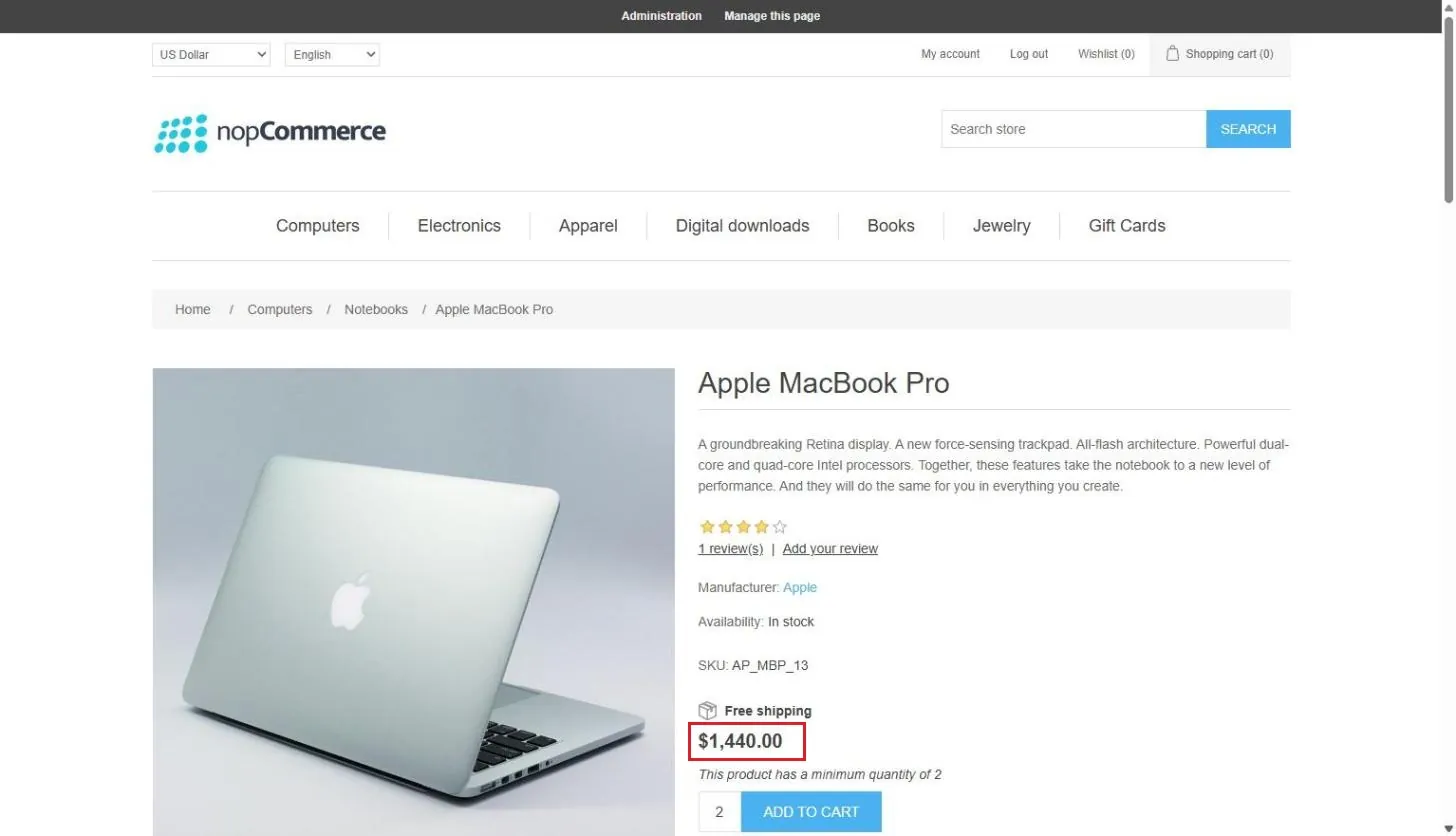
Name, dates, priority, customer roles and five calculation types, with a strategy for when several lists apply.
Read more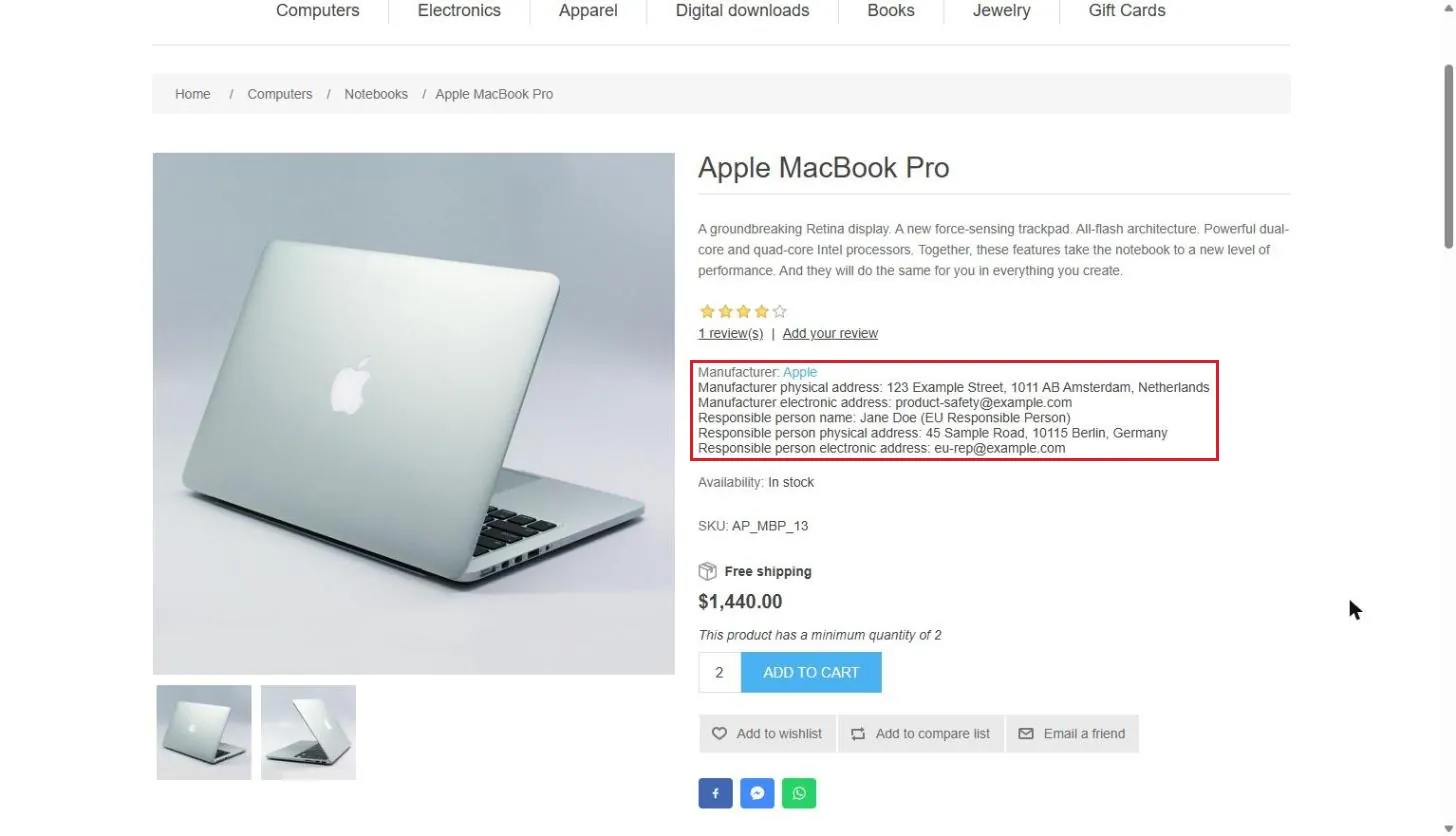
Withdrawal requests for Directive 2023/2673, plus manufacturer and responsible person details on product pages.
Read moreBuilt on .NET 10, the new long-term support release
nopCommerce 5.00 moves the whole platform from .NET 9 to .NET 10. Hosting providers must support .NET 10 before a 5.00 store can run on them.
- Released
- 27 October 2026
- IDE
- Visual Studio 2026 (v18.0) or above
- SDK
- .NET 10 SDK (10.0.401)
- Runtime
- ASP.NET Core Runtime 10.0.12Windows Hosting Bundle on Windows servers
New features, improvements and bug fixes in nopCommerce 5.00
Fourteen highlight features lead the release. Here is how they group, and where to find the rest of the changes.
- AI-powered recommendations
- AI chatbot
- ChatGPT Shopping feed
- AI SEO for any entity
- Native price lists
- PunchOut (cXML)
- Split (by vendor) carts
- Reminders
- Sign-in with phone and SMS
- Desired delivery date
- Product 3D images
- EU Withdrawal Button
- GPSR support
- .NET 10 update
AI features in nopCommerce 5.00
Four highlight features bring AI into product recommendations, round-the-clock support, shopping feeds and SEO.
AI-powered recommendation engines to increase conversions
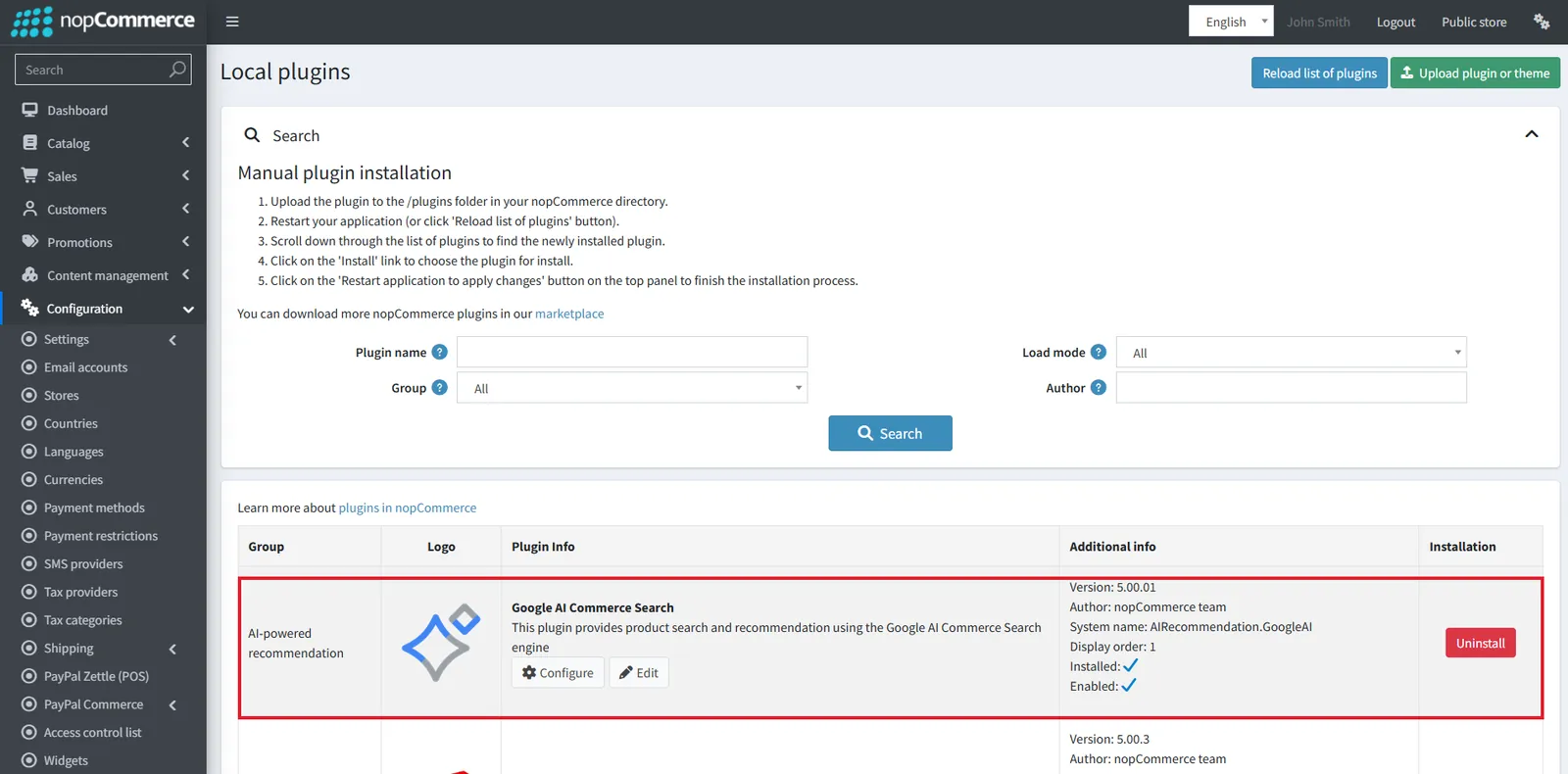
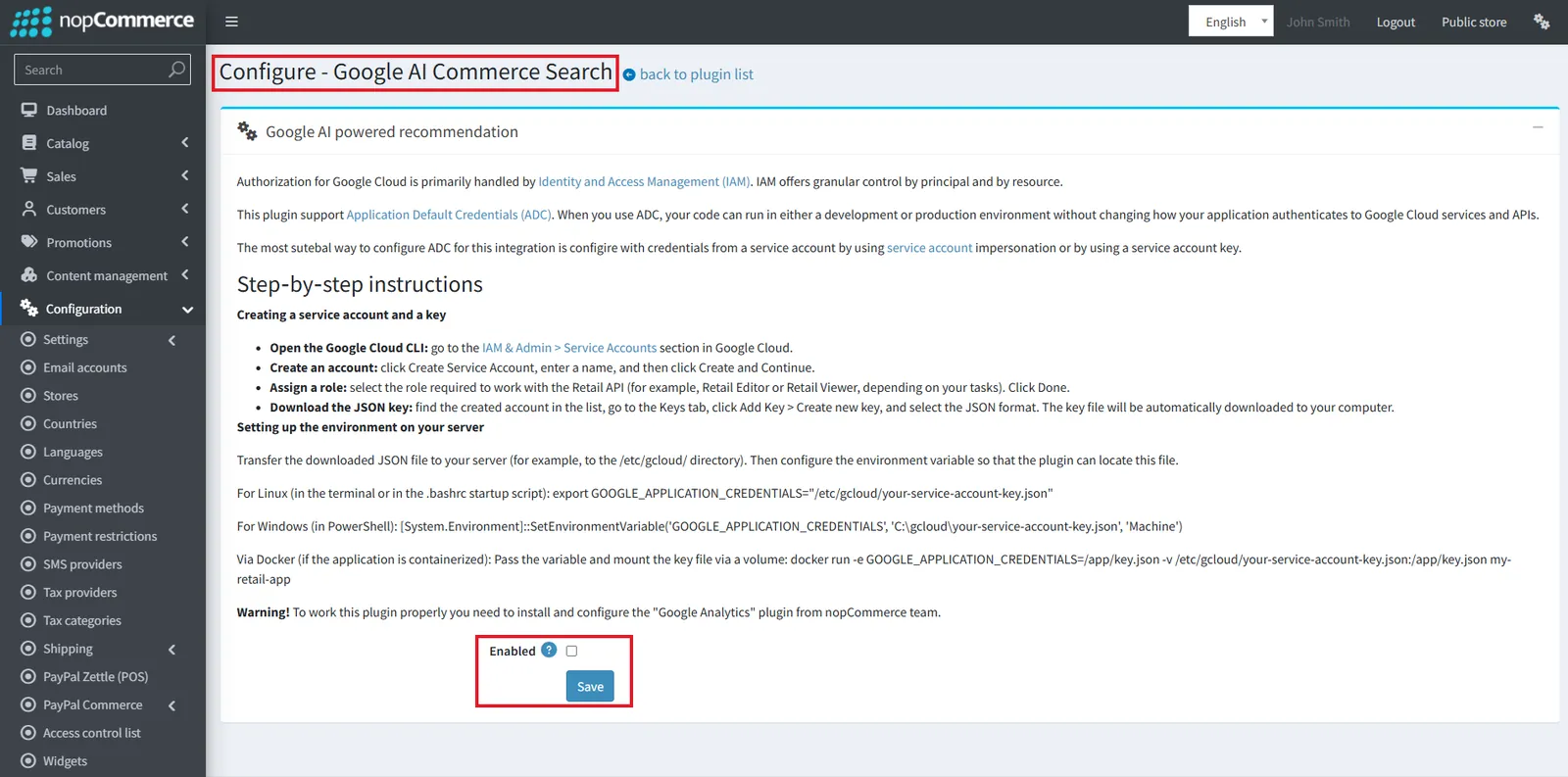
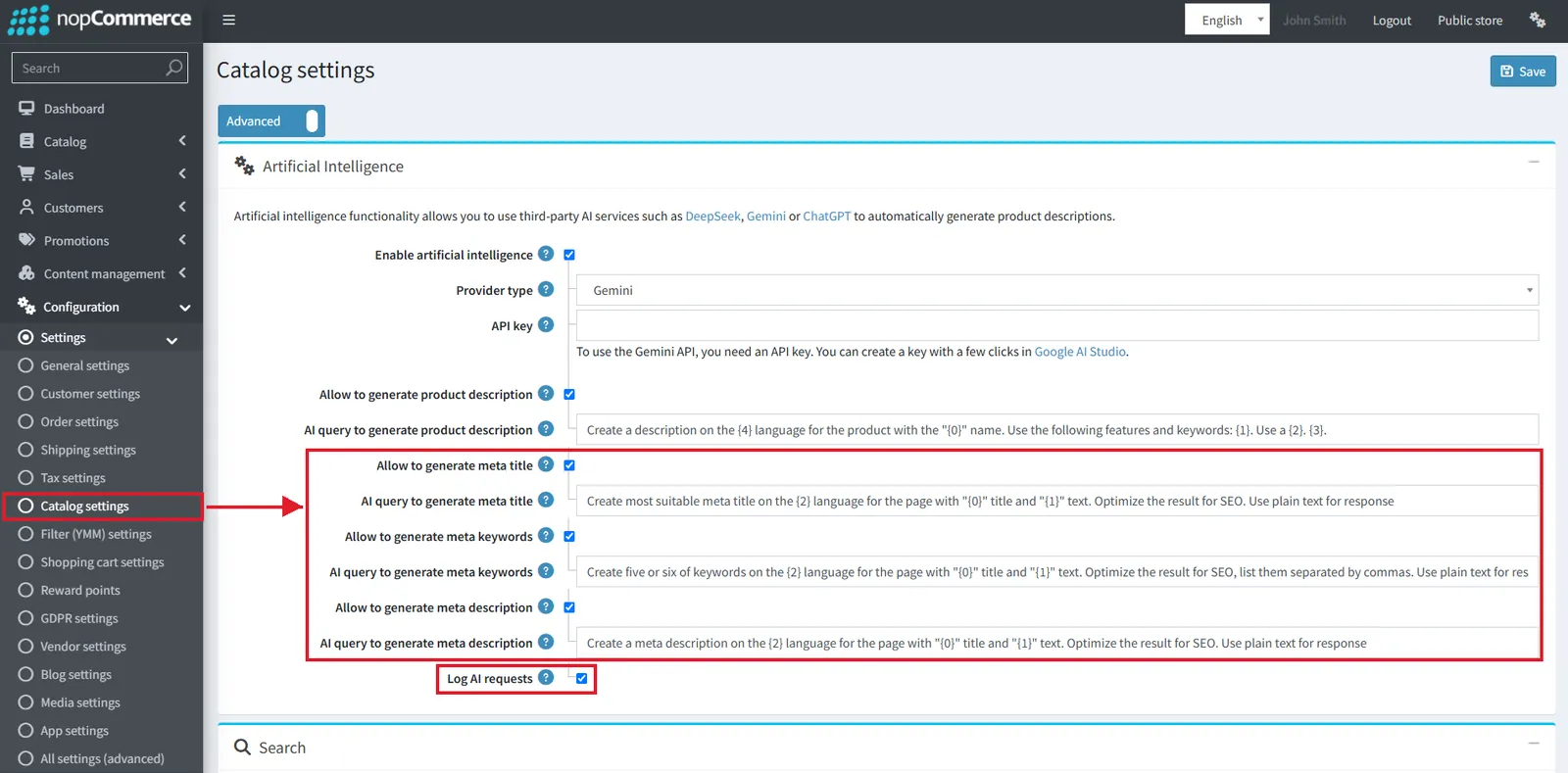
#7734A new plugin group, "AI-powered recommendation", is added. The first provider is the Google AI Commerce Search plugin, which provides product search and recommendations using Google's AI engine. A new setting (#8366) can enable it for registered users only.
Intelligent chatbots (AI) for 24/7 sales assistance
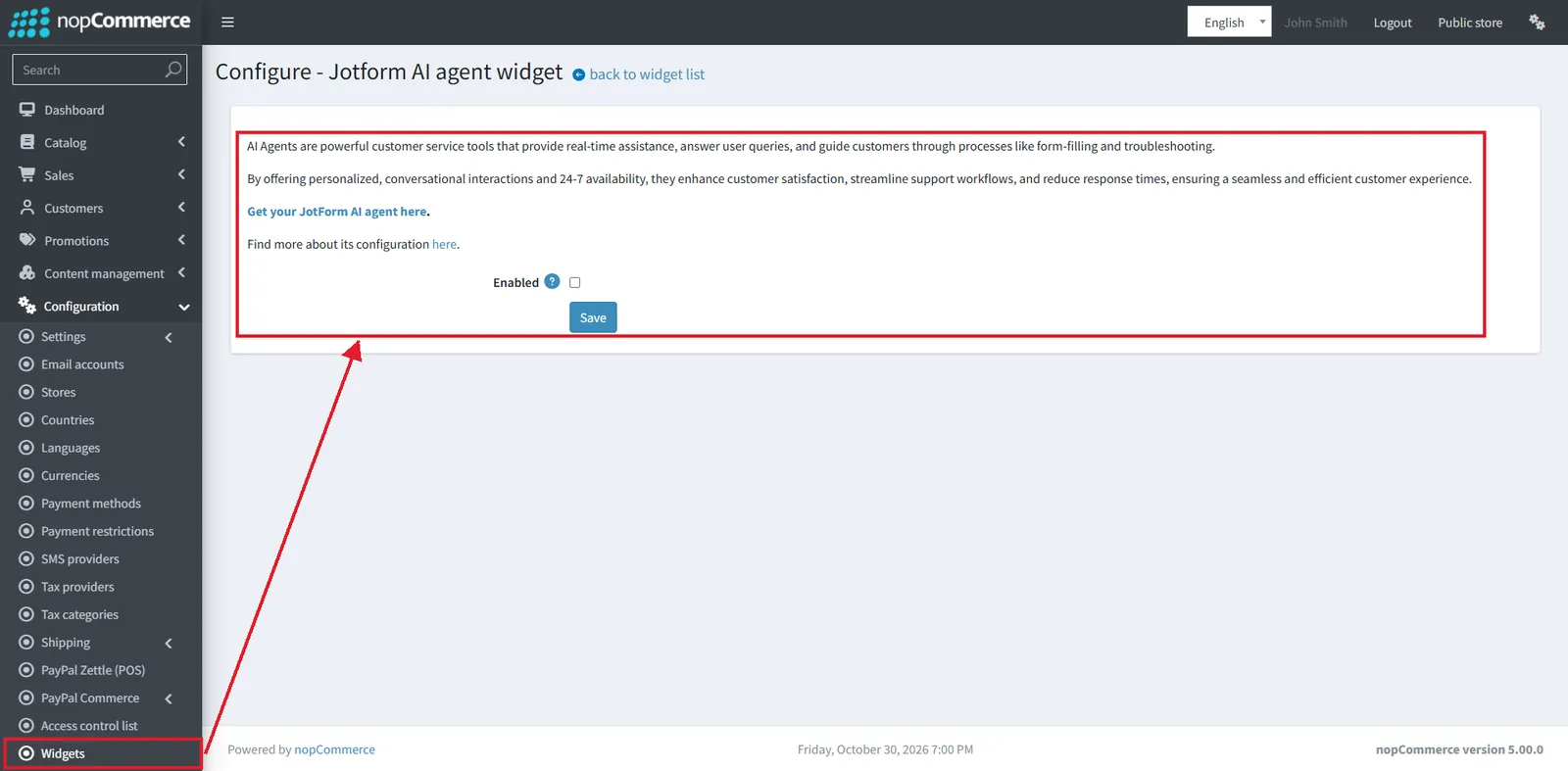
#7733The new Jotform AI agent widget plugin adds a Jotform AI agent as a chatbot on the store, so shoppers can get answers outside business hours.
ChatGPT shopping (product feed)
#8198The new ChatGPT Shopping plugin (Promotion feeds group) generates a structured product feed, so ChatGPT can index and display the store's products with up-to-date price and availability. It works much like the existing Google Shopping feed.
Native B2B price lists, PunchOut and vendor carts
Wholesale pricing, procurement integration and multi-vendor checkout no longer need workarounds.
Native price list support
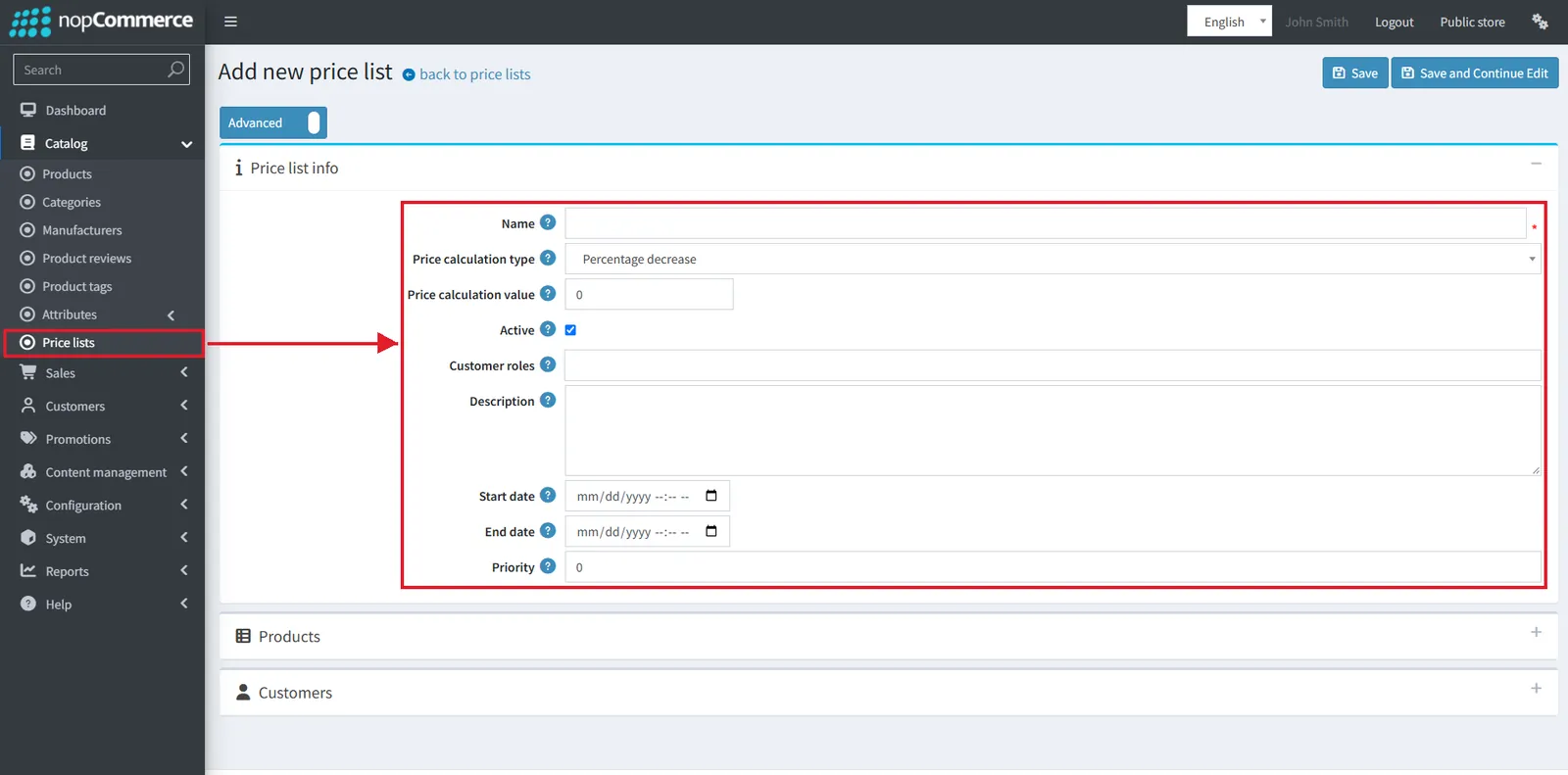
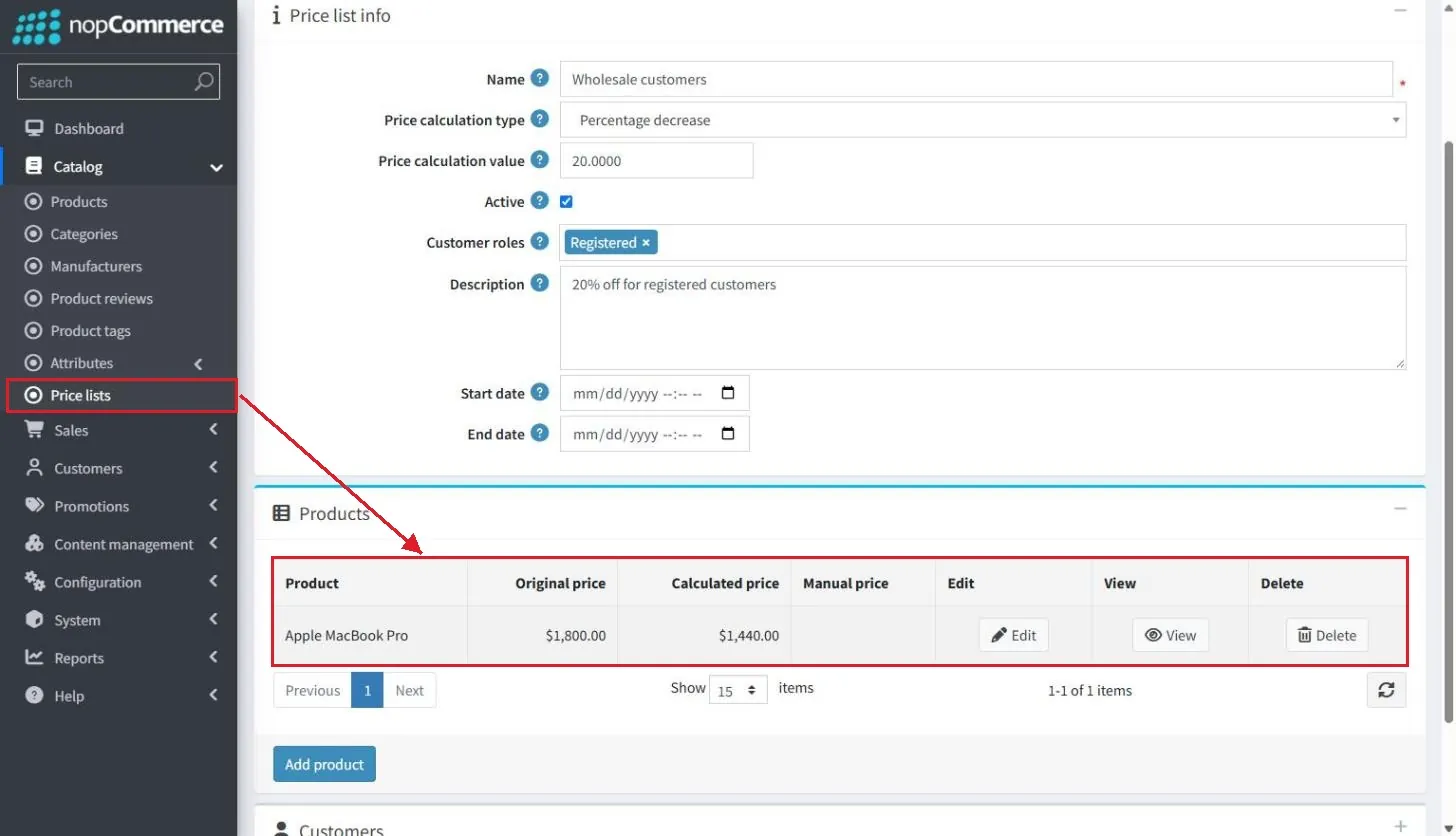
Until now, B2B pricing needed discounts, tier prices or a plugin. 5.00 adds a Catalog > Price lists page. Each price list has a name, start and end date, priority, customer roles, assigned products and customers, and a price calculation type:
- Percentage decrease
- Percentage increase
- Amount decrease
- Amount increase
- Fixed price
A product can also carry a manual price inside a list. A new Price list strategy setting decides what happens when several lists apply:
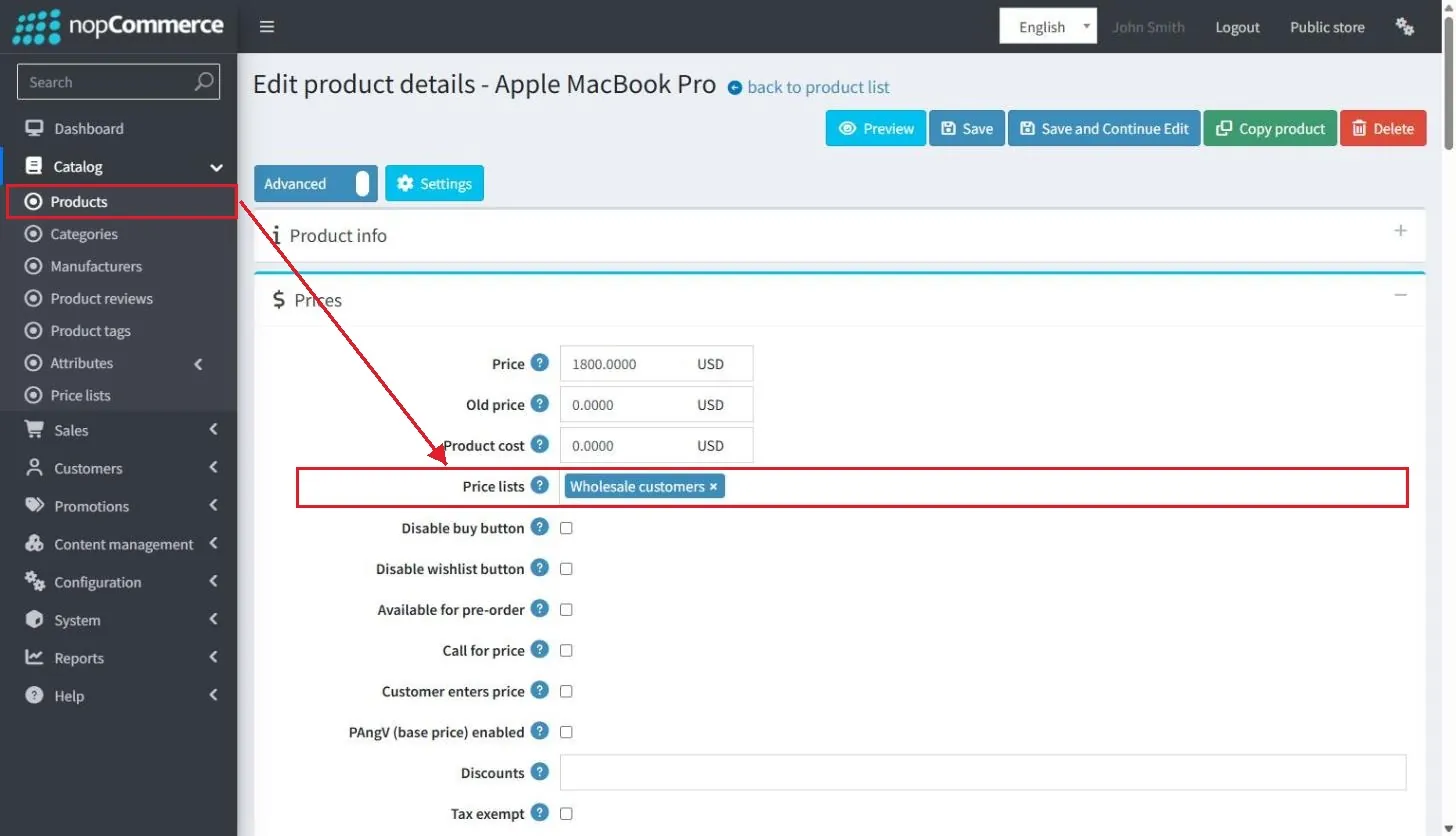
Price lists can be imported from Excel, and #8247 / #8248 let admins view and edit price lists from the product and customer details pages.
PunchOut support (cXML)
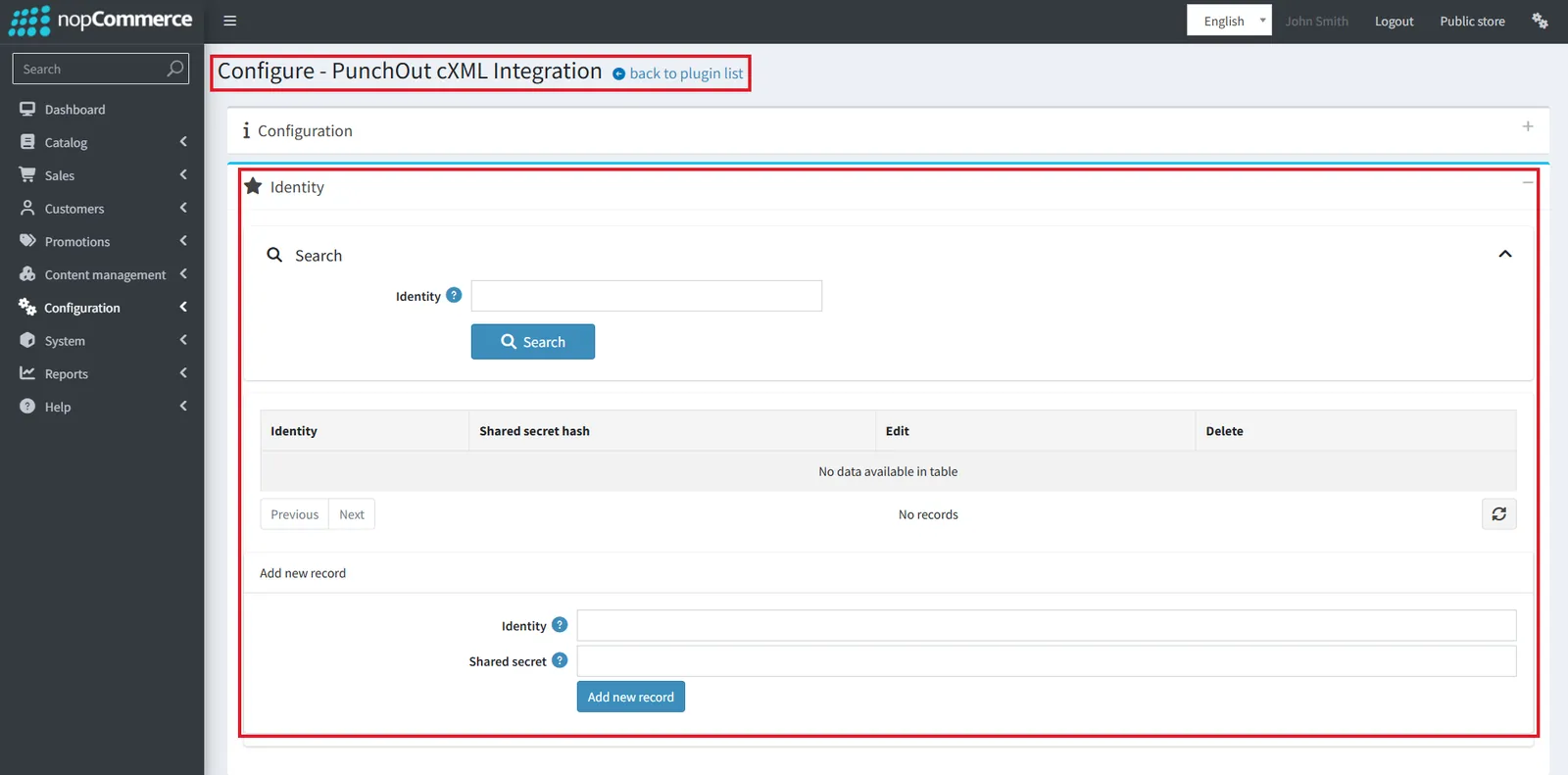
#7389The new PunchOut cXML Integration plugin connects the store to enterprise procurement systems such as SAP Ariba, Coupa and Oracle eProcurement. A buyer opens the store from their procurement system, fills the cart and sends it back for approval.
- SAP Ariba
- Coupa
- Oracle eProcurement
Support split (by vendor) carts
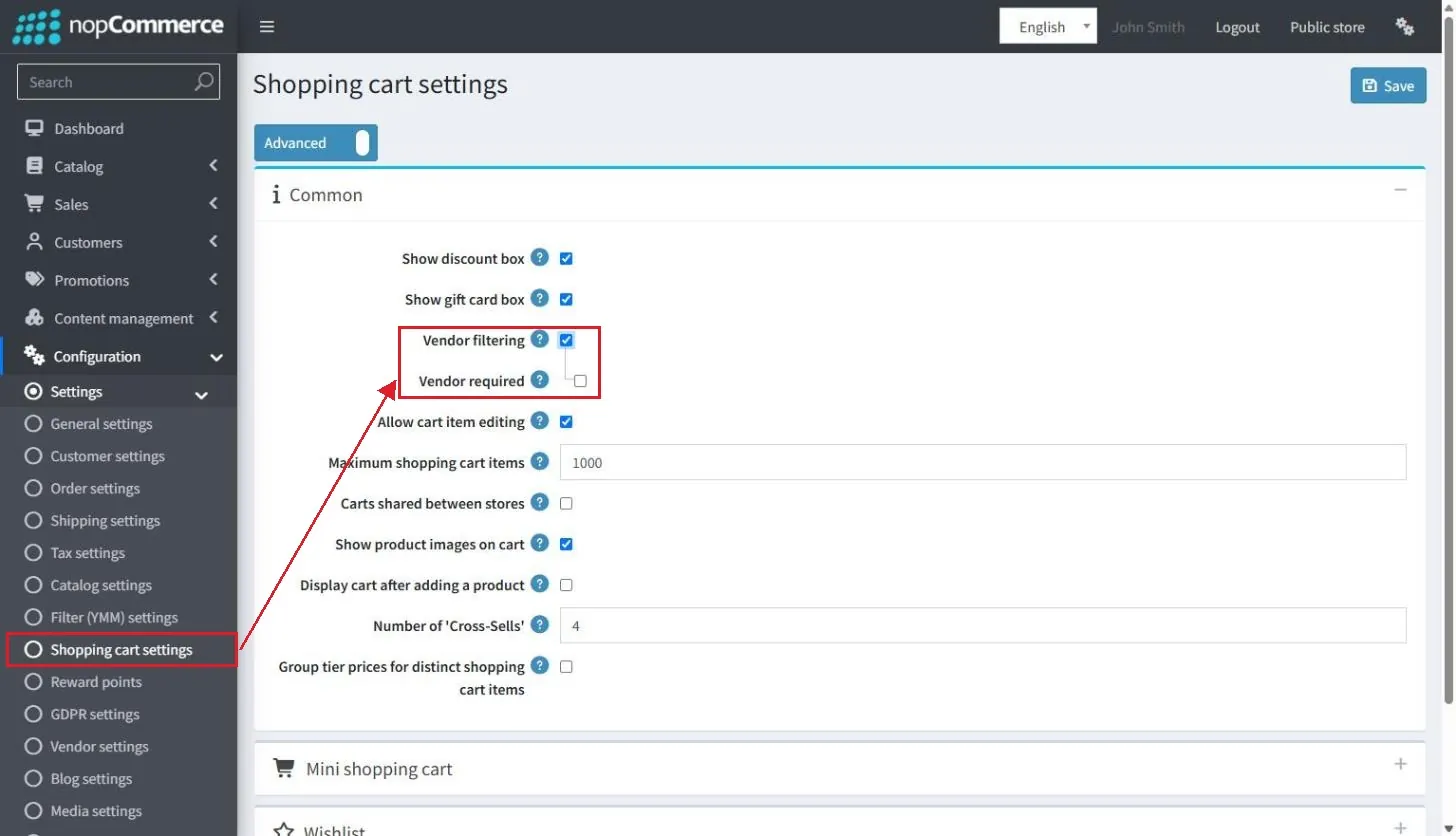
#56Multi-vendor stores can now choose between one consolidated cart and separate carts per vendor. Two new shopping cart settings: Vendor filtering (customers filter cart items by vendor) and Vendor required (customers must choose a vendor before checkout).
- Vendor filtering
- Vendor required
Reminders for abandoned carts, pending registration and pending orders
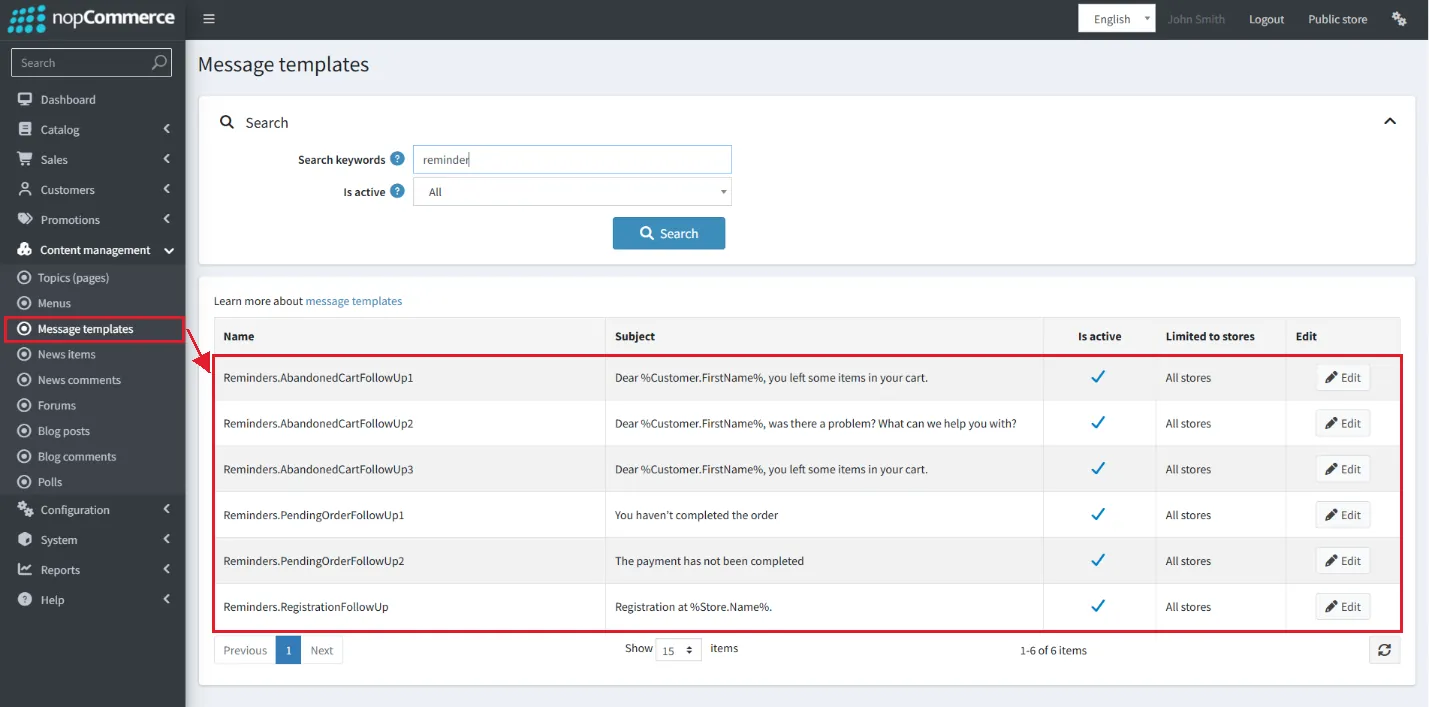
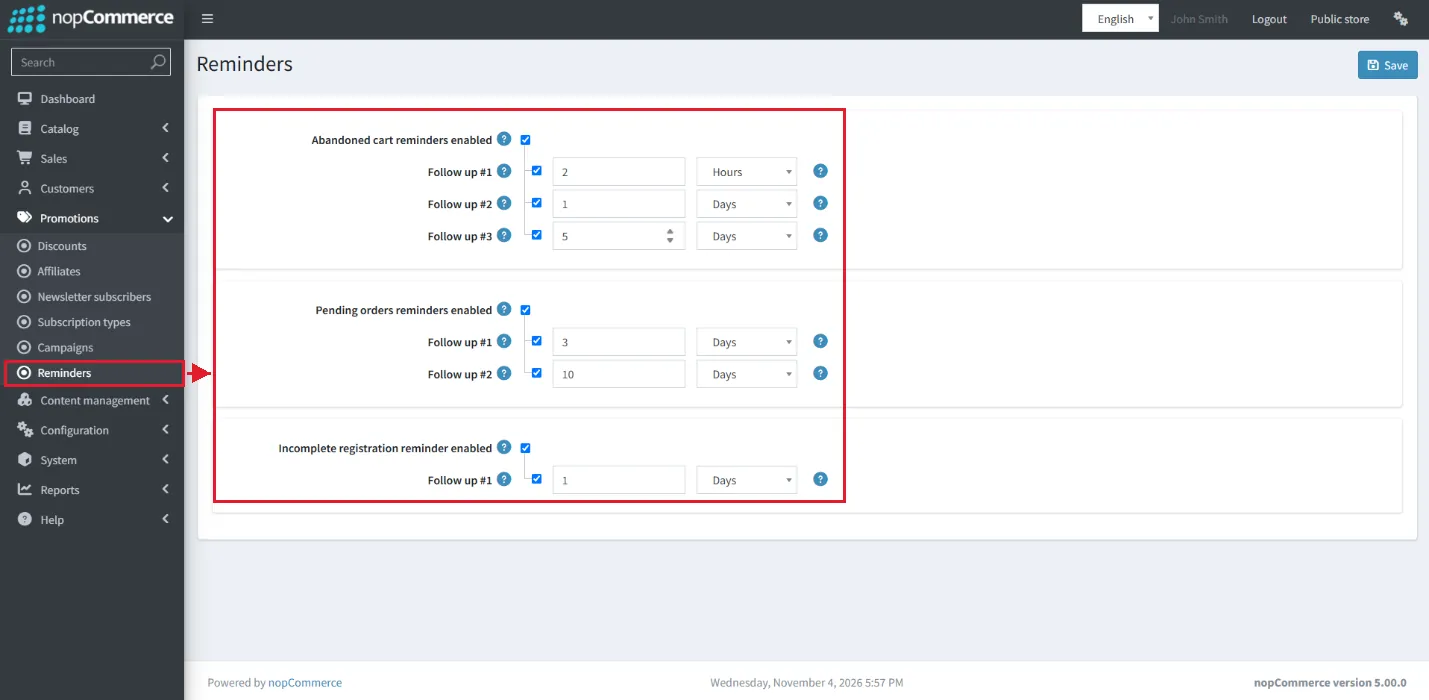
A new Promotions > Reminders page sends automated emails for three cases:
- Abandoned cart remindersUp to three follow-ups
- Pending orders remindersUp to two follow-ups
- Incomplete registration reminderOne follow-up
Each follow-up has its own delay (hours or days) and message template. All three are disabled by default.
Customer experience: phone sign‑in, delivery dates and 3D images
Three highlight features shoppers will notice at sign-in, checkout and on the product page.
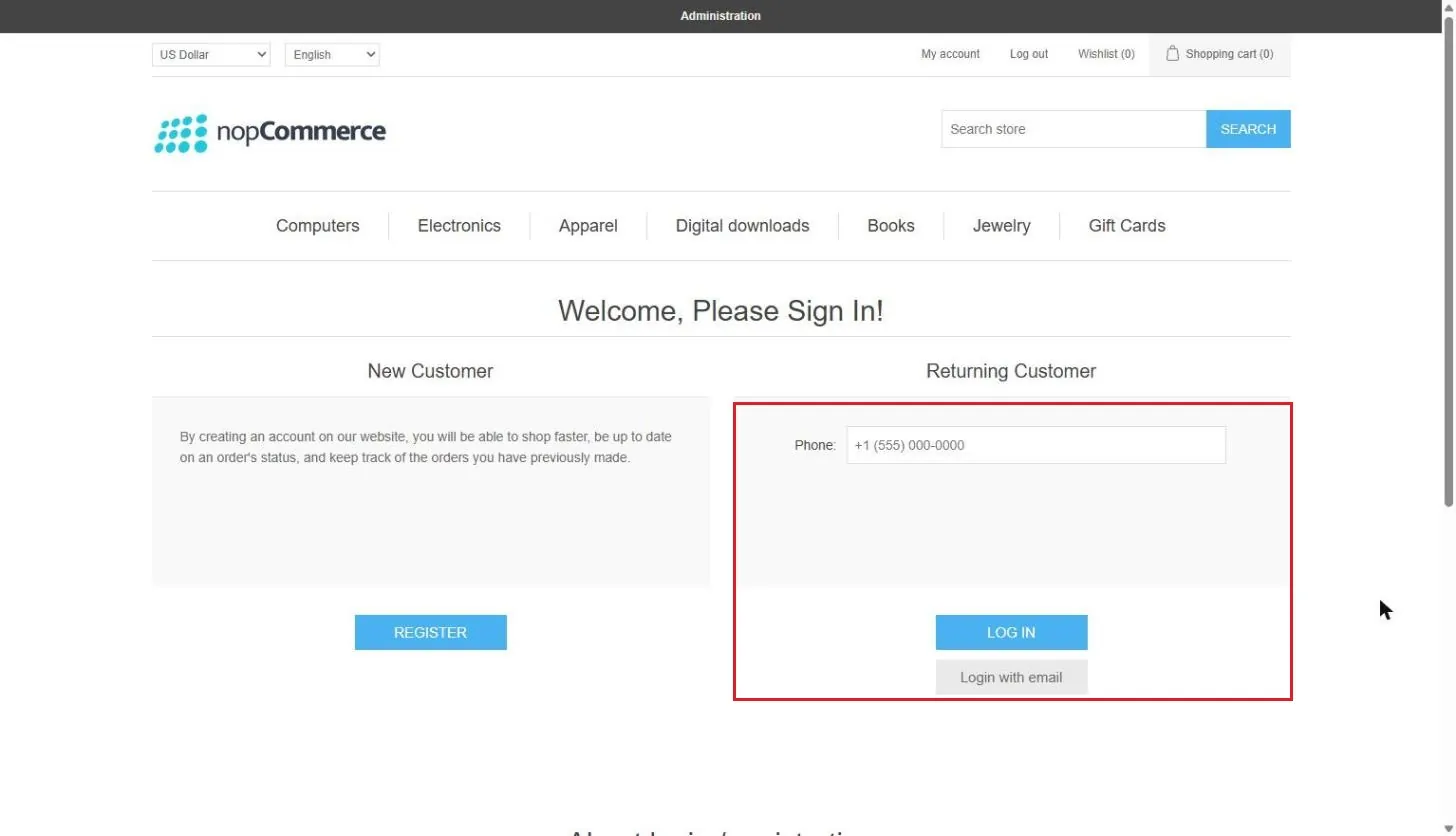
Sign‑in with phone number and SMS
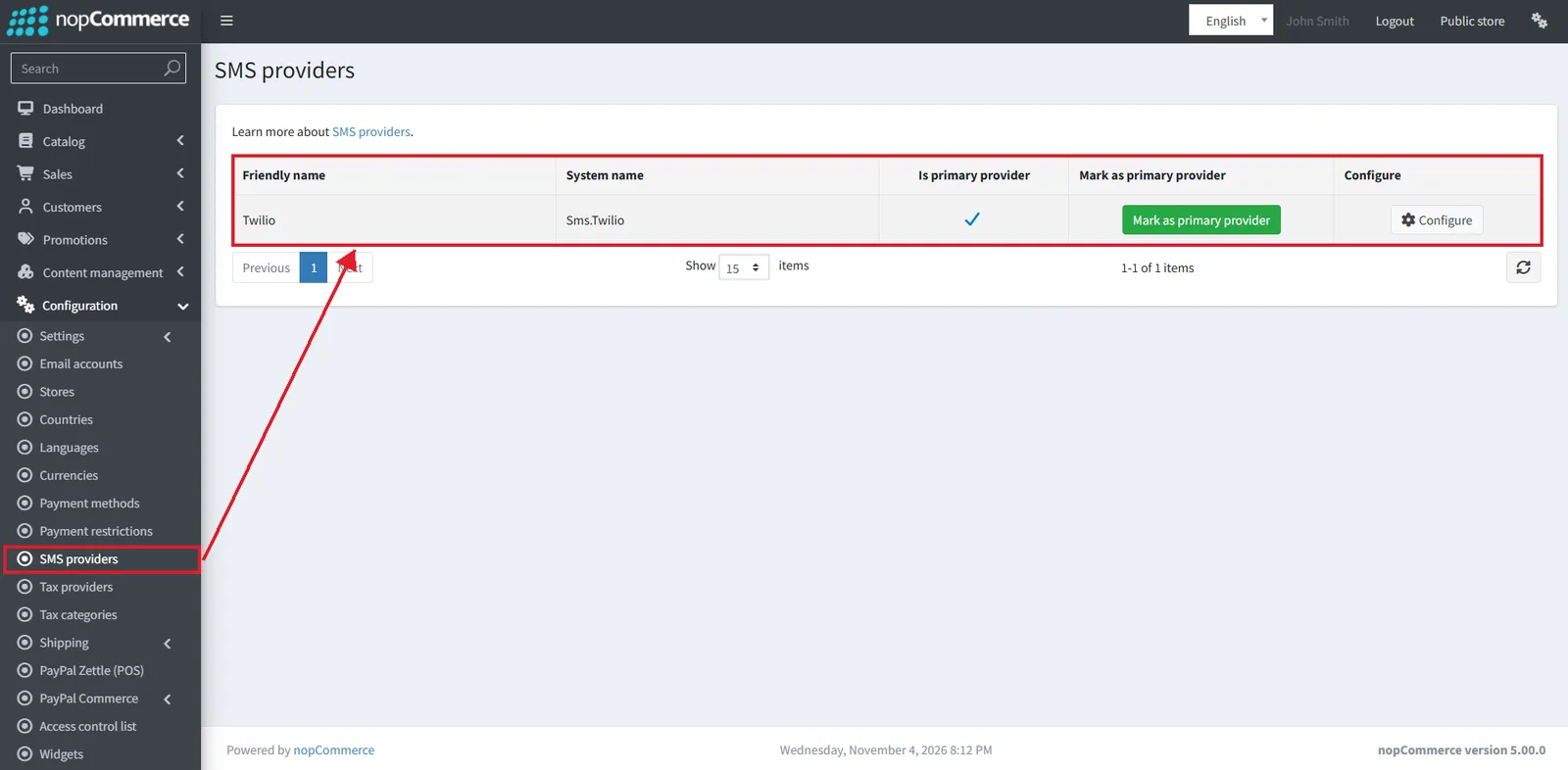
Customers can now log in with a phone number and a one-time password (OTP) as an extra option to email. A new SMS providers list is added, with a Twilio plugin as the first provider.
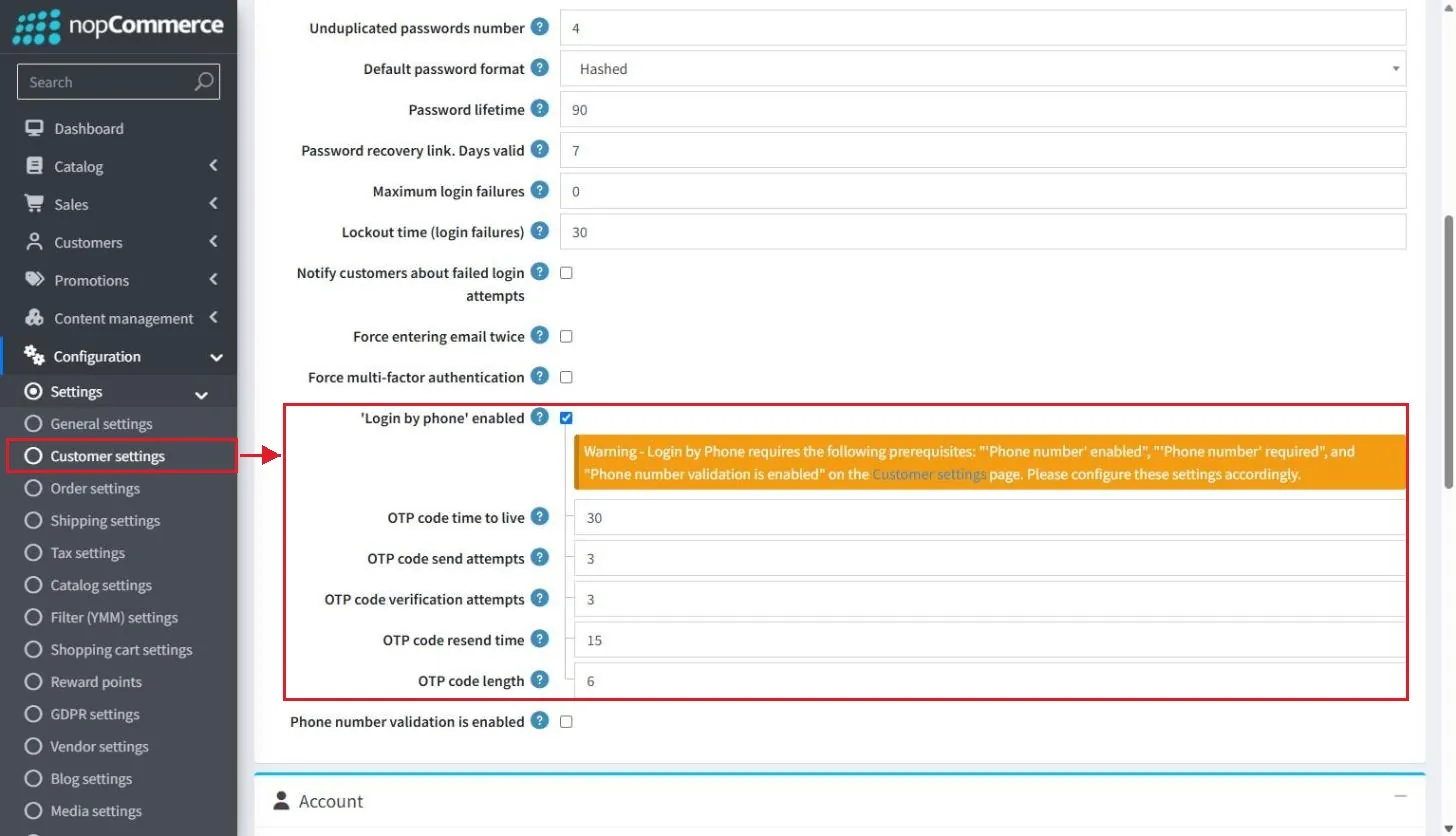
- New customer setting: 'Login by phone' enabled
- OTP options: code length (6), time to live, send attempts, verification attempts and resend time
- #8093 adds advanced phone number validation
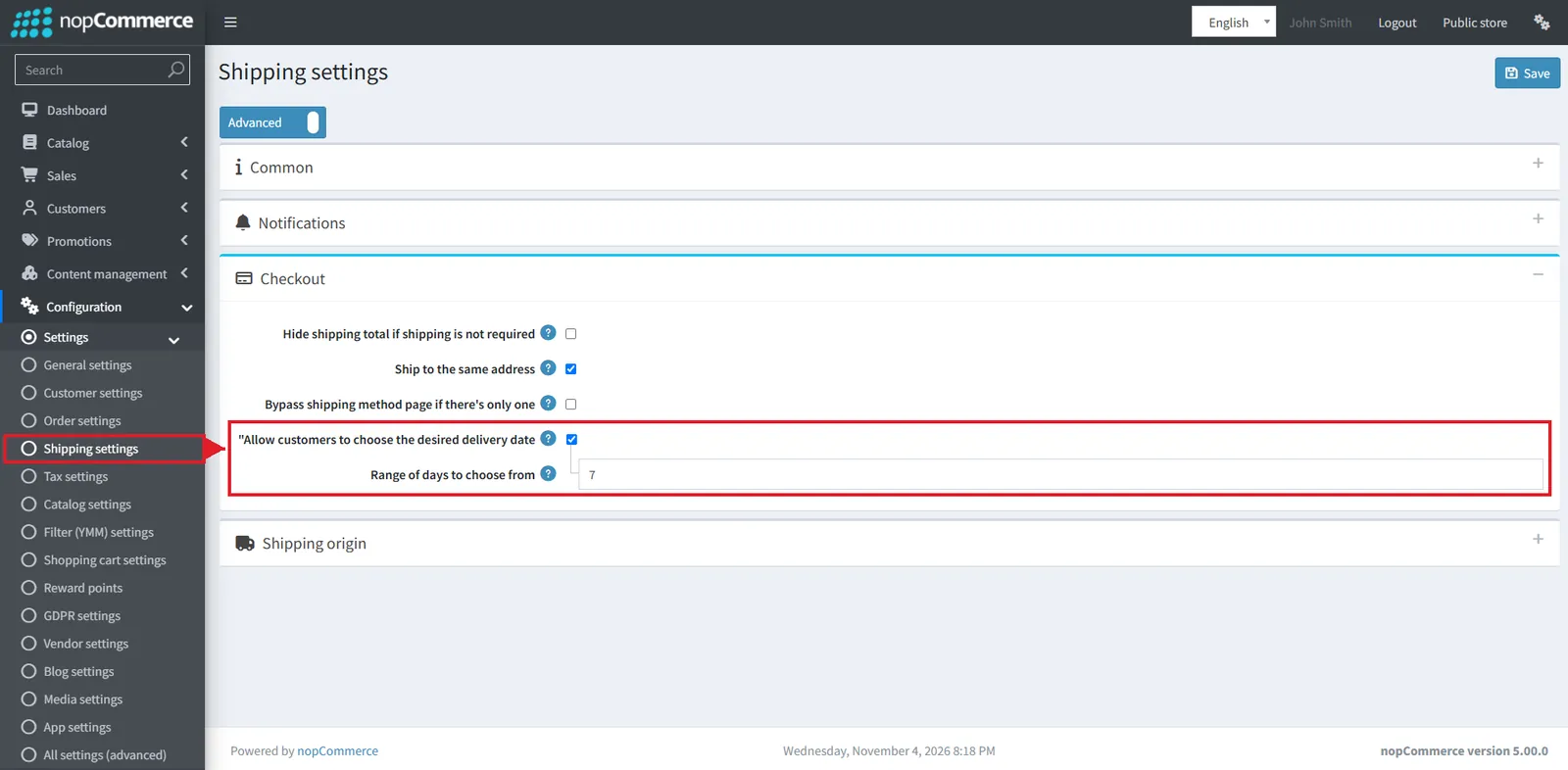
Allow customers to choose a desired delivery date
Shipping settings get "Allow customers to choose delivery date" and "Range of days to choose from" (default 7). The option appears only when the selected shipping method has a TransitDays value. The chosen date shows on the order as "Desired delivery date".
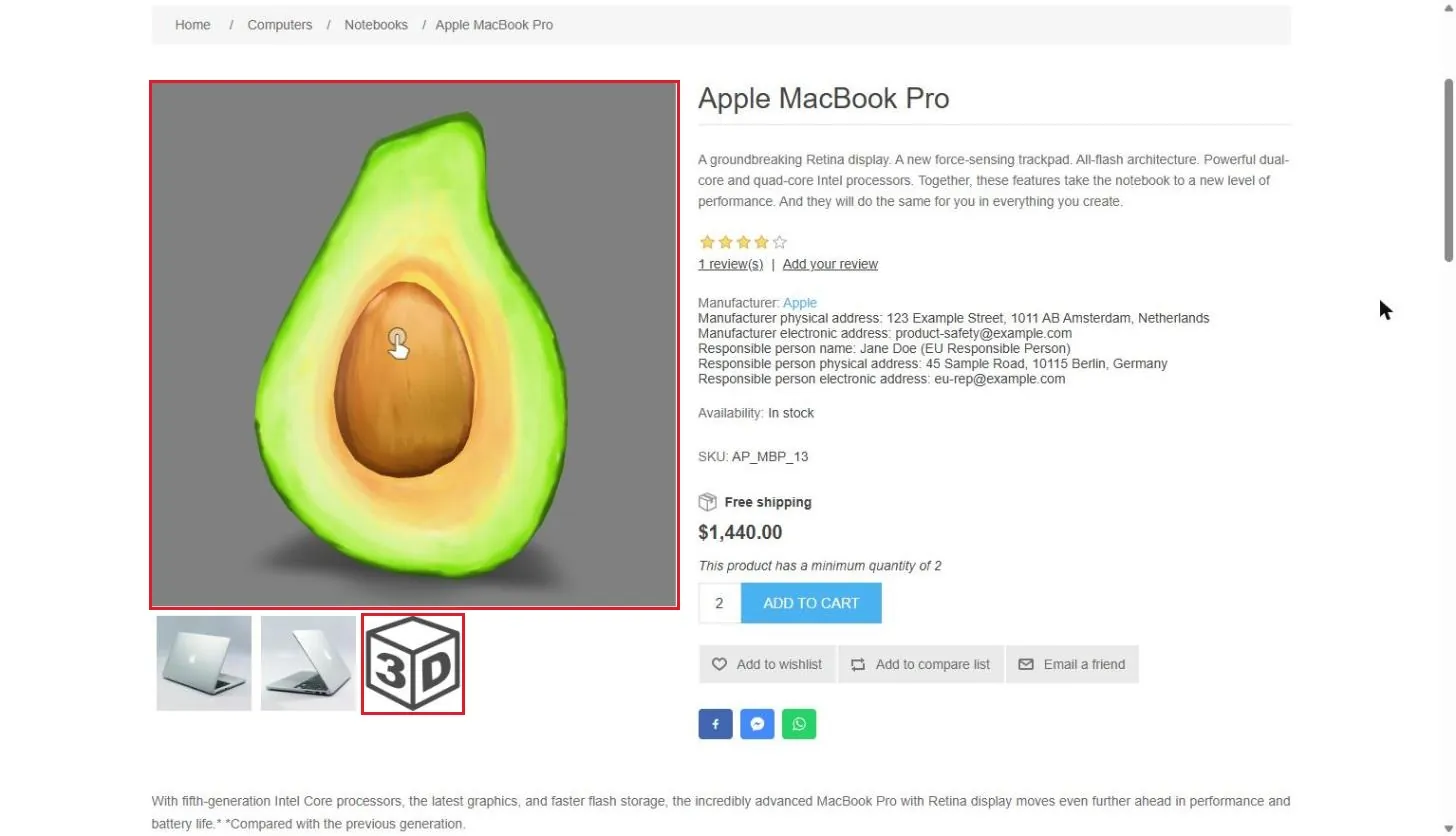
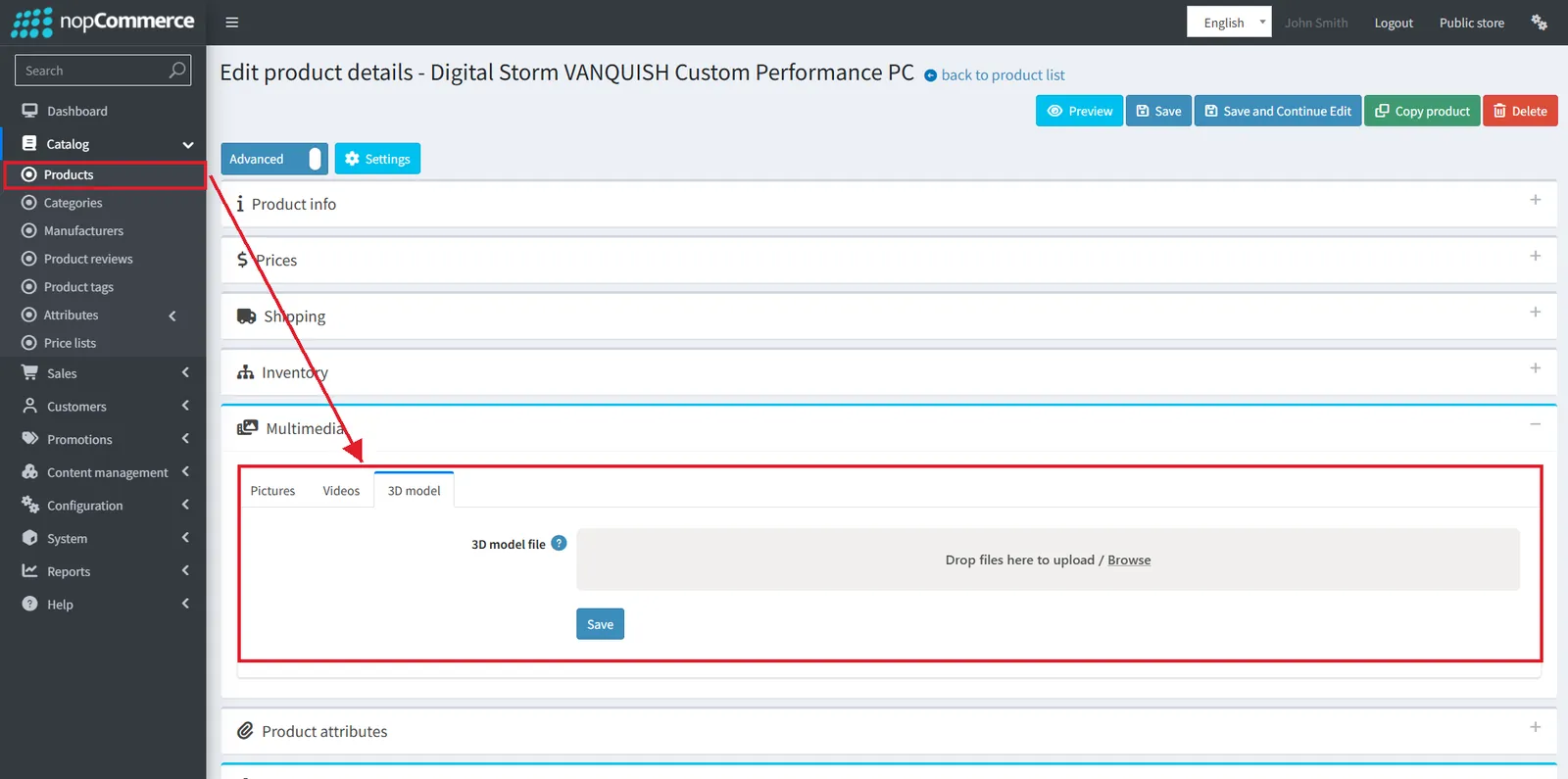
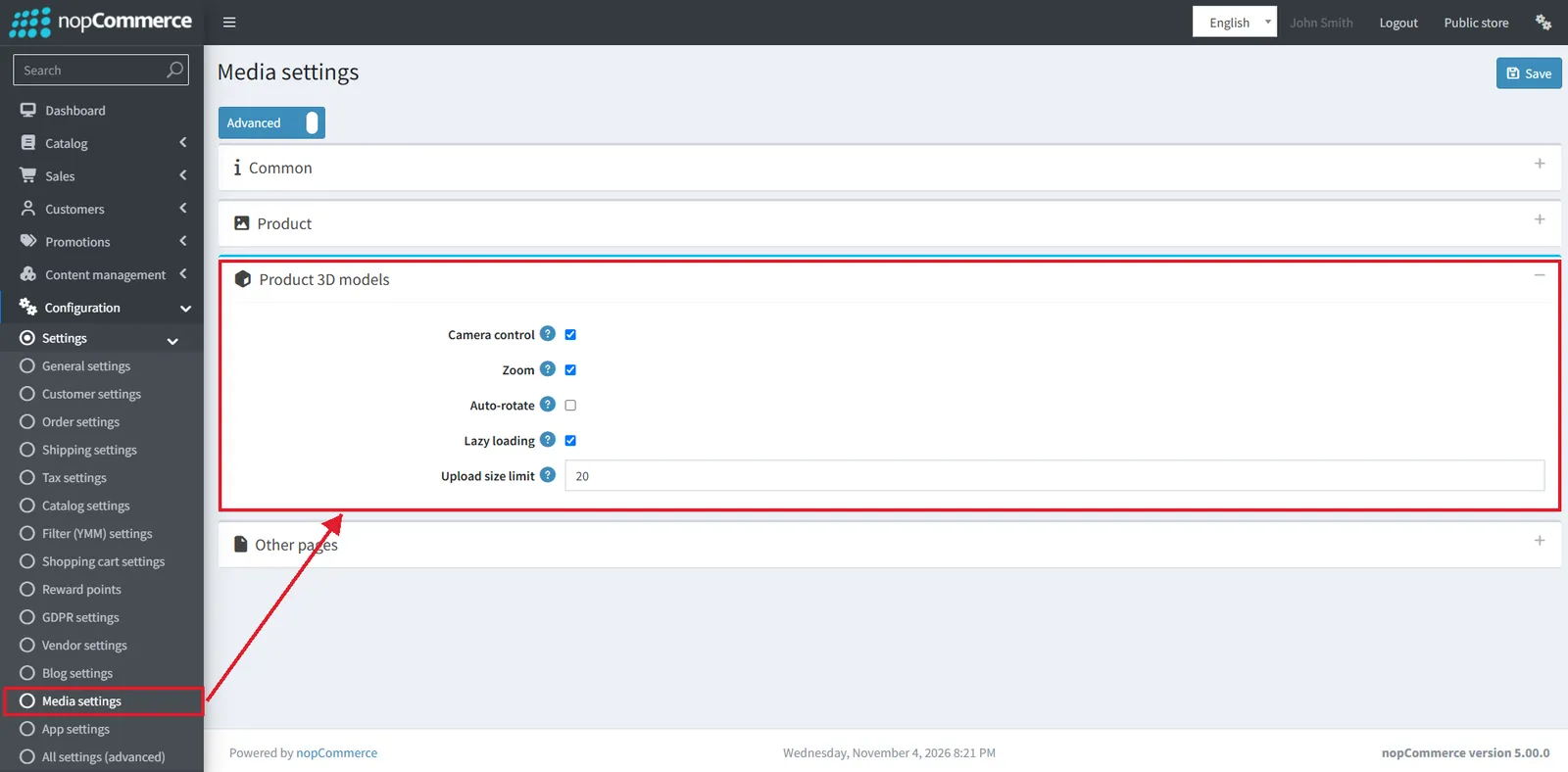
Product 3D images
Products get a new 3D model tab under Multimedia (file, preview, alternative text). Media settings add a Product 3D models block:
- Auto-rotate, camera control and zoom
- Lazy loading and upload size limit (20 MB)
- Vendors can upload 3D models when "Allow vendors to upload 3D models" is on
EU compliance: the Withdrawal Button and GPSR support
Two highlight features help stores selling in the EU meet the withdrawal directive and product safety rules.
EU Withdrawal Button (Directive 2023/2673)
Built on the return request system. The settings block is renamed Return request (withdrawal button) settings and gets new options:
- "Locales for EU Withdrawal"
- "Withdrawal link. Days valid" (default 7)
- "Allow guests to create return requests"
- CAPTCHA on the withdrawal form
Customers get a "Withdraw contract" action and a "Find your order" form with email confirmation.
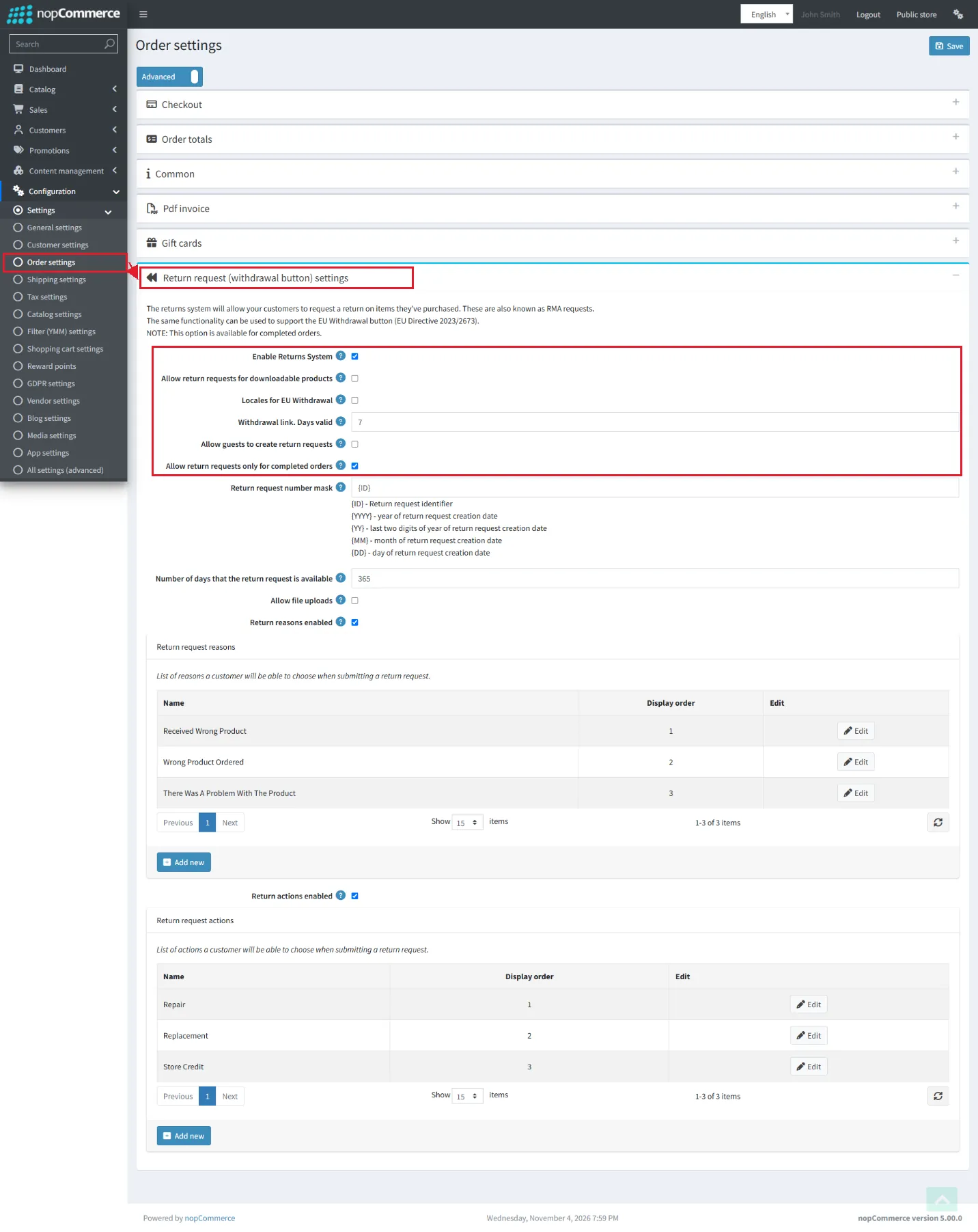 Full settings page
General safety and performance requirements (GSPR) support
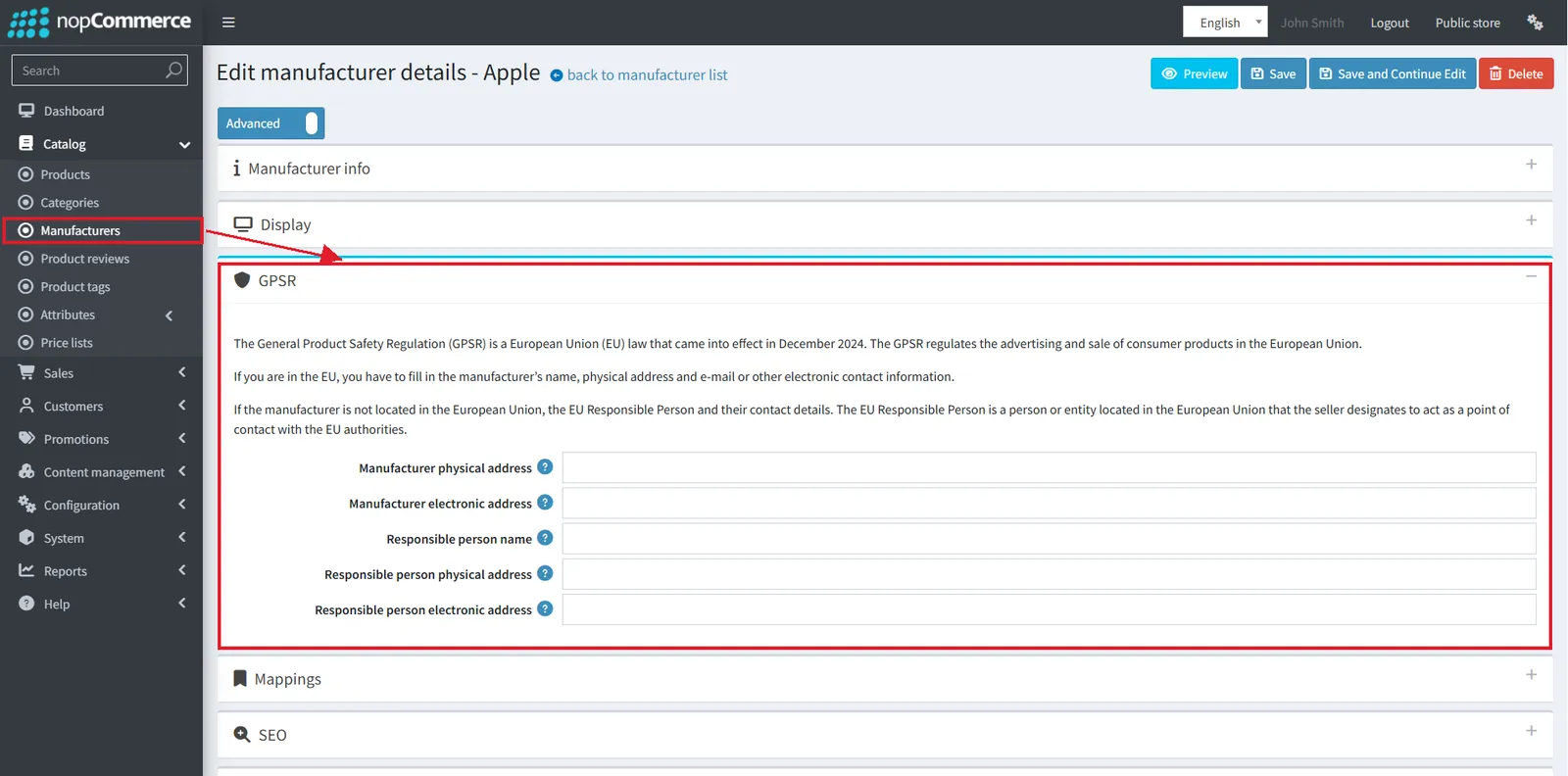
For the EU General Product Safety Regulation, manufacturers get a new GPSR block:
- Manufacturer physical and electronic address
- Responsible person name
- Responsible person physical and electronic address
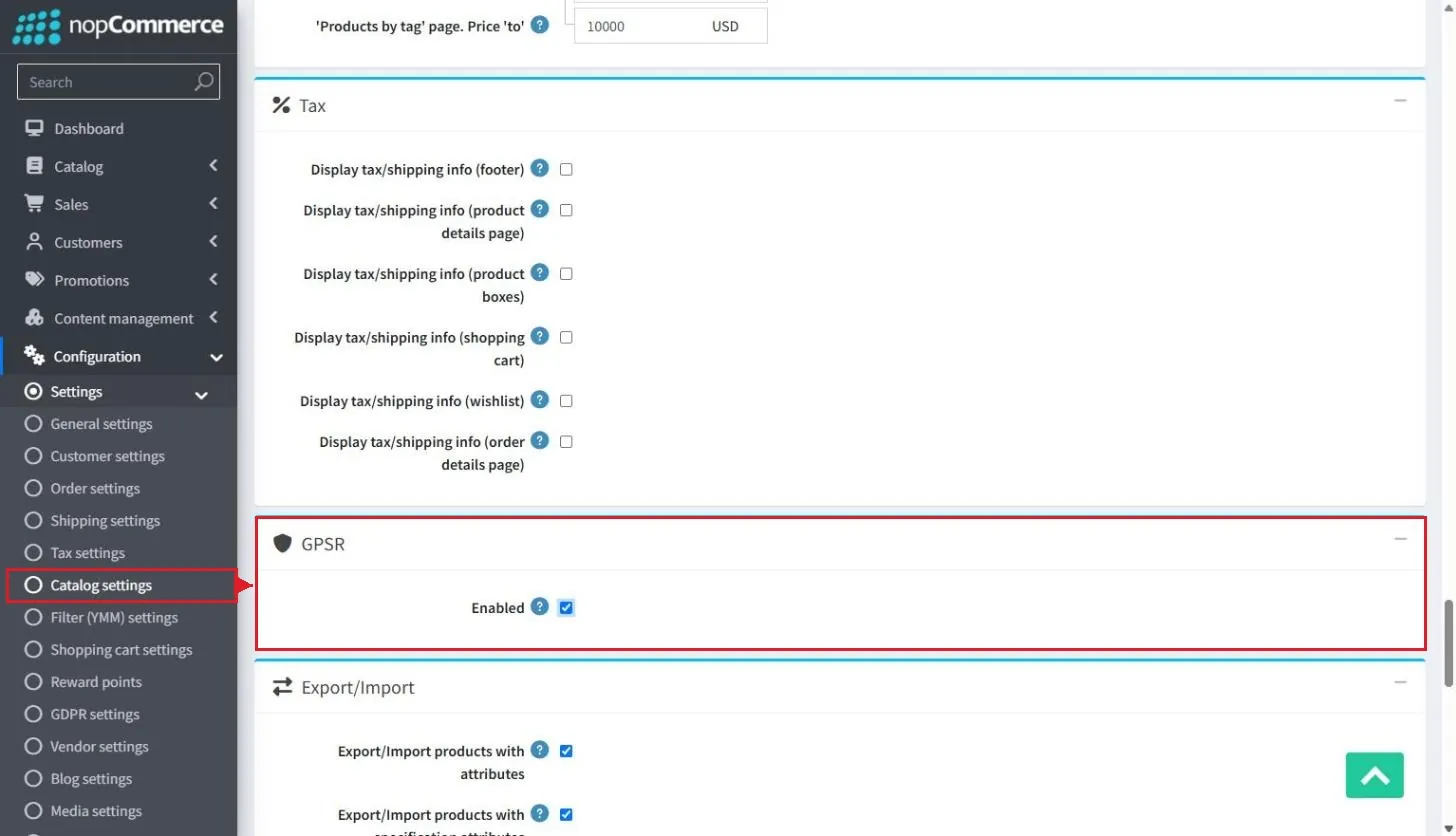
A GPSR "Enabled" setting in Catalog settings shows this information in the public store.
Other new features and improvements
Smaller changes that store owners and customers will meet day to day.
Auto cancel unpaid orders
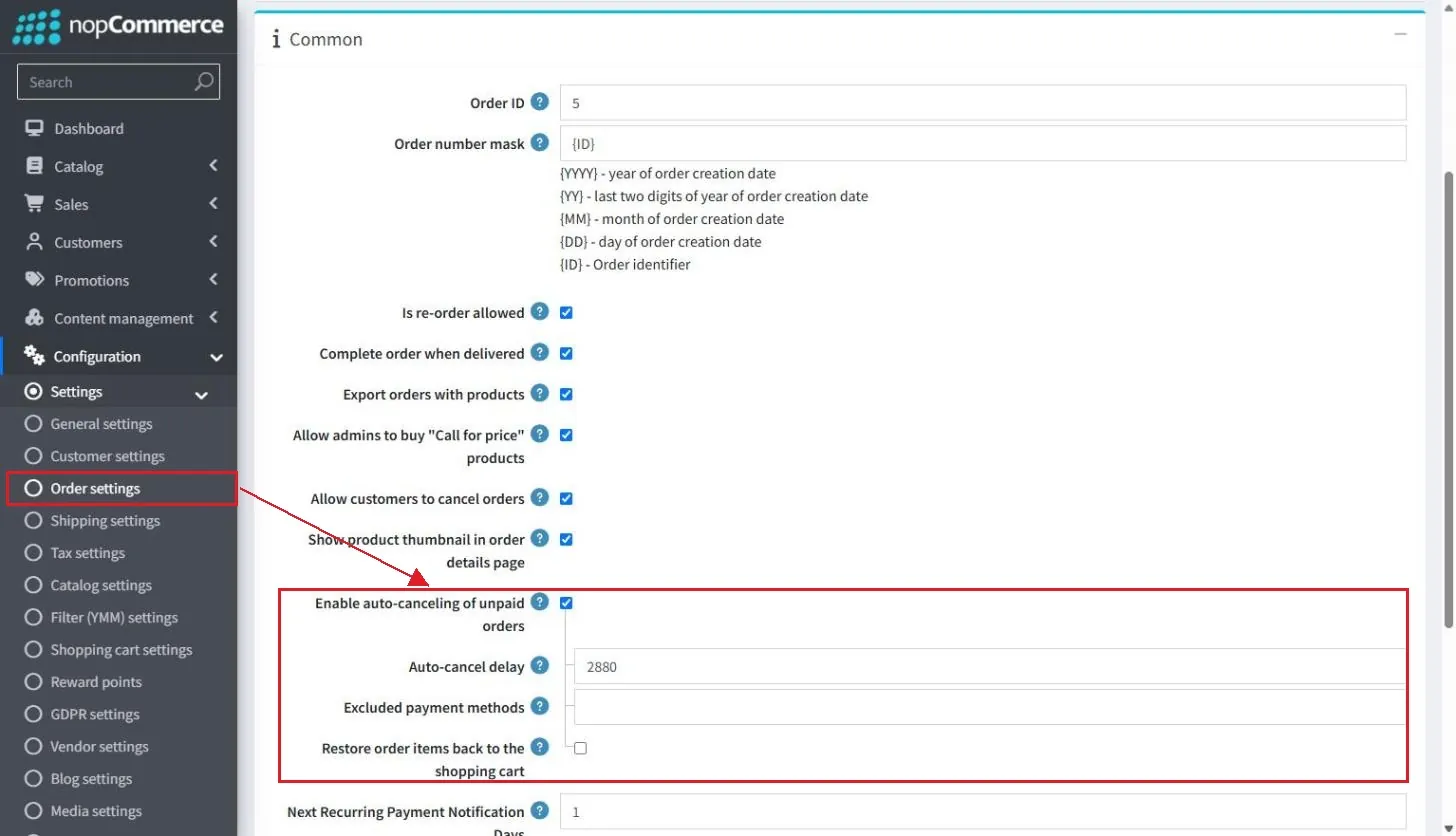
#8120Order settings get "Enable auto-canceling of unpaid orders", an auto-cancel delay (48 hours by default), excluded payment methods, and "Restore order items back to the shopping cart". Disabled by default.
 2 screenshots
Search history for customers
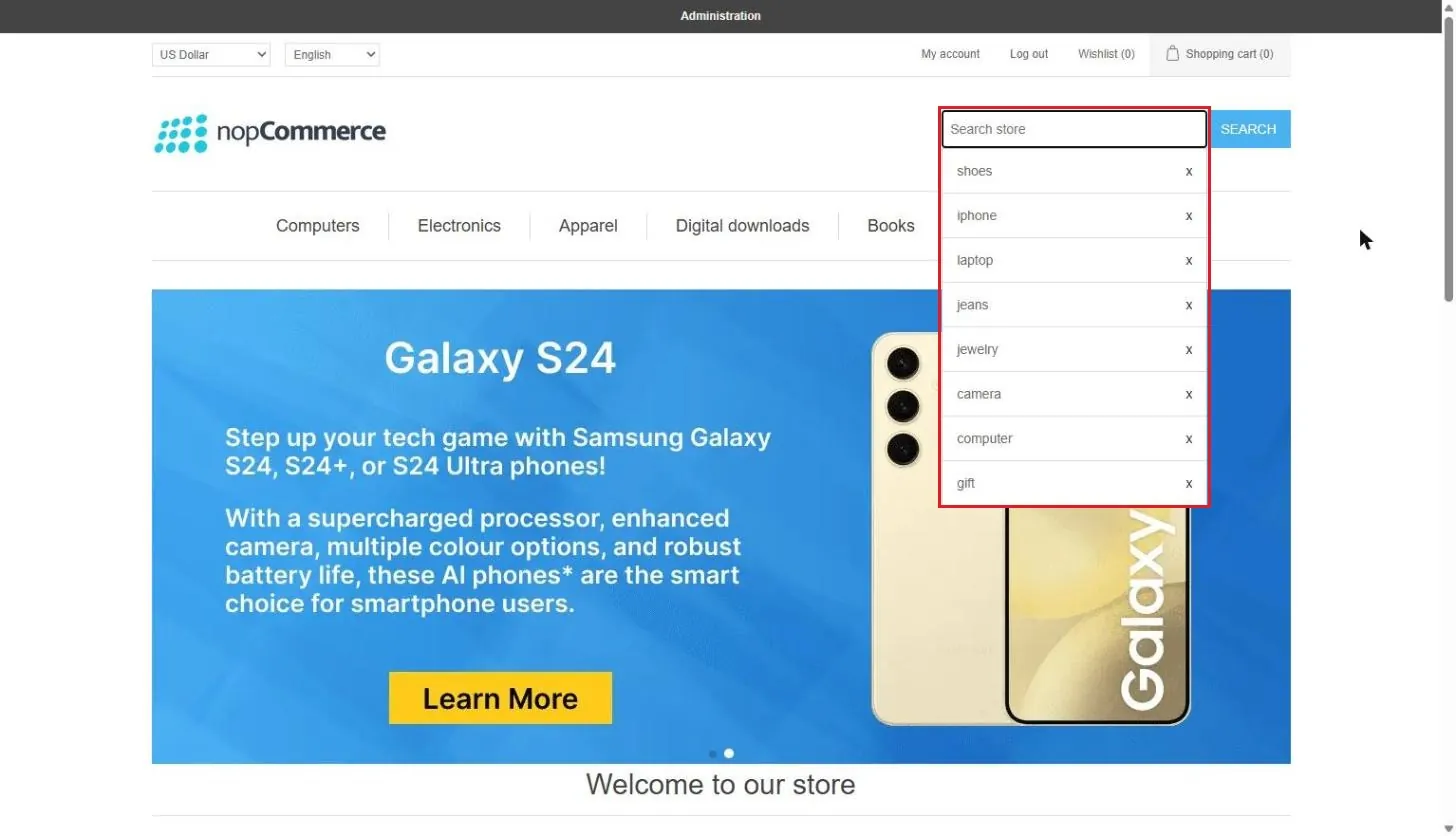
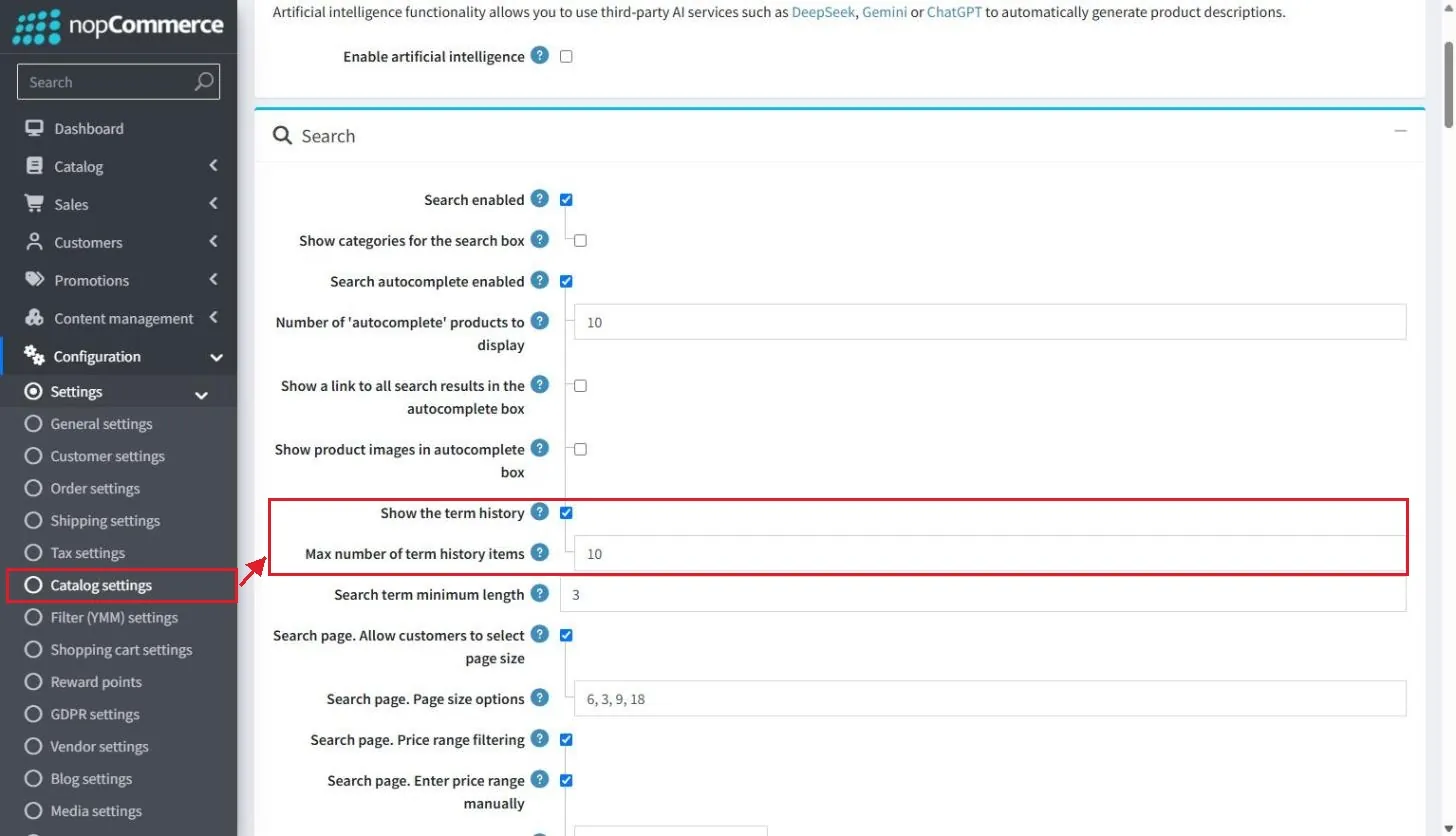
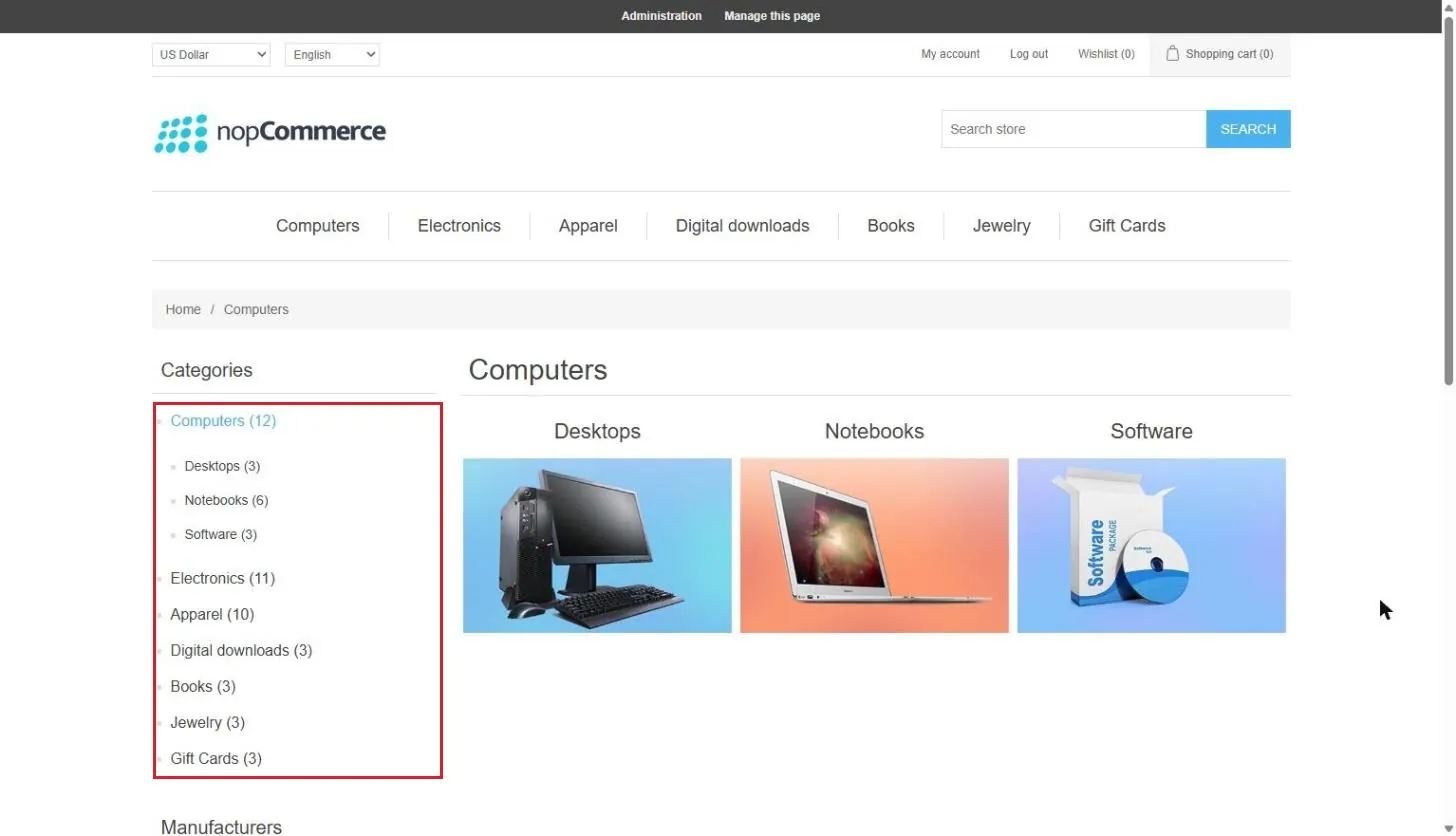
#8069The search box autocomplete now shows the customer's recent search terms. Catalog settings add "Show the term history" and "Max number of term history items" (default 10). A "Clear search history" action is added under System > Maintenance.
 2 screenshots
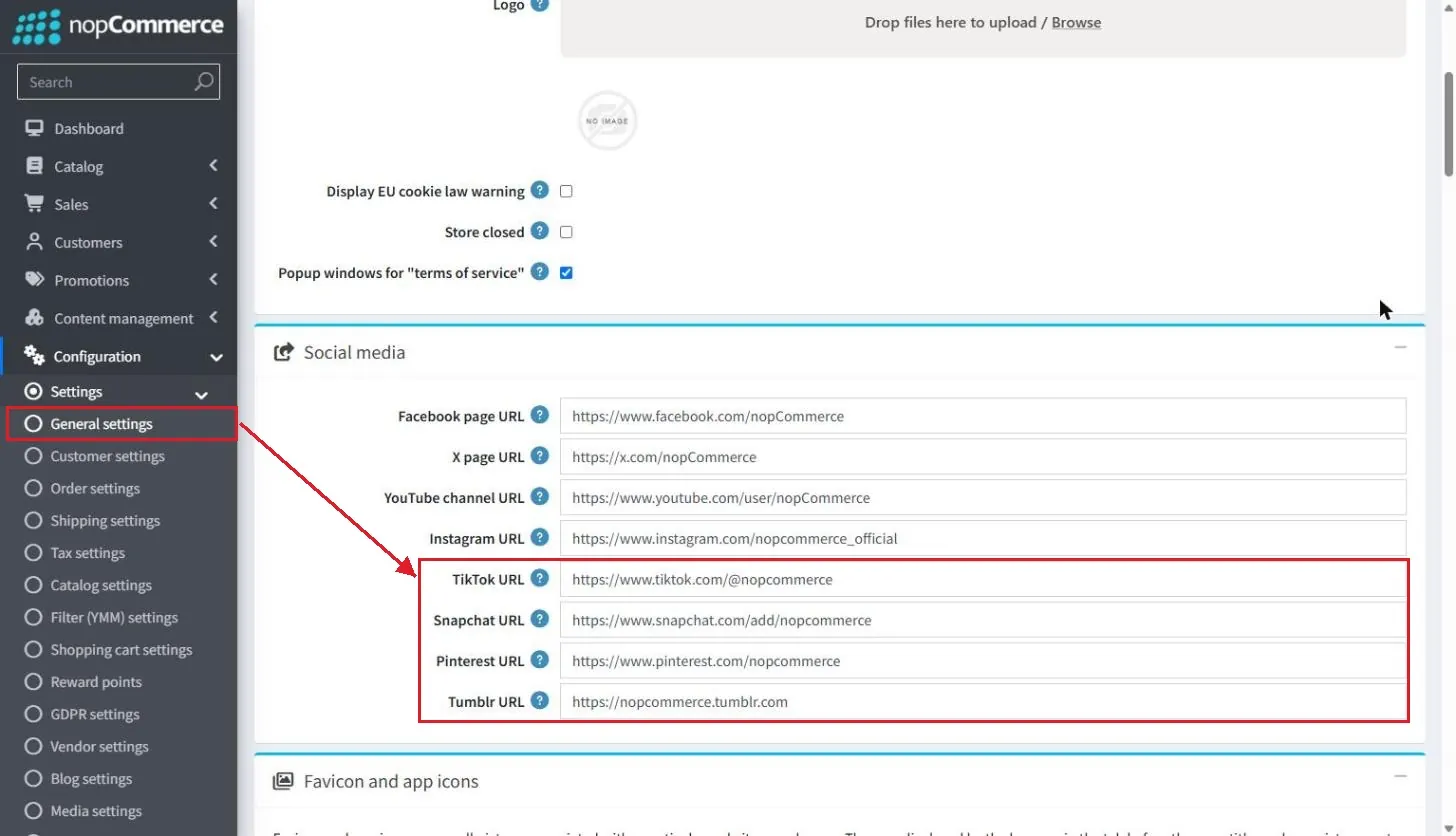
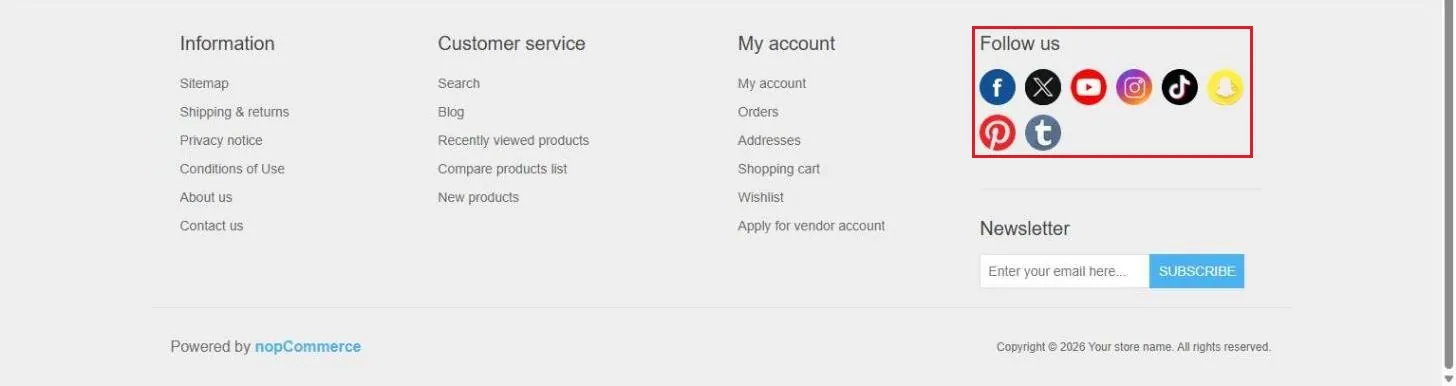
Configurable fields for contact us form
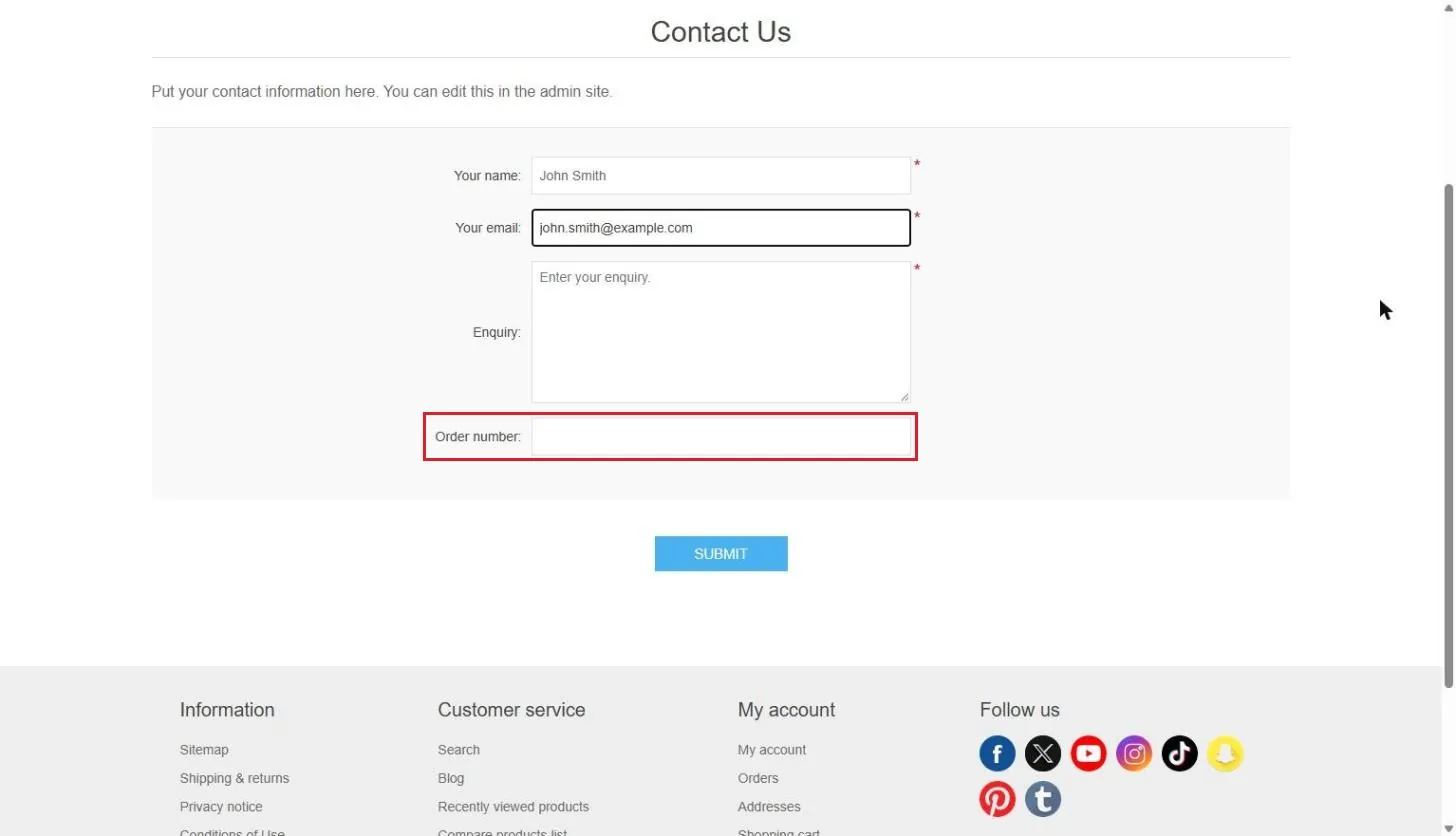
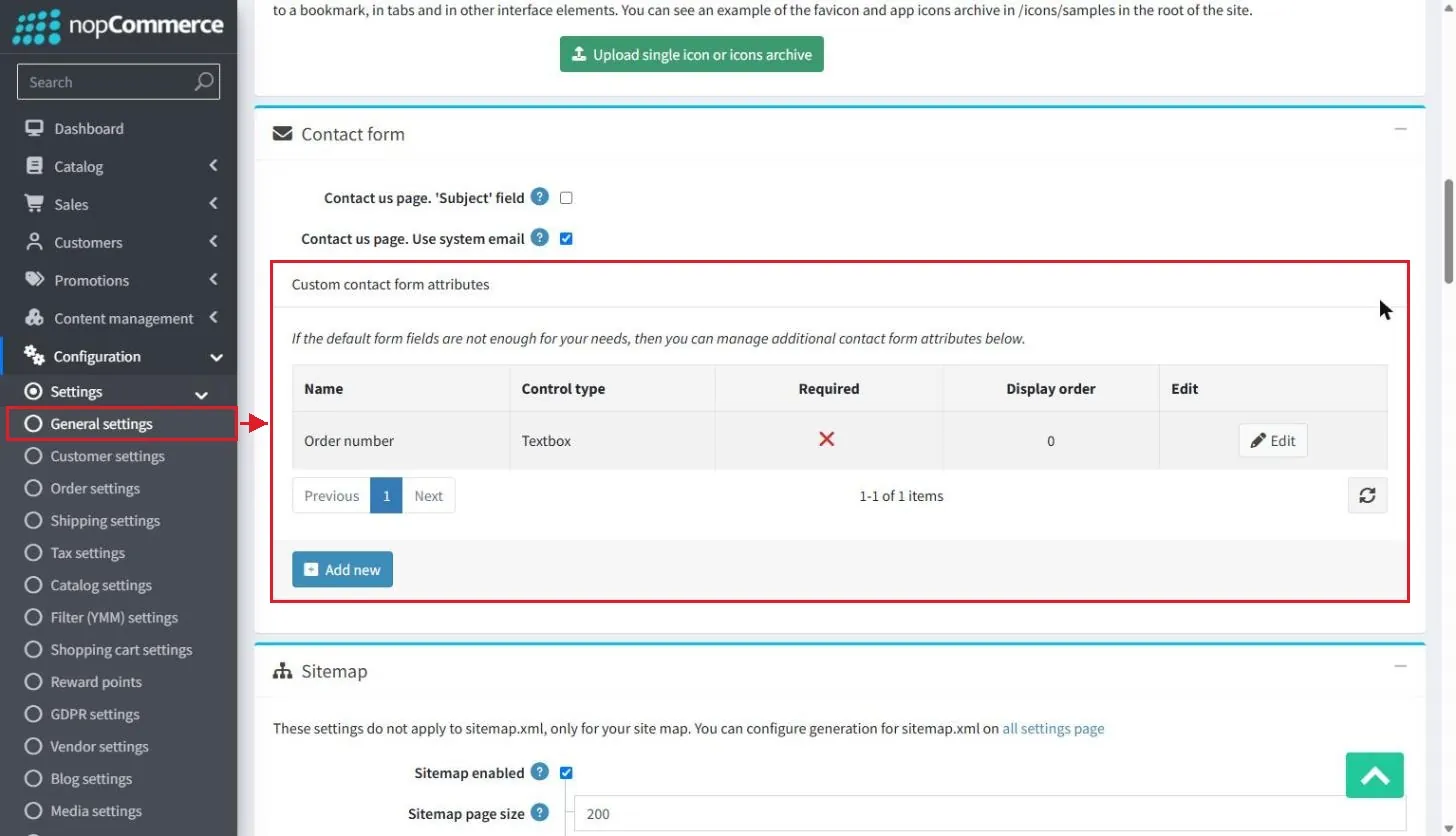
#1832General settings get a Contact form block where store owners add custom contact form attributes (name, control type, required, display order and values).
 2 screenshots
Quotes (Request for quote plugin)
Four changes to the quote flow.
| Issue | What changed | Who it affects |
|---|---|---|
| #7895 | The quote request form supports CAPTCHA. | Store owner |
| #7841 | Quotes can be exported to PDF. | Store owner |
| #7909#7915 | Zero quantities are blocked and quantities are validated on the server. | Customer |
| #8330 | The quote pages have a refreshed, cleaner layout. | Customer |
Settings and admin changes
Return requests only when order status is completed #3456
New order setting "Allow return requests only for completed orders" (on by default).
Downloadable (digital) products that can't be returned #8229
New setting "Allow return requests for downloadable products" (off by default).
Recurring payments: reminder email before the next payment #309
Customers get an automated email before the next recurring payment. The new "Next Recurring Payment Notification Days" setting controls how many days before (0 disables it).
Custom wishlists #7906#7907
Customers can rename their custom wishlists, and duplicate wishlist names are no longer allowed.
Installation page: progress screen with details #8072
The installer now shows a progress screen with step-by-step details.
System information improvements #8074#8073
System information now shows used memory (MB) and the latest available nopCommerce version with a link to its release notes. #8075 displays the database size on the Maintenance page, and #8151 / #7975 add confirmations to Maintenance actions and to "Uninstall and delete all not used plugins".
Multistore preview for any entity #7355
The store preview introduced earlier now works for any entity, not just products.
Bug fixes worth knowing
Beyond the new features, 5.00 fixes a number of issues that store owners and customers ran into in 4.90. These are the most noticeable ones:
| Issue | What was fixed | Who it affects |
|---|---|---|
| #8021 | Circular "required product" links are blocked. They used to cause an infinite loop. | Store owner |
| #3618 | Returning from a payment gateway no longer creates a new guest customer. | Store owner |
| #8362 | Category pages sort products by their display order. | Customer |
| #8094 | The product review link opens the product details page. | Customer |
| #8414 | A return request can no longer exceed the quantity ordered. | Store owner |
| #8020 | The Order Notes field clears after a note is submitted. | Store owner |
| #7999 | State/Province shows its required-field marker. | Customer |
| #7918 | URLs route correctly when an item has no slug in the default language. | Store owner |
| #8135#8299 | Product structured data (JSON-LD) uses the right schema for variants and includes the review author. | Store owner (SEO) |
| #8065#8306 | The UPS plugin handles decimal separators and shipment weight correctly in German stores. | Store owner |
| #8289#8384 | Message templates are sent and tested in the correct language. | Store owner |
| #8360 | GDPR delete also removes a customer's custom wishlists and their items. | Customer |
nopCommerce 5.00 FAQ
Quick answers on the release, its requirements and what it means for your store.
Ask our teamWhen was nopCommerce 5.00 released?
What are the requirements for nopCommerce 5.00?
What AI features are new in nopCommerce 5.00?
Does nopCommerce 5.00 support B2B price lists?
What EU compliance features does nopCommerce 5.00 add?
Will my 4.90 plugins and themes work on nopCommerce 5.00?
What security fixes are in nopCommerce 5.00?
Security fixes in nopCommerce 5.00
5.00 also closes several security gaps. For many stores, these fixes alone are a good reason to upgrade.
| Issue | What was fixed | Who it affects |
|---|---|---|
| #8131 | The login and password recovery pages no longer reveal whether an email is registered. | Customer |
| #8314#8391 | Phone/OTP login is protected against brute-force attempts, with an enforced attempt limit. | Customer |
| #8285#8312#8318 | XSS fixes in the Markdown editor and forums. Forum content is cleaned with HtmlSanitizer. | Store owner |
| #8233 | Uploading plugin or theme packages is protected against zip-slip attacks. | Store owner |
| #8390 | 3D model uploads accept valid file types only. | Store owner |
| #8388 | A customer can no longer use another customer's quote prices. | Store owner |
| #8417#8415 | Vendors can't link products across vendors or access price lists. | Multi-vendor stores |
| #8055#8057#8059#8389#8392#8395 | Permission checks added to the Brevo, Omnisend, Request for quote, Reminders, Google Authenticator and Avalara pages. | Store owner |
Changes for developers (plugins and themes)
5.00 is a major version, so plugins and themes built for 4.90 must be updated and retested. These are the changes most likely to affect custom code:
| Issue | Change | What to check |
|---|---|---|
| #7673 | AutoMapper is replaced with Mapster. | Update plugins that register their own mapping profiles. |
| #7851 | Synchronous service methods moved into a separate helper class. | Update code that calls the synchronous methods. |
| #8270 | Obsolete PictureId properties removed from ProductAttributeCombination and ProductAttributeValue. | Use the multiple-pictures collections instead. |
| #7340#7368#7336#8115#8317 | News, polls and forums moved to plugins (Misc.News, Misc.Polls, Misc.Forums). Private messages are separate from forums, and BBCode is the default forum editor. | Install these plugins if the store uses them. Private message settings are now in Customer settings. |
| #7462 | Roxy Fileman is replaced with elFinder in the rich text editor. | Retest custom editor integrations. |
| #8104 | ThemeableViewLocationExpander refactored. A theme can now override plugin views. | Retest themes that customize plugin views. |
| #7848 | The %Order.CustomValues% token is split into several tokens by zone. | Update custom message templates. |
| #8169#8170 | Payments.Manual is removed from the core, and the credit card fields moved into that plugin. | Install the plugin if you take manual card payments. |
| #7740#7092#8076#5254 | Async fixes remove thread-pool starvation under high traffic. View component methods are now asynchronous. | Update custom view components. |
| #8149#7844 | Test projects use AwesomeAssertions. Client-side validation is restored with FluentValidation 12. | Update test projects and validators. |
| #8145#8146#8212#8117 | FluentMigrator targets MySQL 8 and PostgreSQL 15 (older PostgreSQL dropped). Deadlocks in bulk methods fixed. New "Close dataContext after use" and "Check constraints during bulk copy" app settings. | Check your database version before upgrading. |
| #8050 | Subcategories are bulk-updated in DeleteCategoryAsync. | No action. Category deletes are faster. |
| #196 | Third-party packages updated for .NET 10 (for example Mapster 10.0.12 and libphonenumber-csharp). | Align your plugin package versions. |
nopCommerce 5.00 upgrade
Move your store to nopCommerce 5.00 with nopStation
We upgrade stores, update third-party and custom plugins, migrate themes and test everything on staging before your store goes live.
Published by Nadia, nopStation.




.webp)