Connect nopCommerce with Microsoft Power BI for Centralized Business Reporting and Management The nopStation Power BI Plugin brings Microsoft Power BI reporting and management into your nopCommerce administration area. It allows administrators to deploy reports, configure database connections, manage data refresh operations, and view business reports without switching between separate environments. With provider-specific starter reports for SQL Server, MySQL, and PostgreSQL, the plugin simplifies the process of connecting your nopCommerce store with Power BI.
The plugin provides a centralized management experience for Power BI operations, covering Microsoft authorization, report deployment, connection binding, dataset inspection, and report management. Administrators can select My Workspace or an accessible Power BI workspace, manage the required Microsoft authorizations, and control reporting operations directly from nopCommerce administration.
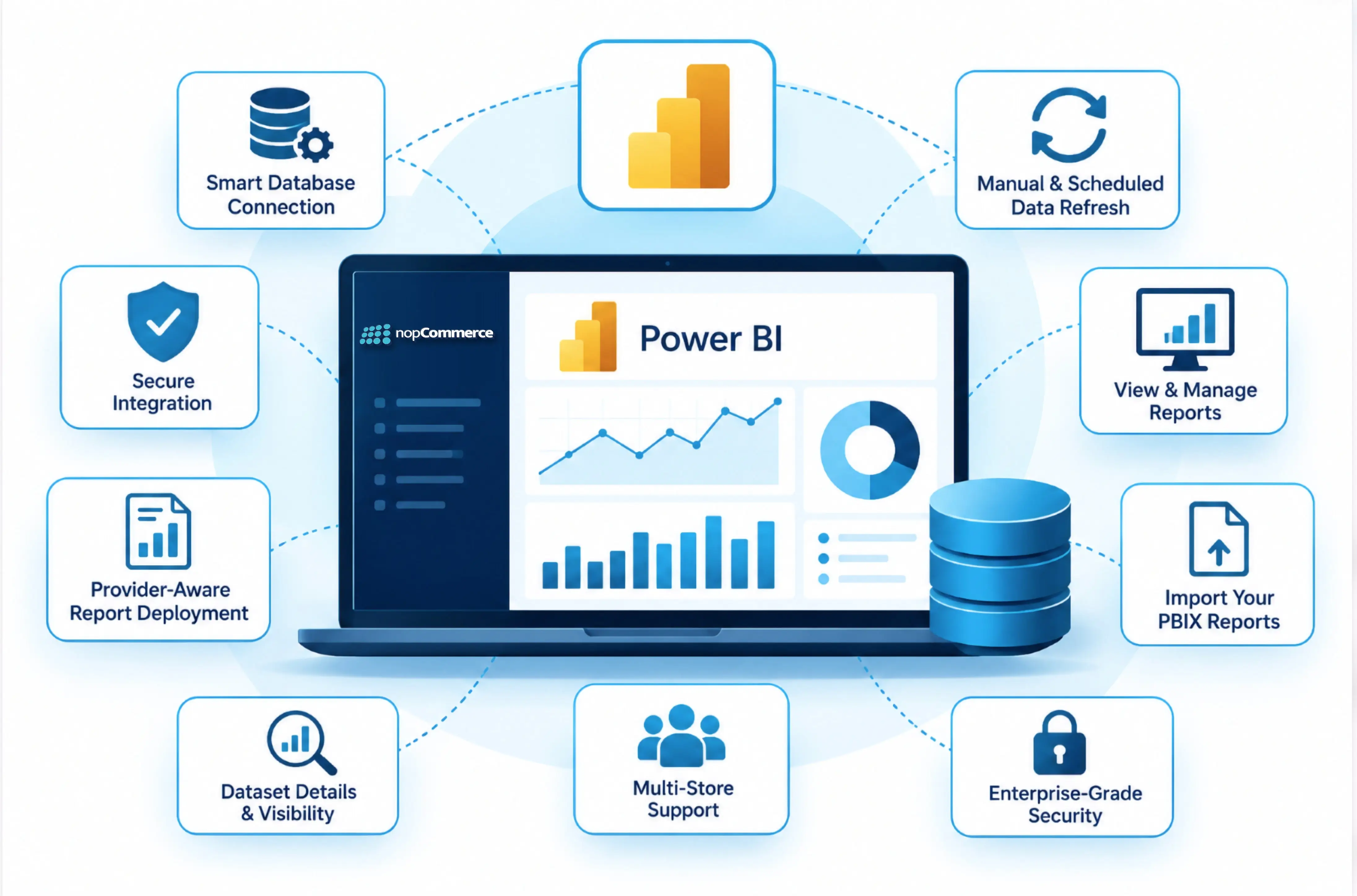
Feature Overview
- Provider-Aware Power BI Report Deployment Automatically detects your nopCommerce database (SQL Server, MySQL, or PostgreSQL) and deploys the matching starter report to your chosen Power BI workspace, with clear status tracking from upload to readiness.
- Microsoft Authorization Management Connects securely to Power BI and Fabric using Microsoft's device-code flow with no client secrets required. Test or sign out of authorizations independently while honoring your Microsoft Entra MFA and Conditional Access policies.
- Centralized Report Viewing and Management View embedded Power BI reports directly inside nopCommerce administration. Optional authoring lets users create and edit reports from the managed semantic model without exposing underlying model design controls.
- Dataset Details and Visibility Inspect semantic model parameters, datasource connections, unmapped sources, and recent refresh results at a glance. Update supported text parameters and SQL selectors right from the admin panel.
- Smart Database Connection Management Automatically identifies and reuses compatible Power BI connections by type, server, and database to avoid duplicates. Supports creating cloud or on-premises gateway connections with Basic or Windows credentials where permitted.
- Flexible Data Refresh and Scheduling Trigger manual refreshes, view refresh history, and configure daily or weekly schedules with multiple half-hour slots and failure notifications—complete with safeguards against overlapping refresh requests.
- Manual Power BI Report Import Upload your own PBIX files alongside starter reports with custom display names and conflict handling. Built-in overwrite confirmations, file-size limits, and signature validation keep imports safe.
- Secure Data Connectivity and Governance Sends management commands over HTTPS while Power BI connects directly to your database via Fabric cloud connections or an on-premises data gateway, enforcing both Microsoft and nopCommerce permissions.
- Multi-Store Support Manage store-scoped Power BI configurations across multi-store nopCommerce installations from a single centralized admin interface.
- Reliable Administrative Operations Work through dedicated sections for configuration, reports, datasets, connections, refreshes, PBIX imports, and documentation—backed by granular permissions, antiforgery protection, and localized controls.
Frequently Asked Questions
The nopStation Power BI Plugin provides nopCommerce merchants with a centralized way to integrate and manage Microsoft Power BI reporting. From provider-aware report deployment and database connection management to embedded report viewing, dataset inspection, scheduled refreshes, and controlled report authoring, the plugin simplifies Power BI operations within the familiar nopCommerce administration area while maintaining clear security and data-governance boundaries.