Advance Payment Rules Role-Based Payment Control for nopCommerce The nopStation Advance Payment Rules Plugin gives nopCommerce store owners precise control over which customers see which payment methods. Map a method to the customer roles you approve — wholesale, distributors, contracted buyers, VIP tiers — and it appears at checkout only for them. Instead of replacing your payment providers, the plugin works alongside them to show, hide, prefer, and reprice the methods they return.
Behind the headline use case sits a full rule engine. Conditions can combine customer role with cart value, guest status, country, product, store, day of week, and more. Actions can hide, show, reorder, or set a preferred method, and can override or adjust payment fees. Every decision is recorded in an order audit trail, and rules move between environments with JSON import and export. Everything is configured from the nopCommerce administration panel — no custom development, no theme edits, no core changes.
Why Choose Advance Payment Rules?
- Control Payment Access Decide which customer roles may use advance payment, and keep it off for guests and retail shoppers.
- Match the Buyer Type Wholesale accounts, contracted buyers, and the public store no longer share a single payment list.
- Managed Inside nopCommerce Eligibility sits next to the customer roles your team already maintains.
- Fewer Unauthorised Attempts Shoppers who should not use a method never see it, so there is nothing to reverse later.
- Built for B2B & Wholesale Keep advance terms for business roles while retail checkout stays on public methods.
- Clearer Checkout Eligible customers get a shorter payment step; everyone else sees only methods they can complete.
Feature Overview
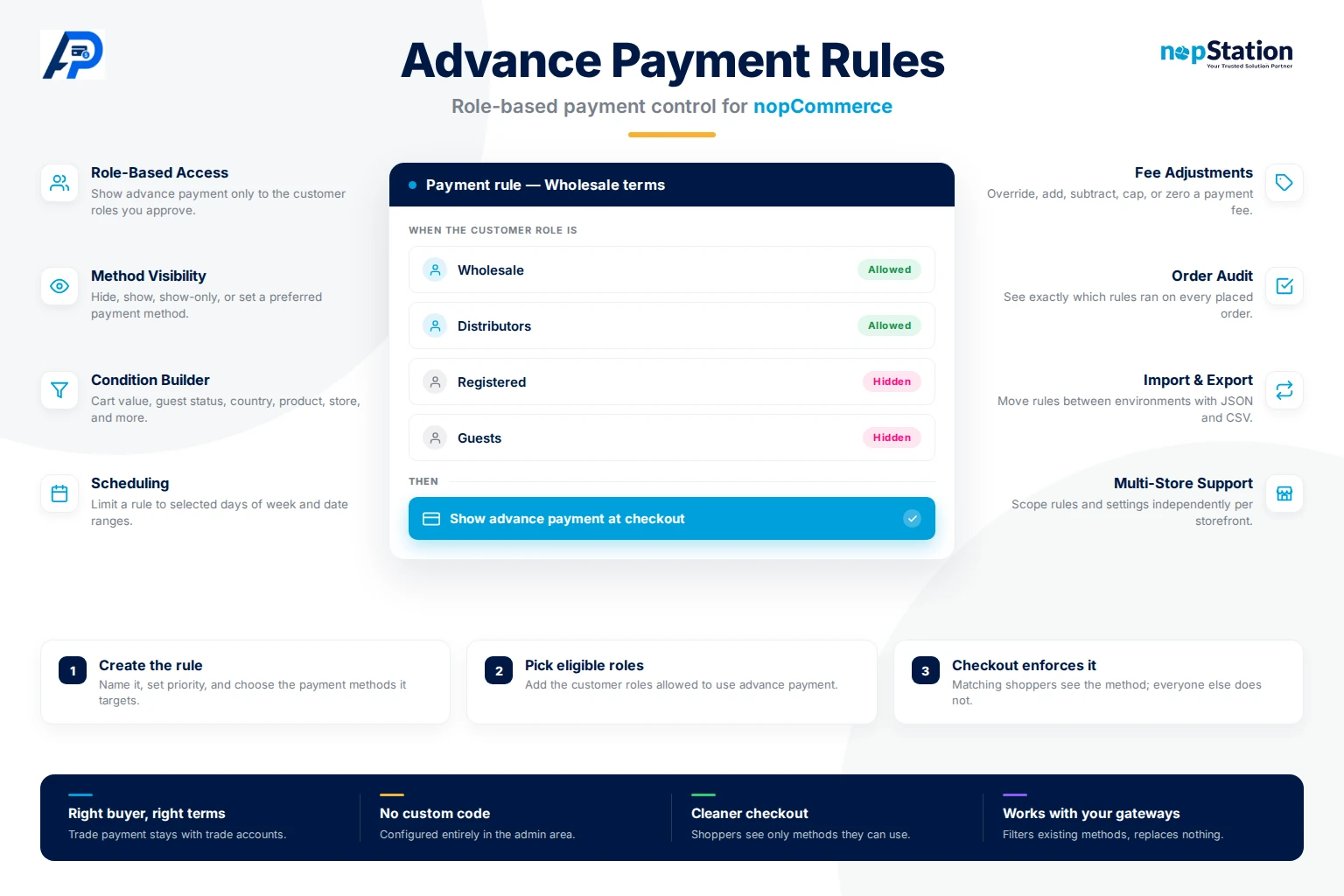
- Role-Based Payment Access Limit any payment method to one or more nopCommerce customer roles. Select several roles when wholesale, dealers, and VIP accounts share the same terms.
- Flexible Method Visibility Hide, show, show-only, or set a preferred payment method so checkout presents exactly the options you intend.
- Advanced Rule Conditions Build grouped AND, OR, and NOT conditions from cart subtotal and total, guest status, customer role, billing and shipping country, product, category, SKU, store, day of week, time of day, discounts, and attributes.
- Dynamic Payment Fees Override a fee, add or subtract a fixed amount or percentage, set it to zero, cap it, or calculate it from a sandboxed formula without touching gateway settings.
- Scheduling & Product Scope Restrict a rule to selected days of the week and a date range, or scope it to specific catalog products.
- Order Audit Trail Review which rules ran on every placed order, with the payment method, the fee applied, and each matched rule listed for support and troubleshooting.
- Multi-Store & Enterprise Support Override configuration per store and limit individual rules to specific storefronts from one administration panel.
- Import, Export & Migration Move rule sets between staging and production with JSON import and export, or download the full set as CSV for review.
Frequently Asked Questions
The nopStation Advance Payment Rules Plugin provides everything merchants need to align checkout with the way they already group their customers. From role-based eligibility and condition-driven rules to dynamic payment fees, detailed order auditing, and multi-store scoping, the plugin helps businesses keep trade terms with the accounts that qualify, simplify payment policy management, and deliver a better customer experience.