
Switchboard: Building a Unified Electrical Products Commerce Ecosystem on nopCommerce





A Brief Background on Switchboard
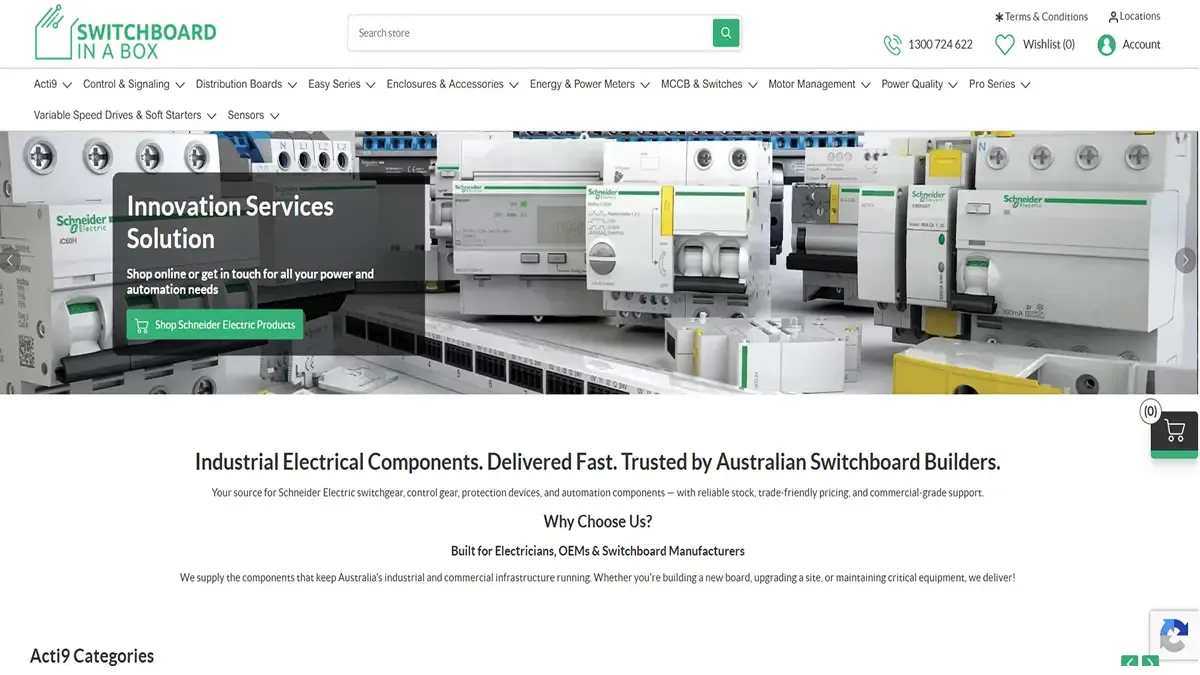
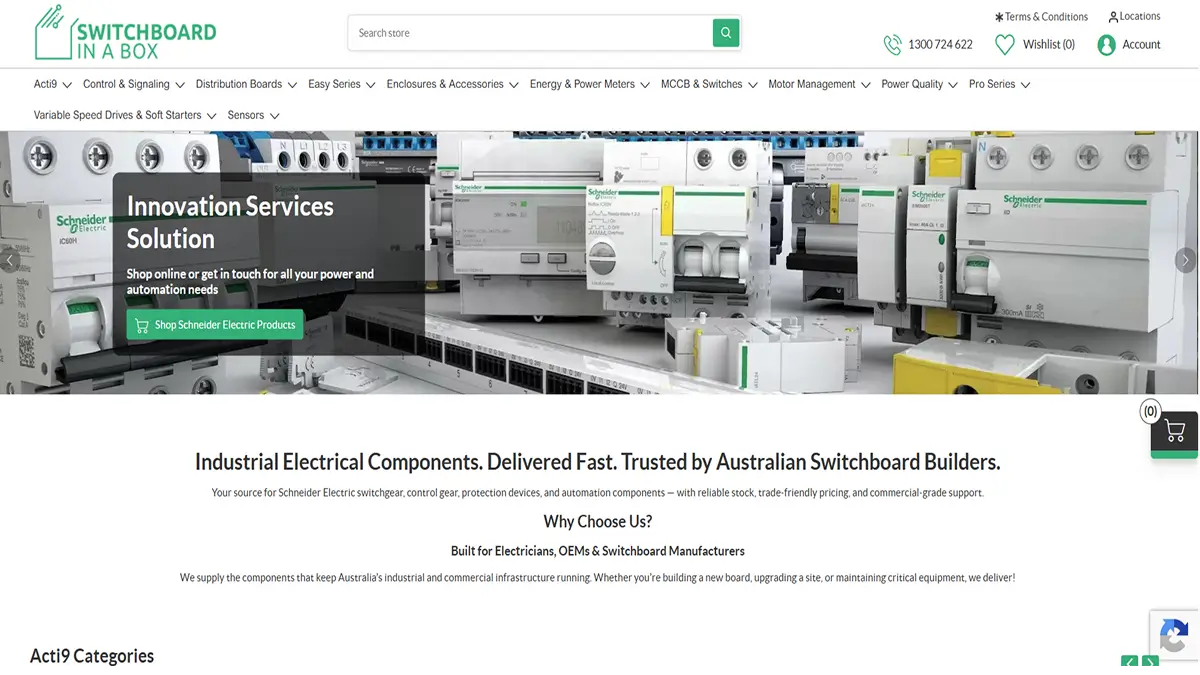
Switchboard is an eCommerce website centered on an extensive catalog of electrical and electronics products, with most of the 60,000+ SKUs supplied by Schneider Electric. This site targets consumers that require correct and updated information about products, prices, and specifications as the product catalog changes frequently.
What started off as a simple nopCommerce version update soon uncovered an entirely different problem. Switchboard required more than just a platform upgrade; their Schneider integration needed to be rewritten completely, all their legacy products, categories, and customers required migration without loss of data integrity, and their pricing and accounting processes required automation so that they could control their entire product catalog in-house without being beholden to anyone else.
nopStation has transformed the platform for Switchboard by providing a modernizing the user experience, rebuilt catalog operations layer, and a centralized Product sync admin control panel which enables Switchboard complete authority over catalog operations.
Challenges
As the engagement moved from a simple version upgrade into a full platform overhaul, Switchboard faced a number of problems, both on the business and platform side:
- The Schneider product synchronization was based on a hardcoded reference date set by the supplier and provided no visibility into progress. The administrator was left with minimum control over catalog updates.
- The data feed provided by Schneider company did not contain all necessary information, such as product assets, images, specification attributes, and related products. Additionally, duplicate and inconsistent structured categories gave rise to navigation issues.
- There was no process for bulk updating or importing prices into the products given the 60,000+ SKUs in the system, the overall process turned into a heavy manual workload.
- Important information such as orders, shopping carts, and customer records needed to be migrated into the new platform, keeping the relationships accurate.
- There was no check implemented in the integration process with Xero to prevent going beyond the account limit per day.
Solution
In order to solve business problems and scalability challenges, nopStation transformed the platform itself and the Schneider integration, data migration pipeline, pricing rules, and accounting integration based on the platform, making the process a centralized admin-controlled ecosystem which is easily auditable.
Product Sync Command Center
Administrators are now able to perform all activities related to catalog management such as synchronizing products, import Excel files, change categories, upload prices, and rerun failed jobs using one central page rather than going from one page to another to perform these tasks. All activities will display the progress in real time and will tell you precisely the number of processed products, updated products, and number of products that have failed. One can cancel any activity at the push of a button.
This solves the earlier challenge of conducting bulk cataloging without any knowledge of the status or any means of correcting the process if anything went wrong. The administrators no longer need to make guesses about whether the synchronization is stalled, failing, or succeeding.
It enables the team to have complete and immediate control over their catalog activities within their catalog, which contains more than 60,000 SKUs. It reduces the chances of the spread of incorrect data, increases the speed of fixing any issue, and significantly reduces reliance on engineers for catalog management.
Configurable Schneider Product Sync Engine
Administrators will now be able to select a flexible date from which the product updates from Schneider will begin, as opposed to a rigid fixed date. All updates made from that selected date until the current date are fetched and processed in two steps. Firstly, the queue of products will be built based on the changes detected in the SKUs and secondly, the updated product details will be fetched from the Schneider API and a backup dataset in case there is no complete update made by the API.
Therefore, the earlier concern about having to rely on a strict, vendor-managed sync system, where correcting a single item would require waiting for or running an entire sync operation, is addressed. Admins are now free to manage the sync queue by adding, clearing, or modifying it, as well as stopping an ongoing sync at any stage.
This will enable the launch of new products into the website much quicker and at the same time enable the fixing of any problems with data that may arise without affecting the entire catalog.
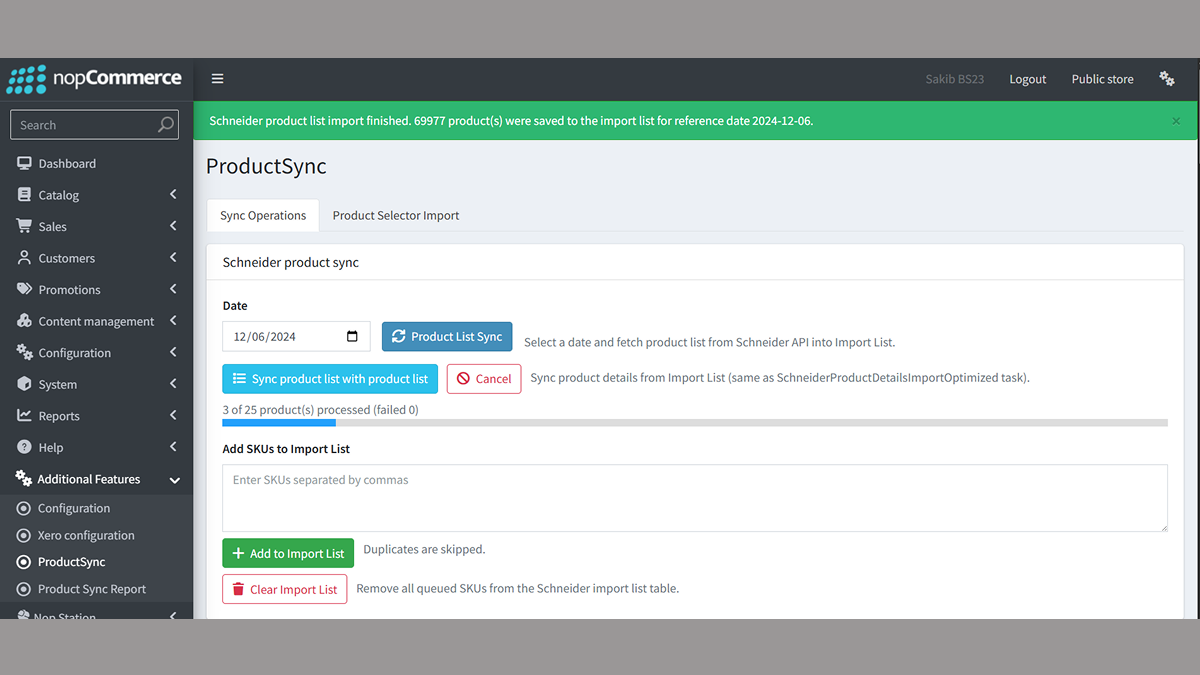
Image 1.2: Schneider Product Sync
Bulk Product Detail Import
The product info that is not included in Schneider's data feed can now be uploaded by the admins via an Excel template with four sheets, each containing particular types of data. Every row on those sheets will be automatically linked to a product by SKU. After the data import process is completed, the admins will get a report on exactly how much data was imported.
This means that the issue of incomplete products, which was due to missing information in the vendor’s data feed that could not be completed using any other means, is now fixed. The administrators are not constrained by what Schneider can provide and can add whatever is missing on their own.
It implies that there is proper and reliable information displayed by the goods at the storefronts, thus assisting the consumer to make an informed decision regarding their purchases.
Category Breadcrumb Import & Cleanup
Now, admins can import an entire tree of categories up to six layers using one Excel file and how these categories must be imported within the website menu. There is an automatic process to combine categories that have identical names, and there is a tool to manually combine categories with similar names, for instance, combining “Acti 9” and “Acti9.”
This makes it possible for the existing issue of the unorganized, confusing nature of the category system that had duplicated categories as well as categories with different names, but no means for uploading categories in bulk to be resolved.
This ensures that consumers receive a menu of the website that is clearer and cleaner. In addition to that, the process of identifying problems with categories does not take much time for the team anymore.
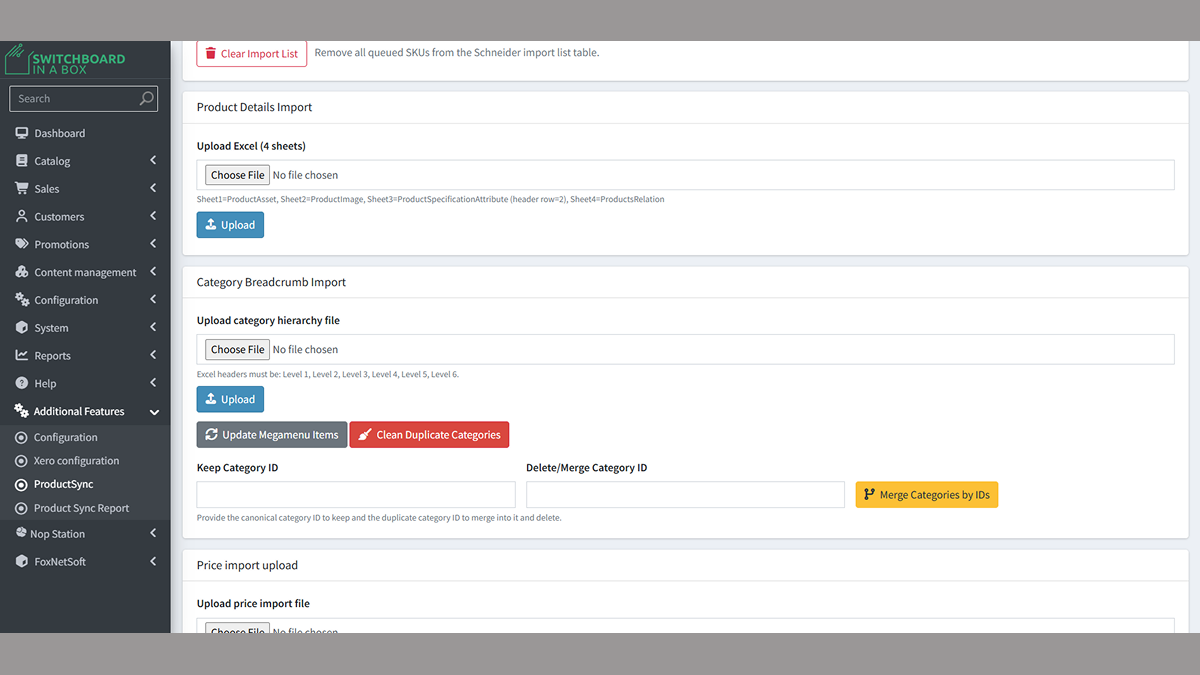
Image 1.3: Bulk Product Detail and Category Breadcrumb Report
Price Import & SAP Local Cost Markup Pricing
The admin has now an easy-to-use tool to handle the pricing process: upload the Excel or CSV file with SKU-level price information, view the uploaded information in the staging section where filtering and review take place before the deployment of the information is done, deploy the price information so that the correct supplier-specific markup is taken into account in the prices, and export the final pricing information for records. The markup percentage per supplier cost code can also include a discount percentage if required.
This way, the earlier issue of price updating without much scrutiny and uncontrolled mark-ups becomes history. No item is made available for sale in the store until it has undergone the process of stage and review, and the mark-ups are determined only once to avoid double charging.
The company has a correct price and accurate profit margin from suppliers, which helps in maintaining a proper accounting system.
Targeted Manual Sync Tools
Now, the Admins have access to a selection of tools which enable them to resolve any catalog problems without the need to re-run an entire sync operation. This involves such actions as updating product information for certain items by providing their SKU numbers, attempting to sync again all the items that had been problematic during the first sync, resolving category assignments for certain SKUs and updating live prices for the staged products.
Thus, the previously existing issue of the need to re-sync the whole database even for correcting only a few problem items has been dealt with. The small problems do not affect the whole system anymore.
This implies that solutions can be provided within minutes as opposed to hours without the risk of impacting any product which is working effectively.
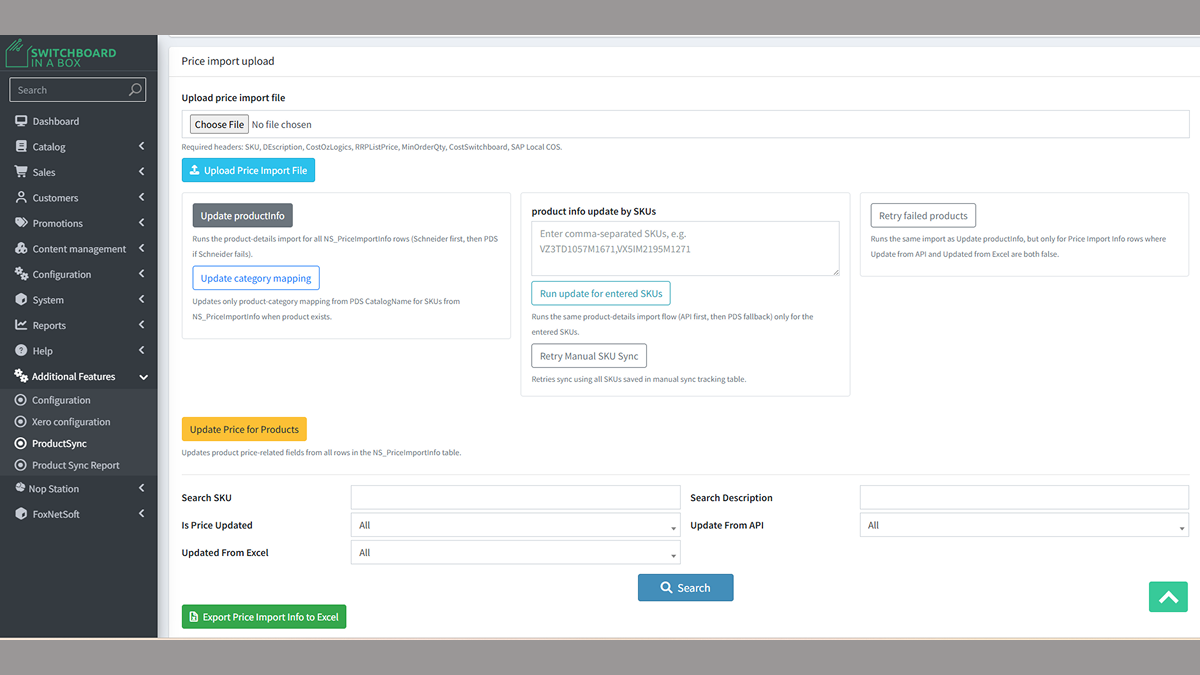
Image 1.4: Price Import and Targeted Manual Sync Tools
Product Sync Reporting Suite
The following are the six important diagnostic reports available through the live catalog health dashboard accessible by the admins: products which are ready for selling, products without images, products which do not have any price attached to them, products with matching SKU in catalog and price import, orphan SKUs which do not have any match in the catalog, and products without any category mapping. All these reports reflect real-time numbers. They can be exported into Excel format with just one click.
In turn, this solves the issue of problems in the catalog being noticed only when the end-user experiences issues due to the lack of an easy way to monitor the status of the catalog. This means that there is no longer a need for manual inspection of the catalog.
In such a way, it is possible to detect and fix problems early on, thus making a cumbersome process of auditing faster and more effective by implementing it in real time.
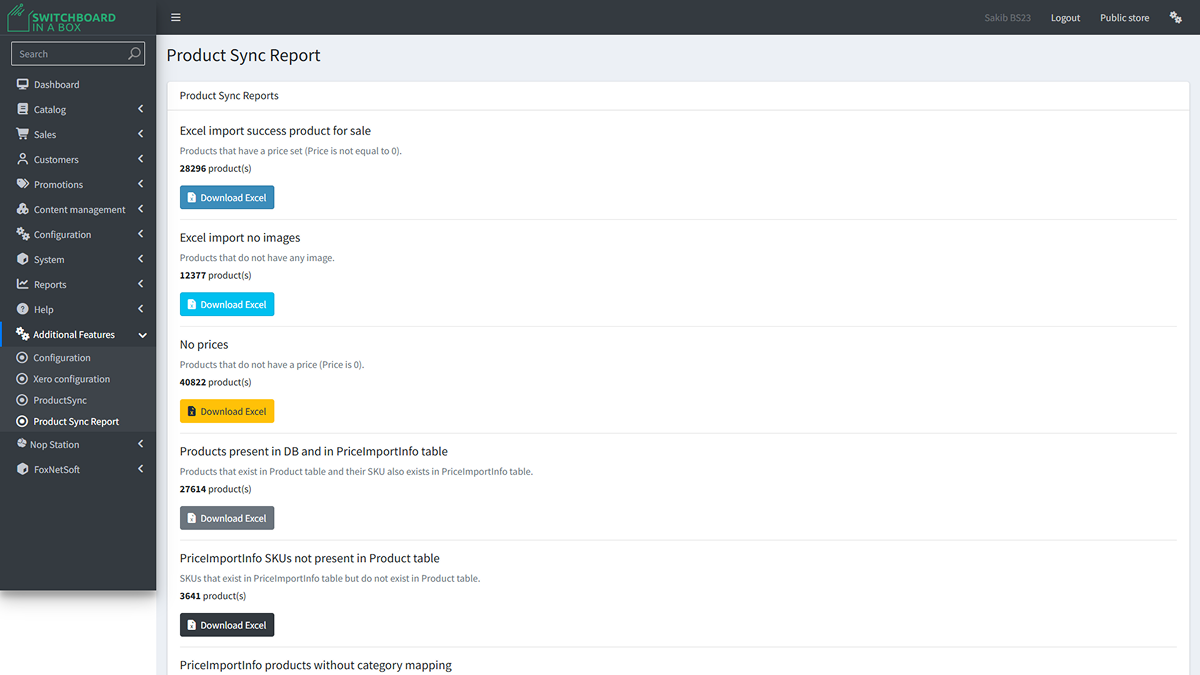
Image 1.5: Product Sync Reports
Legacy Data Migration with SKU-Based Re-Mapping
As there was no correspondence between the old system IDs and new product IDs, all data sets had to be remapped with the help of SKUs. The category data was remapped to roughly 66,000 products, 7 crore records of specification attributes were migrated, and legacy orders and carts data were associated with the new product IDs. Consequently, the earlier issue of disconnection of legacy data due to migration is overcome, as now each data set corresponds to its product.
The legacy database had nearly 12 million customer data; however, only 30,000 of these were actual customers. The remaining data was of guest users who were no longer using the system. It was therefore necessary to purge these before transferring the 30,000 actual customers.
Financial Automation & Xero Integration
Invoicing and product synchronization is done automatically by the Xero integration system but within the restrictions of the account tier in Switchboard. The order will be invoiced immediately after the customer has placed an order, meaning that the customer and the invoice itself will be created in Xero without doing anything manually, and the invoice number will be sent via email confirmation. This means that the issue of manual invoicing for each order is no longer relevant.
Products are synchronized with Xero automatically each day, but not exceeding 4,700 products per synchronization job since there is a daily limit of about 5,000 entries on Xero's side to prevent sync failure and ensure data is updated.
Results
The new platform allowed for the following opportunities for Switchboard to take control of the catalog and customer base, which was previously outside of their control:
- Unified catalog management: Integrated Schneider synchronization, product enrichment, pricing, category management, and recovery capabilities into a single Product Sync application for Switchboard, which enables independent management of over 60,000 SKUs.
- Improved catalog quality and visibility: Combined product enrichment, category management, and reporting to increase the completeness of catalogs, data accuracy and to resolve issues proactively.
- Automation of Operations: Automated supplier pricing, configurable synchronization and SKU recovery, thus minimizing manual operations and increasing efficiency.
- Reliable Legacy data migration: Successfully migrated 66,000 products, 70 million specification records, and 12 million legacy customers’ records into 30,000 active customers, maintaining historical relations through SKU mapping.
- Automated Financial Integration: Set up tier aware Xero integration with automated invoicing, handling up to 4,700 transactions a day while synchronizing the accounts.
- Scalable Commerce Platform: Provided a scalable, administrator-controlled nopCommerce platform that was able to support the growing number of catalog items and reduce operational complexity.
What started out as an ordinary nopCommerce version upgrade soon turned out to be a full transformation of the commerce processes at Switchboard. With the help of catalog management optimization, pricing, accounting automation, and successful migration of huge legacy databases, nopStation managed to provide Switchboard with a highly scalable, fully admin-controlled platform which allows managing the increasing number of products autonomously.

