
Stafast QC - From a legacy desktop tool to a connected quality control platform
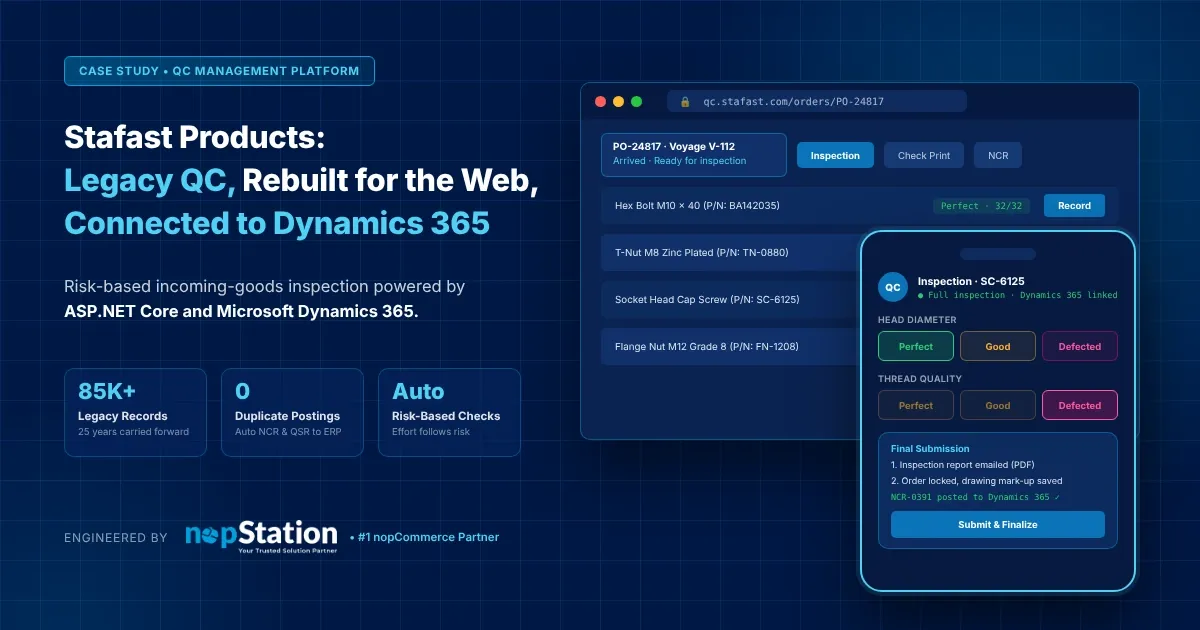
Case study · Stafast
From a legacy desktop tool to a connected quality control platform
nopStation rebuilt Stafast's incoming-goods inspection as a modern web platform wired directly into Microsoft Dynamics 365, from the moment a shipment is ordered to the moment its results land back in the ERP.
Legacy inspection records carried forward
Of supplier quality history put to work
Suppliers tracked part by part
Granular permissions across four roles
The challenge
A QC process that had outgrown its tools
Every shipment Stafast receives has to pass quality control before the parts go into inventory. For years, that work ran on a Windows desktop application.
Dated and desktop-bound
A very old interface, installed on workstations and hard for new staff to learn.
Too many manual steps
Order intake, inspection depth, defect follow-up and notifications relied on people, not the system.
Disconnected from the ERP
Inspection outcomes needed to reach Dynamics 365 reliably so defects could be acted on.
25 years of history to keep
More than 85,000 inspection records across 4,800+ parts had to carry over and stay useful.
Before and after
Same inspection know-how. A completely new experience.
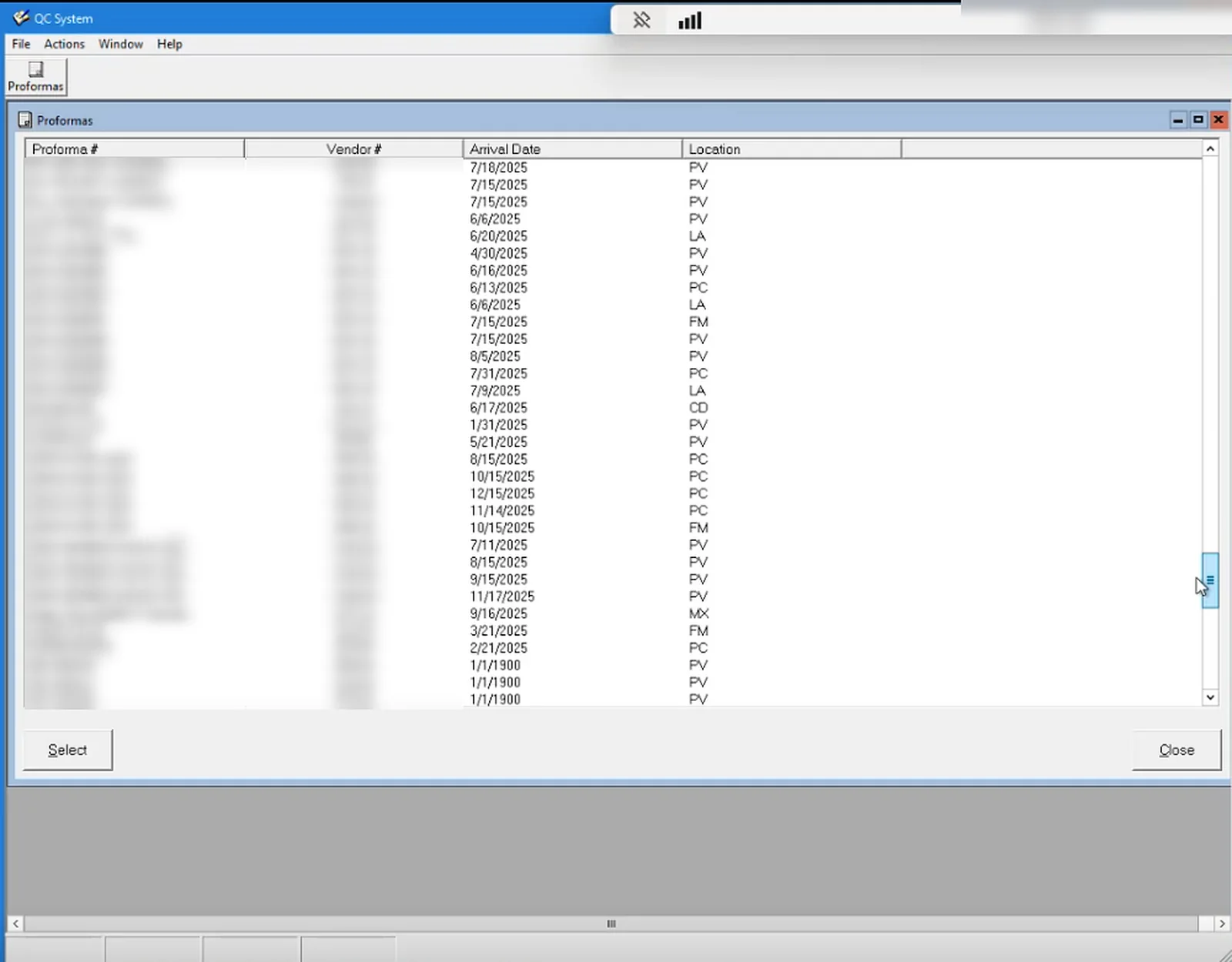
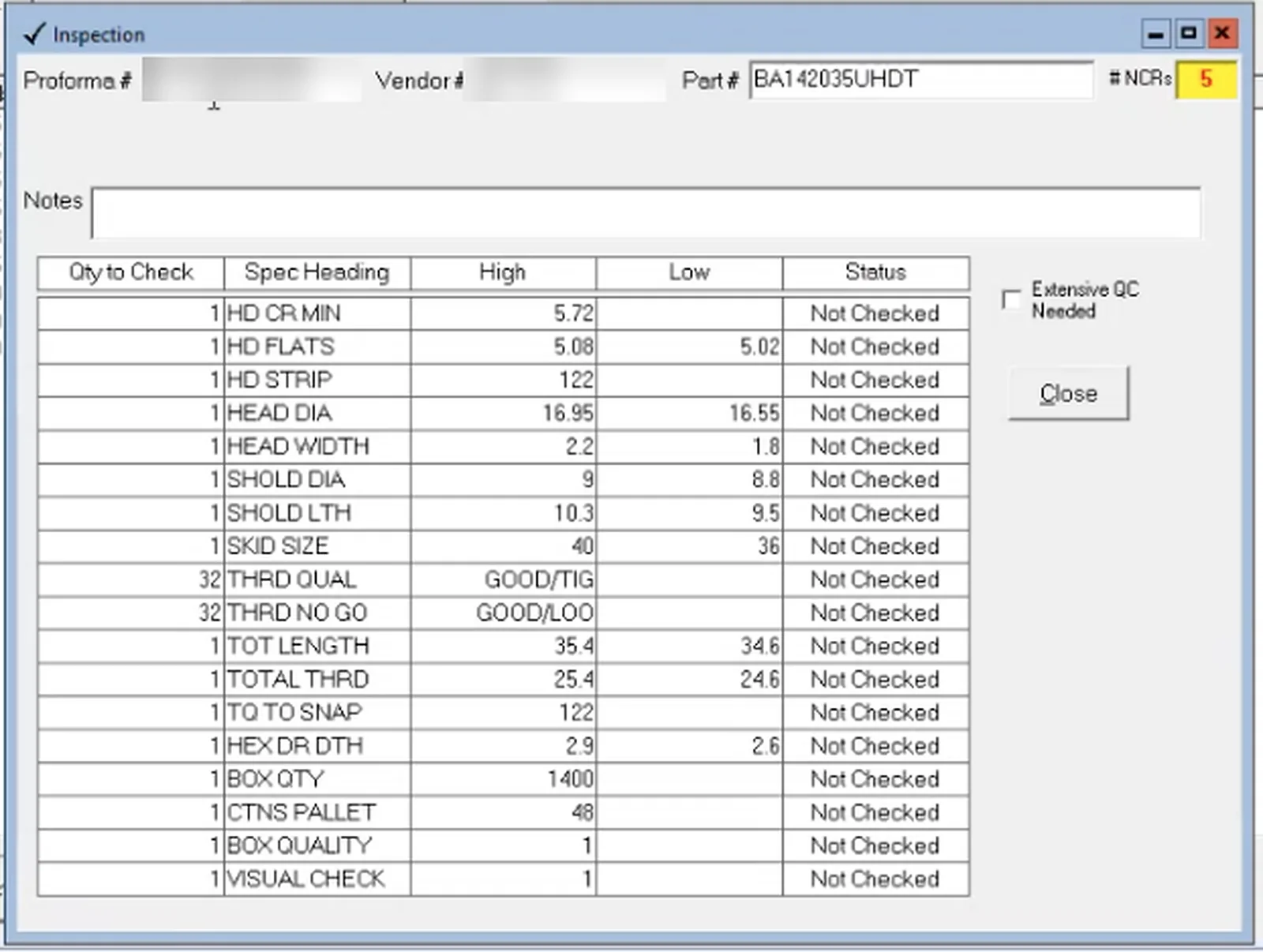
The concepts the team already trusted, such as proformas, spec checks, color bands and Check Print, rebuilt as a modern, connected web platform. Drag to compare.
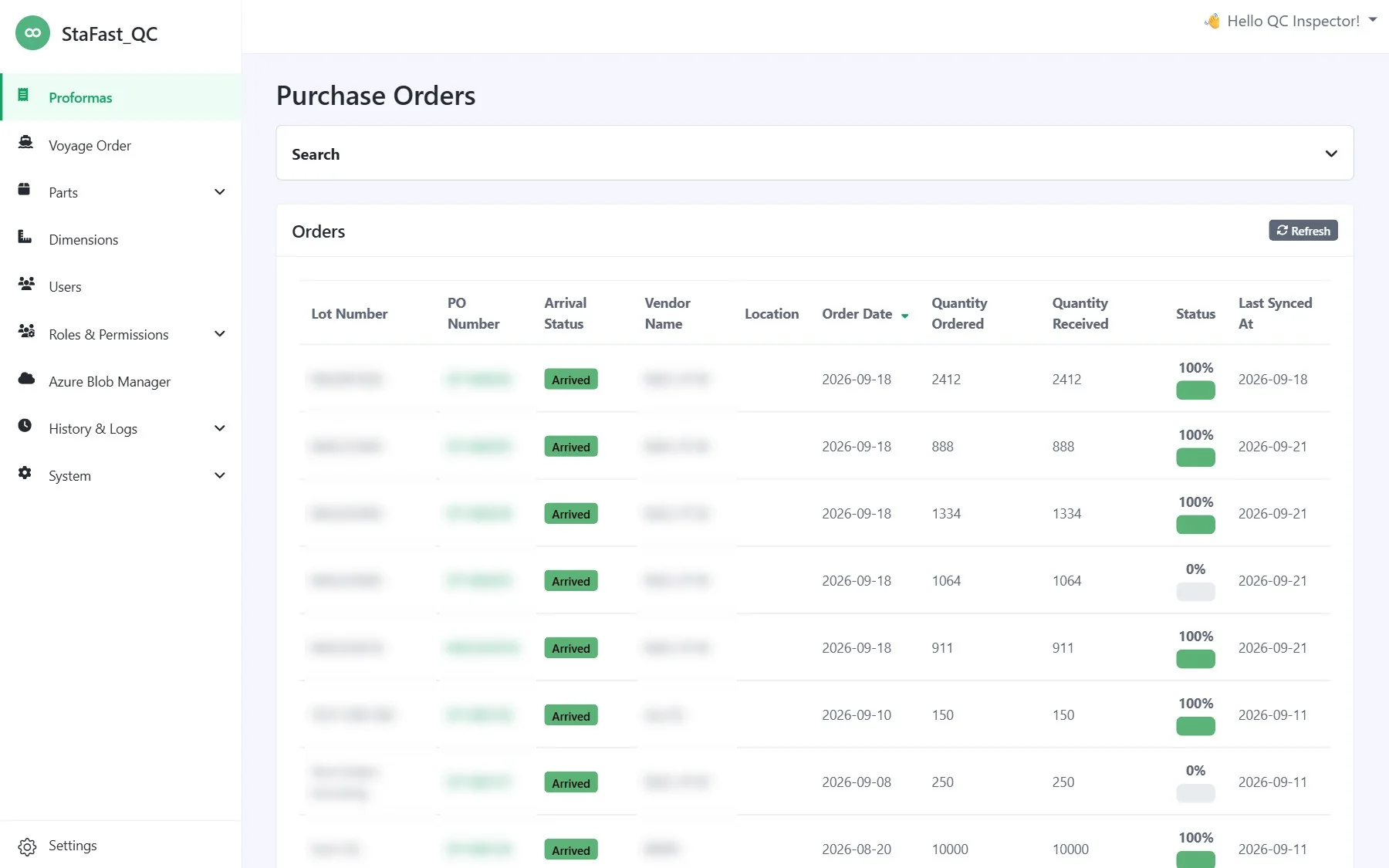
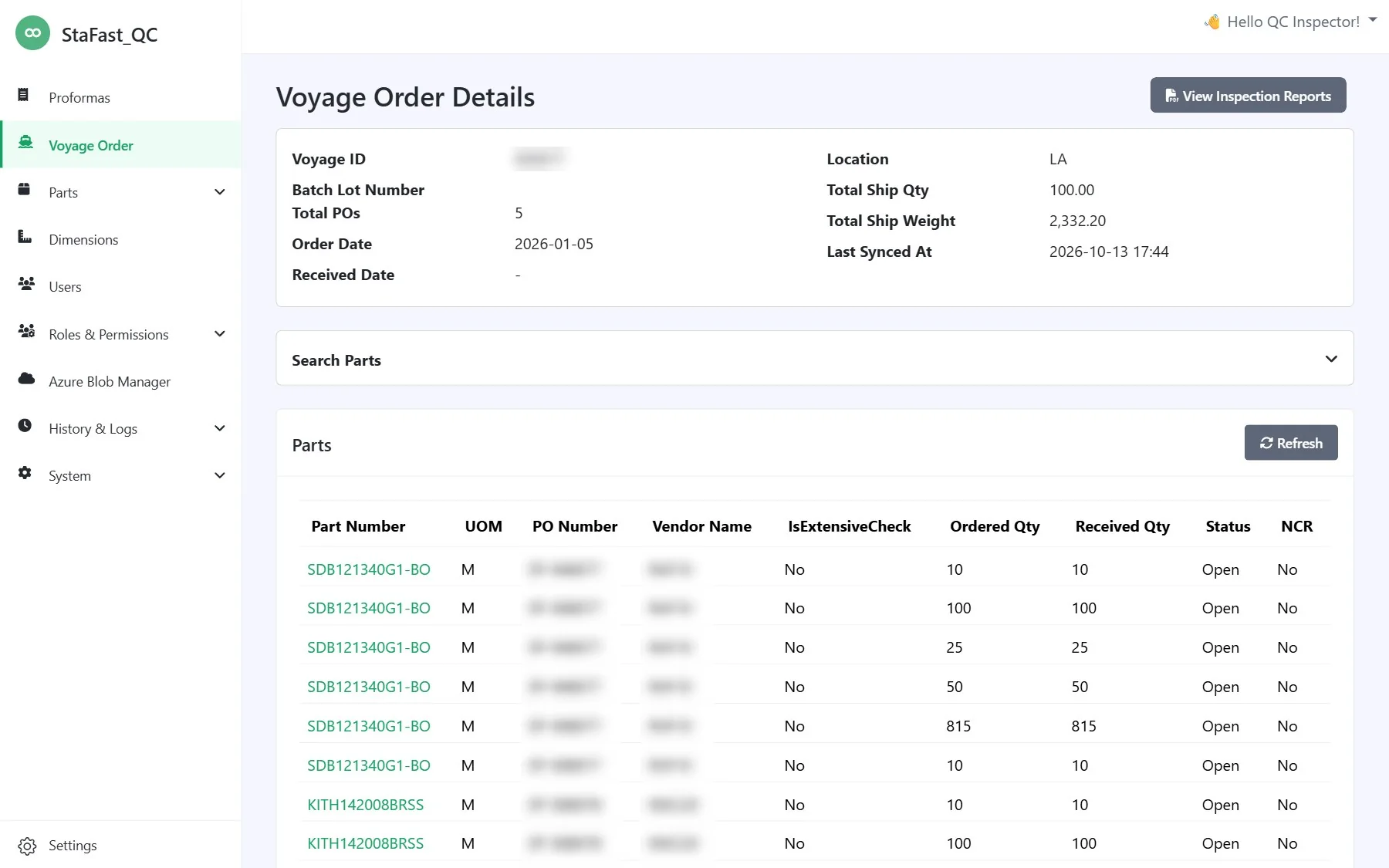
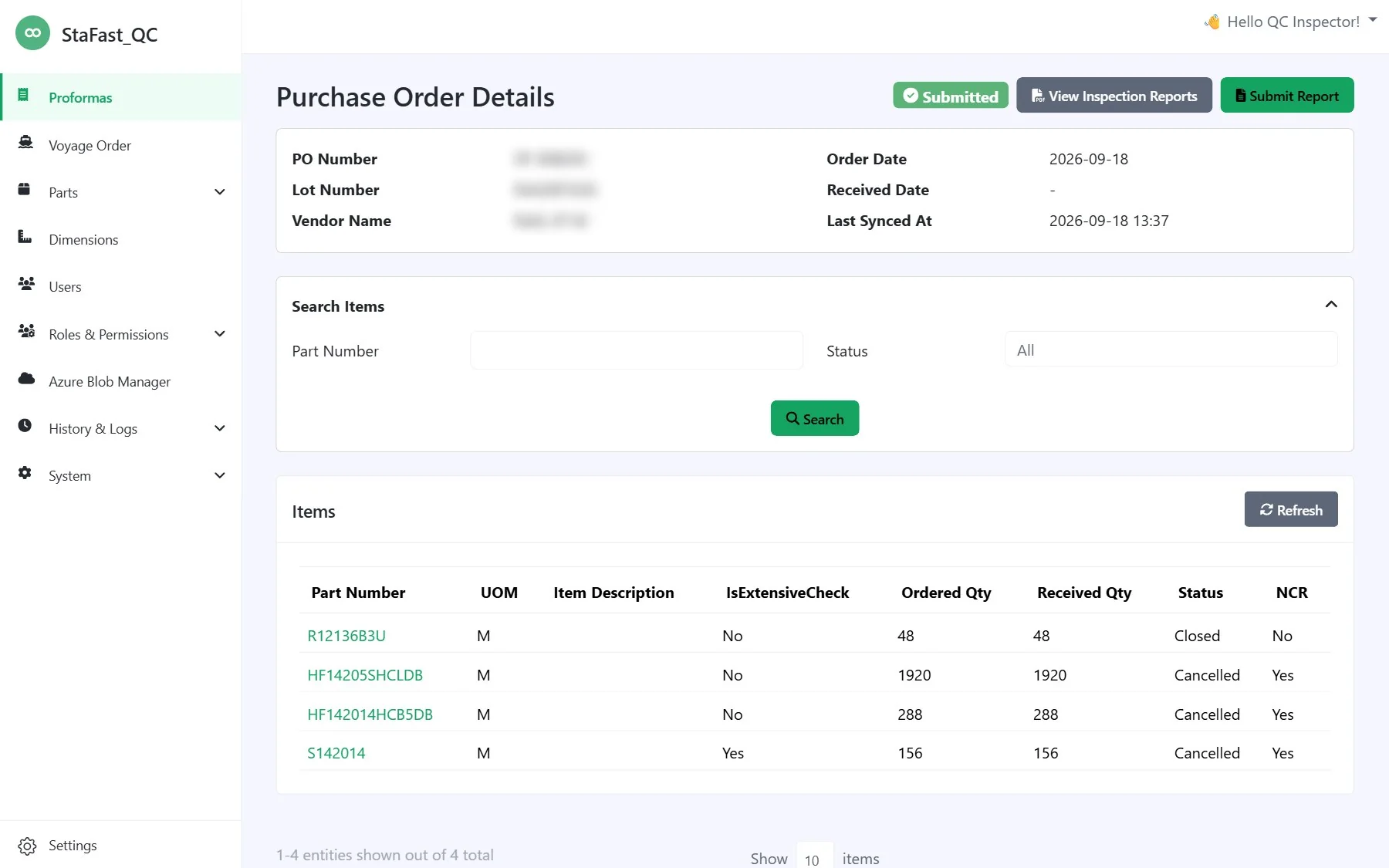
From a flat desktop list to a searchable order list with arrival status, inspection progress and live sync from Dynamics 365.
How it works
One flow, from the ERP to the warehouse floor and back
Purchase orders and voyages sync from Dynamics 365
Scheduled jobs pull orders, line items, suppliers and parts, including whole inbound shipments grouping several orders. New parts get their mandatory checks on the spot.
The team marks the shipment as arrived
One confirmation opens the order for inspection and stamps the received date. Marking a voyage arrived opens every order inside it.
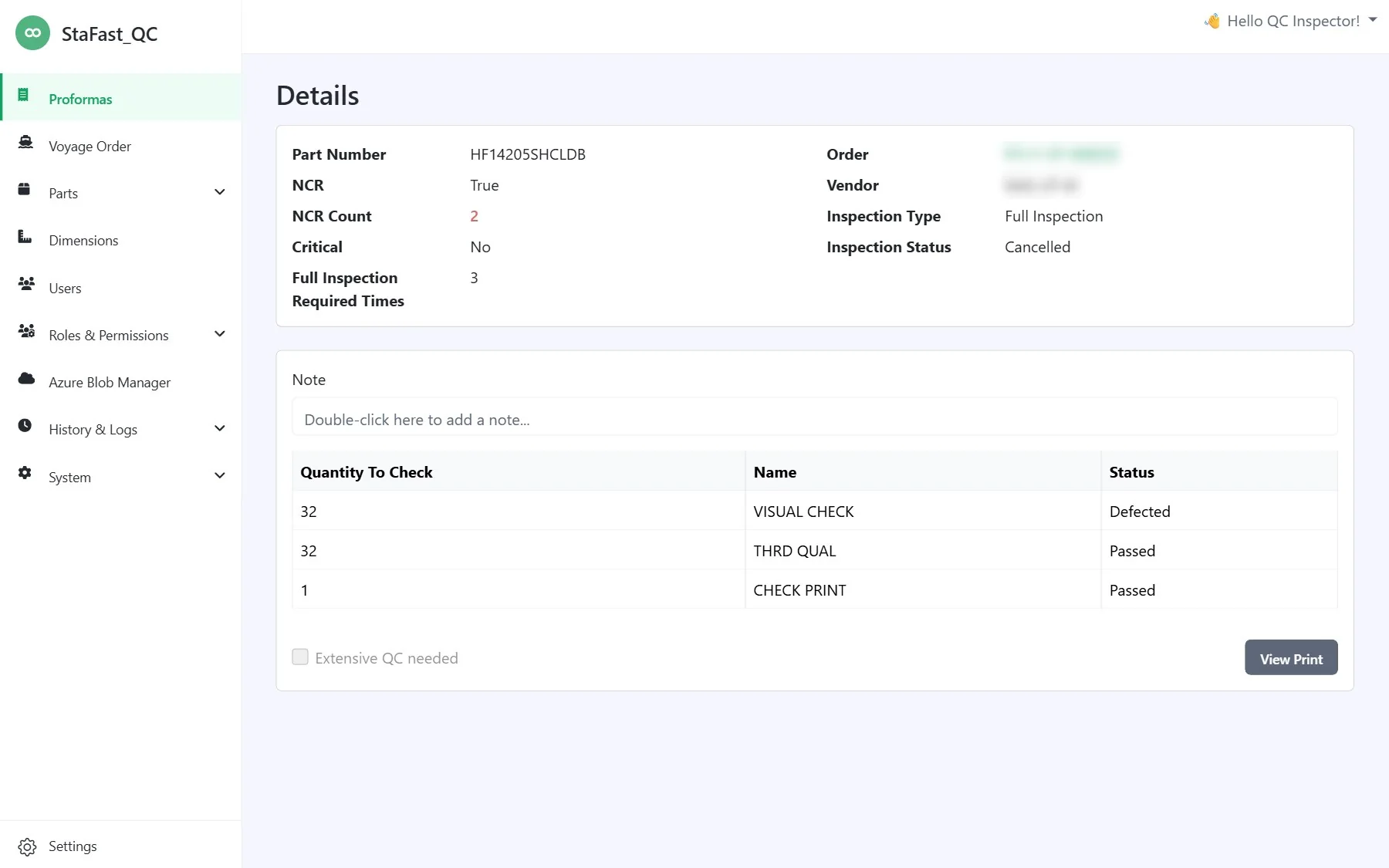
Every part shows exactly what to check
Supplier history, critical-customer status and order size decide which dimensions to inspect and how many pieces to sample.
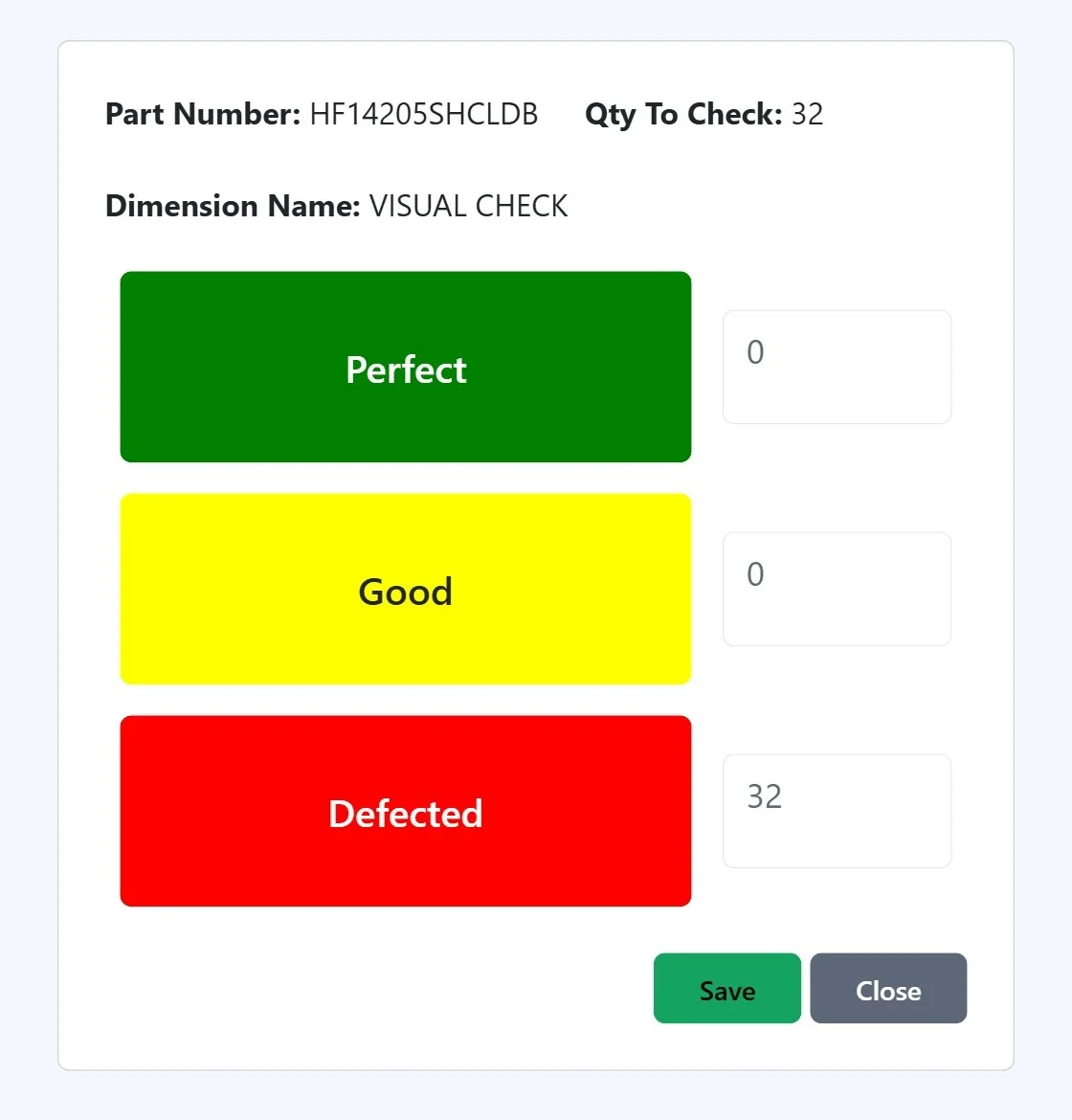
Perfect, Good or Defected, in a few clicks
Large color bands make results fast to enter. A single defect fails the part and flags it for corrective action with the supplier.
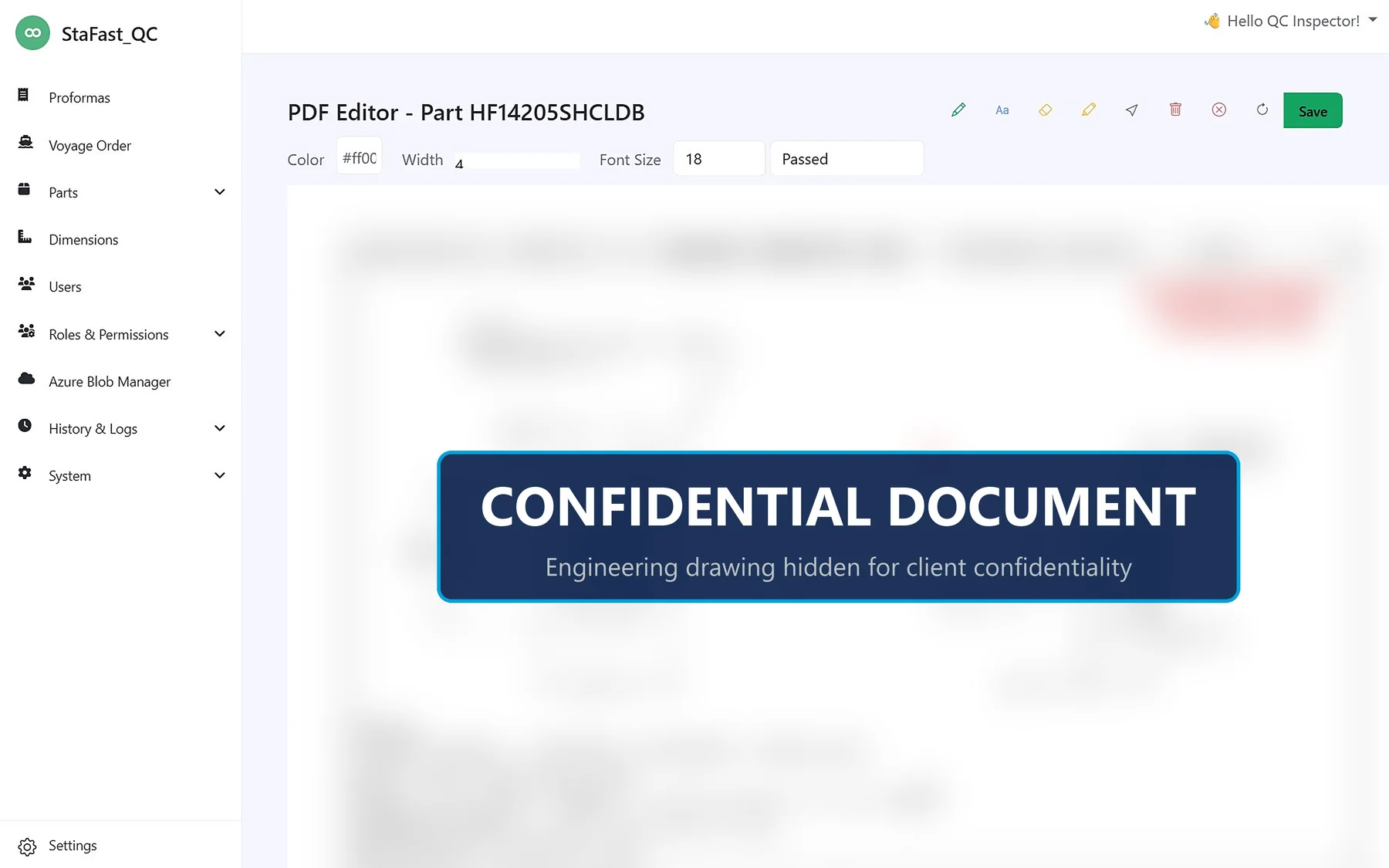
Mark up the specification PDF, right in the browser
The right drawing is found automatically, even for plating variants. Inspectors annotate it and save a time-stamped copy with the result.
Report sent, order locked, ERP updated
A guided wizard emails the inspection report and receiving summary, then creates NCRs and QSRs in Dynamics 365 through a queue that retries on its own.
ERP integration
Dynamics 365 and quality control, finally in step
Orders flow in on a schedule. Results flow back the moment an order is finalized, through a resilient queue that never creates duplicates.
Default schedules, adjustable by administrators from the browser.


Each NCR and QSR is posted in two steps. Failed calls retry on their own, and items already posted are never sent twice.
What a typical day of syncs and postings looks like.
Risk-based inspection
Inspection that adapts to every supplier
Reliable suppliers earn lighter inspection. Problem parts get full scrutiny. Try it.
Part BA142035UHDT
Full inspectionPlatform capabilities
Everything the QC team needs, in one place
Results at a glance
Sample sizes scale with order quantity, and every dimension is recorded as Perfect, Good or Defected. Part and order status are calculated automatically.
Drawings in the browser
Find, annotate and save specification PDFs without leaving the app.
Resilient ERP posting
A background queue retries failed calls and never posts the same item twice.
Single sign-on and roles
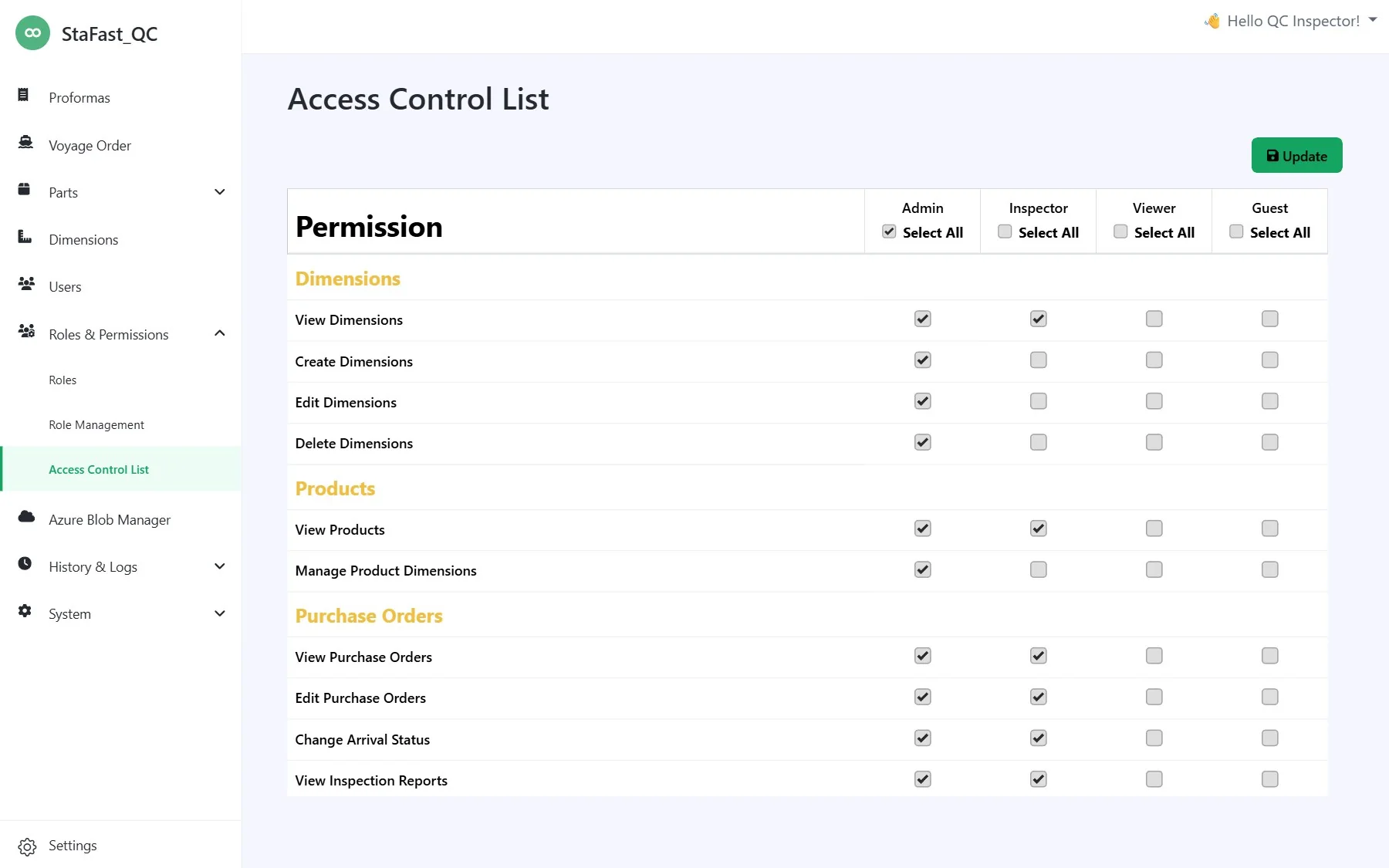
Microsoft Entra ID sign-in, self-registration and 40+ granular permissions.
Full audit trail
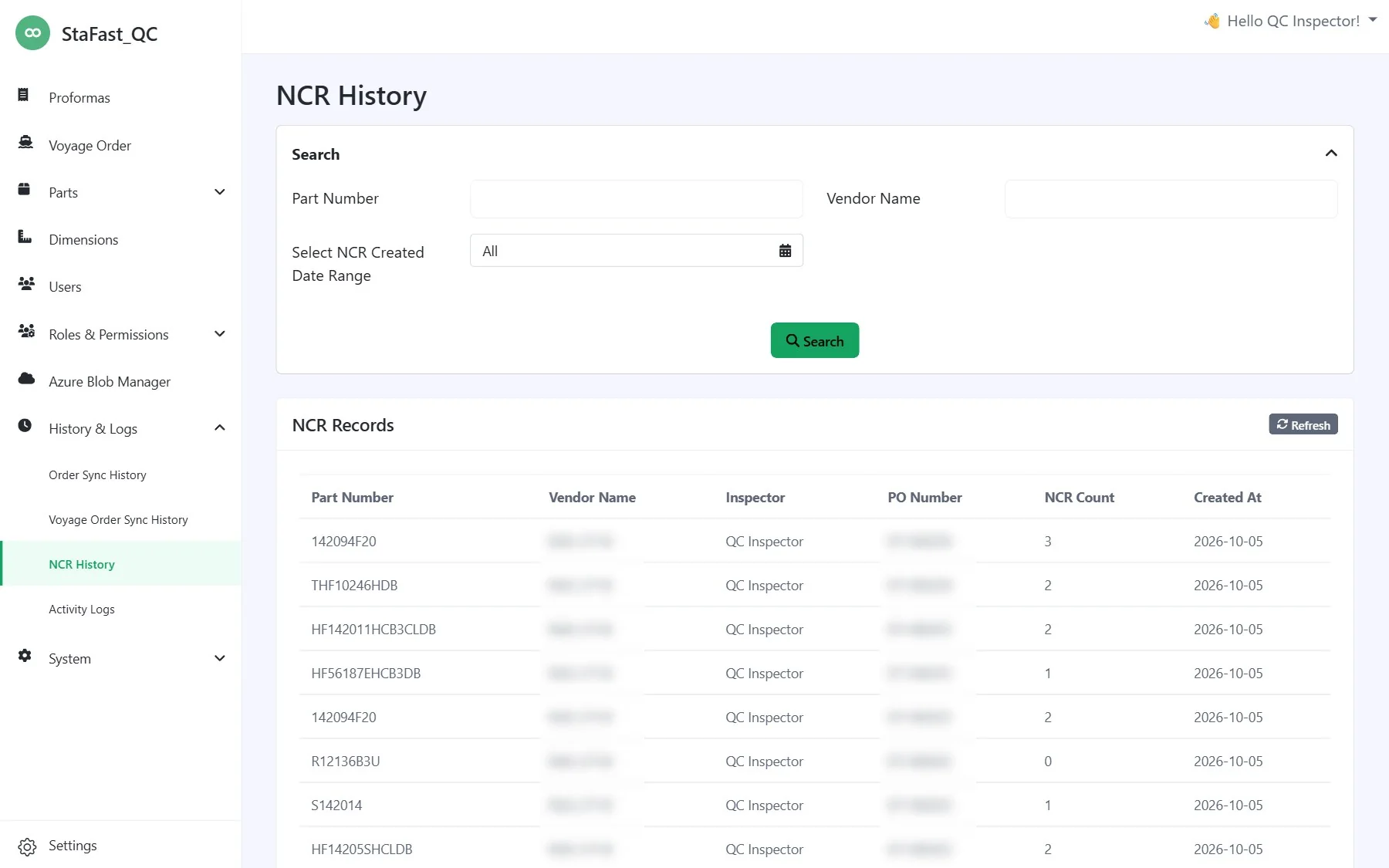
Every inspection, mark-up and status change is logged and searchable.
Configurable notifications
Email templates, recipients and accounts managed by the team, with a monitored queue.
Built-in file manager
Browse, upload and preview drawings and reports in Azure Blob Storage.
Self-service administration
Schedules, ERP settings and access are all managed from the browser.
The platform
Built screen by screen around the QC team
How we delivered
Fourteen months, built side by side with the QC team
Foundation
Entra ID sign-in, Dynamics 365 order sync and the core data model.
Inspection core
Dimensions, color-band inspection and the in-browser drawing editor.
ERP and history
Roles and permissions, automatic NCR posting and 25 years of history imported.
Shipments and QSR
Voyage orders, QSR posting and a resilient queue, refined through UAT.
Go-live
Launched to production for Stafast's quality control team.
 ASP.NET Core on .NET 9
  SQL Server and EF Core Dynamics 365 OData Microsoft Entra ID
  Azure Blob Storage
  Quartz.NET jobs
  GitLab CI/CD
Outcomes
What changed for Stafast
A modern tool, anywhere
A clean browser-based interface with company sign-in replaces the legacy Windows application.
Far fewer manual steps
Order intake, inspection-depth decisions, ERP reporting and notifications now happen automatically.
ERP and QC stay in step
Defects and extensive-QC requests reach Dynamics 365 without re-keying, and retry safely.
Effort follows risk
Reliable suppliers earn lighter inspection while problem and critical parts get full scrutiny.
Nothing lost in the move
25 years of inspection history now actively informs today's decisions.
Run by the business
Administrators manage users, templates, schedules and ERP settings without developers.
FAQ
Stafast QC Management FAQ
Answers to what teams ask about replacing a legacy QC tool with a Dynamics 365-connected platform.
Ask us directlyWhat did nopStation build for Stafast?
What problems did Stafast's legacy QC tool have?
How does the platform integrate with Microsoft Dynamics 365?
How does risk-based inspection work?
What happens when an inspection is finalized?
Was Stafast's historical inspection data kept?
How long did the Stafast QC project take and which technologies does it use?
Can Stafast manage the platform without developers?
Your project
Ready to modernize your legacy operations tools?
If legacy software or manual ERP workflows are holding your team back, nopStation can design and build a platform that fits the way you work.
Talk to our team
