
NCCO Store: Modernizing a Food Safety eCommerce Platform



Business Overview
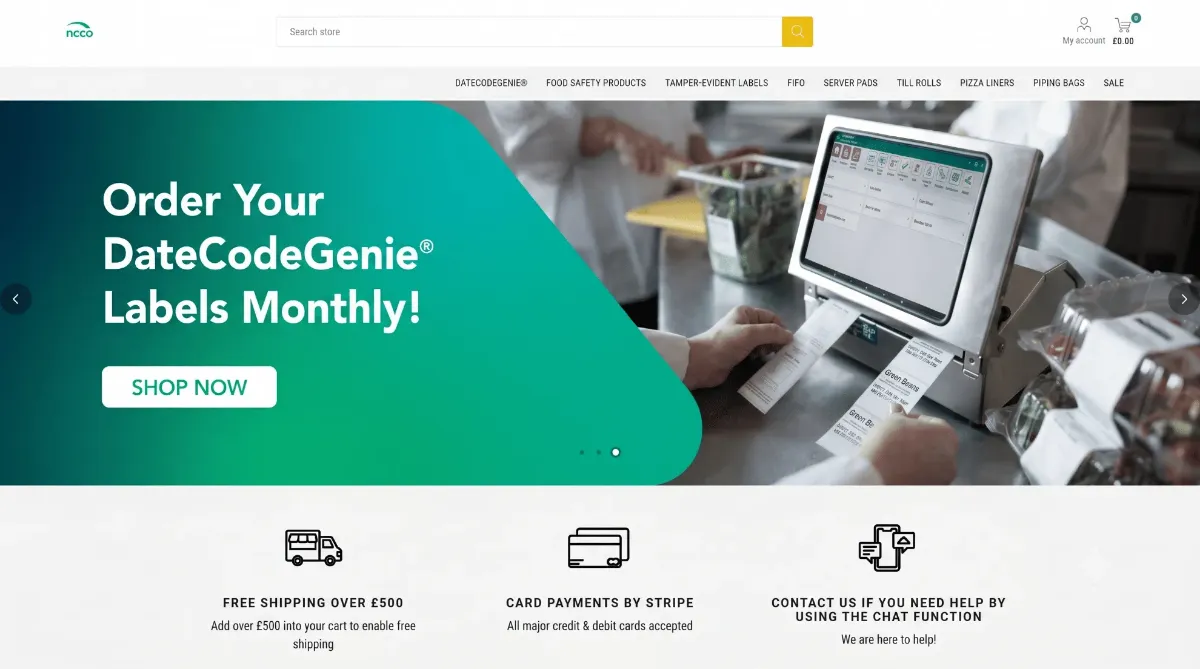
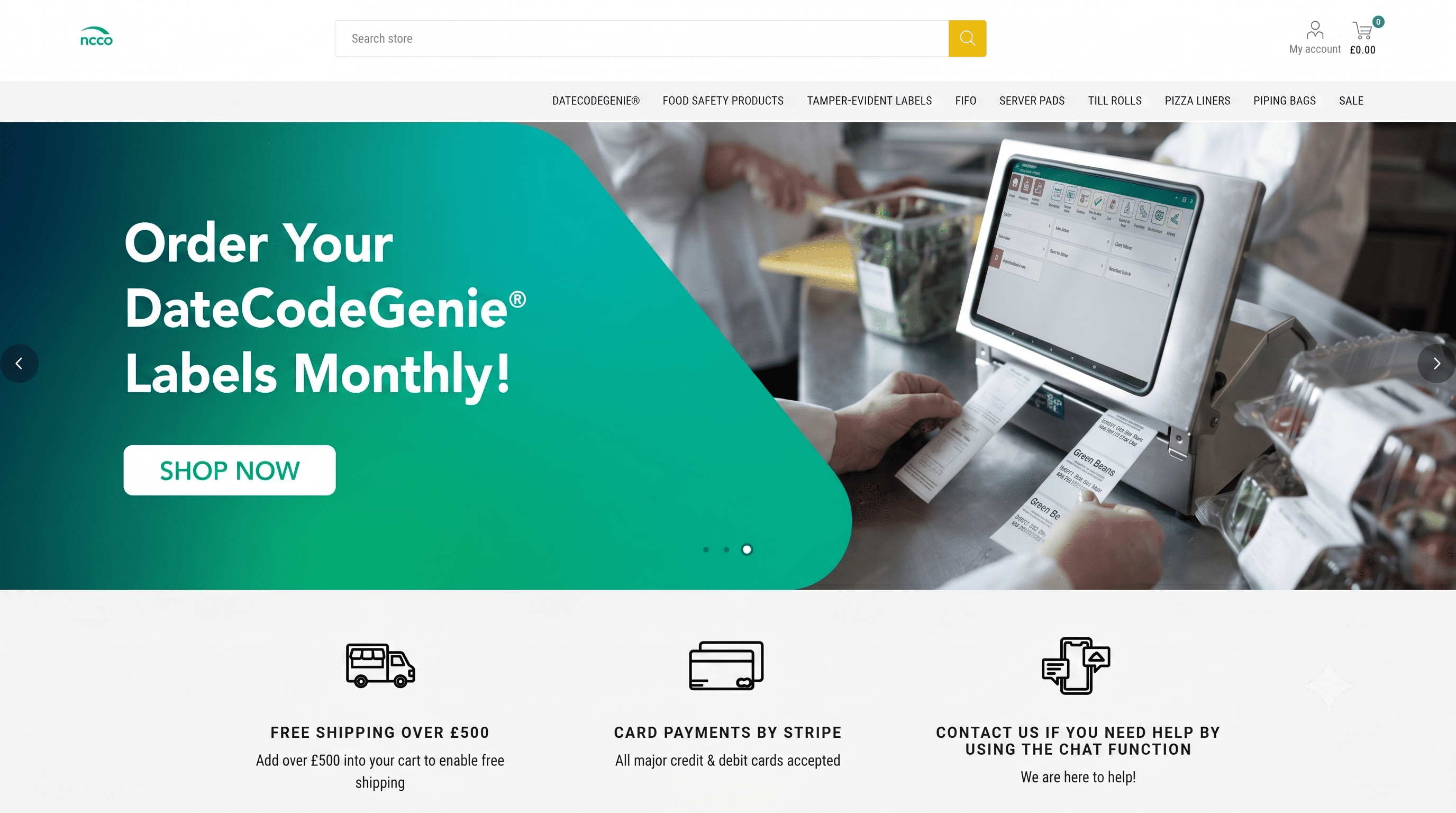
The NCCO Store, a B2B eCommerce platform for foodservice and hospitality businesses in the UK built on top of nopCommerce. It provides a complete directory of food safety labels, restaurants equities for food safety compliance tools and operational products that are critical to the hospitality space.
Eventually, as the platform matured, NCCO partnered up with nopStation to give its digital infrastructure a modern touch. With the most challenging architectural problem of directly changed nopCommerce source code resolved, the engagement also introduced a new set of commercial features: live chat support; subscription-based purchasing, integrated payer processing and smooth checkout process.
Challenges
NCCO's platform was suffering from technical debt that not only inhibited future growth but also jeopardized the platform long-term stability:
Customizations Integrated into nopCommerce Source Code Architecture
NCCO's current installation of nopCommerce had been customized by directly altering the underlying source code. While this is a serious breach of nopCommerce's architectural guidelines it resulted in two problems:
- Platform upgradability: Any upgrades to newer versions of nopCommerce would likely overwrite customizations and/or cause serious conflicts. Upgrading their nopCommerce platform would no longer be possible.
- Diminished extensibility: Customizations made directly to the source code are far more difficult to scale, troubleshoot, and extend with additional functionality down the road.
- Technological debt: Modifications made at the source level are much more difficult to locate, review, and re-work as time goes on.
We needed to find a way to de-couple these customizations from the core platform and package them in such a way that no existing functionality was lost.
Solutions Implemented
The following changes were applied by nopStation in order to modernize the NCCO platform, solve our architectural problem and add new features that allow us to build new capabilities to drive the business forward:
1. Plugin Architecture Refactoring
We solved our source code modification problem by finding every customization that had been made, and porting it out to a new dedicated nopCommerce plugin. This plugin now houses every customization that was previously made directly to the platform’s code. By doing this, we:
- Returned the nopCommerce platform to a pristine state
- Encapsulated all custom logic within a maintainable, version-independent plugin
- Enabled ourselves to upgrade to future versions of nopCommerce
- Created a scalable and more maintainable platform overall
Moving forward, the plugin architecture will be used to house any and all NCCO customizations.
2. Live Chat Integration (Tawk.to)
To allow for the immediate resolution of customer inquiries, NCCO needed to implement a live chat system. Tawk.to — which is an open source chat application — was chosen and implemented as a nopCommerce plug-in.
The plug-in was added to the nopCommerce administration area. Once it was installed; a tawk.to script was added to the configuration section of the chat provider administration area so that the plug-in could be connected to NCCO's live tawk.to work space:
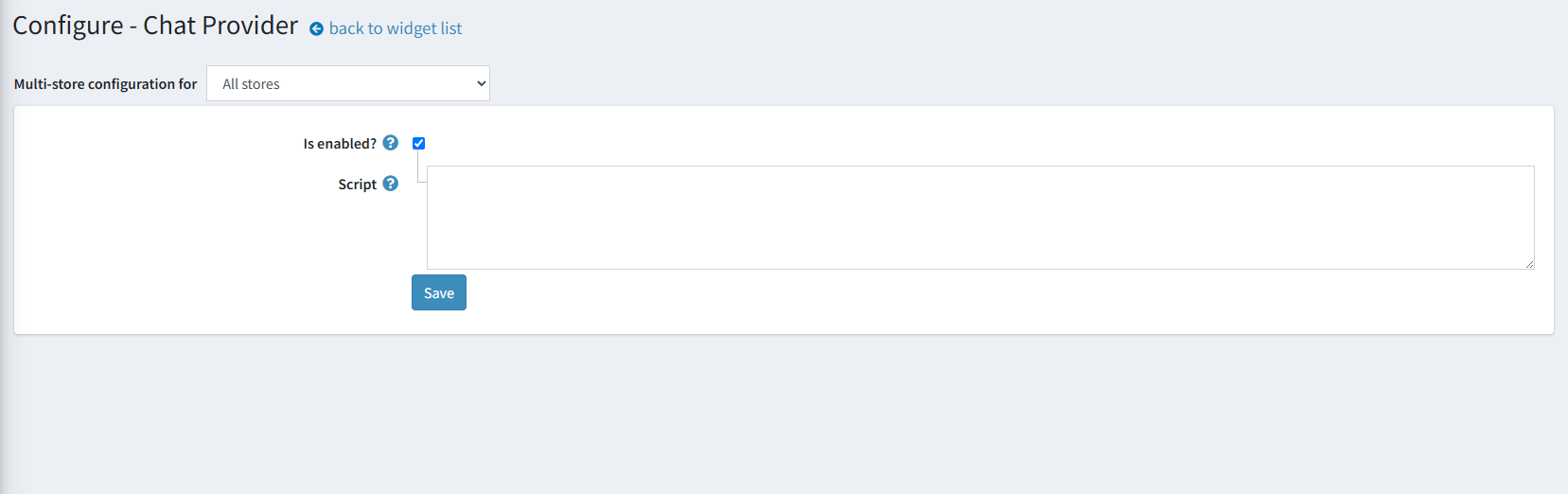
Figure: Chat Provider Admin Configuration
Customer can use the chat interface to communicate with the NCCO support team via the chat box located at the bottom right hand side of every web page of the public storefront (see below):
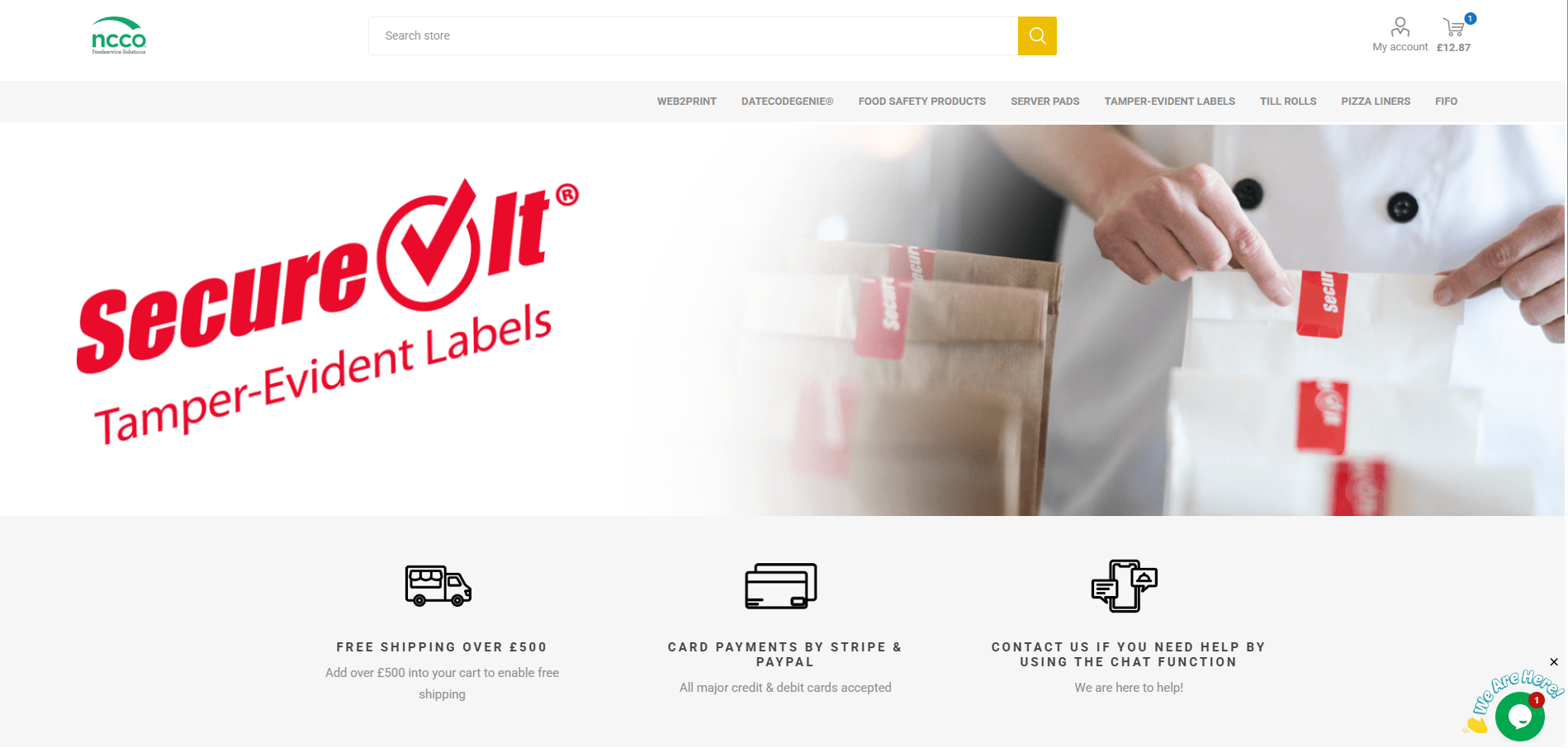
Figure: Live chat widget visible on the public storefront
Once initiated, the customer can begin communicating with the support team via a pop-up window:
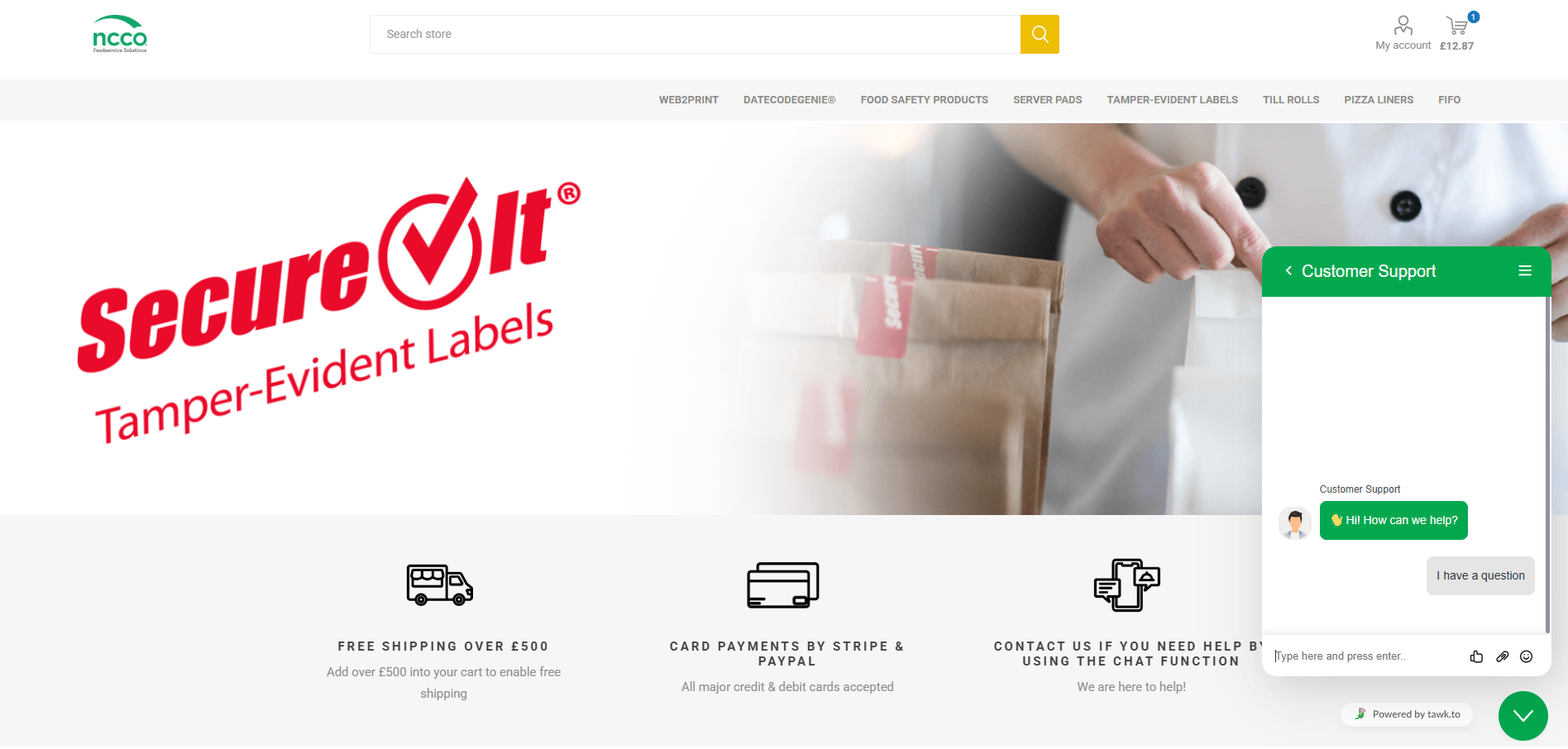
Figure: Chat interface opened by a customer
As all customer interactions occur via the tawk.to dashboard, the NCCO support team will be able to respond to customer inquiries in real-time:
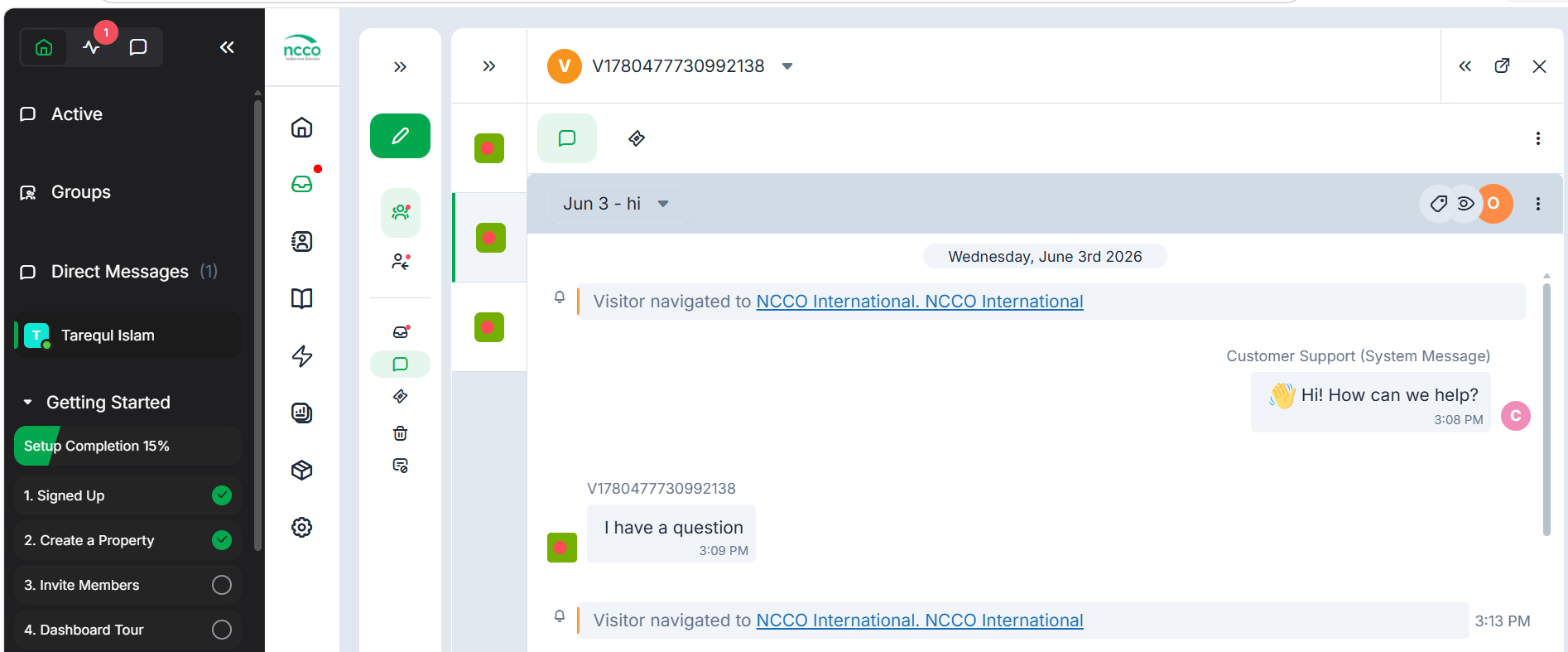
Figure: Tawk.to Dashboard — incoming customer messages
3. Zoho Billing Integration for Subscription Products
There are certain NCCO products that can be purchased with a one-time payment as well as an additional recurring subscription. These features do not come standard with the nopCommerce platform. Also, due to the way stripe 3D Secure works, it will not support this type of payment. Therefore, Zoho Billing was added into the system so it could manage the subscriptions for the various products.
In the nopCommerce administration each qualifying item is linked to its own unique Zoho Billing product url:
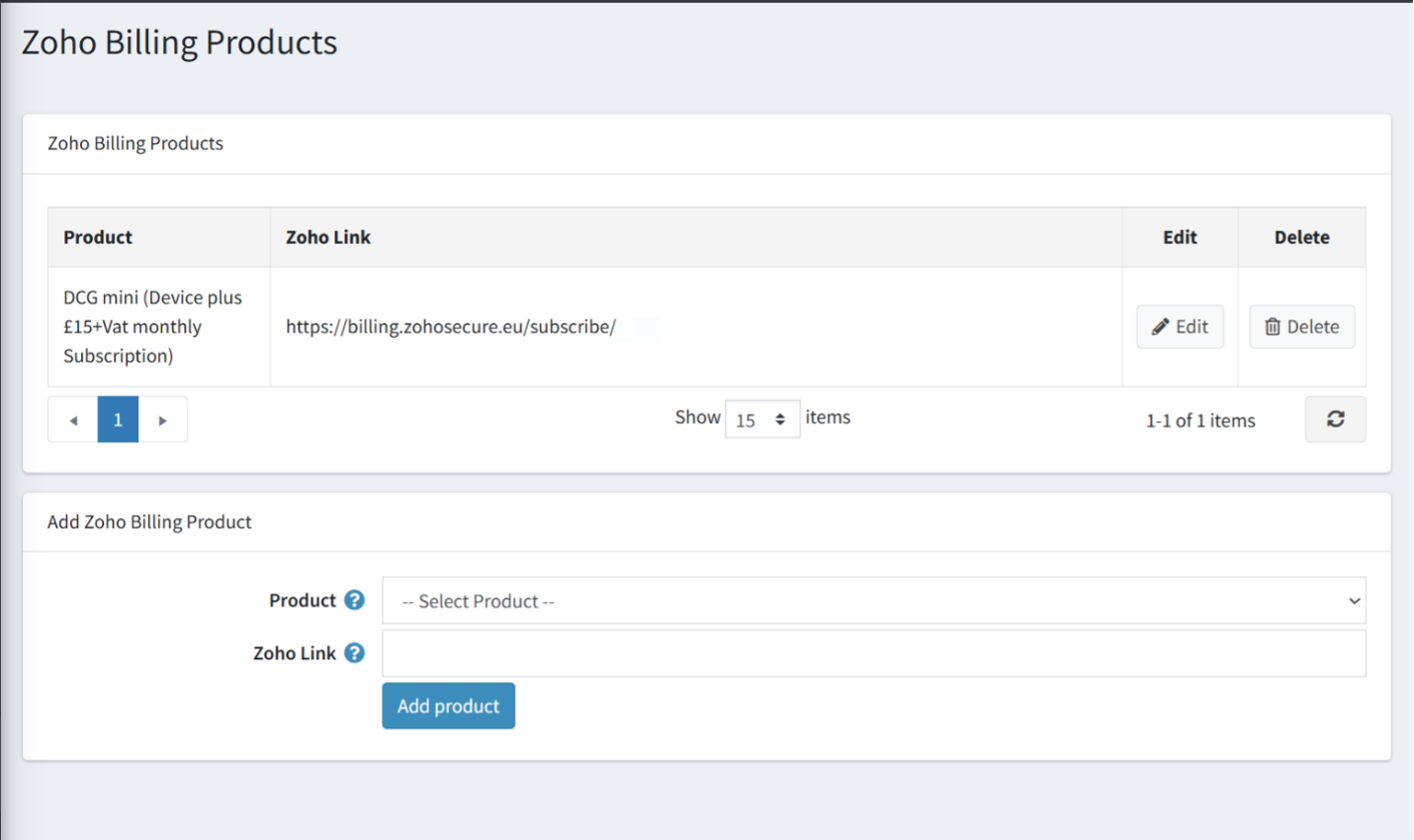
Figure: Zoho Billing Products Configuration in admin panel
When viewed from the storefront, items that are enabled for subscriptions have a "Buy Now" button. When you click the "Buy Now" button, it takes you directly to the Zoho Billing Checkout Page:
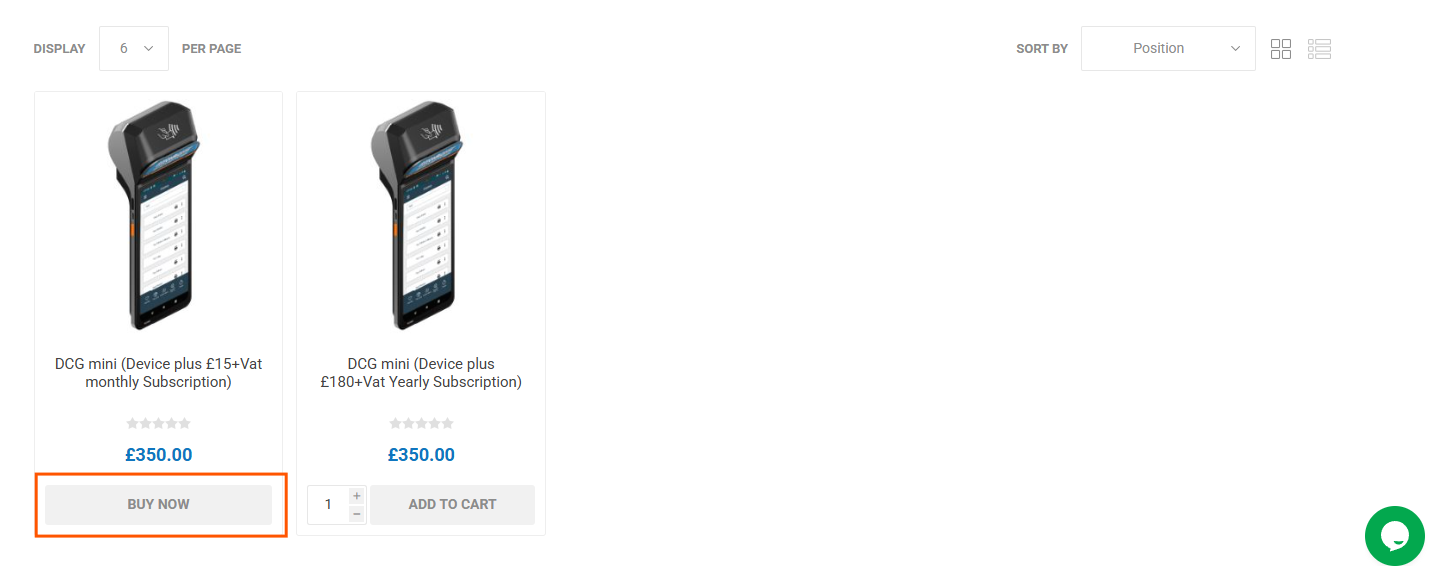
Figure: "Buy Now" product on the public storefront
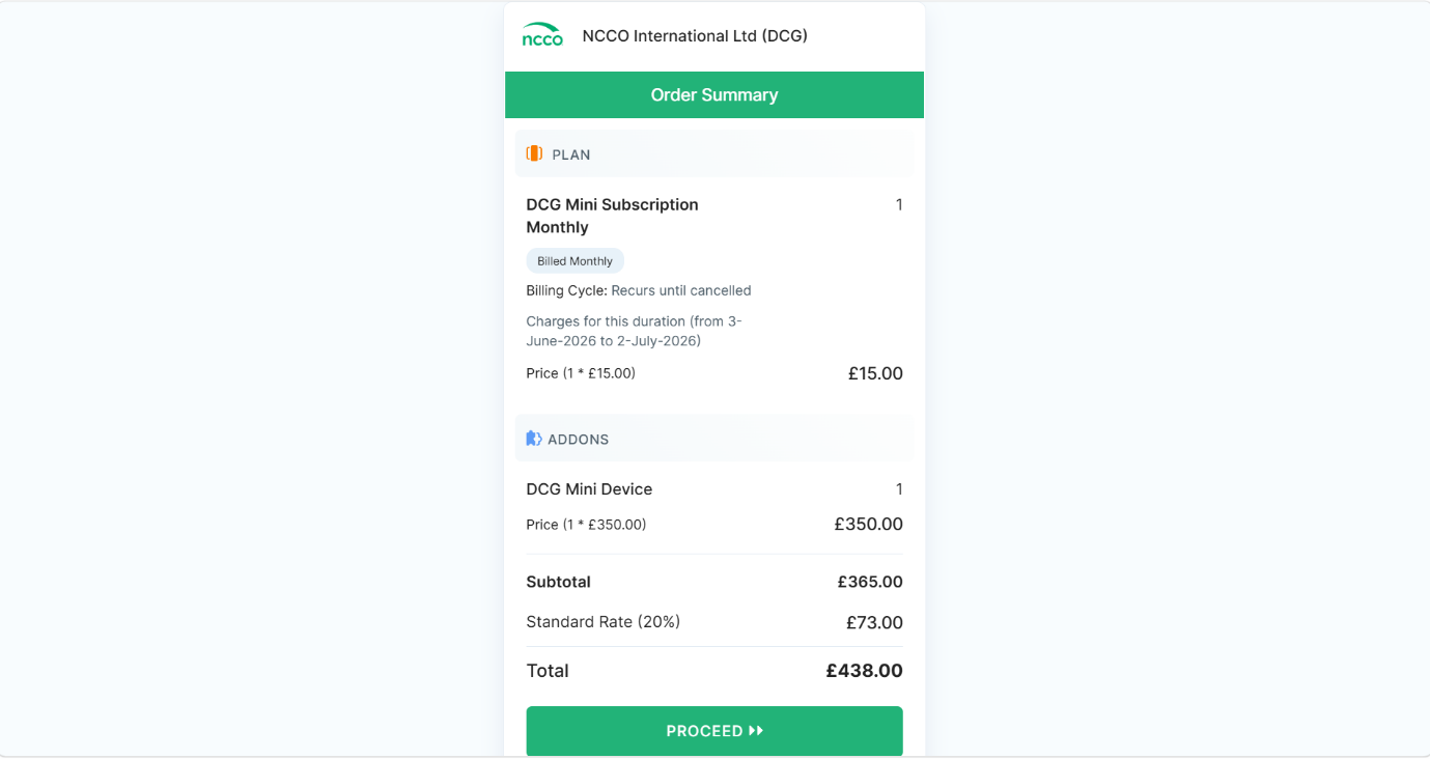
Figure: Zoho Billing redirect page for subscription checkout
4. Stripe Payment Integration
NCCO partnered with Stripe, the chosen payment plug-in provider. Paved the Stripe payment plug-in in nopCommerce to have a highly-reliable payment gateway in place for any regular purchase.
5. Custom One Page Checkout
The team created a completely bespoke One-Page Checkout page to give users the choice of completing their order all in one location, removing any other steps through checkout and reducing carts being abandoned.
Once you enable Stripe, it will be available in the One-Page Checkout:
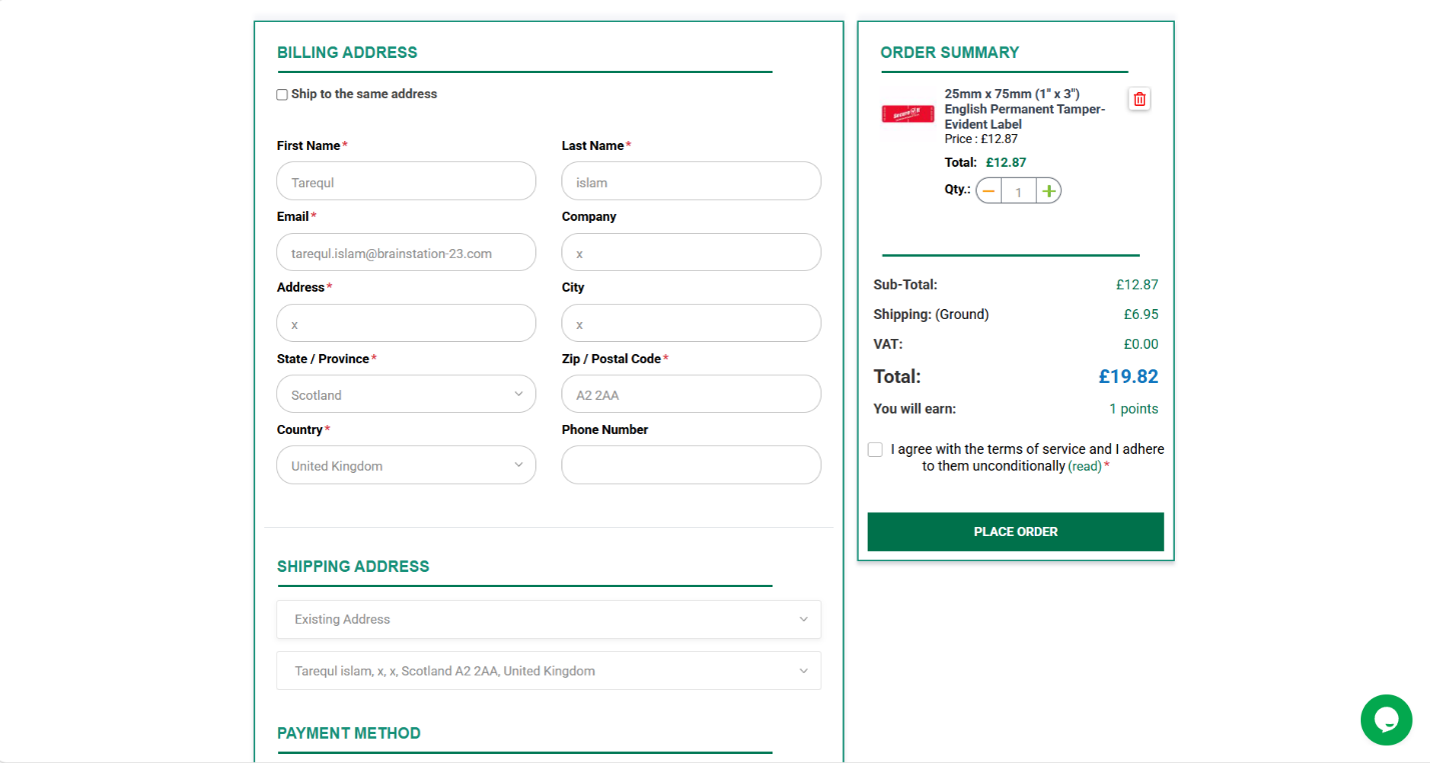
Figure: Custom One Page Checkout with Stripe payment option
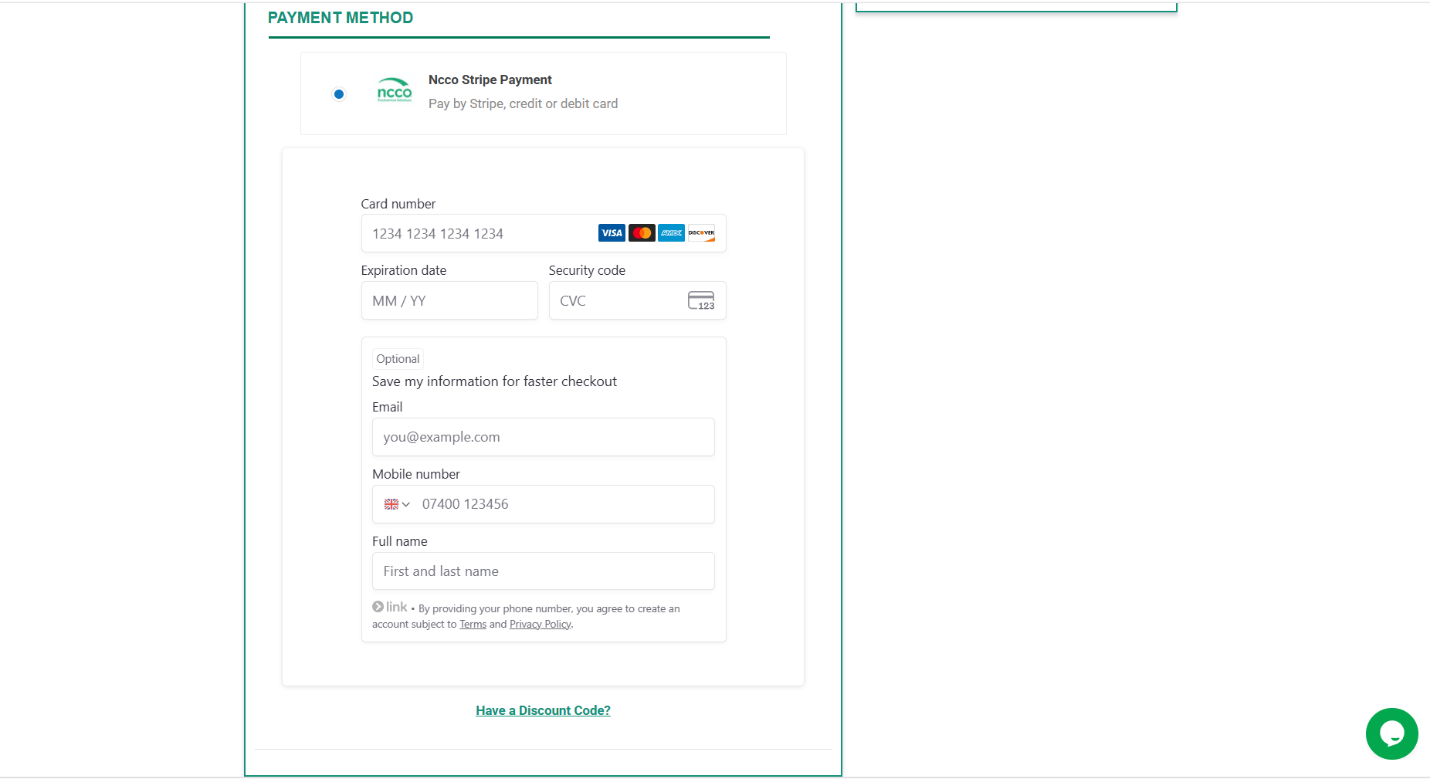
Figure: Stripe payment entry within the One Page Checkout
Business Impact
The implemented solutions delivered measurable improvements across platform reliability, customer experience, and operational capability:
Platform Maintainability and Future-Readiness
- Eliminated technical debt caused by direct source code modifications
- Restored full compatibility with future nopCommerce version upgrades
- Established a clean, plugin-based architecture for all ongoing development
Enhanced Customer Support
- Enabled real-time live chat for instant customer query resolution
- Integrated Tawk.to agent dashboard for centralized support team management
- Improved customer satisfaction through faster, more accessible support
Streamlined Payment and Subscription Management
- Simplified payment operations by consolidating all transactions through Stripe
- Unlocked subscription-based product purchasing through Zoho Billing integration
- Enabled hybrid purchase models (one-time buy + subscription) which is not available in standard nopCommerce
Improved Checkout Experience
- Reduced checkout friction through a single-page purchase flow
- Improved conversion potential by minimising steps between cart and order completion
Results
- Restored nopCommerce upgrade eligibility by migrating all customizations from the core source to a dedicated plugin architecture.
- Enabled real-time customer support with Tawk.to live chat, providing customers with instant access to the NCCO support team.
- Introduced subscription-based purchasing capability through Zoho Billing integration, expanding the range of purchasable product types.
- Consolidated all standard product payments through Stripe, simplifying payment operations and improving transaction reliability.
- Reduced checkout abandonment risk with a custom One Page Checkout solution, streamlining the path from cart to confirmed order.
- Established a scalable, maintainable plugin-first development foundation for all future platform enhancements.

