
APG Automotive's apgautomotive.co.za: A B2B eCommerce Journey Built on nopCommerce and Dynamics 365
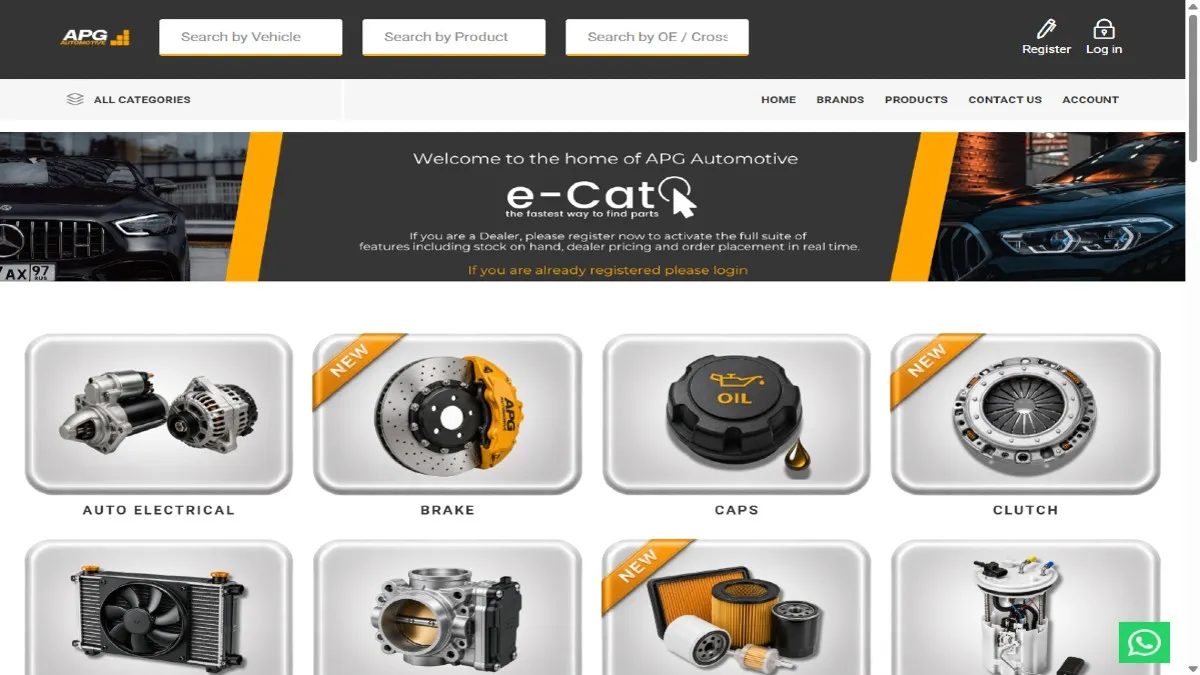
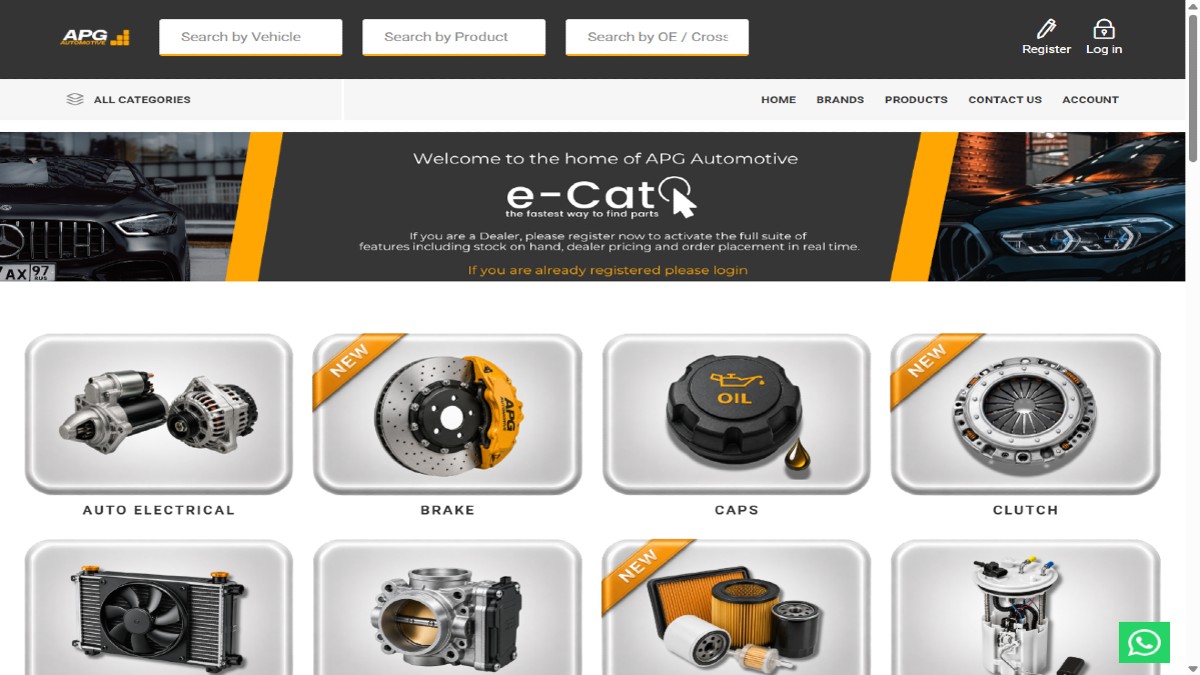




A brief background on APG Automotive
APG Automotive is a division of Africa Parts Group (Pty) Ltd, an automotive aftermarket parts distributor based in City Deep, Johannesburg, South Africa. The brand traces its roots to Control Instruments, founded in 1948, and moved through CI Automotive and Torre Automotive before Africa Parts Group completed a management buyout from Torre Industries in May 2019 and relaunched as APG Automotive. The company distributes parts from Continental, VDO, Permatex, GMB, and Gabriel, alongside South African brands such as Echlin and storefront lines including Bosch, Ferodo, Monroe, and Sachs. APG runs its e-Cat platform as a business-to-business dealer portal: registered dealers across South Africa and Namibia get live stock, dealer-tier pricing, and Dynamics 365 order history, while the public catalog stays open for browsing without exposing pricing or stock to guests.
Challenges
APG Automotive's e-Cat runs on nopCommerce 4.70.0 with .NET 8.0.4, on a B2B/B2C layer live since 2022. After a review of the storefront and admin configuration, our team identified the following challenges central to running a dealer-only commerce experience against a Dynamics 365 backend at scale.
Gating Commerce Behind Dealer Login: Standard nopCommerce shows prices and lets anyone check out. APG needed the opposite: guests browse the catalog, but stock, dealer pricing, and add-to-cart only appear once a dealer logs in. This meant building a distinct set of customer roles, from B2B Customer through Sales Rep and Quote/Order Assistant, while keeping the public catalog useful on its own.
Exposing Dealer Pricing Across a 7,000+ SKU Catalog: APG's catalog runs to more than 7,000 SKUs, and admin list prices are often zero because dealer pricing comes from the ERP group price code, not nopCommerce itself. Surfacing the correct excl. VAT price for each of 86 group price codes on every listing page was a data mapping problem as much as a storefront one.
Showing Live Stock Instead of Static Inventory: Dealers place repeat orders and need to know, at SKU level, whether a part is in stock before committing. A static in-stock flag was not enough. The storefront needed a live quantity, such as 5 IN STOCK, and still allow backorders at zero stock without dealers assuming same-day dispatch.
Finding Parts at Aftermarket Scale: Buyers search by vehicle, product name, or OE or cross-reference part number, across 11,500 vehicle applications and more than 2 million aftermarket-to-OE cross-references. A standard catalog search has no concept of vehicle fitment or cross-reference, so this needed a search layer built for parts, not general retail.
Keeping ERP Identity, Credit, and Ship-Tos in Sync: Every dealer maps to a Dynamics 365 account carrying a VAT number, credit limit, named users, and branch ship-tos. With 11,558 ERP accounts on file, spanning South African provinces and dealers as far as Windhoek, Namibia, the storefront needed its own ERP account layer, not nopCommerce's native customer model.
Reconciling Two Order Identities Against a Same-Day Cut-Off: Orders placed before 15:00 on a business day ship the same day; later orders move to the next business day. On top of that, the storefront issues its own nop order numbers, such as A-2619, while Dynamics 365 assigns ERP sales-order numbers such as E-SO165283 for the same transaction, and the two must stay linked.
Our Solution
Rather than rebuild the storefront, team nopStation worked within the existing plugin-driven Comalytics B2B stack: Nop-Station Core, NopStation B2BB2CFeatures, NopStation ERP Integration Core, and the NopStation Dynamic 365 Integration plugin, on nopCommerce 4.70.0, .NET 8.0.4, and SQL Server, with a Nop-Templates Emporium storefront theme.
Dealer Login and Role-Based Commerce: Our team configured the B2B Account plugin alongside 14 customer roles, including B2B Customer, Sales Rep, and Quote/Order Assistant, so pricing and cart access follow the logged-in role. Guests keep full access to the catalog, brand pages, and PDF downloads, while a dealer register form collects company and address details up front.
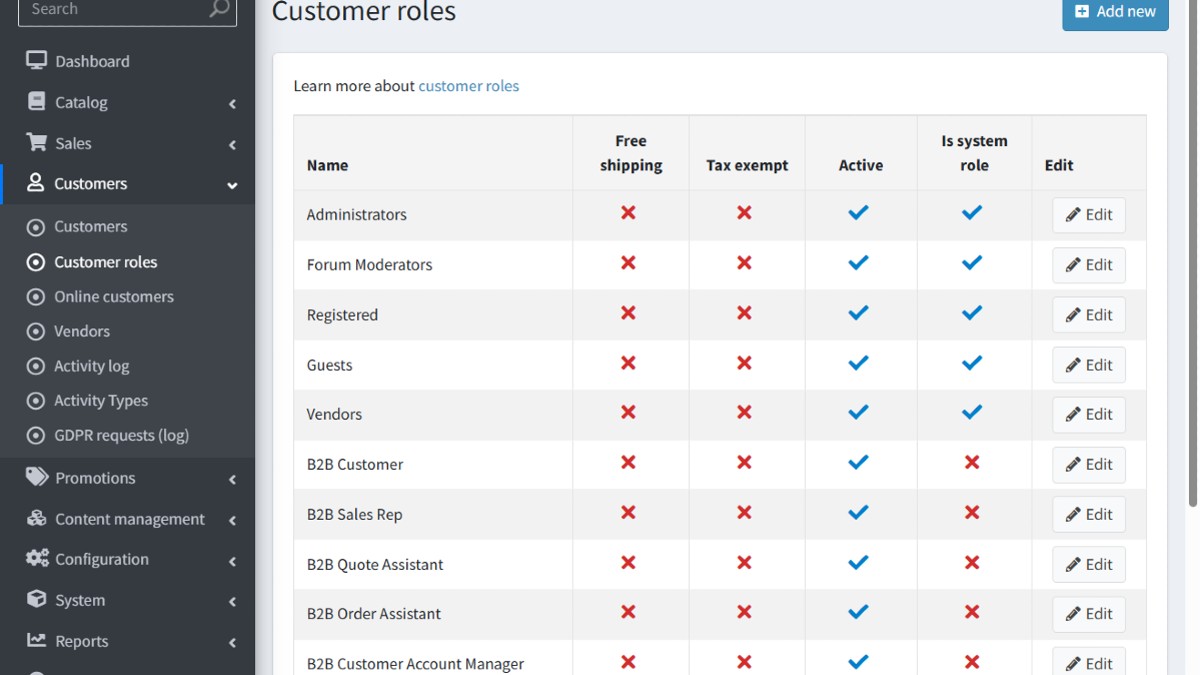
Image 1.2: Customer roles
Dealer Pricing Pulled From ERP Group Price Codes: Product listing pages resolve dealer price excl. VAT from the correct ERP group price code at render time, drawing on 86 codes spanning tiers T1 through T6. A dealer viewing the Brake Pads listing sees Ferodo SKUs priced for their own account, with add-to-cart available from the listing page.
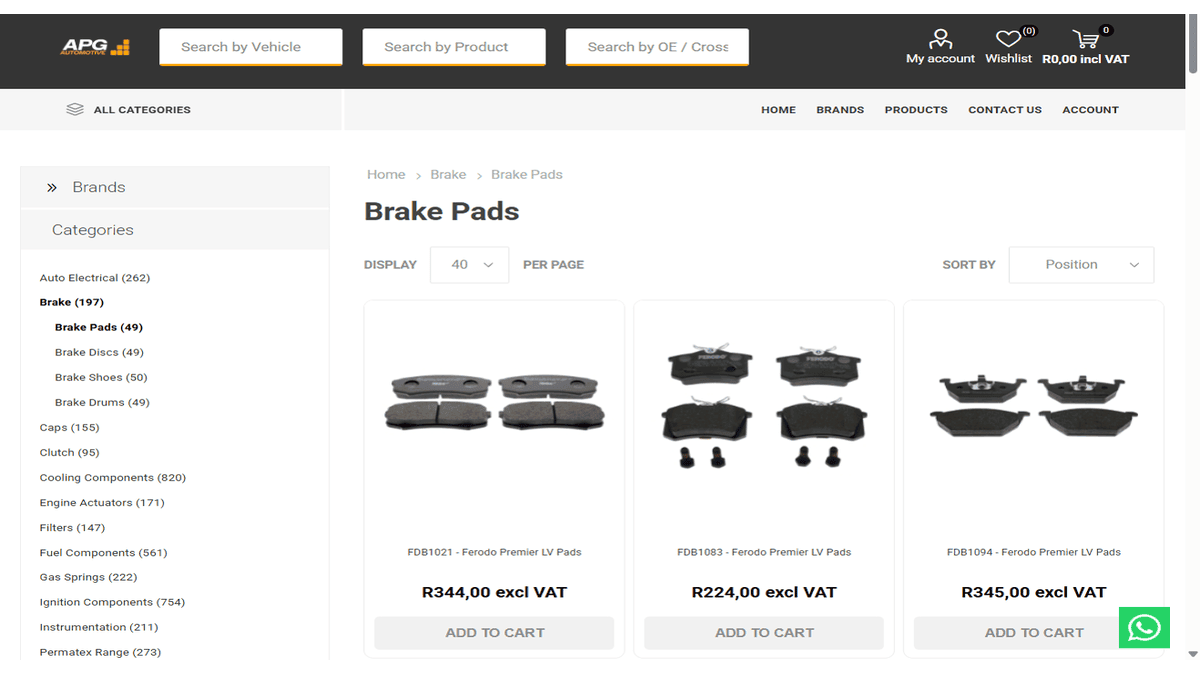
Image 1.3: Brake pads listing with dealer pricing excl. VAT
Live Stock Badges on the Product Page: Each product detail page shows SKU, MPN, and GTIN alongside a live stock count, for example 5 IN STOCK on a Ferodo Premier LV pad, sourced from the same ERP feed as pricing. Backorders remain available at zero stock, paired with copy that sets the 15:00 same-day dispatch cut-off.
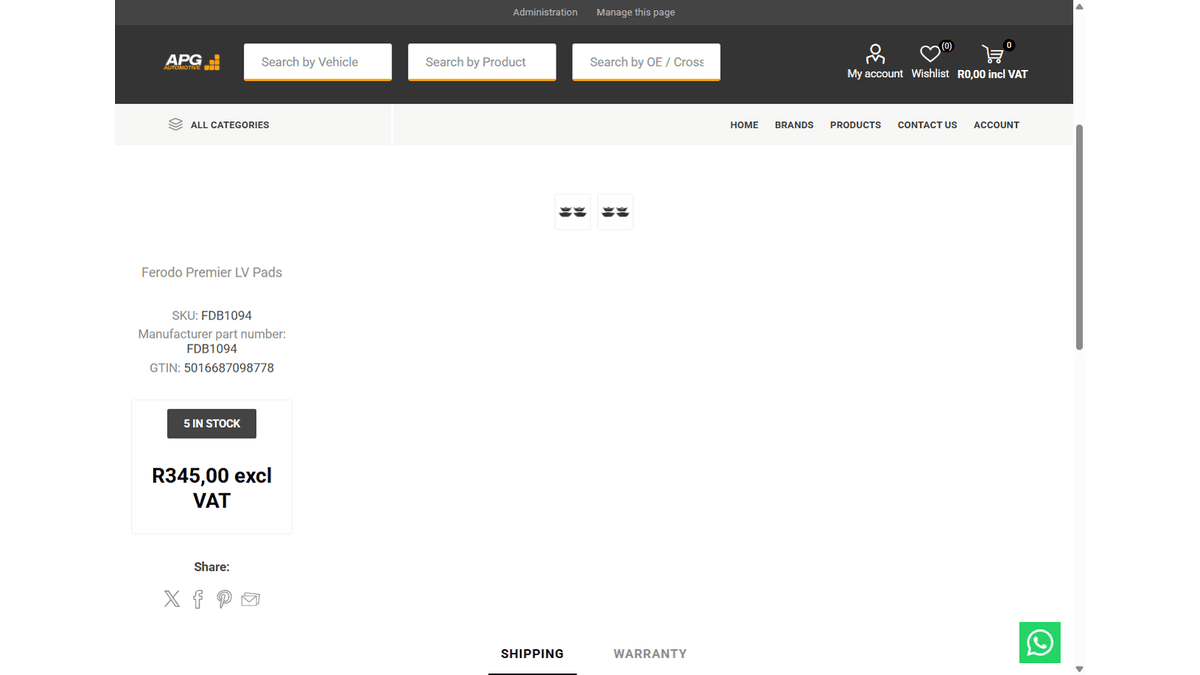
Image 1.4: Product page with live stock and dealer price
Triple Search Across Vehicle, Product, and OE Data: Team nopStation layered a Doofinder-powered triple search onto the storefront, covering vehicle, product, and OE or cross-reference search in one overlay. A search for Toyota Hilux returns 168 results with Product Group and Make facets, drawn from 11,500 vehicle applications and 2 million+ cross-references.
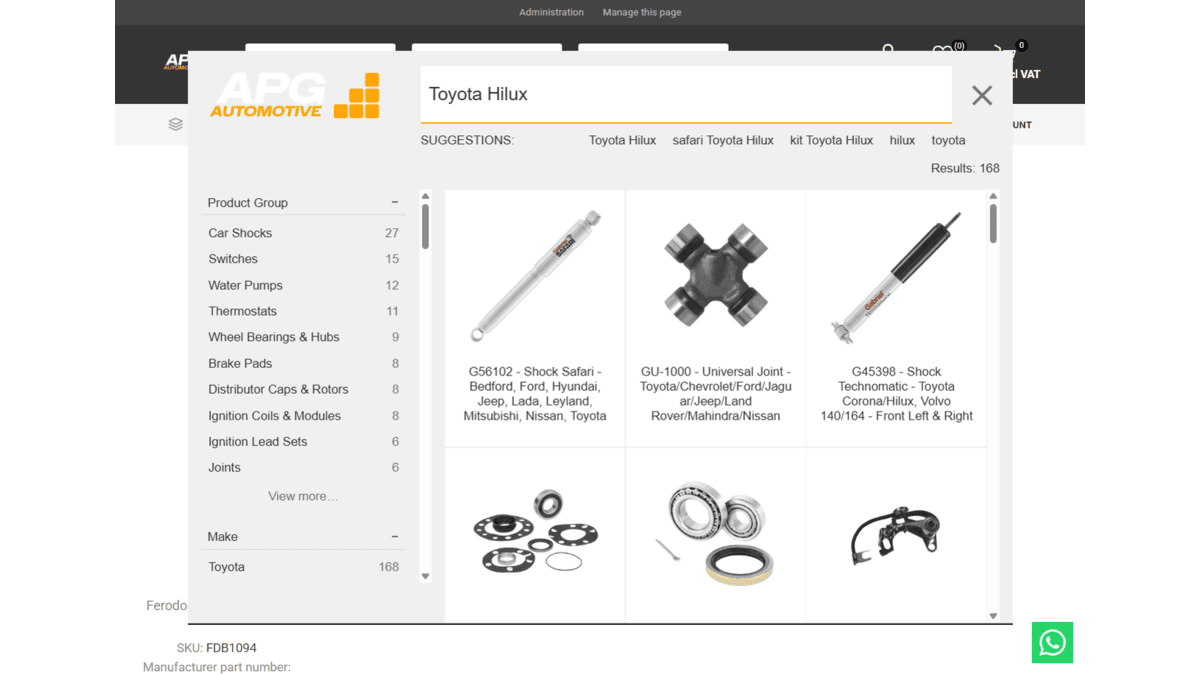
Image 1.5: Doofinder vehicle search overlay
A Dedicated ERP Account Layer Synced to Dynamics 365: Rather than stretch nopCommerce's native customer model, the team built an ERP Accounts section holding account number, VAT, credit limit, users, and branch ship-tos for all 11,558 records, synced from Dynamics 365 through the ERP Integration Core and Data Scheduler plugins. Multi-branch dealers, including Namibia, get one login mapped to the right ship-to and credit terms.
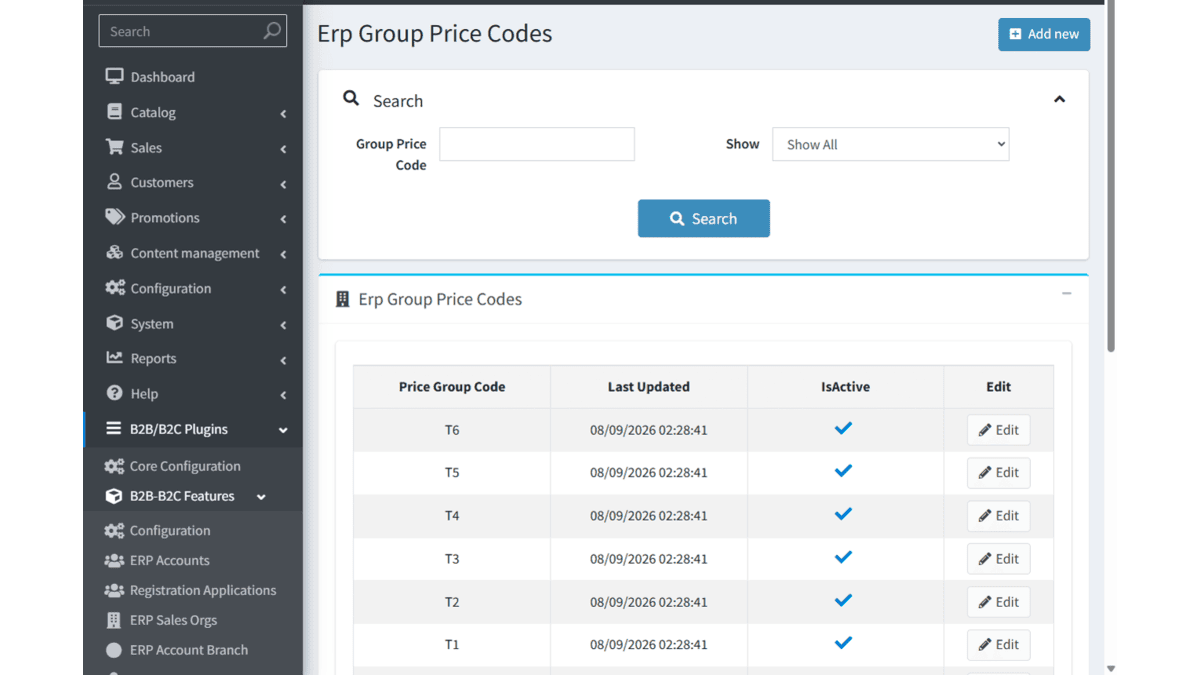
Image 1.6: Admin group price codes
Keeping nop and ERP Order Numbers Linked: Order history displays each order under its ERP sales-order number, prefixed E-SO, while admin keeps the nop order number, prefixed A, for the same transaction. The Dynamic 365 Integration plugin keeps the two synchronized as orders post to Dynamics 365, so dealers get one order history matching the ERP.
Together, this work turns one nopCommerce 4.70 storefront into the front end for an 11,558-account Dynamics 365 dealer network.
Results:
- Synced 11K+ ERP dealer accounts from Microsoft Dynamics 365 into a dedicated admin layer.
- Delivered live stock and dealer pricing across a catalog of 7K+ SKUs.
- Configured 86 ERP group price codes across pricing tiers T1 through T6.
- Enabled a triple search returning 168 results for a single vehicle query across 11K+ vehicle applications.
- Reconciled nop order numbers with ERP sales-order numbers across 2K+ recorded orders.
- Grew the registered dealer base to 400+ accounts.
- Installed and configured 34 storefront and B2B plugins, including Nop-Station Core and Dynamic 365 Integration.

