
How We Built an AI QA Agent That Changed Our Release Cycle

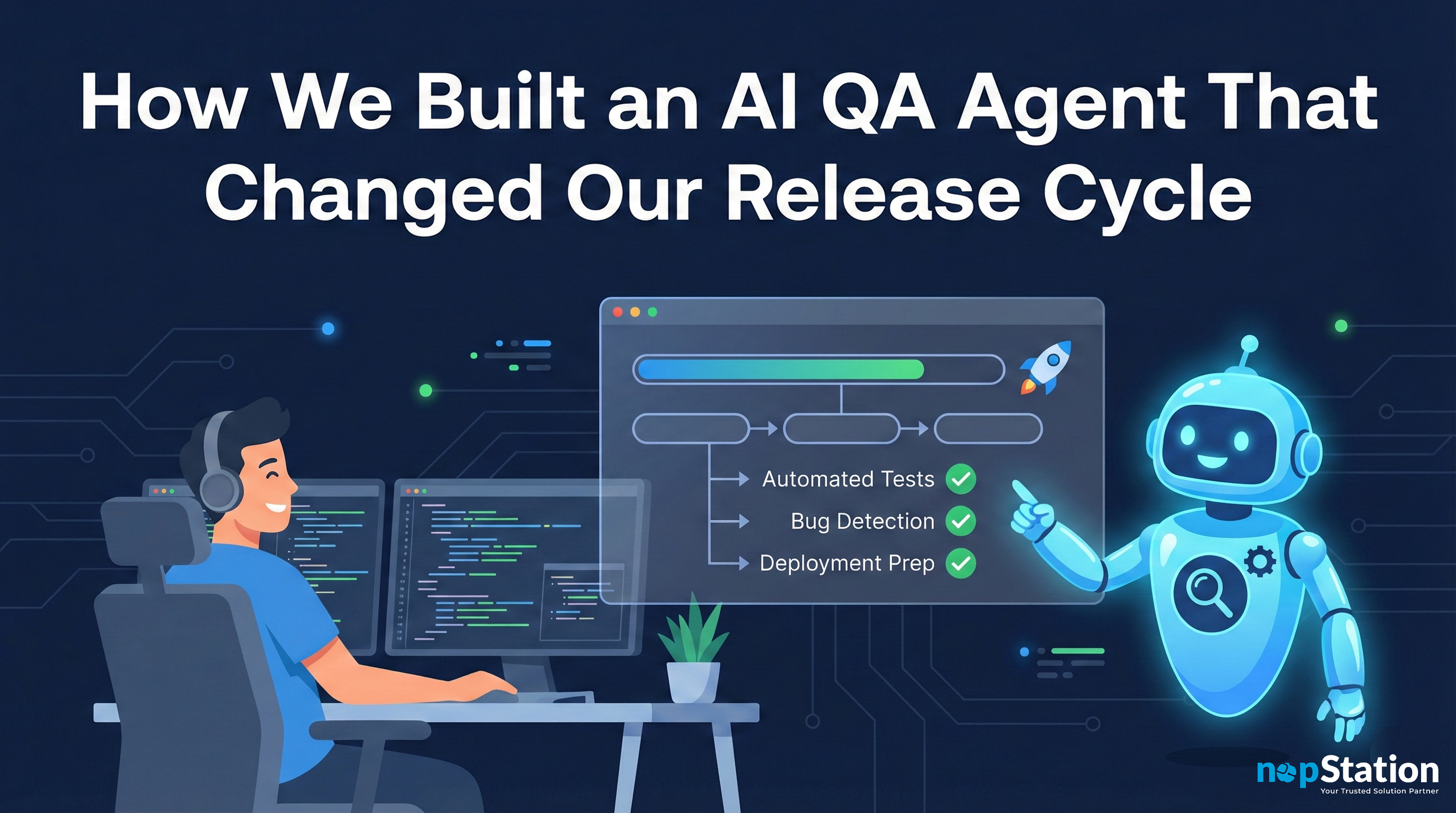
From 15-minute manual checkouts to one-click automated testing, here’s how we reclaimed our sanity.
The Problem Nobody Talks About
Picture this, at the EOD on a Friday. You’ve just merged a critical feature into production. Your team is ready to call it a week. But before anyone can close their laptops, someone has to do the thing, the full checkout test.
Add product to cart. Fill billing details. Enter payment info. Submit order. Complete the transfer. Repeat for every product variant. Every. Single. Time.
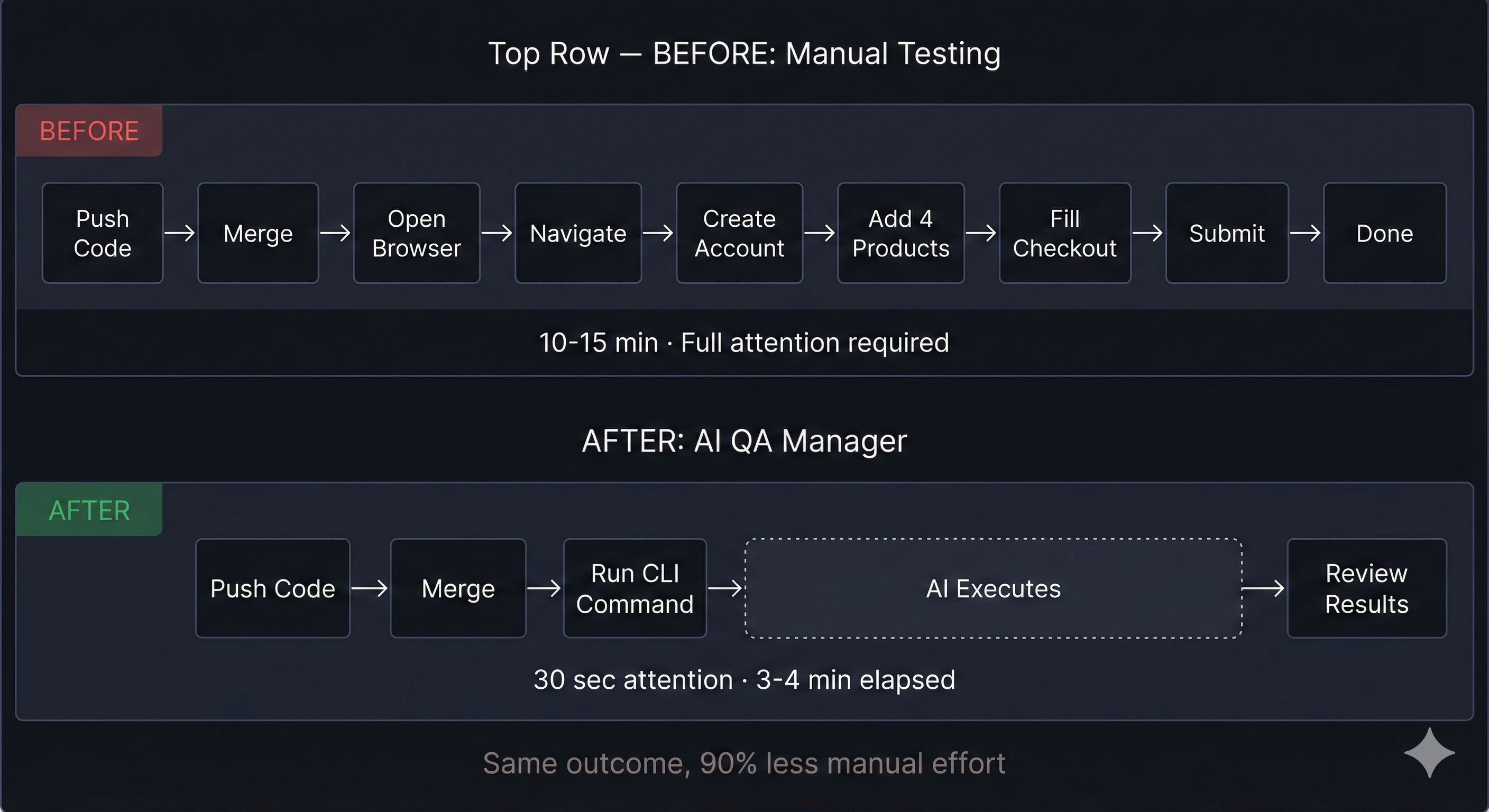
For our team working on AlwaysFoodSafe, an e-commerce platform selling food safety certifications—this ritual consumed 10-15 minutes after every deployment. Four products, multiple state variations, payment flows, and entitlement transfers. Miss one step? You might ship a broken checkout to real customers.
The mental drain wasn’t just about time. It was the repetition. The fear of human error. The growing resentment every time someone asked, “Did anyone test the checkout?”
We needed a different approach.
The Spark: What If AI Could Click for Us?
The idea started as a half-joke during a standup: “What if we just taught an AI to do the checkout?”
But the more we thought about it, the more it made sense. Browser automation has existed for decades, Selenium, Puppeteer, Playwright. The problem was never the clicking. It was the intelligence behind it.
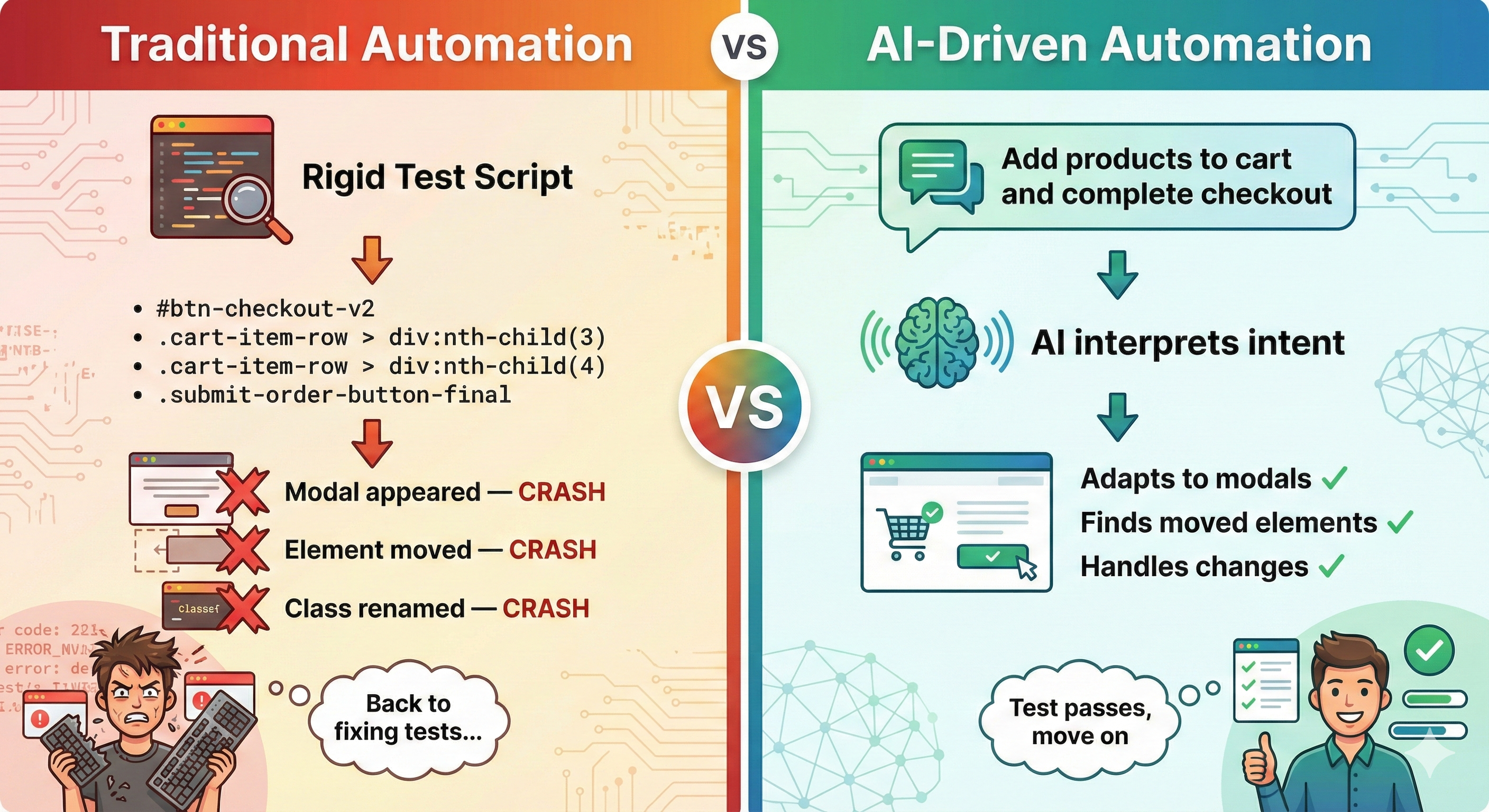
Traditional automation scripts are brittle. Change a button’s class name, and the whole test suite collapses. Add a popup modal, and your script crashes. Move an element two pixels to the left, and suddenly nothing works.
What if instead of scripting every click, we could simply describe what we wanted?
And then let an AI figure out how to do it.
Building the AI QA Manager
We built our solution on top of Browser Use, an open-source framework that connects large language models to browser automation. The AI doesn’t just execute commands, it sees the page, understands the context, and decides what to do next.
Here’s what makes it different from traditional testing:
It adapts
When a modal pops up unexpectedly, the AI recognizes it and dismisses it. When a dropdown requires hovering instead of clicking, the AI figures it out. When content is below the fold, the AI scrolls.
It thinks in steps
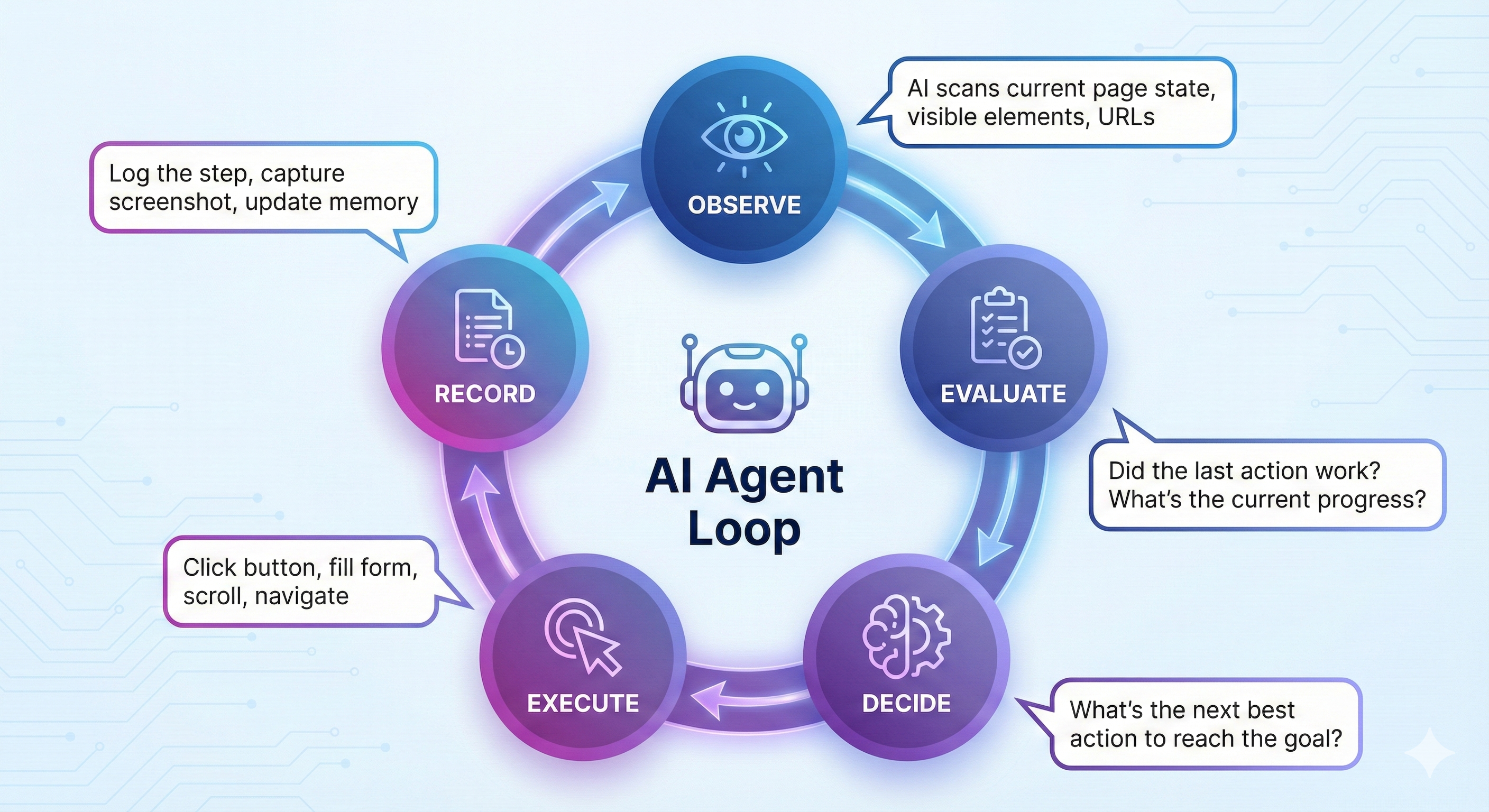
After every action, the AI evaluates: Did that work? What should I do next? This creates a feedback loop that handles edge cases naturally.
It learns from context
We provide the AI with a detailed “site manual”—how navigation works, where dropdowns are tricky, what modals might appear. The AI uses this knowledge to navigate intelligently rather than blindly following coordinates.
Two Tools, One Mission
We built two interfaces for different workflows: a Web UI for visual monitoring and a CLI for developer speed.
The Web Dashboard
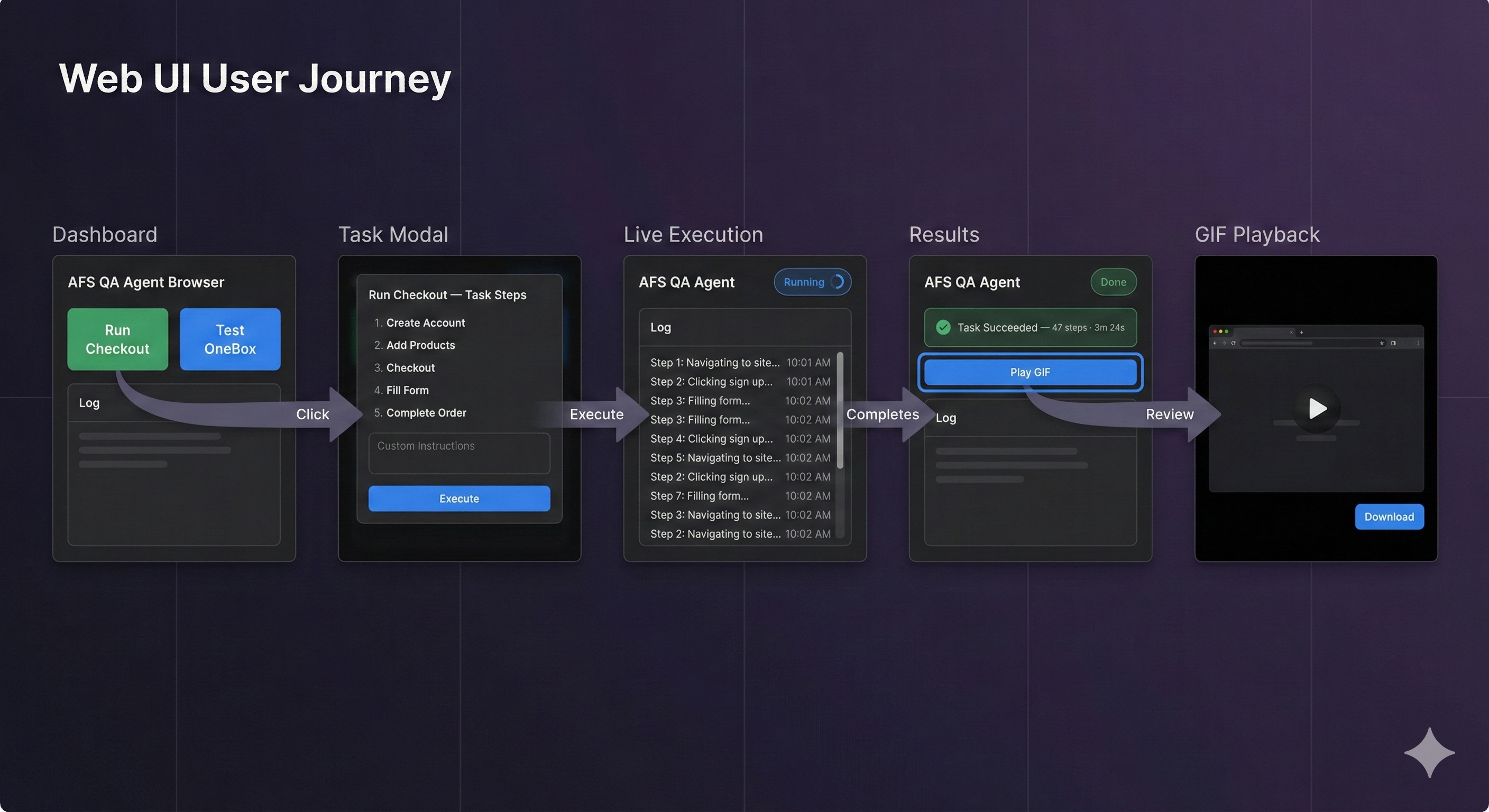
The dashboard is designed for visibility. When you click “Run Checkout,” you’re not staring at a blank screen hoping things work. You see everything:
- Real-time logs showing every decision the AI makes
- Step-by-step reasoning (“Clicking the state dropdown... Selecting Alabama... Waiting for price update...”)
- A GIF recording of the entire session you can replay and share
The UI includes preset buttons for common tests. One click runs the full checkout flow. Another tests our OneBox product selector. Each button opens a modal explaining exactly what the AI will do, with the option to add custom instructions.
The CLI for Developers
Sometimes you don’t want to leave your terminal. For developers deep in code, we built a command-line interface:
# Run the full checkout test
bu -afs --checkout

# Checkout with specific instructions
bu -afs --checkout -p "use California for all state selections"

# Run any custom QA task
bu -afs -p "verify the Food Manager price for Alaska"
One command. Full end-to-end test. No context switching. No browser windows to manage. Just run it and check the results.
The Numbers That Matter
Let’s talk about what actually changed:
| Metric | Before | After |
|---|---|---|
| Time per checkout test | 10-15 minutes | ~3-4 minutes |
| Human attention required | 100% focused | 30-35s to review the gif |
| Steps remembered correctly | Variable | 100% |
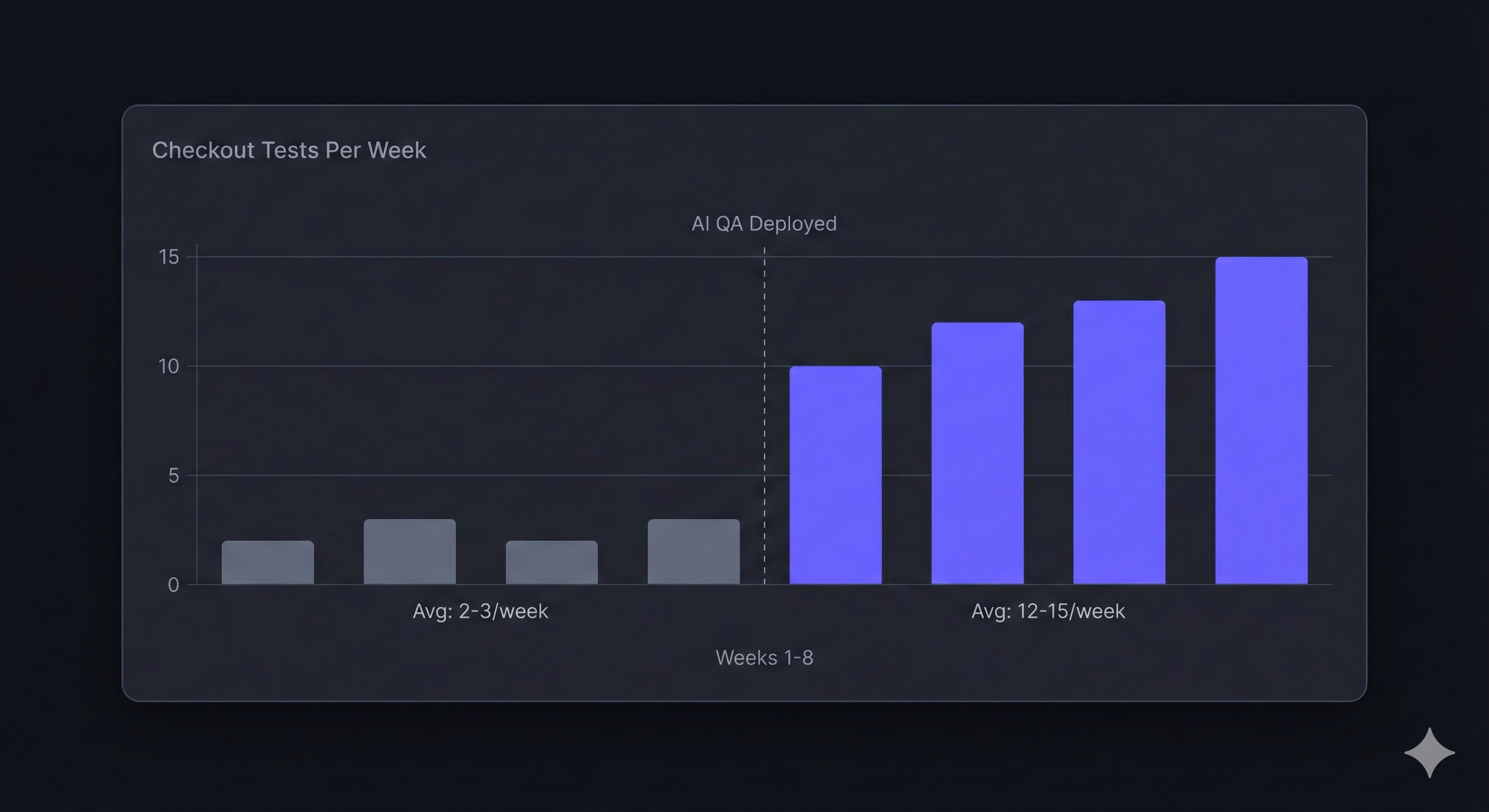
| Tests run per week | 2-3 (only when critical) | 10-15 (after every merge) |
| Friday deployment anxiety | High | Gone |
But the numbers only tell part of the story.
The real win is confidence. We now test checkout flows after every significant change, not just before major releases. Bugs that would have reached production get caught in development. The checkout flow is no longer a black box we’re afraid to touch.
What the AI Actually Sees
Here’s a peek behind the curtain. When the AI runs a checkout test, it processes the page like a human would but with perfect memory and patience.
A typical run takes 45-50 decision steps using free-tier models from Groq. Each step involves:
- Observing the current page state
- Recalling what it’s trying to accomplish
- Deciding the next action
- Executing and evaluating the result
With more powerful models (Claude, GPT-4), the same checkout completes in 15-20 steps. The AI makes smarter decisions, combining actions and recovering from errors more gracefully.
Every step is logged. Every decision is explainable. When something goes wrong, you can trace exactly where and why.
The Features We’re Building Next
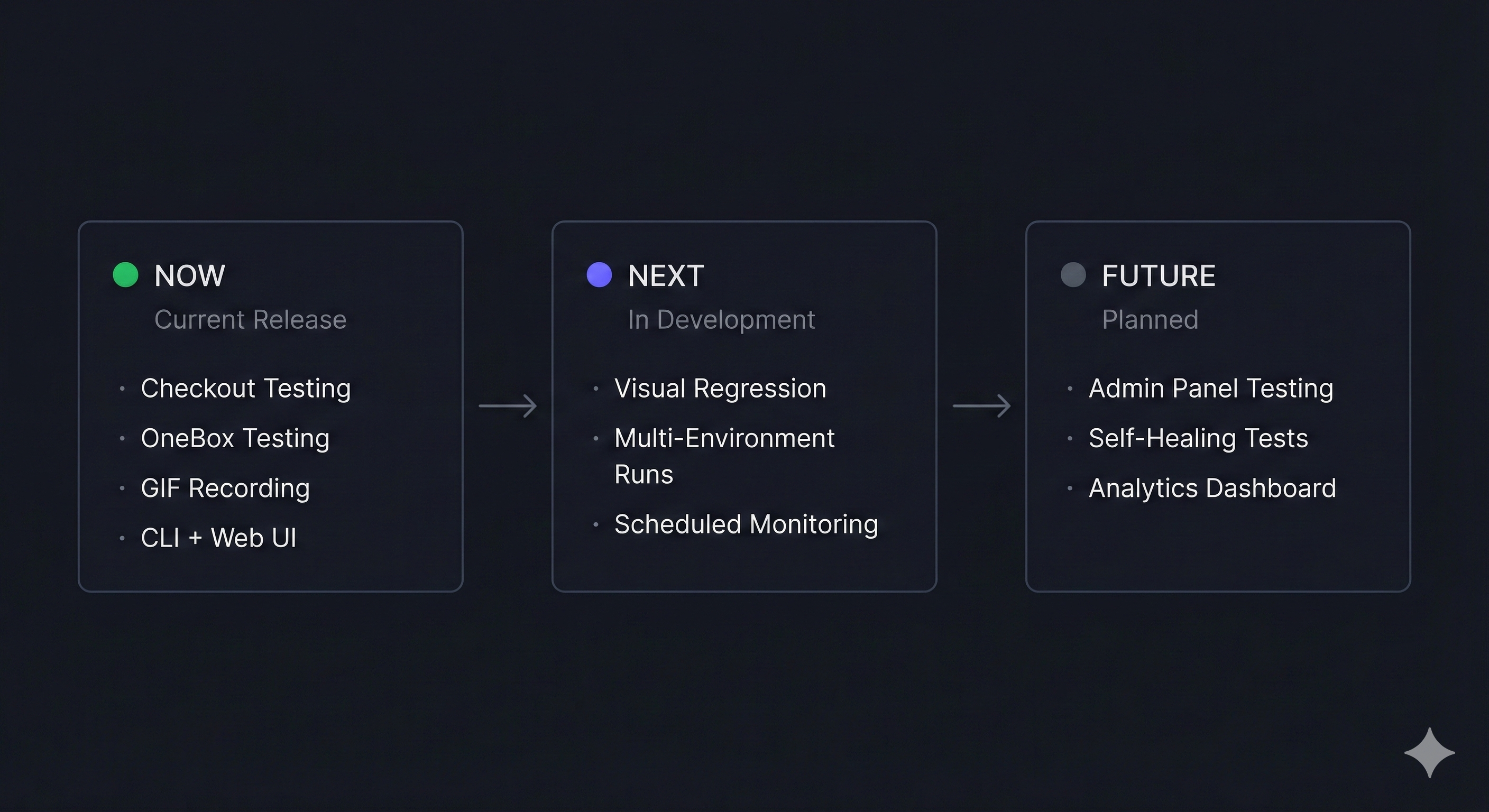
This is just the beginning. Here’s what’s on our roadmap:
- Visual regression testing. Not just “did the checkout work?” but “does the checkout look right?” AI-powered comparison of screenshots to catch CSS bugs and layout shifts.
- Multi-environment sweeps. Run the same test across staging, beta, and production simultaneously. Compare results. Catch environment-specific bugs.
- Scheduled monitoring. Automated checkout tests running every hour, every day. Get alerted the moment something breaks before customers notice.
- Admin panel integration. Currently, we keep the AI away from admin functions (it’s new technology, and we’re being careful). But eventually, we want AI-assisted admin testing too—verifying order management, user administration, and reporting functions.
Lessons for Teams Considering AI QA
If you’re thinking about building something similar, here’s what we learned:
- Start with one painful workflow. Don’t try to automate everything at once. Pick your most repetitive, most dreaded test. Nail that first.
- Context is everything. The AI is only as good as the knowledge you give it. We wrote a detailed “site manual” explaining navigation quirks, dropdown behaviors, and common gotchas. This investment paid off immediately.
- Embrace the decision log. Traditional tests pass or fail silently. AI tests show you why. This transparency is a feature, not overhead.
- Free models work. You don’t need expensive API calls for every test. We run most tests on Groq’s free tier. Save the premium models for complex edge cases.
- Keep humans in the loop. The AI handles the repetitive clicking. Humans review the results, investigate failures, and improve the system. It’s collaboration, not replacement.
The Bigger Picture
This project started as a way to escape checkout testing tedium. But it revealed something larger: a new paradigm for QA.
Traditional testing asks developers to think like machines, specify every selector, anticipate every state, handle every edge case. AI-assisted testing flips this: describe your intent, and let the machine figure out the details.
We’re not abandoning traditional tests. Unit tests, integration tests, and scripted E2E tests still have their place. But for exploratory testing, for smoke tests, for “just make sure checkout still works”, AI is transforming what’s possible.

